How Does Aiapply Work? A 2026 Aiapply Tutorial for Job Seekers
If you are wondering how does AIApply work, the short answer is: it helps you prepare job-search materials, match with relevant openings, and submit applications using AI-assisted automation. The longer answer is more useful, because the value depends on how well you set it up, how realistic your job preferences are, and how carefully you review the results.
This AIApply tutorial walks through the setup, workflow, Auto Apply process, supporting tools, pricing considerations, and safety notes. It is written for busy job seekers who want to know what actually happens after signup, not just read another promotional AIApply review.
Official website · Latest pricing & offers
What AIApply Is and Who It’s For
Quick definition of AIApply
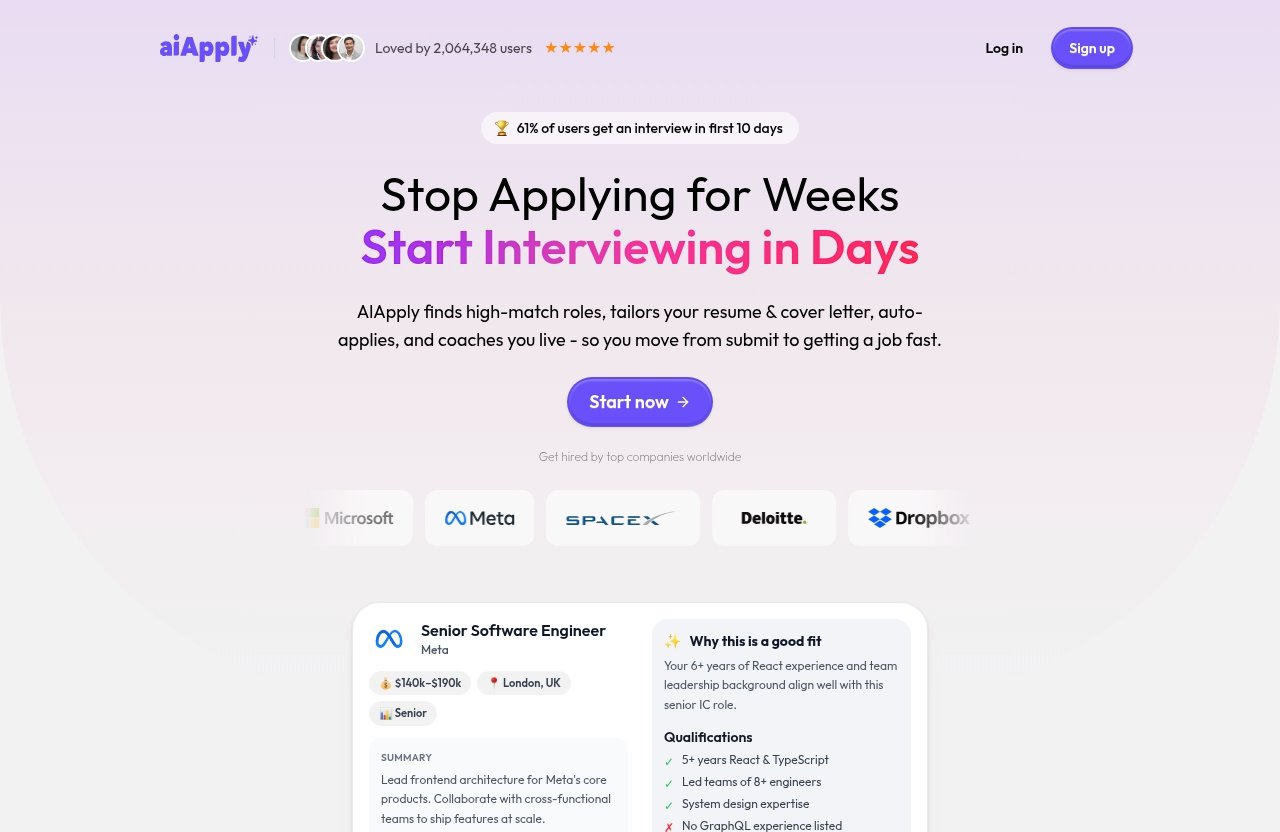
AIApply is an AI-powered job application platform. According to the official homepage and verified product summaries, it is designed to help users tailor resumes and cover letters, apply to matching jobs with Auto Apply, and prepare for interviews.
In plain English, AIApply sits between you and the repetitive parts of job hunting. You give it your resume, background, and job preferences; the platform helps generate application materials and can use aiapply auto apply to submit applications to matching roles.
That is the practical answer to how does AIApply work: it combines profile setup, AI-generated materials, job matching, and application tracking into one job-search workflow.
Best-fit users: active job seekers, career switchers, busy professionals
AIApply is most relevant for people who are actively applying to multiple jobs each week. If you are applying to only one or two highly specialized roles, you may prefer a fully manual process. But if your search involves dozens of similar roles, automation can reduce the admin work.
The best-fit users include:
| User type | Why AIApply may help |
|---|---|
| Active job seekers | Faster resume and cover letter tailoring for repeated applications |
| Career switchers | Help framing transferable skills for new role types |
| Busy professionals | Less time spent rewriting similar applications |
| Recent graduates | Support creating structured resumes and cover letters |
| Remote-job seekers | Easier filtering by work format and location preferences |
If you are asking how does AIApply work for a job, think of it as a workflow assistant. It does not replace your experience, skills, or interview performance, but it may help package and submit your applications more efficiently.
When AIApply may not be the right fit
AIApply may not be ideal if you need extreme customization for every application. For example, executive roles, academic positions, government jobs, and highly regulated industries often require careful manual tailoring.
It may also be a poor fit if you are uncomfortable with automation submitting applications on your behalf. Even when a tool is convenient, you should still make sure your profile details, salary expectations, resume claims, and job preferences are accurate.
If you are skeptical because you have searched phrases like how does aiapply work reddit or does ai apply work reddit, that skepticism is reasonable. User discussions can be useful, but they are anecdotal. Official product pages confirm the feature set, while user reviews can only reflect individual experiences, not guaranteed outcomes.
How Does AIApply Work? The Core Workflow
Step 1: Create an account and choose your main use case
The first step is creating an account through the aiapply login or signup process. From there, you decide what you mainly want the platform to help with: creating a resume, generating cover letters, using Auto Apply, preparing for interviews, or tracking applications.
The verified product summaries describe AIApply as offering both application automation and supporting tools. That means you do not have to treat it as “all or nothing.” You can use it manually, use a hybrid workflow, or lean more heavily on Auto Apply.
If you want to explore the live signup and current feature access, you can review AIApply through this TopTrustReview partner link. Check the live product page before subscribing, especially because pricing and limits can change.
Step 2: Add your details and job preferences
The next part of how does AIApply work is preference setup. Verified workflow summaries state that users provide details such as experience level, salary expectations, industry, role type, location, and work format.
These inputs matter because they guide matching. If you say you want remote marketing manager roles at a certain salary range, the platform should search and tailor around that kind of target. If your preferences are too broad, you may get less relevant matches.
Typical setup details include:
| Input | Why it matters |
|---|---|
| Resume or work history | Gives the AI your background and skills |
| Target job titles | Helps match suitable openings |
| Experience level | Reduces mismatches with junior or senior roles |
| Salary expectations | Filters roles that may not meet your needs |
| Location | Supports local, hybrid, or remote matching |
| Work format | Helps distinguish onsite, hybrid, and remote jobs |
| Industry | Improves relevance of applications |
Step 3: Generate tailored application materials
Once your profile is ready, AIApply can help create or tailor resumes and cover letters. Official and verified review summaries describe the product as including an AI Resume Creator or Builder and cover letter generation.
This is where the tool becomes more than a mass-apply system. Instead of sending one generic resume everywhere, the platform can help adjust wording toward the target role. That may include emphasizing relevant skills, responsibilities, and keywords from the job description.
Still, you should review the output. The safest answer to how does AIApply work is not “AI handles everything perfectly.” It is better understood as “AI drafts and adapts materials, while you remain responsible for accuracy.”
Step 4: Let Auto Apply find and submit matches
Auto Apply is the core automation feature. Based on official homepage and verified review summaries, AIApply can find matching job openings, tailor application materials, and submit applications on the user’s behalf.
This is the feature most people mean when they ask about aiapply auto apply. The workflow is intended to reduce the repetitive work of searching, editing, and submitting similar applications across multiple listings.
A practical way to use Auto Apply is to start with a narrow target. For example, instead of selecting every “project manager” role in every industry, you might begin with “remote SaaS project manager roles requiring 3–5 years of experience.”
Step 5: Track results and refine inputs
After submissions, AIApply’s application tracker can help you monitor activity. Verified feature summaries include an application tracker, which is useful because job searches quickly become messy when applications scale.
This is also where refinement matters. If you receive irrelevant matches, update your preferences. If your resume is not getting traction, adjust the resume summary, target titles, or skills section.
The real answer to how does AIApply work over time is iterative. You set preferences, review results, improve inputs, and keep narrowing the system toward better-fit jobs.
Step-by-Step Setup Walkthrough
What information you need before starting
Before using AIApply, gather the basics. This makes setup faster and reduces the risk of inaccurate applications.
Prepare:
- A current resume file or detailed work history
- Your preferred job titles
- Target industries
- Experience level
- Salary expectations
- Preferred locations
- Work format preferences, such as remote, hybrid, or onsite
- A short list of skills you want emphasized
- Any roles or industries you want excluded
This preparation is important because how does AIApply work depends heavily on the information you provide. Better inputs usually lead to more relevant AI-generated materials and job matches.
How preferences affect matching
Preferences act like the instructions for your job search. If they are too vague, the platform may identify jobs that technically match but are not realistic or appealing. If they are too narrow, you may limit the number of opportunities.
For example, a user targeting “remote customer success manager roles in B2B SaaS” gives the platform a clearer direction than someone targeting “business jobs.” Clear inputs help the tool tailor resumes and cover letters more precisely.
This is also why salary expectations should be realistic. If your expected range is far above the market for your experience level, automation cannot fix the mismatch.
Resume and cover letter preparation tips
Start with a clean, factual resume. Avoid exaggerated claims, unclear job titles, or skills you cannot discuss in an interview. AI can polish your wording, but it should not invent experience.
A useful resume setup includes:
| Resume section | Practical tip |
|---|---|
| Summary | Keep it specific to your target roles |
| Work experience | Use measurable results where accurate |
| Skills | Prioritize skills mentioned in target job descriptions |
| Education | Include relevant credentials clearly |
| Certifications | Add only current and truthful credentials |
For cover letters, use AI-generated drafts as a starting point. A good cover letter should sound like you, mention the role clearly, and connect your experience to the employer’s needs.
Best practices for faster setup
The fastest setup is not always the best setup. Spend a little extra time defining what you want before turning on automation.
Best practices include:
- Start with one or two target role types
- Use realistic experience filters
- Avoid applying to roles you would not accept
- Review your resume before using Auto Apply
- Check generated materials for accuracy
- Update preferences after seeing early results
If you are trying to understand how does AIApply work for a job, remember that the tool follows your direction. A thoughtful setup gives it better direction.
How Auto Apply Works in Practice
How matching jobs are selected
Based on verified workflow summaries, AIApply uses your profile and preferences to find matching job openings. These preferences may include industry, role type, salary expectations, location, experience level, and work format.
This does not mean every match will be perfect. Job descriptions vary widely, and employers often use inconsistent titles. A “marketing specialist” role at one company might be similar to a “growth associate” role at another.
That is why early review is important. Use the first batch of matches to see whether the system understands your target.
How tailored resumes and cover letters are created
AIApply’s resume and cover letter tools are designed to tailor your application materials to jobs. Official and verified review summaries describe resume creation, resume tailoring, and cover letter generation as part of the platform’s feature set.
In practice, this means the AI may adjust emphasis. If a job description focuses on CRM tools, customer retention, and onboarding, your tailored material may highlight those relevant parts of your background.
The key safety point is accuracy. If the AI-generated resume or cover letter includes claims that are not true, edit them. Employers may ask about those details during interviews.
How applications are submitted automatically
Auto Apply is described as submitting applications on the user’s behalf after finding suitable matches and tailoring materials. This is the automation loop: match, tailor, submit.
For busy applicants, this can reduce repetitive work. Instead of manually searching job boards, rewriting similar letters, and filling out forms one by one, the platform handles a larger portion of the workflow.
However, how does AIApply work does not mean every employer system will be identical. Some applications may require additional questions, assessments, or manual steps. Automation is helpful, but job application platforms and employer portals can vary.
What happens after submissions
After applications are submitted, the next phase is monitoring and response management. AIApply includes an application tracker according to verified feature summaries, which can help you keep an organized view of your job search.
You should still check your email regularly. Employers may request interviews, assessments, portfolio links, or clarifications. If you miss those messages, the advantage of faster applications can disappear.
This is also a good time to refine your inputs. If you are getting interest from the wrong roles, adjust your target titles or industries. If you are getting no responses, revisit your resume quality and role fit.
Official website · Latest pricing & offers
AIApply Tools Beyond Auto Apply
AI Resume Builder / Resume Creator
AIApply includes an AI Resume Builder or Resume Creator, based on official and verified feature summaries. This tool helps create or improve resumes for job applications.
For users with outdated resumes, this can be useful. The tool can help structure experience, improve wording, and align content with target roles. It may be especially helpful if you have not updated your resume in a few years.
Still, resume quality depends on the source information. AI can make a resume clearer, but it cannot create real achievements you do not have.
Cover letter generation
Cover letter generation is another verified AIApply feature. This can help when you are applying to many roles that each deserve a slightly different introduction.
A strong AI-assisted cover letter should:
- Mention the target role
- Connect your experience to the job requirements
- Avoid generic filler
- Stay concise
- Sound natural and professional
If you have ever searched for a free ai apply for jobs option, cover letter generators may seem easy to find. The difference with AIApply is that cover letter generation is part of a broader job application workflow, not just a standalone writing tool.
Interview Buddy and mock interviews
AIApply also includes interview support, described in verified feature summaries as Interview Buddy, interview coaching, or mock interviews. This matters because getting applications out is only one part of the job search.
Interview preparation can help you practice answers, organize examples, and reduce anxiety. It may be especially useful if you are switching careers or have not interviewed recently.
Do not treat AI interview practice as a substitute for real preparation. You should still research the company, review the job description, and prepare specific examples from your background.
Resume scanner, job board, and application tracker
Verified feature summaries also mention a resume scanner, job board, and application tracker. These tools support different parts of the job-search funnel.
The resume scanner can help identify areas for improvement. The job board can help you find opportunities. The tracker can help you stay organized after applications are submitted.
Together, these features explain how does AIApply work as a broader system. It is not only an auto-application tool; it is intended to support resume preparation, application submission, and interview readiness.
Pricing and Plan Considerations
What the official pricing page confirms
Pricing requires extra care. The captured official page text available for this article does not expose the full current plan table, so it would be misleading to invent plan names, weekly prices, monthly prices, trial details, or application limits.
Based on verified review summaries, a paid plan is required for Auto Apply. However, readers should verify the live official pricing page before subscribing because plan details, limits, and offers may change.
If you are researching is aiapply free or ai apply cost, the most accurate answer is: check the current AIApply pricing page at the time you sign up. Do not rely on outdated screenshots, old Reddit comments, or third-party summaries for final pricing decisions.
How to evaluate value before subscribing
The value of AIApply depends on how many relevant applications it helps you prepare and submit, and whether that saves meaningful time. A tool like this is easier to justify if you are actively applying to many roles.
Ask yourself:
| Question | Why it matters |
|---|---|
| Am I applying to many similar roles? | Automation is more useful when tasks repeat |
| Are my target jobs clearly defined? | Clear preferences improve matching |
| Do I have a strong resume foundation? | AI works better with accurate inputs |
| Am I willing to review outputs? | Human oversight reduces mistakes |
| Do I need interview support too? | Extra tools may increase usefulness |
When evaluating how does AIApply work, do not focus only on the number of applications. Focus on whether the applications are relevant, accurate, and aligned with jobs you would actually accept.
When a paid plan makes sense
A paid plan may make sense if you are in an active job search and want help scaling applications. It may also be worthwhile if you need resume, cover letter, application tracking, and interview tools in one place.
It may not make sense if you are casually browsing or applying to a few hand-picked jobs. In that case, manual applications may be enough.
Before paying, review current terms, limits, and plan details on the live site. You can start by checking AIApply through TopTrustReview’s affiliate link, then compare the current pricing page with your actual job-search needs.
Pros, Limits, and Safety Notes
Potential time savings
The biggest potential benefit is time savings. Job applications often involve repetitive tasks: finding roles, editing resumes, writing cover letters, and tracking submissions. AIApply is designed to reduce some of that workload.
For active applicants, that can be meaningful. Even saving a few minutes per application can add up over a long search.
That said, time saved is not the same as guaranteed interviews. User reviews and testimonials may describe better response rates or more interviews, but those outcomes are anecdotal and not guaranteed.
Possible downsides of automation
Automation can create problems if it applies to jobs you do not want, uses generic wording, or submits materials you have not reviewed. This is the main tradeoff with Auto Apply.
Possible downsides include:
- Less personal control over each application
- Risk of applying to poor-fit roles
- Generic cover letters if inputs are weak
- Inaccurate claims if AI output is not reviewed
- Missed employer-specific instructions
This is why the best answer to how does AIApply work includes human oversight. The tool can speed up the process, but you should still guide it.
Where manual review still matters
Manual review matters most for high-priority applications. If you find a dream role, do not rely only on automation. Read the job description carefully, tailor your resume, and write a more specific cover letter.
Manual review also matters for sensitive details such as salary expectations, relocation, visa status, certifications, and years of experience. These details can affect employer decisions and should be accurate.
Use automation for scale, but use judgment for quality.
Ethical and employer-perception considerations
A common question is whether employers can tell if you are using AI. The risk is usually not the mere use of AI; it is low-quality, generic, or inaccurate content.
If your cover letter sounds robotic or your resume includes skills you cannot explain, that can hurt trust. If your materials are accurate, specific, and professional, AI assistance may be less obvious and less concerning.
The ethical rule is simple: do not misrepresent yourself. AI can help communicate your experience, but it should not fabricate it.
AIApply vs. Doing It Manually
Speed
Manual applications are slower. You search for jobs, compare requirements, rewrite your resume, draft cover letters, fill out forms, and track everything yourself.
AIApply is designed to speed up that workflow. Its Auto Apply feature can find matching openings, tailor materials, and submit applications on your behalf, according to official and verified product summaries.
If your main problem is lack of time, this is where the platform is most appealing.
Customization
Manual applications can offer deeper customization. You can research the employer, mirror the job description carefully, and write a highly specific cover letter.
AIApply can help tailor materials, but automation may not match the nuance of a carefully written manual application for a high-value role.
A good hybrid approach is to use AIApply for broader applications and manual effort for the roles you care about most.
Consistency
Manual job searching can become inconsistent. After a long day, you may skip cover letters, forget to track applications, or apply with an outdated resume.
AIApply can help create a more consistent process. The resume tools, cover letter generation, Auto Apply workflow, and tracker all support repeatable execution.
That consistency is a major part of how does AIApply work for busy job seekers. It helps turn job hunting into a more organized system.
Where manual applications still win
Manual applications still win when quality matters more than quantity. This includes senior roles, niche technical roles, referral-based opportunities, and positions requiring detailed written responses.
Manual effort also wins when networking is involved. A warm referral, thoughtful message, or direct recruiter conversation can be more valuable than another automated submission.
In short, AIApply may help with scale, but manual work still matters for strategy.
Final Verdict: Is AIApply Worth Trying?
Best use case summary
AIApply is worth considering if you are actively applying to multiple jobs and want help reducing repetitive work. The strongest use case is a job seeker with clear target roles, a solid resume foundation, and a willingness to review AI-generated materials.
The answer to how does AIApply work is straightforward: you set up your profile and preferences, the platform helps create tailored resumes and cover letters, Auto Apply finds and submits matching applications, and the tracker helps you monitor progress.
It is not a magic shortcut to guaranteed interviews. It is a job-search productivity tool.
Who should skip it
You may want to skip AIApply if you only apply to a few roles per month, need highly customized applications, or are not comfortable with automated submissions.
You should also skip or delay it if your resume is inaccurate, incomplete, or unfocused. Automation works best when your inputs are strong.
If your job search depends heavily on networking, referrals, portfolios, or complex applications, manual effort may still be the better primary strategy.
Recommendation for affiliate readers
For TopTrustReview readers, the practical recommendation is conditional: AIApply is most worth trying if you need faster applications and are comfortable paying for automation after checking the current pricing page.
Use it thoughtfully. Start with clear preferences, review generated materials, monitor your tracker, and refine your setup based on results.
In conclusion, how does AIApply work is best understood as a guided workflow: prepare your profile, define your targets, generate tailored materials, automate suitable applications, and keep improving the process with human oversight.
Official website · Latest pricing & offers
FAQ
How does AIApply work?
AIApply works by helping users create or upload job-search materials, enter job preferences, generate tailored resumes and cover letters, find matching openings, and submit applications through Auto Apply.
The workflow generally starts with account setup, followed by resume or profile preparation. Then you add preferences such as role type, industry, salary expectations, location, work format, and experience level. From there, AIApply can help tailor materials and submit applications to matching jobs.
Does AIApply really work?
AIApply can work as a time-saving job application tool, especially for users applying to many relevant roles. Official product information confirms features such as Auto Apply, resume and cover letter support, interview prep, and application tracking.
However, results are not guaranteed. Outcomes depend on your resume quality, job market, target roles, experience level, preferences, and how well your background matches available jobs. User reviews may report time savings or more interviews, but those are anecdotal experiences.
Can interviewers tell if you are using AI?
Interviewers may notice if your application sounds generic, exaggerated, or inconsistent with your actual experience. The main risk is not simply using AI; it is submitting low-quality or inaccurate content.
To reduce that risk, review your resume and cover letter before submission when possible. Make sure every claim is true and that you can explain your skills, achievements, and work history in an interview.
Is AIApply free to use?
The current official pricing page should be checked directly before signup. The captured official page text available for this article does not provide a full current plan table, so it would not be accurate to claim specific free-tier details.
Based on verified review summaries, Auto Apply requires a paid plan. If you are searching is aiapply free, verify the live AIApply pricing page for the most current access rules.
How much does an AIApply subscription cost?
You should verify AIApply subscription pricing on the official pricing page at the time you subscribe. The available captured official page text does not expose the full current plan table, and pricing can change.
Do not rely on outdated third-party posts for exact prices, plan names, or limits. If the live pricing page shows application limits, daily matches, or plan tiers, use those current details to decide whether the subscription fits your job-search volume.
Related Reading
- AIApply for Job Search: Best Use Cases in 2026
- How to Set Up WordPress on Hostinger in 2026: Beginner’s Step-By-Step Guide
- Adcreative.ai Tutorial: Create Ads in 10 Minutes
References
- AIApply: Job Application AI with Auto Apply
- AIApply Demo: How AI Auto-Apply Works — Apply to 100+ …
- Read Customer Service Reviews of aiapply.co
- AI Apply Tutorial: Streamline Your Job Applications and Get …