Is Klap Worth It? Honest Pros and Cons for Creators in 2026
Official website · Latest pricing & offers
Quick verdict: Is Klap worth it?
Short answer for busy creators
Is Klap worth it? For creators who regularly publish long-form video and want a faster way to turn long videos into shorts, yes, Klap can be worth it. Its strongest value is speed: you paste a YouTube link or upload a video, let the AI video clipping tool generate short-form clips, then review and export the best ones.
The honest caveat is that Klap is not a magic replacement for editorial judgment. If your clips need heavy story shaping, detailed brand design, or frame-by-frame editing, you should expect to do final touch-ups.
This Klap app review is based on official product information, Klap pricing details, and general public third-party feedback from creator communities and review discussions. I’m also including a disclosure-friendly note: if the workflow sounds like a fit, you can try Klap through our partner link, but the goal here is to help you decide before clicking through.
Who should buy Klap now
Is Klap worth it for consistent creators? It is most compelling for YouTubers, podcasters, interview hosts, coaches, educators, and social media teams that already have a backlog of long videos. If you publish webinars, tutorials, interviews, or talking-head content, Klap can help you extract more social content from the same recording.
It also makes sense if your bottleneck is not strategy but editing time. A creator who knows they should post more TikToks, Reels, and Shorts but never gets around to cutting them manually is exactly the kind of buyer Klap is built for.
Who should skip it
Is Klap worth it for everyone? No. Creators who only need an occasional clip may find the paid plans more than they need, especially because ongoing Klap pricing is based on monthly clip volume and billed yearly.
You may also want to skip Klap if your content depends on cinematic pacing, complex motion graphics, highly customized brand templates, or visual storytelling that AI may struggle to understand. In those cases, a manual editor or a more advanced editing suite may be the better investment.
What Klap does and how it works
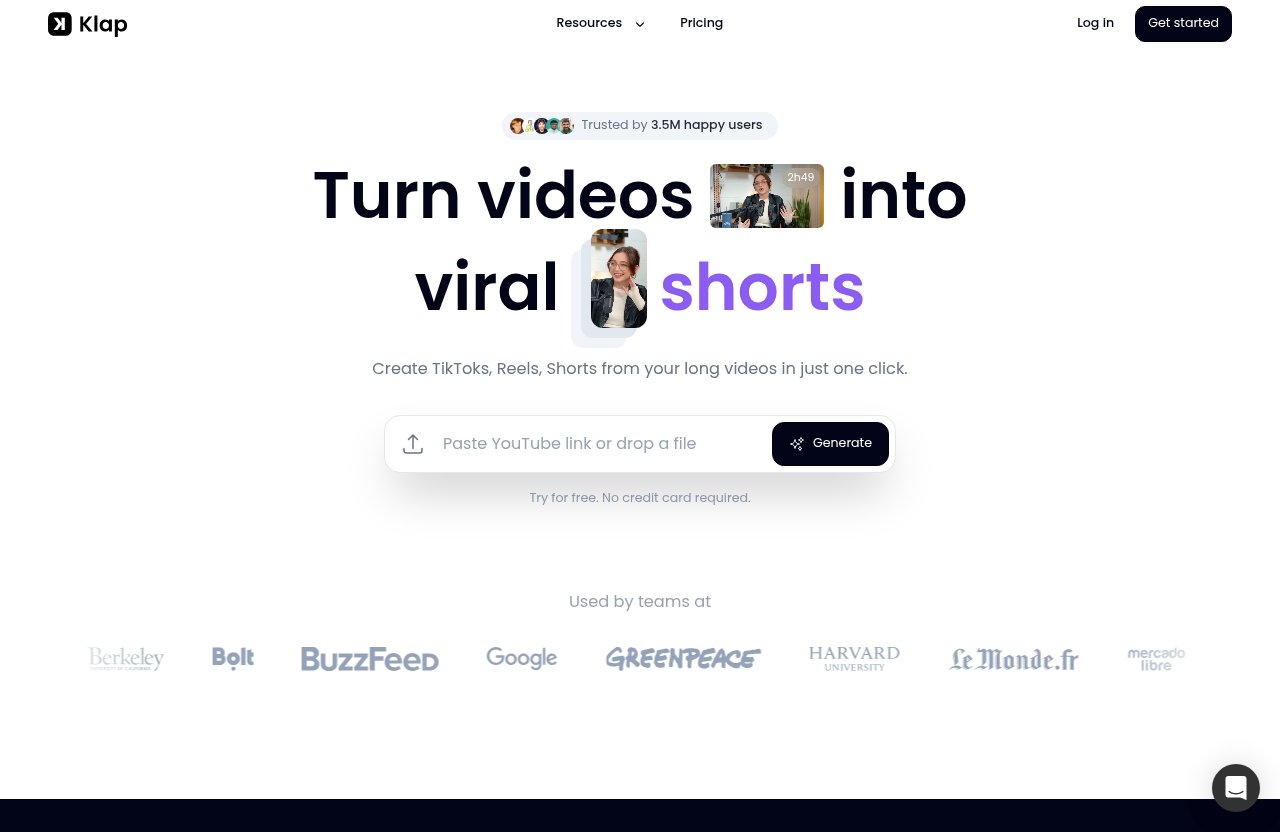
Turn long videos into short clips
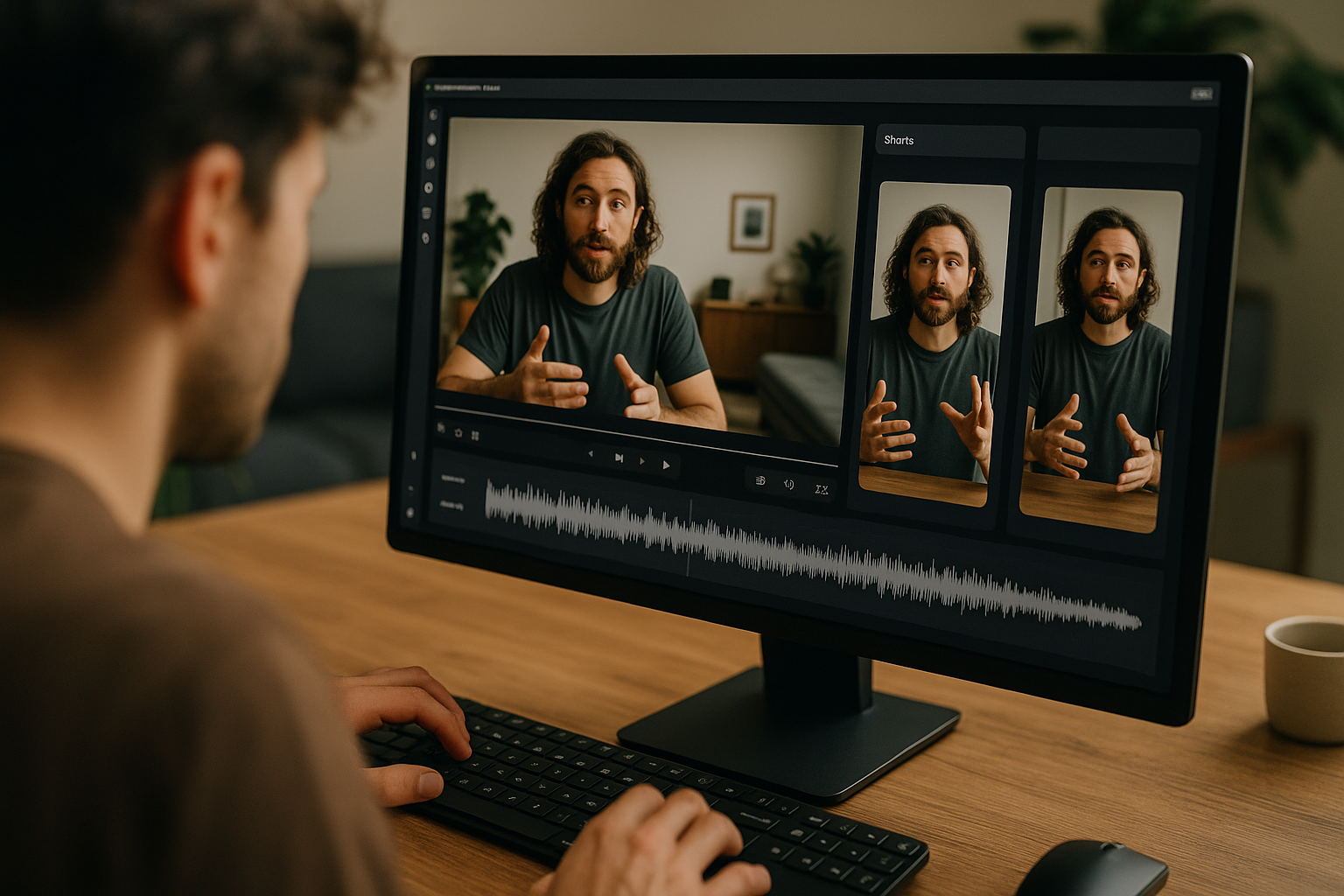
Klap is designed to turn long videos into viral TikToks, Reels, and YouTube Shorts. In plain English, it helps creators take one longer video and convert it into multiple short-form clips for social platforms.
The official homepage says users can create TikToks, Reels, and Shorts from long videos in one click. It also states that about 1 minute of video produces about 5 video clips, which gives buyers a rough sense of how clip generation works.
Is Klap worth it if you already edit manually? It depends on how much time you spend searching for usable moments. If finding the best snippets takes longer than polishing them, an AI video clipping tool like Klap may remove a painful part of the workflow.
Upload by link or file
The workflow is simple. Klap says users can paste a YouTube link or upload a video file. That matters because not every creator stores content in the same place.
For creators focused on Klap for YouTube, the YouTube link workflow is especially convenient. If you have a published video, interview, tutorial, or podcast episode on YouTube, you can start from the link instead of digging through local files.
After Klap generates clips, users can export them in high resolution. That makes the tool more useful for creators who care about repurposing content across TikTok, Instagram Reels, and YouTube Shorts without starting from scratch each time.
What AI Reframe 2 adds
AI Reframe 2 is one of Klap’s more important official features. Klap says AI Reframe 2 resizes videos for any platform and analyzes scenes to apply layouts such as Split Screen, Screencasts, Gaming, and more.
That is valuable because short-form platforms usually need vertical-friendly framing. If your original video was recorded horizontally, reframing can be one of the most annoying parts of repurposing.
Is Klap worth it for creators who make screen recordings, tutorials, gaming clips, or interviews? AI Reframe 2 is one reason it may be. The layout options suggest Klap is not only cutting moments, but also helping adapt them to different content formats.
Klap pricing and what each plan includes
Basic plan
Klap pricing starts with the Basic plan at $14/month billed yearly. The plan includes 100 clips monthly.
For a solo creator testing regular short-form publishing, that clip volume may be enough if you are selective. For example, if you publish a few long videos per month and only need a small batch of clips from each, Basic is the lowest-cost way to use the paid product.
Is Klap worth it on Basic? It can be, but only if 100 clips monthly fits your actual publishing rhythm. If you create more content than that, you may hit the clip cap sooner than expected.
Pro plan
The Pro plan costs $39/month billed yearly and includes 300 clips monthly. This is likely the more practical plan for creators who consistently repurpose YouTube videos, podcasts, interviews, or educational content.
The value difference is mainly clip volume. You are not deciding based on vague promises; you are deciding how many clips you realistically need every month.
For many buyers comparing a Klap monthly plan, the important detail is that the official pricing page states these prices are billed yearly. Do not assume month-to-month billing unless Klap shows that option directly at checkout.
Pro+ plan
The Pro+ plan costs $94/month billed yearly and includes 1000 clips monthly. This plan is aimed at higher-volume creators, teams, agencies, or publishers with a lot of long-form content.
Is Klap worth it at the Pro+ level? It can be if clip volume is a real business need. A social media manager handling multiple shows, channels, or clients may get more value from a larger clip allowance than a solo creator posting occasionally.
Klap also says there are no hidden fees and users can cancel anytime. For buyers, that reduces some friction, though the yearly billing detail still matters when calculating commitment.
When the yearly billing matters
Klap pricing is listed as monthly prices billed yearly. That distinction matters because “$14/month” and “billed yearly” are not the same buying experience as a purely month-to-month subscription.
Here is the clean comparison:
| Plan | Official price | Billing note | Monthly clip volume | Best fit |
|---|---|---|---|---|
| Basic | $14/month | Billed yearly | 100 clips monthly | Solo creators with light repurposing needs |
| Pro | $39/month | Billed yearly | 300 clips monthly | Consistent creators and small content teams |
| Pro+ | $94/month | Billed yearly | 1000 clips monthly | Agencies, teams, and high-volume channels |
Is Klap worth it financially? The answer depends less on the sticker price and more on whether you will actually use the monthly clips. If you are only clipping once in a while, the value drops. If you regularly turn long videos into shorts, the plans become easier to justify.
The biggest pros of Klap for creators
Saves time on editing
The biggest reason creators look at Klap is speed. Cutting a long video into usable Shorts, Reels, and TikToks can be tedious, especially when you have to watch the full recording, identify hooks, reframe the shot, add captions, and export versions.
Klap’s promise is to make that process faster by generating clips from long videos. That does not mean every clip will be perfect. It means you can start from AI-suggested clips instead of a blank editing timeline.
Is Klap worth it if time is your main constraint? This is where the product makes the strongest case. If editing bottlenecks prevent you from posting consistently, Klap may help you publish more without hiring an editor immediately.
Useful for repurposing one video into many clips
Klap is built around repurposing. One long YouTube video, podcast episode, interview, webinar, or tutorial can become multiple short clips for different platforms.
That is a real advantage for creators who already invest time into long-form content. Instead of treating a 30-minute video as one asset, you can use it as raw material for social distribution.
This is why Klap for podcasters can make sense. Podcast hosts often record long conversations with many standalone moments, questions, opinions, and teaching points. A tool that helps surface those moments can make distribution easier.
Captions and export workflow
Short-form video often depends on captions because many viewers watch without sound. In public Klap AI review discussions, creators commonly care about whether the clipping and caption workflow reduces manual editing time.
The practical advice is simple: treat AI-generated captions as a draft, not something to ignore. Names, technical terms, brand phrases, and fast speech may still need human review in any AI-assisted workflow.
Klap says clips can be exported in high resolution, which is important if you plan to publish across multiple platforms. A smooth export workflow matters because creators rarely need just one version; they need content that can move quickly from tool to platform.
Potentially strong for daily posting
Is Klap worth it for daily posting? It can be, especially if you already create enough long-form material to feed the tool. Daily short-form posting becomes more realistic when you can create batches of clips from existing videos.
This does not mean Klap guarantees views or virality. No tool can promise that. What it can potentially improve is output capacity: more candidate clips, faster editing starts, and less friction between long-form recording and short-form publishing.
Social media managers may find this particularly useful. If a client records weekly interviews or educational videos, Klap can help produce a steady stream of TikTok, Reels, and Shorts ideas from content that already exists.
Official website · Latest pricing & offers
The biggest cons and limitations
Less control than manual editing
The main trade-off with any AI video clipping tool is control. Manual editing gives you full authority over pacing, story structure, zooms, music, graphics, timing, and brand style.
Klap is designed for speed and automation, so it may not satisfy creators who want every frame to feel handcrafted. That is not a flaw as much as a buyer-fit issue.
Is Klap worth it if you are a perfectionist editor? Maybe not as your only tool. It may still help find clips, but you may want to finish them elsewhere if your standards require deep customization.
May need final touch-ups
AI clipping can save time, but buyers should expect to review the output. Some clips may need trimming, caption correction, better opening context, or a stronger ending.
This is especially true for nuanced content. If your video includes long pauses, inside jokes, technical explanations, multiple speakers, or complex visuals, the AI may not always choose the exact moment you would choose.
The best mindset is to use Klap as an assistant, not a replacement for taste. If you are comfortable doing a final pass before publishing, the workflow is more likely to feel useful.
Best for certain content formats
Klap seems best suited to content with clear spoken moments: YouTube commentary, interviews, podcasts, tutorials, educational videos, webinars, and similar formats.
It may be less ideal for content where the value is mostly visual, cinematic, musical, or atmosphere-based. For example, a travel montage, art film, music video, or heavily edited brand campaign may not translate as cleanly into AI-selected clips.
Is Klap worth it for every niche? No. It is strongest when the source video contains understandable moments that can stand alone as short-form content.
Monthly clip caps may limit heavy users
Klap pricing is clip-based. Basic includes 100 clips monthly, Pro includes 300 clips monthly, and Pro+ includes 1000 clips monthly.
That structure is simple, but it can feel restrictive for heavy users. If you process a lot of long videos, run multiple channels, or manage several clients, you should estimate clip demand before choosing a plan.
The official pricing page also says “Need more? Let’s talk!” for higher needs. That suggests larger users may need to discuss custom volume rather than assuming a standard plan will be enough.
Is Klap worth it for your use case?
For YouTubers
Is Klap worth it for YouTubers? Usually, it is most appealing if YouTube is already your long-form content hub. Klap lets you paste a YouTube link, which makes the workflow especially convenient.
For creators focused on Klap for YouTube, the key benefit is turning one uploaded video into multiple Shorts candidates. This can help extend the life of tutorials, interviews, explainers, and commentary videos.
If you want a deeper YouTube-specific angle, see our Klap for YouTube review. The short version: YouTubers with consistent uploads are likely a better fit than creators with only occasional long-form videos.
For podcasters
Klap for podcasters can be a strong match when the podcast has clear, self-contained moments. Interviews, expert clips, hot takes, short stories, and educational answers often work well as social snippets.
The weakness is context. Podcast conversations can build slowly, so some AI-generated clips may need a better setup or tighter intro before publishing.
If your podcast workflow is your main buying reason, it is also worth comparing tools built around podcast repurposing. Our Repurpose.io for podcasters review and Podsqueeze alternatives guide may help you think through adjacent options.
For faceless channels
Faceless channels can benefit from Klap when the source content has enough structure for short clips. Educational screen recordings, software tutorials, gaming videos, narrated explainers, and commentary formats may fit the workflow.
AI Reframe 2 may be relevant here because Klap says it can apply layouts such as Screencasts, Gaming, Split Screen, and more. That helps when the original content is not a simple talking-head video.
Is Klap worth it for faceless creators? It depends on the source material. If your videos have clear spoken points and repeatable formats, yes. If they rely heavily on custom visuals and pacing, you may need more manual editing.
For teams and agencies
Teams and agencies should judge Klap by throughput. If you manage multiple long-form videos every week, the ability to produce many short-form clips quickly can be valuable.
The Pro+ plan’s 1000 clips monthly may be more relevant for agencies than solo creators. Still, agencies should compare the clip cap against actual client volume before buying.
Klap can also help standardize the first stage of repurposing. Instead of every editor starting from scratch, a team can begin with AI-generated options and then apply human judgment before publishing.
Klap vs alternatives: what to compare before buying
What to compare in any alternative
When looking for a Klap alternative, do not compare tools only by price. The better comparison is workflow fit.
Look at transcription quality, clip selection, caption editing, brand controls, export flexibility, reframing options, and how much manual cleanup you still need. The cheapest tool is not a good deal if it creates more editing work than it saves.
Is Klap worth it compared with alternatives? It may be if its YouTube link/file upload workflow, short-form focus, and AI Reframe 2 match your content. But another tool may fit better if you need deeper manual control or a different editing style.
Where Klap appears to stand out
Klap appears to stand out as a focused tool for creators who want to turn long videos into shorts quickly. Its positioning is clear: generate TikToks, Reels, and Shorts from longer videos.
The paste-a-YouTube-link workflow is another practical advantage for creators who publish on YouTube first. The official claim that about 1 minute of video produces about 5 clips also gives users a rough expectation for clip generation.
For buyers reading a Klap AI review, the main appeal is not that Klap replaces all editing. It is that it reduces the first-pass work of finding and formatting short-form clips.
Where another tool may be better
Another tool may be better if you want more detailed editing control, advanced branding options, a different clipping logic, or a workflow built around another content type.
For example, shoppers comparing AI tools may also care about adjacent creator workflows, such as audio separation, job application automation, or podcast-specific repurposing. Our Is Lalal.AI worth it in 2026 and Best Aiapply alternative in 2026 guides cover different tool categories, not direct Klap replacements.
A good Klap alternative should be judged by how much time it saves after cleanup, not just how impressive the demo looks. If a tool gives you more polished clips with less review time, it may be worth paying more. If it adds complexity, Klap’s simpler workflow may be the better fit.
Real-world verdict: who gets the best value from Klap
Best-value buyer profile
Is Klap worth it for the right buyer? Yes. The best-value buyer is a creator or team producing recurring long-form content and struggling to repurpose it consistently.
That includes YouTubers, podcasters, interview hosts, educators, consultants, agencies, and social media managers. If you already have long videos and need more TikToks, Reels, and Shorts, Klap directly addresses that bottleneck.
The strongest fit is content with clear speech, repeatable formats, and moments that can stand alone. Talking-head videos, expert interviews, podcast clips, tutorials, and commentary are all practical examples.
Poor-fit buyer profile
Klap is a weaker fit for creators who only clip occasionally, need extremely custom edits, or expect AI to deliver fully polished content with no review.
It may also be less valuable if your content is mostly visual, cinematic, music-based, or highly stylized. Those formats usually need human editorial taste and detailed creative control.
Is Klap worth it if you want zero manual work? Probably not. You should expect to review clips, adjust captions where needed, and make publishing decisions yourself.
Final recommendation
So, is Klap worth it in 2026? For creators who regularly repurpose long-form video into short-form content and value speed over deep manual control, Klap is worth considering.
The pricing is clearest when judged by clip volume: Basic for lighter use, Pro for consistent creators, and Pro+ for high-volume teams or agencies. The free try-on-ramp also helps because Klap says you can try it for free with no credit card required.
My recommendation is conditional but positive: if you have a steady supply of YouTube videos, podcasts, interviews, or tutorials, try Klap and see whether the workflow fits your content. If you need cinematic editing, advanced customization, or only clip once in a while, compare alternatives before committing.
Official website · Latest pricing & offers
FAQ
What is a good Klap alternative?
A good Klap alternative depends on what you want to improve. Compare transcription quality, manual editing control, branding options, clip selection, export workflow, and how much cleanup each tool requires.
Some creators may prefer another tool if they need deeper customization or different clipping logic. Others may prefer Klap because it focuses clearly on helping creators turn long videos into shorts for TikTok, Reels, and YouTube Shorts.
How much does the Klap app cost?
Klap pricing has three verified paid plans. Basic is $14/month billed yearly and includes 100 clips monthly. Pro is $39/month billed yearly and includes 300 clips monthly. Pro+ is $94/month billed yearly and includes 1000 clips monthly.
The official pricing page also says there are no hidden fees and users can cancel anytime. It lists higher-volume needs as “Let’s talk!”
What problems does Klap solve?
Klap helps creators turn long videos such as YouTube videos, podcasts, interviews, webinars, and tutorials into short clips for TikTok, YouTube Shorts, and Instagram Reels.
The main problem it solves is repurposing friction. Instead of manually searching through long recordings, reframing clips, and preparing social-ready exports from scratch, creators can start with AI-generated clip options and then review the best ones.
Is Klap free or paid?
The Klap homepage says users can try it for free with no credit card required. That means there is a free try-on-ramp for testing the workflow.
For ongoing use, Klap is paid. The official pricing page lists yearly-billed plans: Basic, Pro, and Pro+. So if you are asking “is Klap free,” the accurate answer is that it offers a free trial-style entry point, but continued use is based on paid plans.
Related Reading
References
- Klap Reviews | Read Customer Service Reviews of klap.app
- Is Klap.app Good? Worth It? – My Honest Review
- Klap AI review 2026: a hands-on test of this AI video-clipping tool
- Klap AI Review: How the Klap App Turns Long Videos Into Viral Clips