Podsqueeze Alternatives: 7 Top Picks for Podcast Workflows in 2026
If you are comparing podsqueeze alternatives, the real question is not “which tool is most similar?” It is “which tool fits the way you record, edit, repurpose, and publish episodes?”
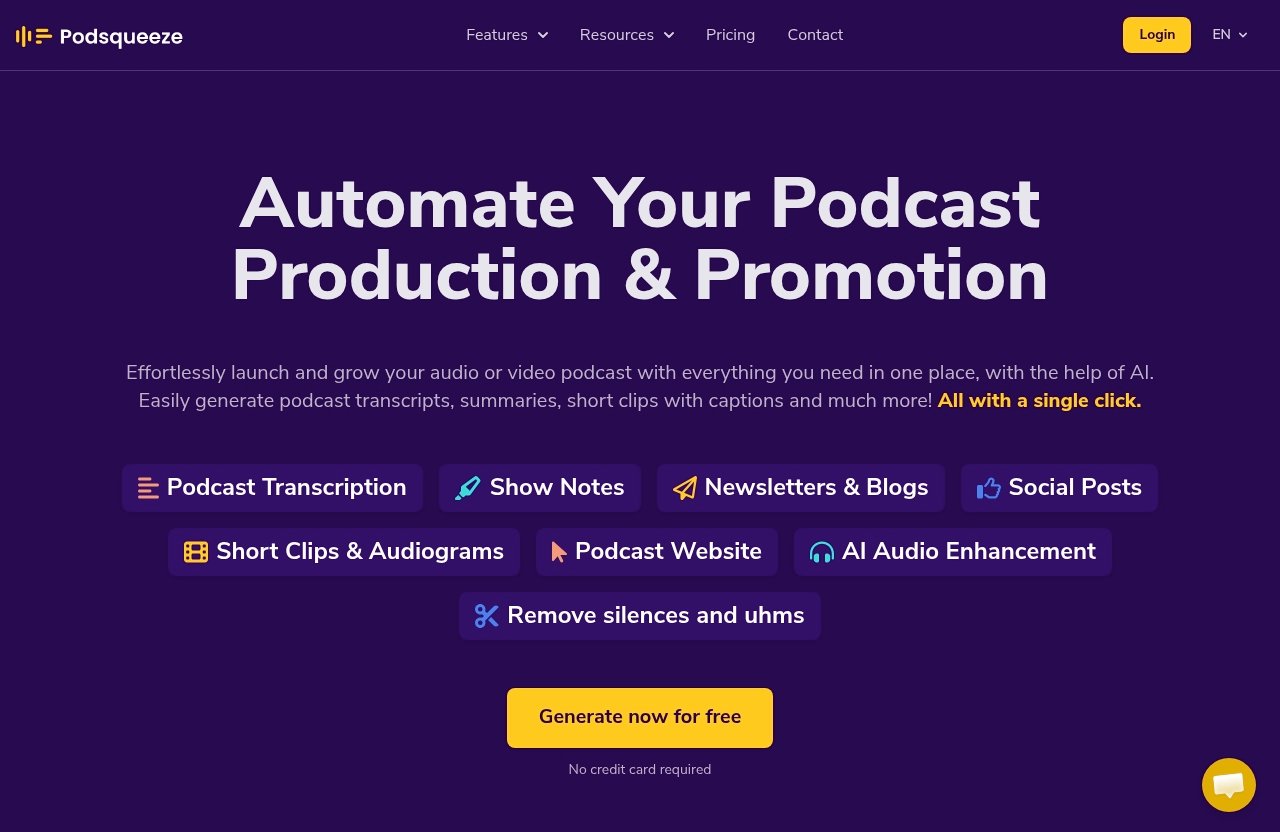
Podsqueeze is strong for turning podcast content into transcripts, show notes, summaries, clips, audiograms, blog posts, newsletters, social posts, and podcast websites. But some creators need deeper editing, remote recording, more brand control, or a simpler beginner workflow.
Below is a practical comparison of the best podsqueeze alternatives based on workflow fit, not just feature overlap.
Official website · Latest pricing & offers
Quick answer: the 7 best Podsqueeze alternatives
| Tool | Best fit | Main reason to consider it |
|---|---|---|
| Recast Studio | Complete podcast repurposing | Strong fit for clips, captions, branded assets, and multi-format content workflows |
| Descript | Text-based editing control | Better if you want editing flexibility before repurposing |
| Riverside | Recording-first teams | Best when remote recording quality and production capture matter most |
| Alitu | Beginners | Simple path from recording to publish-ready episodes |
| Hindenburg | Spoken-word audio editing | Built around serious audio editing for voice-first content |
| Castmagic | AI content generation | Useful for turning conversations into many written content assets |
| Podnotes | Budget/free evaluation | Worth testing if you want lightweight AI notes and podcast content support |
Best for complete podcast repurposing
Recast Studio is one of the most relevant podsqueeze alternatives if your main goal is to turn long-form episodes into multiple marketing assets. It is a good fit for creators who care about short-form video, captions, branded snippets, and repeatable content workflows.
Podsqueeze still deserves a close look here, especially if you want transcripts, summaries, short clips with captions, audiograms, blogs, newsletters, social posts, AI audio enhancement, and podcast websites in one place. You can review Podsqueeze’s current plans and workflow through this Podsqueeze access link.
Best for text-based editing control
Descript is the better fit when editing is the center of your workflow. If your team wants to cut, rearrange, and polish audio or video through a document-style interface, Descript may make more sense than a pure repurposing tool.
Best for recording-first teams
Riverside is best for creators who want the recording stage to be strong before they think about repurposing. If your interviews are remote and production quality is a priority, Riverside is one of the most important podsqueeze alternatives to evaluate.
Best for beginners
Alitu is designed for podcasters who want fewer moving parts. It is especially appealing if you do not want to build a tool stack and prefer a guided route toward a finished episode.
Best for spoken-word audio editing
Hindenburg is a strong option for hosts, journalists, producers, and audio-first creators who care more about spoken-word editing than automated clips or marketing assets.
Best budget/free angle to evaluate
Podnotes is worth testing if you are searching for podsqueeze alternatives free or lower-cost ways to generate notes and content from episodes. As with any free or low-cost option, compare limits carefully before moving your main workflow.
Best for teams and agencies
For agencies, media companies, and podcast managers, the choice depends on volume, collaboration, and repeatable templates. Podsqueeze can also be a strong agency fit because its Agency Lite and Enterprise options support higher usage needs, custom workflows, and team-oriented support.
Why people search for Podsqueeze alternatives
Most people looking for podsqueeze alternatives are not necessarily unhappy with Podsqueeze. They are usually trying to match a tool to a very specific production process.
A solo creator, a remote interview show, a branded agency podcast, and a content team publishing daily clips all have different needs. That is why the best choice depends on your workflow more than the longest feature list.
Need lower pricing
Budget is one of the first reasons people compare tools. Podsqueeze’s Starter plan is $8.99/mo and includes 120 minutes of podcast time per month, minutes rollover, 8 video clips or audiograms, quote images, file uploads up to 4Gb, unlimited uploads, unlimited YouTube conversions, a podcast website, audio enhancement, a podcast audio editor, chat with transcript, personalized results, and saveable video templates.
That is competitive for creators who need a focused repurposing workflow. Still, some users search for podsqueeze alternatives free because they only need occasional transcripts, simple summaries, or limited show notes.
Need stronger editing or branding
Some teams need more editing control than a repurposing-first tool provides. This is where comparisons such as podsqueeze vs descript become useful.
If you want to edit the episode deeply before generating promotional assets, a tool built around editing may be better. If you mostly need finished-episode assets, Podsqueeze or Recast Studio may be more efficient.
Need a simpler workflow
Not every creator wants advanced controls. Some beginners want to record, clean up audio, add basic structure, and publish without learning several tools.
That is why Alitu often appears in conversations about podsqueeze alternatives. It appeals to podcasters who value simplicity over maximum flexibility.
Need better collaboration
Agencies and teams often care about repeatable processes, shared access, onboarding, templates, and predictable output. A solo creator may tolerate manual steps, but a team producing multiple shows needs consistency.
Podsqueeze’s Agency Lite plan is $89/mo and includes 600 minutes per month, minutes rollover, 40 video clips or audiograms, quote images, uploads up to 10Gb, unlimited uploads, unlimited YouTube conversions, podcast landing pages, audio enhancement, a podcast audio editor, chat with transcript, personalized results, and saved video templates.
Need different content outputs
Some tools are stronger at video clips. Others are stronger at written content, audio editing, remote recording, or simple publishing.
That is why there is no single best podsqueeze competitor for everyone. The right tool depends on whether your priority is clips, transcripts, newsletters, social posts, recording quality, or audio polish.
What Podsqueeze does well for podcasters
Before comparing podsqueeze alternatives, it is worth being clear about what Podsqueeze already does well. For many podcasters, it covers the most important repurposing tasks without needing a large stack.
Podsqueeze is positioned for content creators, podcast managers, producers, agencies, and media companies. Its strength is turning podcast episodes into usable content assets quickly.
Transcripts and SRT files
Podsqueeze helps users generate transcripts and SRT files. That matters if you publish video clips, need captions, or want searchable episode text.
It also supports speaker labeling and chat with transcript, which can make it easier to pull insights, quotes, and reusable content from long conversations.
Show notes and summaries
As a show notes generator, Podsqueeze is useful for creators who do not want to manually write episode summaries after every recording. It can generate summaries and structured notes from podcast content.
This is one reason many buyers compare podsqueeze alternatives carefully. If show notes are your main pain point, you may not need a heavier editing suite.
Blog and newsletter generation
Podsqueeze can generate blogs and newsletters from podcast episodes. This is valuable if your podcast also feeds your SEO, email, and social content calendar.
For creators who publish consistently, turning one episode into several written assets can save hours each week.
Short clips and audiograms
Podsqueeze supports short clips with captions and audiograms. Its Starter plan includes 8 video clips or audiograms, Pro includes 20, and Agency Lite includes 40.
It also includes quote images and saveable video templates, which help maintain a more consistent visual style across promotional content.
Audio enhancement and filler-word cleanup
Podsqueeze includes AI audio enhancement and can help remove silences and ums. It also offers a podcast audio editor.
This does not mean it replaces every advanced audio editor. But for many creators, these tools are enough to make episodes cleaner before repurposing them.
Podcast website/landing pages
Podsqueeze includes a podcast website on Starter and podcast landing pages on Pro and Agency Lite. It also supports unlimited YouTube conversions and unlimited uploads across the listed plans.
If you want a repurposing platform that also supports web presence, Podsqueeze remains a strong option. For a balanced commercial comparison, start by checking whether Podsqueeze already covers your must-have workflow before moving to other podsqueeze alternatives.
How we evaluated these alternatives
To evaluate podsqueeze alternatives, I focused on workflow fit rather than claiming every platform does the same thing. Podcast AI tools often overlap on the surface, but they are built for different jobs.
Where exact competitor pricing or feature limits are not verified from official product information, I avoid quoting numbers. Instead, I compare based on positioning, common use cases, and practical fit.
Repurposing output quality
Repurposing quality means how well a tool helps transform one episode into clips, notes, summaries, captions, newsletters, posts, or articles. This matters most if your podcast is also a marketing engine.
Podsqueeze, Recast Studio, and Castmagic are especially relevant in this category.
Ease of use
A powerful tool is not always the best tool. If the workflow slows you down, you may publish less consistently.
Alitu and Podsqueeze are appealing for users who want a simpler process than a full production suite.
Editing flexibility
Editing flexibility matters if you need to restructure conversations, remove sections, polish audio, or create a more produced final episode.
This is where Descript and Hindenburg stand out among podsqueeze alternatives.
Collaboration and workflow
Teams need handoffs, repeatable templates, and reliable review processes. Agencies also need enough monthly capacity to handle multiple clients.
Podsqueeze’s Agency Lite and Enterprise plans are relevant here, while other tools may be better depending on recording, editing, or brand requirements.
Pricing value
Value is not just the lowest monthly cost. A cheaper tool that forces three extra manual steps may cost more in production time.
Podsqueeze’s Pro plan is $49/mo and includes 320 minutes per month, minutes rollover, 20 video clips or audiograms, quote images, uploads up to 10Gb, unlimited uploads, unlimited YouTube conversions, podcast landing pages, audio enhancement, a podcast audio editor, chat with transcript, personalized results, and saved video templates.
Best-fit use case
The best podsqueeze alternatives are not automatically better than Podsqueeze. They are better for specific workflows, such as recording-first production, heavy editing, beginner publishing, or AI content generation.
1) Recast Studio
Recast Studio is a strong option for creators who want a broader podcast repurposing workflow. It is especially relevant if your main bottleneck is turning long episodes into polished promotional assets.
Why it stands out
Recast Studio stands out as a repurposing-focused platform. It fits creators who want clips, captions, branded outputs, and publishing support without building every step manually.
Compared with Podsqueeze, Recast Studio may appeal more to teams that prioritize visual repurposing and social-ready assets. If your podcast growth depends heavily on short-form clips, it should be on your shortlist.
Who it is best for
Recast Studio is best for creators, marketers, and teams that treat every podcast episode as raw material for a content campaign. It is a practical fit for social media-heavy workflows.
If you are comparing podsqueeze alternatives because you want more control over branded repurposed content, start here.
Where it may fall short
If you mainly need transcripts, show notes, newsletters, blogs, audiograms, audio enhancement, and podcast pages in one straightforward workflow, Podsqueeze may already cover enough. Recast Studio is worth testing, but do not switch unless it improves your actual production process.
2) Descript
Descript is one of the most recognizable ai podcast tools because it approaches audio and video editing through text. For many creators, that editing model is the main reason to consider it.
Why it stands out
Descript stands out because it is editing-first. Instead of focusing only on AI-generated outputs, it helps creators work directly with the structure of the episode.
This makes podsqueeze vs descript a useful comparison. Podsqueeze is better framed as a repurposing and content-generation workflow, while Descript is better suited to creators who want hands-on editing control.
Who it is best for
Descript is best for podcasters, YouTubers, educators, and teams that need to edit heavily before publishing. If your raw recordings require rearranging, trimming, or detailed review, Descript may fit better.
It is also useful when video editing and podcast editing overlap in the same workflow.
Where it may fall short
Descript can be more tool than some creators need. If you already have edited episodes and simply want show notes, transcripts, clips, audiograms, newsletters, and social posts, Podsqueeze may be faster.
Among podsqueeze alternatives, Descript is strongest when editing is the bottleneck.
3) Riverside
Riverside is a recording-first platform. It is a strong candidate if your biggest concern is capturing remote interviews and high-quality source material.
Why it stands out
Riverside stands out because it starts at the recording stage. For interview podcasts, poor source audio or video creates problems that no repurposing tool can fully fix later.
That is why podsqueeze vs riverside is not a simple feature-by-feature comparison. Riverside is about production capture, while Podsqueeze is about transforming podcast content into usable assets after the fact.
Who it is best for
Riverside is best for remote interview shows, video podcasts, webinars, and teams that want a reliable recording workflow. If guests join from different locations, the recording experience matters.
It is also useful for teams that need to capture clean source material before editing and repurposing.
Where it may fall short
If you are mainly looking for a podcast clip maker, show notes, newsletters, blog drafts, audiograms, and podcast landing pages, Podsqueeze may be more directly aligned.
Riverside can complement Podsqueeze rather than replace it. Many teams use one tool for recording and another for post-production content.
Official website · Latest pricing & offers
4) Alitu
Alitu is built for simplicity. It is often a good choice for podcasters who want an easier route from raw audio to a publish-ready episode.
Why it stands out
Alitu stands out because it reduces complexity. Beginners often do not want to learn advanced editing software, manage multiple tools, or build custom post-production systems.
In a podsqueeze vs alitu comparison, Alitu is more about simplifying podcast production. Podsqueeze is stronger when the goal is repurposing episodes into multiple content formats.
Who it is best for
Alitu is best for solo hosts, new podcasters, coaches, consultants, and creators who want a guided production process. It is especially useful if technical editing feels like a barrier to publishing.
If consistency matters more than advanced controls, Alitu is one of the most beginner-friendly podsqueeze alternatives.
Where it may fall short
Alitu may not be the best fit for teams that need extensive repurposing, branded clips, newsletters, blog posts, social assets, and landing pages from each episode.
If your podcast is part of a larger content marketing strategy, Podsqueeze or Recast Studio may deliver more relevant outputs.
5) Hindenburg
Hindenburg is a serious option for spoken-word audio editing. It is especially relevant for podcasters who care deeply about sound, structure, and professional voice production.
Why it stands out
Hindenburg stands out because it is built around spoken-word workflows. It is not just an AI content generator; it is more closely aligned with audio production and editorial control.
For journalists, narrative podcasters, and producers, this can matter more than automated summaries or social posts.
Who it is best for
Hindenburg is best for audio-first creators who want to shape the listening experience carefully. It suits documentary-style podcasts, interviews, educational shows, and narrative audio.
If your main concern is audio quality and editorial pacing, it belongs on your podsqueeze alternatives list.
Where it may fall short
Hindenburg is not the obvious choice if your main goal is fast content repurposing. You may still need another tool for transcripts, clips, newsletters, social posts, or podcast landing pages.
Podsqueeze is usually a better fit when post-episode marketing assets are the priority.
6) Castmagic
Castmagic is a content-generation-heavy option. It is relevant for creators who want to turn conversations, interviews, and recordings into written assets.
Why it stands out
Castmagic stands out as an AI content workflow tool. It is often considered by users who want summaries, notes, quotes, posts, and other written materials from long-form audio or video.
If you are evaluating podcast repurposing tools, Castmagic is worth testing when written output is your biggest need.
Who it is best for
Castmagic is best for creators, marketers, coaches, sales teams, and content teams who care about extracting ideas from conversations. It may be especially useful when one recording needs to become many written assets.
It is also a reasonable option if your podcast content supports blogs, newsletters, social posts, and internal knowledge sharing.
Where it may fall short
If you need podcast-specific features such as audiograms, short clips with captions, audio enhancement, filler-word cleanup, and podcast websites or landing pages, compare carefully.
Podsqueeze may offer a more podcast-centered workflow for creators who want both written assets and promotional media.
7) Podnotes
Podnotes rounds out this list as a lighter option to evaluate, especially for creators looking at lower-cost or simpler AI notes workflows. It is a sensible pick for users who do not need a heavy production suite.
Why it stands out
Podnotes stands out as a focused AI notes and content-support option for podcast workflows. It may appeal to creators who want to generate episode notes and written materials without adopting a more complex platform.
People searching podsqueeze alternatives reddit often want real-world feedback on whether a simpler tool is “enough.” Podnotes fits that evaluation mindset.
Who it is best for
Podnotes is best for budget-conscious creators, solo hosts, and users who mainly need help creating written episode assets. It can be a good testing ground before committing to a more complete platform.
If you are comparing podsqueeze alternatives free, check current limits, export options, and whether the tool supports the exact outputs you need.
Where it may fall short
A lightweight notes-focused tool may not replace Podsqueeze if you rely on clips, audiograms, SRT files, AI audio enhancement, podcast landing pages, or saved video templates.
Before switching, compare the full workflow from upload to publication, not just the first AI-generated summary.
Podsqueeze vs alternatives: which tool should you choose?
The smartest way to compare podsqueeze alternatives is to start with your workflow. Do not buy the tool with the most features; buy the tool that removes your biggest bottleneck.
Choose by workflow
If your workflow starts with remote interviews, consider Riverside first. Better source recordings make every later step easier.
If your workflow starts after the episode is already recorded, Podsqueeze, Recast Studio, or Castmagic may be more relevant. If your workflow requires deep edits before publishing, Descript or Hindenburg makes more sense.
Choose by budget
For budget-conscious users, Podsqueeze’s Starter plan at $8.99/mo is attractive because it includes 120 minutes per month, rollover minutes, unlimited uploads, unlimited YouTube conversions, audio enhancement, a podcast audio editor, and core repurposing features.
Free or limited tools can be useful for testing, but check whether they support your actual output needs. A free transcript is not the same as a complete podcast repurposing workflow.
Choose by team size
Solo creators should prioritize speed and ease. Alitu, Podsqueeze, and Podnotes can all make sense depending on whether you need production help, repurposing, or written notes.
Agencies and media teams should look at usage limits, templates, onboarding, and support. Podsqueeze’s Enterprise plan includes custom pricing, everything in Pro, custom minutes, custom clips, priority support, feature requests, and team onboarding and training.
Choose by content output
If you want written assets, compare Podsqueeze and Castmagic. If you want clips and branded social content, compare Podsqueeze and Recast Studio.
If you want editing control, compare Descript and Hindenburg. If you want recording quality, Riverside may be the most important tool in your stack.
How to migrate from Podsqueeze without losing momentum
If you decide to test podsqueeze alternatives, do it carefully. Switching tools in the middle of a publishing schedule can create delays if you do not protect your existing workflow.
Export your source files
Start by organizing your original audio, video, transcripts, captions, show notes, clips, and images. Keep a clean archive before testing a new platform.
This protects you if the new workflow does not save as much time as expected.
Recreate templates and brand settings
If you use quote images, video templates, clip styles, or landing page structures, document them before switching. Brand consistency is easy to underestimate.
Rebuild these settings in the new tool before moving your next major episode.
Test one episode first
Do not migrate your full show immediately. Run one finished episode through the new tool and compare the outputs side by side.
Evaluate transcript usefulness, clip quality, written assets, editing time, and export workflow.
Audit your publish workflow
List every step from upload to final publication. Include editing, captions, show notes, social posts, newsletter drafts, blog posts, clips, and website updates.
This will show whether the new platform truly improves the process or simply moves the work somewhere else.
Track time saved and output quality
Measure how long it takes to produce your final assets. Also check whether the assets are good enough to publish with light editing.
The best podsqueeze alternatives should save time without lowering the quality of your podcast brand.
Final verdict
The best choice depends on what you are trying to improve. Podsqueeze remains a strong option for podcasters who want transcripts, summaries, show notes, clips, audiograms, blogs, newsletters, social posts, audio enhancement, and podcast web pages in one workflow.
If that matches your needs, it is worth reviewing the current Podsqueeze plans through this Podsqueeze link before switching. But if your bottleneck is recording, deep editing, or beginner production, one of the podsqueeze alternatives above may be a better fit.
Best overall fit
For complete podcast repurposing, compare Podsqueeze and Recast Studio first. Podsqueeze is especially strong if you want a podcast-centered mix of transcripts, clips, audiograms, show notes, written content, enhancement, and landing pages.
Best for beginners
Alitu is the best beginner-friendly alternative if your main goal is simple podcast production. Podsqueeze is better if you already have recordings and want to turn them into multiple content assets quickly.
Best for teams
For teams and agencies, shortlist Podsqueeze, Recast Studio, Riverside, and Descript depending on your workflow. Choose Podsqueeze if repurposing volume and podcast-specific outputs matter most; choose the others when recording, editing, or branded social production is the bigger priority.
Official website · Latest pricing & offers
FAQ
Which AI is best for creating podcasts?
The best AI for creating podcasts depends on your workflow. If you need recording-first production, Riverside is a strong option; if you need editing control, Descript is worth evaluating; if you need repurposing, Podsqueeze is a strong fit.
For most creators, the best setup may combine tools. For example, record in one platform, edit in another, and use a repurposing tool for transcripts, show notes, clips, newsletters, and social content.
What has replaced Google Podcasts?
Google Podcasts has been replaced in practice by listening platforms such as YouTube Music, Spotify, Apple Podcasts, and other podcast apps. Creators should think beyond one app and focus on distribution, discoverability, and repurposing.
That means your podcast software should support the way you publish and promote episodes, not just where listeners consume them.
What is the best software to use for a podcast?
The best podcast software depends on the job. Riverside is strong for recording, Descript for editing, Podsqueeze for repurposing and show notes, Alitu for beginner-friendly production, and Hindenburg for spoken-word audio editing.
If you publish regularly, choose software based on the full workflow: recording, editing, transcription, clips, show notes, publishing, and promotion.
What are the top 10 podcast platforms?
Top podcast platforms usually include Spotify, Apple Podcasts, YouTube Music, Amazon Music, Pocket Casts, Overcast, Castbox, iHeartRadio, Audible, and podcast hosting platforms such as Buzzsprout, Libsyn, or Spotify for Creators.
The best platform depends on whether you mean listening, hosting, analytics, monetization, or distribution. Most creators should distribute broadly and use repurposing tools to drive traffic from social, search, and email.
Are there free Podsqueeze alternatives?
Yes, some tools offer free trials or limited free tiers, but free options vary by transcript limits, exports, clips, and content outputs. If you are searching for podsqueeze alternatives free, compare what you actually get after uploading an episode.
A free tool may be enough for occasional notes. For consistent repurposing, paid plans often save more time.
Is Podsqueeze good for agencies?
Yes, Podsqueeze can be a good agency fit based on its official plans. Agency Lite is $89/mo and includes 600 minutes per month, minutes rollover, 40 video clips or audiograms, quote images, uploads up to 10Gb, unlimited uploads, unlimited YouTube conversions, podcast landing pages, audio enhancement, a podcast audio editor, chat with transcript, personalized results, and saved video templates.
For larger teams, Enterprise includes custom pricing, everything in Pro, custom minutes, custom clips, priority support, feature requests, and team onboarding and training.
Related Reading
References
- Best PodSqueeze Alternatives in 2026 | Compare Podcast Tools
- Top 10 Podsqueeze Alternatives & Competitors in 2026
- Podsqueeze Competitors & Alternatives (2026)
- The Podsqueeze Alternative That Gives You 10x More Content