Podsqueeze Use Cases: Top 5 Practical Workflows for Podcasters in 2026
If you are comparing podcast AI tools, understanding the best podsqueeze use cases matters more than scanning a feature list. Podsqueeze positions itself as a platform that helps podcasters launch and grow audio or video podcasts with AI by turning episodes into transcripts, show notes, clips, newsletters, blog posts, social content, landing pages, and enhanced audio.
This review-style guide is built for buyers who want practical answers: who should use it, what problem it solves, which outputs matter most, and which plan fits each workflow. If you want to check the current product experience while reading, you can review Podsqueeze through this affiliate link.
Official website · Latest pricing & offers
What Podsqueeze does and who it is for: Podsqueeze use cases overview
Podsqueeze is best understood as a podcast repurposing tool. It takes your existing audio or video podcast content and helps turn it into assets you can publish, share, organize, and reuse across channels.
That makes the strongest podsqueeze use cases especially relevant for creators who already record episodes but struggle with everything that happens afterward: writing summaries, creating clips, preparing newsletters, generating blog posts, editing subtitles, and building episode pages.
Core outputs podcasters can generate
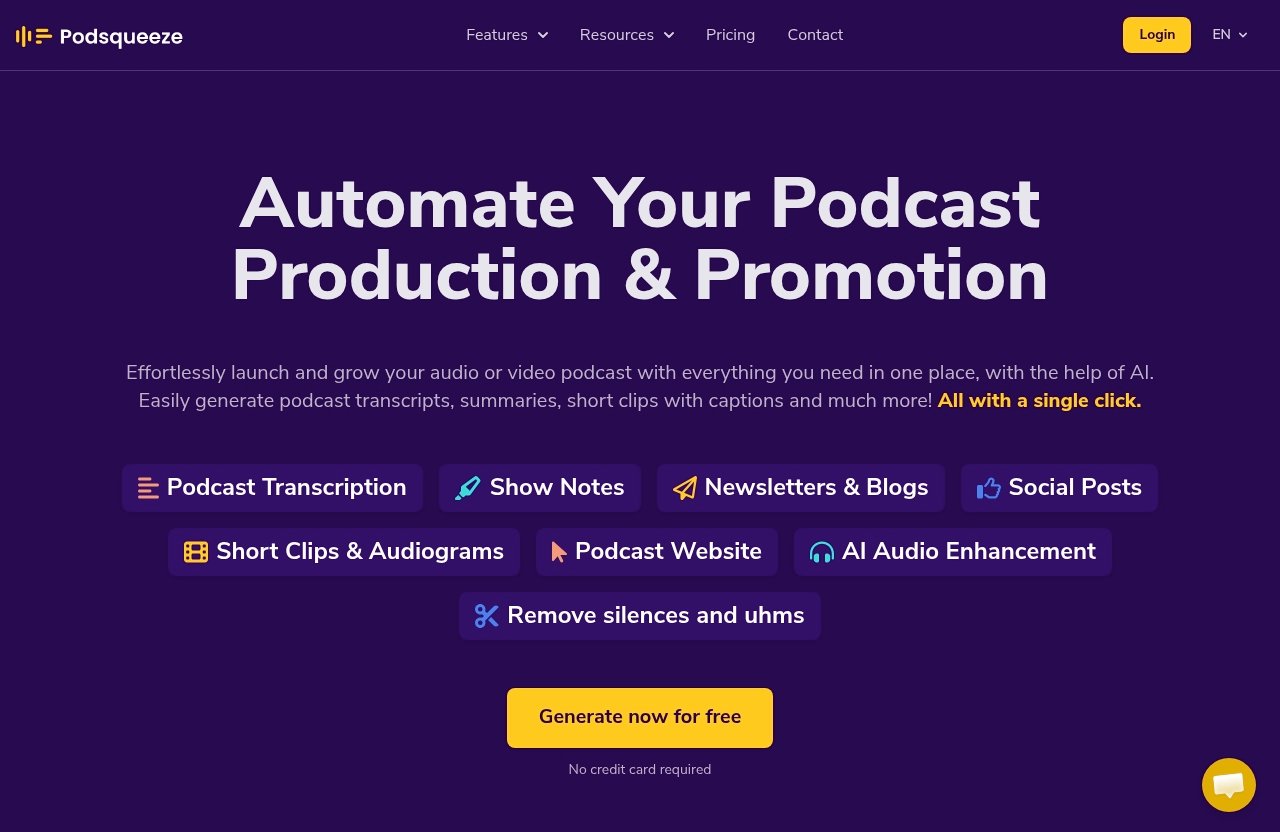
The verified Podsqueeze features cover a wide content workflow. From one episode, podcasters can generate podcast transcripts, summaries, short clips with captions, newsletters, blogs, social posts, audiograms, and quote images.
It also supports AI audio enhancement, removing silences and “uhms,” transcripts with speaker labeling, SRT files for subtitles, show notes with timestamps, bullet points and mentions, and ready-to-send newsletters. For video-led creators, Podsqueeze can create customizable clips and audiograms for TikTok, Instagram, and YouTube Shorts.
A useful way to evaluate podsqueeze use cases is to map each output to a business job:
| Output | Practical job it supports |
|---|---|
| Transcript with speaker labeling | Accessibility, research, editing, content extraction |
| Show notes with timestamps | Faster publishing and better listener navigation |
| Blog posts | Search visibility and long-form content repurposing |
| Newsletters | Audience retention and owned-channel promotion |
| Short clips and audiograms | Social distribution and episode discovery |
| SRT subtitles | Video accessibility and platform-ready captions |
| Landing pages and podcast website | Centralized episode hub and embedded players |
| Audio enhancement | Cleaner listening experience |
These are verified Podsqueeze features, not speculative additions. The value comes from combining them into a workflow rather than treating each one as a standalone tool.
Why this tool is strongest for repurposing, not raw recording
Podsqueeze is not positioned as a raw podcast recording studio. Its main value is what happens after you already have audio or video content.
That distinction matters in a buyer-focused podsqueeze review because some teams need recording, hosting, analytics, or full production suites. Podsqueeze is strongest when you want to turn finished episodes into publishable and promotional assets faster.
In other words, the highest-value podsqueeze use cases are repurposing, publishing support, short-form content creation, content organization, and scalable post-production workflows. If your bottleneck is recording guests, it may not be the first tool you reach for; if your bottleneck is turning one episode into ten useful assets, it becomes much more compelling.
Use case 1: Solo podcasters who need faster publishing workflows
Solo creators often do everything themselves: recording, editing, writing show notes, posting on social media, preparing clips, and updating the podcast website. This is where one of the most practical podsqueeze use cases starts.
The core problem is time. A solo podcaster may have enough ideas and enough consistency to publish, but the repetitive post-production work can make each episode feel heavier than it needs to be.
Turn one episode into multiple publish-ready assets
For solo podcasters, Podsqueeze can turn one uploaded episode into transcripts, summaries, show notes, social posts, quote images, clips, and audiograms. That reduces the amount of blank-page writing after every recording.
For example, instead of listening back to a 45-minute interview and manually pulling highlights, a creator can use the transcript, show notes with timestamps, bullet points, and mentions as a structured starting point. Then they can adapt those assets before publishing.
This is one of the most beginner-friendly podsqueeze use cases because it does not require a large content team. The creator still reviews and edits the output, but the first draft of many repetitive assets is already there.
Best outputs for solo creators
The most useful Podsqueeze outputs for solo creators are usually the ones that remove weekly publishing friction. These include:
- Podcast transcripts with speaker labeling
- Show notes with timestamps
- Episode summaries
- Short social posts
- Quote images
- Audiograms or video clips
- SRT subtitle files
- Audio enhancement
- Podcast website pages with embedded players
The podcast show notes generator side of Podsqueeze is especially useful for solo creators because show notes are both listener-facing and workflow-facing. They help audiences navigate the episode while also giving the creator source material for posts, newsletters, and blogs.
For solo podcasters, the business outcome is consistency. Among all podsqueeze use cases, this one is less about building a large media operation and more about making it easier to publish without burning out.
When the Starter plan is enough
The Podsqueeze Starter plan is $8.99/mo and includes 120 minutes of podcast time per month, minutes rollover, 8 video clips or audiograms, quote images, file upload up to 4GB, unlimited uploads, unlimited YouTube conversions, a podcast website, audio enhancement, a podcast audio editor, chat with transcript, personalized results, and saved video templates.
That makes the Podsqueeze Starter plan the clearest entry point for solo creators with a modest episode schedule. If your main need is creating transcripts, show notes, quote images, and a limited number of clips, Starter is the plan to compare first.
From a buying perspective, this is one of the lowest-friction podsqueeze use cases because the plan aligns with individual creators who want practical output without jumping into an agency-level workflow.
Use case 2: Business podcasters who want audience growth and lead generation
Business podcasts are not only about publishing episodes. They often support brand authority, lead generation, customer education, founder visibility, community building, or sales enablement.
That shifts the value of podsqueeze use cases from “save me time” to “help this episode work harder across channels.” A business podcast episode might become a blog post, newsletter, LinkedIn post, short video, website content, and internal sales resource.
Repurpose episodes into blogs and newsletters
Podsqueeze can generate blog posts, ready-to-send newsletters, social media posts, short insights, and summaries from podcast content. For business podcasters, that helps convert a conversation into content that fits different audience behaviors.
Some people will listen to the full episode. Others may only read a blog recap, scan a newsletter, or engage with a short social post. A podcast newsletter generator and blog generator can help bridge those formats.
This is one of the most commercially useful podsqueeze use cases because it supports repeat exposure. A single expert interview can be distributed across owned and social channels without manually rebuilding the content from scratch every time.
Use landing pages and SEO-friendly episode hubs
Podsqueeze includes podcast website and landing page capabilities, including embedded players and SEO-optimized episode pages. For businesses, podcast landing pages can make episodes easier to reference, share, and organize.
An episode hub can support several jobs at once: it gives listeners a central page, gives teams a link to promote, and gives the business a more structured content asset. It also keeps the podcast from being trapped only inside listening apps or social feeds.
For this podsqueeze use cases category, the most valuable outputs are blog posts, newsletters, social posts, landing pages, episode summaries, transcripts, and clips. Together, they help turn podcasting into a repeatable content marketing system.
Why the Pro plan fits this workflow
The Podsqueeze Pro plan is $49/mo and includes 320 minutes per month, minutes rollover, 20 video clips or audiograms, quote images, file upload up to 10GB, unlimited uploads, unlimited YouTube conversions, podcast landing pages, audio enhancement, a podcast audio editor, chat with transcript, personalized results, and saved video templates.
For a business podcast, Pro is the more natural fit than Starter if you publish more often, work with larger files, or need more clips and landing page workflows. The plan gives more room for content volume while still keeping the workflow focused on one brand or show.
In this podsqueeze pricing tier, the buyer recommendation is straightforward: if the podcast supports growth, not just personal publishing, Pro is usually the plan to evaluate first.
Use case 3: Video podcasters and short-form clip creators
Short-form video is a major reason many buyers compare AI podcast tools. Long interviews contain moments that could work well as vertical clips, but manually finding, trimming, captioning, and formatting those moments takes time.
That makes video distribution one of the most visible podsqueeze use cases for creators who publish on YouTube, TikTok, Instagram, or other short-form channels.
Create TikTok, Reels, and YouTube Shorts from chapters
Podsqueeze can generate customizable clips and audiograms for TikTok, Instagram, and YouTube Shorts. It can also create short clips with captions and use AI to shorten chapters to under 60 seconds.
For a video podcaster, this means a long episode can become multiple short-form assets for discovery. A practical example would be taking a 50-minute interview, identifying a chapter about a strong opinion or useful tip, and turning it into a captioned clip for social distribution.
Among podsqueeze use cases, this one is especially relevant for creators who see their podcast as both a long-form show and a source library for social content.
Use subtitles, trimming, and AI-shortened segments
Podsqueeze supports text-based subtitle editing, SRT file exports for subtitles, and trimming video by removing specific words. It also offers clips with captions and AI shortening of chapters to under 60 seconds.
These features matter because clip creation is not just about cutting a random highlight. A usable clip usually needs clean subtitles, a clear beginning, a concise middle, and a strong ending that makes sense without full-episode context.
As a podcast clips generator, Podsqueeze is designed to reduce the mechanical work around social-ready assets. The creator still decides what represents the brand, but the tool supports the formatting, captioning, and shortening process.
Why clip output matters for distribution
Clips help make a podcast more discoverable. A full episode usually depends on existing listeners, while short clips can introduce the speaker, topic, or guest to people who would not search for the show directly.
This is why clip-heavy podsqueeze use cases are valuable for creators who want reach. The business outcome is not only more content volume; it is more chances for a useful moment from the episode to travel across platforms.
The right plan depends on how many clips or audiograms you need. Starter includes 8 video clips or audiograms, Pro includes 20, and Agency Lite includes 40, based on the verified pricing page facts.
Official website · Latest pricing & offers
Use case 4: Podcast agencies and managers handling multiple shows
Agencies and podcast managers have a different problem from solo creators. They are not only producing assets; they are managing clients, approvals, recurring formats, folders, and multiple show voices.
For that reason, podsqueeze use cases for agencies are about organization and repeatable delivery as much as AI content generation.
Organize content in folders
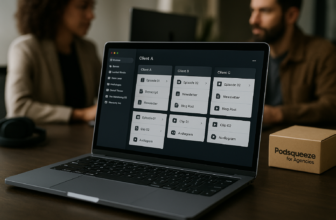
Podsqueeze includes content folders, which can help agencies organize assets by show, client, episode, or campaign. That becomes important when one team is handling transcripts, clips, newsletters, and landing pages across multiple podcasts.
Without a folder structure, podcast content repurposing can quickly become messy. Files, drafts, clip versions, and client-facing assets need a clear place to live.
For agencies, folders support workflow hygiene. They do not replace strategy or client management, but they make recurring production easier to control.
Share content pages with clients and teams
Podsqueeze supports sharing content pages with clients and teams. That is useful when a manager needs to send episode assets for review, approval, or handoff without rebuilding everything in separate documents.
Agencies can also create personalized results and save video templates, which helps maintain consistency across repeat work. The verified feature set also includes chat with transcript, which can support faster review and content extraction.
This is one of the most practical podsqueeze use cases for service providers because the output is not only content; it is a cleaner client delivery workflow.
When Agency Lite makes sense
Agency Lite is $89/mo and includes 600 minutes per month, minutes rollover, 40 video clips or audiograms, quote images, file upload up to 10GB, unlimited uploads, unlimited YouTube conversions, podcast landing pages, audio enhancement, a podcast audio editor, chat with transcript, personalized results, and saved video templates.
This plan makes sense when a team is handling more podcast minutes, more clip output, or multiple client workflows. It is also the plan to compare if Pro feels too narrow for your production volume.
For buyers researching podsqueeze for agencies, Agency Lite is the most relevant standard plan because it gives more minutes and more clips while retaining the core outputs agencies need for repeat client delivery.
Use case 5: Studios and media companies that need scalable production
Studios and media companies often need more than a higher monthly limit. They may need custom production capacity, support, onboarding, training, and a closer relationship with the vendor.
That makes Enterprise one of the clearest podsqueeze use cases for larger teams that have moved beyond standard creator plans.
What Enterprise is designed for
The Enterprise plan has custom pricing and is designed for agencies and media companies. According to the verified pricing facts, it includes everything in Pro plus custom minutes, custom clips, priority support, feature requests, and team onboarding and training.
This is not the plan for a creator who only needs a few clips per month. It is designed for organizations where podcast production is part of a larger media operation.
The buyer question is whether the team needs flexible capacity and supported rollout. If yes, Enterprise is the plan to investigate.
When custom minutes and onboarding matter
Custom minutes and custom clips matter when standard monthly allocations do not match production reality. A studio might work on seasonal launches, multiple client shows, internal media projects, or high-volume content calendars.
Team onboarding and training matter when several people need to use the platform consistently. A tool can have strong features, but adoption depends on whether producers, editors, marketers, and managers know how to use it in the same way.
For this level of podsqueeze use cases, the business outcome is operational alignment. The goal is not just generating assets; it is scaling repeatable production across people and shows.
Signals that you may have outgrown standard plans
You may have outgrown standard plans if your team regularly needs more minutes, more clips, more structured support, or custom workflows. Another signal is when production delays come from coordination rather than content creation alone.
Enterprise should also be considered when onboarding and training would save time across the team. That is especially relevant for media companies where podcast assets flow into marketing, editorial, social, and client delivery processes.
The key is to avoid choosing Enterprise just because it sounds more advanced. It is most appropriate when the verified Enterprise additions match a real operational need.
How to choose the right Podsqueeze use case for your podcast: Podsqueeze use cases decision guide
Choosing between podsqueeze use cases starts with workflow, not feature count. The same tool can serve a solo podcaster, business creator, agency, or media company, but the right plan depends on volume, formats, and team complexity.
Think of Podsqueeze as a post-production and repurposing layer. The more content assets you need from each episode, the more valuable the platform becomes.
Choose by content volume
Start with the number of podcast minutes you expect to process each month. Starter includes 120 minutes, Pro includes 320 minutes, Agency Lite includes 600 minutes, and Enterprise offers custom minutes.
A hobbyist or solo creator with a limited publishing schedule may be well matched to Starter. A business podcast with weekly or longer episodes may find Pro more practical.
For high-volume teams, the most relevant podsqueeze use cases tend to point toward Agency Lite or Enterprise because content volume affects transcripts, clips, newsletters, blogs, and review workflows.
Choose by content format needs
Next, look at formats. If you mainly need transcripts, show notes, and a podcast website, Starter may cover the essentials. If you need more blog posts, newsletters, landing pages, and short-form distribution, Pro deserves a closer look.
If clips are central to your strategy, compare the included clip or audiogram counts carefully. Starter includes 8, Pro includes 20, Agency Lite includes 40, and Enterprise includes custom clips.
This is also where a podcast repurposing tool can replace several scattered tasks. You may still use human judgment for final editing, but Podsqueeze can centralize many first-draft and formatting steps.
Choose by team size and workflow complexity
Team size changes the buying decision. A solo creator can tolerate a simpler workflow, while agencies and media companies need organization, sharing, repeatable templates, and possibly onboarding.
Podsqueeze features such as folders, shared content pages, personalized results, saved video templates, and chat with transcript become more important as more people are involved. The more handoffs you have, the more workflow structure matters.
A practical rule of thumb: solo or hobbyist creators should start by evaluating Starter, business creators should compare Pro, agencies should look at Agency Lite, and enterprise media teams should contact Podsqueeze about Enterprise.
Podsqueeze pricing at a glance
Below is a concise podsqueeze pricing overview using only verified plan facts from the official pricing information. Pricing and plan details can change, so buyers should confirm current details before subscribing.
| Plan | Price | Monthly podcast time | Clips/audiograms | File upload | Best-fit scenario |
|---|---|---|---|---|---|
| Starter | $8.99/mo | 120 mins | 8 | Up to 4GB | Solo creators and simple publishing workflows |
| Pro | $49/mo | 320 mins | 20 | Up to 10GB | Business podcasts and growth-focused repurposing |
| Agency Lite | $89/mo | 600 mins | 40 | Up to 10GB | Agencies and managers handling more volume |
| Enterprise | Custom pricing | Custom minutes | Custom clips | Not specified beyond Enterprise terms | Agencies and media companies needing support and scale |
All listed standard plans include minutes rollover, quote images, unlimited uploads, unlimited YouTube conversions, audio enhancement, podcast audio editor, chat with transcript, personalized results, and saved video templates. Starter includes a podcast website, while Pro and Agency Lite include podcast landing pages.
Starter
Starter costs $8.99/mo and includes 120 minutes of podcast time per month. It also includes minutes rollover, 8 video clips or audiograms, quote images, file upload up to 4GB, unlimited uploads, unlimited YouTube conversions, a podcast website, audio enhancement, podcast audio editor, chat with transcript, personalized results, and saved video templates.
This is the best entry plan for solo creators evaluating podsqueeze use cases around faster publishing, basic repurposing, and limited clip output.
Pro
Pro costs $49/mo and includes 320 minutes per month. It also includes minutes rollover, 20 video clips or audiograms, quote images, file upload up to 10GB, unlimited uploads, unlimited YouTube conversions, podcast landing pages, audio enhancement, podcast audio editor, chat with transcript, personalized results, and saved video templates.
This plan is best for business podcasters who want more content output from each episode. It is the most natural fit for blogs, newsletters, landing pages, social posts, and a stronger distribution workflow.
Agency Lite
Agency Lite costs $89/mo and includes 600 minutes per month. It also includes minutes rollover, 40 video clips or audiograms, quote images, file upload up to 10GB, unlimited uploads, unlimited YouTube conversions, podcast landing pages, audio enhancement, podcast audio editor, chat with transcript, personalized results, and saved video templates.
This is the standard plan to evaluate for agencies, podcast managers, or creators running multiple shows. It gives more room for recurring client production and higher clip volume.
Enterprise
Enterprise uses custom pricing and is designed for agencies and media companies. It includes everything in Pro plus custom minutes, custom clips, priority support, feature requests, and team onboarding and training.
Enterprise is the right conversation when standard plans do not match your production scale. It is not mainly about having “more features”; it is about custom capacity and supported rollout.
Bottom line: which Podsqueeze use case is the best fit? Podsqueeze use cases verdict
The best podsqueeze use cases depend on what you need your podcast to do after the episode is recorded. If your goal is faster publishing, Starter is the obvious plan to review first. If your podcast supports business growth, Pro is a stronger fit because it gives more minutes, more clips, and podcast landing pages.
Agencies and podcast managers should evaluate Agency Lite when they need more monthly production capacity and a cleaner workflow for recurring client output. Studios and media companies should look at Enterprise when custom minutes, custom clips, priority support, feature requests, and onboarding matter.
Best for solo time-saving
For solo creators, Podsqueeze is best used as a publishing assistant. The strongest outputs are transcripts, show notes, quote images, social posts, audio enhancement, and a manageable number of clips or audiograms.
This is the simplest buyer recommendation: if you publish alone and want to reduce repetitive post-production work, Starter is the plan to compare first.
Best for growth-focused podcasters
For business podcasters, Podsqueeze is best used as a podcast content repurposing system. The most valuable outputs are blogs, newsletters, social posts, landing pages, clips, transcripts, and episode summaries.
Pro is the better match when the podcast is part of a broader content marketing or lead-generation strategy. It gives more room to turn each episode into multiple distribution assets.
Best for agencies and scaled operations
For agencies, Podsqueeze is best used as a repeatable production workflow for multiple shows or clients. Folders, shared content pages, saved templates, personalized results, transcripts, and clips all support more organized delivery.
For media companies, Enterprise is the plan to investigate when standard limits and standard support are no longer enough. If you want to evaluate whether these podsqueeze use cases match your workflow, you can visit Podsqueeze through our toptrustreview.com affiliate link and compare the latest official details.
Official website · Latest pricing & offers
FAQ
What are the main uses of Podsqueeze for podcasters?
The main uses include podcast transcripts, show notes, summaries, blog posts, newsletters, social posts, short clips, audiograms, quote images, podcast landing pages, podcast websites, and audio enhancement. Podsqueeze also supports subtitles through SRT files, speaker labeling, timestamps, and captioned short clips.
Is Podsqueeze good for repurposing podcast content?
Yes. Based on the verified Podsqueeze features, its strongest role is as a podcast repurposing tool that turns one episode into multiple content assets for publishing, promotion, and distribution.
Which Podsqueeze plan is best for solo podcasters?
The Starter plan is the best entry point for many solo podcasters. It costs $8.99/mo and includes 120 minutes per month, 8 video clips or audiograms, quote images, a 4GB file upload limit, unlimited uploads, unlimited YouTube conversions, a podcast website, audio enhancement, podcast audio editor, chat with transcript, personalized results, and saved video templates.
Can Podsqueeze create clips for TikTok, Reels, and YouTube Shorts?
Yes. Podsqueeze can create customizable clips and audiograms for TikTok, Instagram, and YouTube Shorts. It also supports captions, text-based subtitle editing, trimming video by removing specific words, and AI shortening of chapters to under 60 seconds.
Does Podsqueeze have a free plan or free trial?
The verified homepage trust signal states “no credit card required.” I would not claim a specific free plan, trial length, or unpaid allowance without confirming the current official signup and pricing page, because those terms can change.
Related Reading
- Podsqueeze for Marketing Teams Review 2026
- Repurpose.io Tutorial for Beginners 2026
- Klap for TikTok Review 2026
References
- Podsqueeze – One Click AI-Powered Podcast Content Generation
- Podsqueeze Pricing
- Repurpose podcast content with one click!
- How to repurpose podcast content and grow your audience