How to Use Podsqueeze Show Notes in 2026
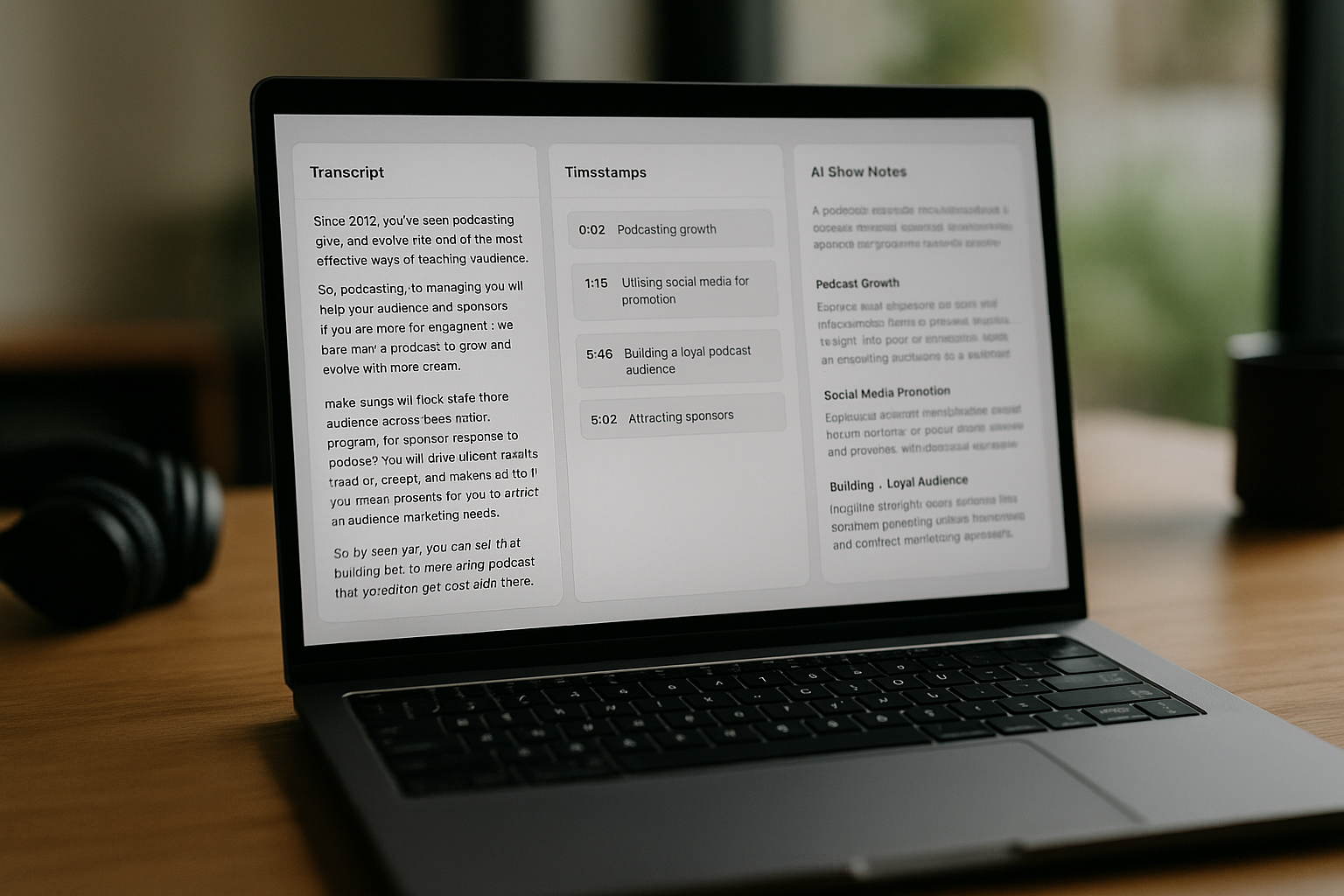
If you want faster, cleaner podsqueeze show notes without spending your whole afternoon rewriting a podcast episode, this guide walks you through the exact workflow. Podsqueeze can transcribe your episode, label speakers, and generate structured show notes with timestamps, bullet points, and mentions from that transcript.
This tutorial is written for podcasters, content creators, podcast managers, agencies, and small business owners who use podcasts for marketing. It is informational first, but if you decide the workflow fits your production process, you can try Podsqueeze through our affiliate link: start testing Podsqueeze here.
Disclosure: this page may contain affiliate links. If you purchase through our link, TopTrustReview may earn a commission at no extra cost to you.
Official website · Latest pricing & offers
What Podsqueeze show notes are and who this guide is for
Quick definition of podcast show notes
Podcast show notes are the written companion to an audio or video episode. They usually include an episode title, short summary, key points, timestamps, guest details, resource links, sponsor mentions, and a call to action.
Podsqueeze show notes are AI-generated podcast episode notes created from your episode transcript. Instead of starting from a blank page, you upload or provide your episode, let Podsqueeze generate the transcript, and then use that transcript to produce structured notes.
Good show notes help listeners decide whether an episode is worth their time. They also give existing listeners a quick way to find the sections, links, and takeaways they remember from the conversation.
Why creators use Podsqueeze instead of writing notes manually
Writing notes manually is accurate, but it can be slow. You may need to listen through the full recording, capture timestamps, summarize each section, check names, and format everything for your website or podcast host.
With podsqueeze show notes, the first draft is much faster. Podsqueeze acts as a podcast transcript generator and podcast summary generator in one workflow, helping you turn an episode into readable notes, summaries, timestamps, and related content.
The important point is that AI does not remove the need for human review. It gives you a structured draft, then you improve accuracy, tone, links, and formatting before publishing.
Who benefits most: solo podcasters, editors, agencies, and business podcasts
Solo podcasters benefit because they can reduce repetitive post-production writing. If you publish weekly, the time saved on show notes can add up quickly.
Podcast editors and managers benefit because they can standardize a repeatable notes process for each client. Agencies, studios, producers, and media companies can use Podsqueeze to support multi-show workflows, especially when they also need transcripts, SRT files for subtitles, social posts, clips, audiograms, quote images, or landing pages.
Business podcasts also benefit because podsqueeze show notes can support content repurposing. One episode can become podcast episode notes, a blog draft, a newsletter, social posts, and short promotional assets.
Podsqueeze show notes workflow at a glance
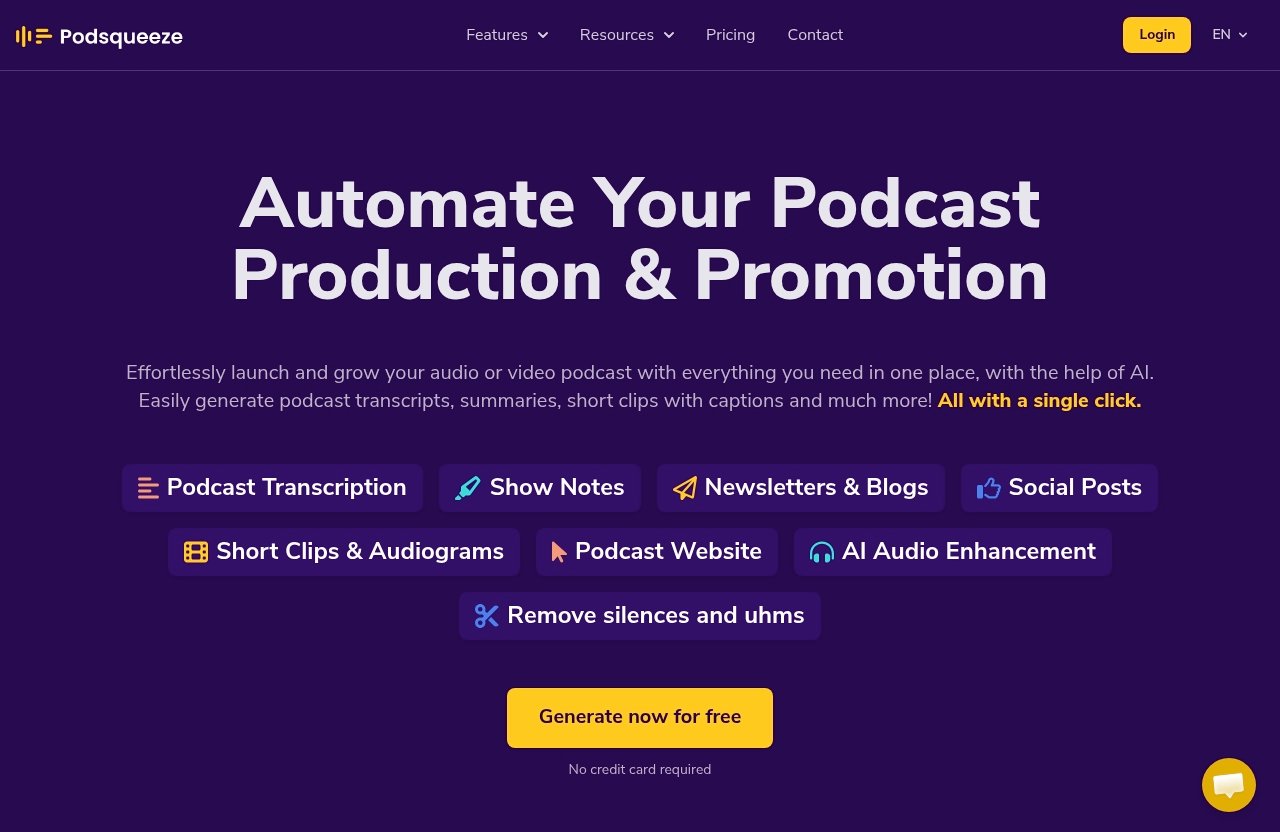
Upload an episode or connect your content
The basic workflow starts with your finished episode. This may be an audio or video file, depending on how you produce your show.
Before using a podcast show notes generator, make sure the episode file is final enough to publish. If you upload a rough cut, your transcript and timestamps may not match the final edited version.
Podsqueeze supports file uploads, and the verified plan details include file upload limits of up to 4Gb on Starter and up to 10Gb on Pro and Agency Lite. It also includes unlimited uploads and unlimited YouTube conversions across the listed paid plans.
Let AI generate the transcript first
The transcript is the foundation of your podsqueeze show notes. Podsqueeze can automatically transcribe podcast episodes with speaker labeling, which makes it easier to identify who said what.
This matters because better transcripts usually lead to better notes. Speaker labeling can help separate host questions, guest answers, sponsor reads, and recurring segments.
Podsqueeze also supports transcripts and SRT files for subtitles. Even if your immediate goal is only show notes, these assets can help with accessibility, video publishing, and future repurposing.
Turn the transcript into structured show notes
Once the transcript is ready, Podsqueeze can generate AI podcast show notes from it. The output may include summaries, timestamps, bullet points, and mentions, depending on the result you create.
Think of this as your first draft. It gives you a usable podcast notes template without forcing you to manually summarize every section.
At this stage, you are looking for structure, not perfection. The best results come when you treat podsqueeze show notes as a strong draft that still needs editorial judgment.
Review, edit, and publish
Before publishing, review the transcript and show notes together. Check names, guest titles, product mentions, sponsor references, links, and timestamps.
Then edit the notes into your brand voice. A casual interview show may need warmer language, while a business podcast may need tighter summaries and clearer takeaways.
Finally, export or paste the finished notes into your podcast website, landing page, CMS, newsletter, or episode page.
Step-by-step: How to use Podsqueeze for podcast show notes
Step 1: Prepare your episode file or source
Start with the cleanest final version of your episode. If possible, remove major background noise, long silences, false starts, and off-record sections before uploading.
A better source file usually creates a better transcript. That matters because podsqueeze show notes are generated from the transcript, so audio clarity affects the quality of the final notes.
Use a simple prep checklist:
- Confirm the episode edit is final.
- Make sure the intro, outro, sponsor segments, and guest sections are included.
- Check that guest names and brand names are written down somewhere for later review.
- Keep any important URLs or resource links in a separate document.
- Note whether you want short, detailed, or timestamp-heavy notes.
If your episode is long, decide how detailed your notes should be before generating them. A 20-minute solo episode may only need a compact summary, while a 90-minute interview may need show notes with timestamps and section-by-section takeaways.
Step 2: Generate the transcript
Next, use Podsqueeze to generate the episode transcript. This is where the platform acts as a podcast transcript generator.
Speaker labeling is especially useful for interviews, panels, and co-hosted shows. It helps you identify whether a point came from the host, guest, or sponsor segment.
After the transcript is generated, scan it before creating the final podsqueeze show notes. You do not need to line-edit every sentence, but you should look for obvious errors in:
- Guest names
- Company names
- Book titles
- Product names
- Technical terms
- Acronyms
- URLs mentioned aloud
- Sponsor messages
This review step is one of the biggest differences between average AI podcast show notes and publish-ready notes.
Step 3: Create show notes from the transcript
Once the transcript looks usable, generate the show notes. Podsqueeze can create show notes in your own voice, complete with timestamps, bullet points, and mentions.
For beginners, this is the moment when the workflow starts to feel easier. Instead of staring at a blank document, you get a structured draft based on the actual episode.
A solid podsqueeze show notes draft should usually include:
- A clear episode title
- A concise summary
- Main topics discussed
- Key takeaways
- Timestamps or chapter-style sections
- Guest or host mentions
- Resource links
- CTA or next step
You can also use the same episode to create related content, such as blog/newsletter content and social posts. Keep the show notes as the source of truth, then repurpose from there.
Step 4: Add titles, summaries, timestamps, bullet points, and resource mentions
Do not publish the first draft without shaping it. Even when a podcast summary generator does a good job, you still need to decide what your listener should see first.
For a practical podcast notes template, use this structure:
| Section | Purpose | Example |
|---|---|---|
| Episode title | Helps people understand the topic quickly | “How to Build a Lean Podcast Workflow” |
| Short summary | Gives a fast overview | “In this episode, we discuss…” |
| Timestamps | Improves scanning | “12:40 — How to plan weekly episodes” |
| Key takeaways | Highlights value | “Batching reduces production stress.” |
| Mentions/resources | Captures links and names | Guest website, book, tool, article |
| CTA | Sends listeners to the next step | Subscribe, download, read, contact |
Timestamps are especially useful for long-form interviews. They let listeners jump directly to the sections they care about.
When editing podsqueeze show notes, make each timestamp label useful. Instead of “Marketing discussion,” write “How the guest plans a 30-day podcast launch.”
Step 5: Edit for your brand voice
Podsqueeze can generate show notes in your own voice, but you should still polish the final output. This is where your experience with your audience matters.
For example, a founder-led business podcast may need direct, practical language. A creator interview show may need a more conversational tone.
When editing podsqueeze show notes, ask:
- Does this sound like our show?
- Is the intro clear and accurate?
- Are the key takeaways actually useful?
- Did the AI overstate anything?
- Are sponsor mentions correct?
- Are guest credentials accurate?
- Are the links complete and relevant?
This step is also where you remove filler. Good podcast episode notes are not a full transcript; they are a helpful guide to the episode.
Step 6: Export or paste into your podcast website or CMS
After editing, move the final notes into your publishing system. Depending on your setup, that may be a podcast website, landing page, CMS, newsletter platform, or episode page.
Podsqueeze includes Podcast Website on Starter and podcast landing pages on Pro and Agency Lite, according to the verified product facts. If your workflow uses those assets, you can keep more of the episode packaging process inside the same tool.
Before you publish podsqueeze show notes, preview them on desktop and mobile. Make sure headings are readable, bullet points are clean, timestamps are easy to scan, and links open correctly.
How to make your Podsqueeze show notes better than average
Write a stronger episode title and intro
The AI-generated title may be useful, but you should still review it like an editor. Your title should clearly explain the episode’s promise without exaggerating.
For example, “Building a Better Podcast Workflow” is okay. “How a Solo Creator Plans, Records, and Repurposes a Weekly Podcast” is more specific.
The intro to your podsqueeze show notes should answer three questions quickly: who is in the episode, what they discuss, and why the listener should care.
Use timestamps for scannability
Timestamps help listeners navigate. They are also useful for people who found your episode through search and want one specific answer.
For stronger show notes with timestamps, avoid vague labels. Use descriptive labels that communicate value.
Example:
- Weak: “10:15 — Social media”
- Better: “10:15 — How to turn one episode into five social posts”
When reviewing podsqueeze show notes, test the timestamps against the episode. A timestamp that is off by a few seconds may be fine, but a timestamp pointing to the wrong topic hurts trust.
Include key takeaways, mentions, and resources
Your notes should not only summarize the episode. They should make the episode more useful.
Include key takeaways for people who skim. Add mentions for guests, books, tools, frameworks, reports, and websites discussed in the episode.
This is where good podcast show notes examples usually stand out. They do not dump everything from the transcript; they organize the most helpful details.
When editing podsqueeze show notes, verify every resource before publishing. If a guest mentions a website verbally, confirm the correct spelling and URL.
Add a CTA, sponsor note, or next-step link
Every episode page should have a purpose. That purpose might be to subscribe, download a resource, book a call, read a related article, or visit a sponsor.
If the episode includes a sponsor mention, make sure the wording is accurate. AI can summarize sponsor sections, but humans should confirm names, offer details, and required language.
For business podcasts, your podsqueeze show notes can also support lead generation. Add one relevant next step instead of overwhelming readers with five competing calls to action.
Reuse the same episode for blog posts and newsletters
Podsqueeze also supports blog/newsletter content and social posts from the same episode. This makes it useful for podcast content repurposing, not just show notes.
A practical workflow looks like this:
- Generate the transcript.
- Create and edit the show notes.
- Turn the episode into a blog or newsletter draft.
- Pull social posts from the best takeaways.
- Create clips, audiograms, or quote images where useful.
This is why podsqueeze show notes can become the center of your content workflow. The notes summarize the episode, while repurposed assets help distribute the ideas.
Official website · Latest pricing & offers
Podsqueeze pricing and which plan makes sense for show notes
Starter plan for light usage
The Starter plan is $8.99/mo. It is described as perfect for hobbyist podcasters who want to save time.
According to the verified product facts, Starter includes 120 minutes of podcast time per month, Minutes Rollover, 8 video clips or audiograms, Quote images, file upload up to 4Gb, Unlimited Uploads, Unlimited YouTube conversions, Podcast Website, Audio Enhancement, Podcast Audio Editor, Chat with transcript, Create personalized results, and Save Video Templates.
For light podsqueeze show notes usage, Starter makes sense if your monthly episode minutes fit within that plan and you mainly want a faster first draft.
Pro plan for regular creators
The Pro plan is $49/mo and is marked as Most Popular. It is for professionals that use podcasting to develop and support their businesses.
Pro includes 320 minutes per month, Minutes Rollover, 20 video clips or audiograms, Quote Images, file upload up to 10Gb, Unlimited Uploads, Unlimited YouTube conversions, Podcast landing pages, Audio Enhancement, Podcast Audio Editor, Chat with transcript, Create personalized results, and Save Video Templates.
For regular creators, the Pro plan may be the better fit if you publish consistently and want podsqueeze show notes plus repurposed assets like clips, audiograms, quote images, newsletters, and social content.
Agency Lite for multi-show workflows
Agency Lite is $89/mo. It is for podcast agencies that want to streamline and grow their business.
Agency Lite includes 600 minutes per month, Minutes Rollover, 40 video clips or audiograms, Quote images, file upload up to 10Gb, Unlimited Uploads, Unlimited YouTube conversions, Podcast landing pages, Audio Enhancement, Podcast Audio Editor, Chat with transcript, Create personalized results, and Save Video Templates.
If you manage several client shows, Agency Lite may make sense because multi-show production often requires repeatable transcripts, notes, clips, and publishing assets.
Enterprise for custom scale
Enterprise uses custom pricing. It is for agencies and media companies who want to scale their podcasting and media production.
Enterprise includes everything in Pro, custom minutes, custom clips, priority support, feature requests, team onboarding, and training.
This option is most relevant if podsqueeze show notes are part of a larger production system involving many episodes, teams, clients, or media workflows.
How to choose based on minutes and output needs
Here is a simple way to compare the verified Podsqueeze pricing details:
| Plan | Monthly Price | Best Fit | Included Monthly Minutes | Notable Use Case |
|---|---|---|---|---|
| Starter | $8.99/mo | Hobbyist podcasters | 120 mins | Basic show notes and light repurposing |
| Pro | $49/mo | Regular business creators | 320 mins | Show notes plus broader content output |
| Agency Lite | $89/mo | Podcast agencies | 600 mins | Multi-show workflows |
| Enterprise | Custom | Agencies and media companies | Custom | Scaled production with onboarding and priority support |
Choose based on your monthly episode minutes first. Then consider how much extra output you want beyond podsqueeze show notes, such as clips, audiograms, quote images, transcripts, subtitles, blog/newsletter content, social posts, podcast websites, or podcast landing pages.
If you are searching for “podsqueeze show notes free,” check the current Podsqueeze site for any available trial or free testing option before choosing a paid plan. For verified paid pricing, use only the plan details above.
Common mistakes when generating podcast show notes
Skipping transcript review
The most common mistake is generating notes from a transcript and publishing immediately. Even strong AI podcast show notes can contain small errors.
Always review the transcript first. A misspelled guest name or incorrect product mention can make otherwise good podsqueeze show notes look careless.
A fast review is better than no review. Scan the transcript for proper nouns, technical terms, numbers, and anything tied to a claim.
Overstuffing the notes with too much text
Show notes should not be a full transcript. If readers want every word, give them the transcript separately.
The notes should summarize, organize, and guide. Too much text makes the page harder to scan and can bury important links.
When editing podsqueeze show notes, cut repeated ideas. Keep the strongest takeaways and remove filler.
Forgetting timestamps or links
Timestamps and links are often the most useful parts of podcast episode notes. Without them, the page may feel like a generic summary.
If an episode mentions resources, add them in a dedicated section. If the episode is long, include timestamps for major sections.
For podsqueeze show notes, timestamps also help you confirm that the AI understood the episode structure correctly.
Publishing without brand voice editing
AI can create a useful draft, but your audience expects your voice. A show for startup founders should not read like a generic academic summary.
Edit sentence rhythm, wording, and emphasis. Add your preferred phrases and remove anything that feels off-brand.
This is especially important for agencies. Client-ready podsqueeze show notes should match the client’s tone, not just summarize the episode.
Using inaccurate names or product mentions
Names, links, and sponsor mentions are high-risk details. These are the items listeners, guests, and sponsors are most likely to notice.
Use a simple QA checklist before publishing:
- Guest name is spelled correctly
- Company and product names are correct
- Sponsor wording is accurate
- Links work
- Timestamps match the audio
- Claims are not exaggerated
- CTA points to the right page
- Any sensitive or off-record content is removed
This final pass usually takes only a few minutes, but it protects the trustworthiness of your podsqueeze show notes.
Best practices for SEO-friendly podcast show notes
Use the primary keyword naturally
If your episode page targets a search phrase, include it naturally in the title, intro, headings, and body. Do not repeat it awkwardly.
For example, an article about podsqueeze show notes should use that phrase where it helps readers understand the topic. It should not force the phrase into every sentence.
For regular podcast pages, your primary keyword might be the episode topic, guest name, or problem discussed. Match the keyword to what searchers actually want.
Write a concise meta-style summary
Even if you are not writing technical meta tags inside your notes, create a short summary near the top. This helps readers and search engines understand the episode quickly.
A good summary is usually two to four sentences. It should mention the guest, main topic, and key outcome.
For podsqueeze show notes, rewrite the generated summary if it sounds too broad. Specificity is better than generic praise.
Add internal links and relevant resources
Podcast show notes are a natural place to add internal links. Link to related episodes, blog posts, guides, newsletters, or product pages where useful.
Also include external resources mentioned in the episode. This improves listener experience and makes your notes more complete.
Do not add links just for SEO. Add links that help the reader continue the journey after reading your podsqueeze show notes.
Structure notes with headings and bullet points
Headings make your notes easier to scan. Bullet points help readers identify takeaways quickly.
A useful structure might include:
- Episode summary
- What you’ll learn
- Timestamps
- Key takeaways
- Resources mentioned
- Guest links
- Full transcript
- Subscribe or next step
This structure can work as a reusable podcast notes template. Once you like the format, apply it consistently across episodes.
Keep show notes readable on mobile
Many listeners open podcast notes on phones. Long walls of text are hard to read on small screens.
Use short paragraphs, clear headings, and clean spacing. Put important links near the relevant section instead of hiding them at the bottom.
When previewing podsqueeze show notes, check the mobile layout before publishing. If the notes feel heavy on your phone, shorten and restructure them.
When Podsqueeze is worth it versus manual show notes
If you publish weekly or more
Manual notes may be fine for occasional episodes. But if you publish weekly, the writing time becomes part of your production burden.
Podsqueeze is worth considering when you want a repeatable first-draft process. You can generate the transcript, produce notes, review, edit, and publish faster than starting from scratch.
For weekly creators, podsqueeze show notes can also support a more consistent publishing schedule.
If you manage multiple shows
Podcast managers, producers, studios, and agencies often need consistent output across several shows. Manual writing becomes harder when every client has a different format and tone.
Podsqueeze supports workflows for creators, podcast managers, producers, studios, agencies, and media companies. The key benefit is not just automation; it is repeatability.
For client work, podsqueeze show notes should still go through human editing. That editing step is what turns an AI draft into a professional deliverable.
If you need transcripts plus repurposed assets
Podsqueeze is more useful when you need more than show notes. It also supports transcripts, SRT files for subtitles, blog/newsletter content, social posts, short clips/audiograms, audio enhancement, and podcast websites or landing pages.
If your workflow includes podcast content repurposing, one episode can produce multiple assets. That makes the tool more valuable than using a basic podcast summary generator alone.
In this case, podsqueeze show notes become one part of a larger episode marketing system.
If you want to save production time
The best reason to use Podsqueeze is time savings. You still review and edit, but you skip much of the blank-page work.
Manual show notes may be better if your episode requires deep editorial interpretation, sensitive compliance review, or highly customized storytelling. AI is helpful, but it should not replace judgment.
For most creator and business podcasts, podsqueeze show notes are a practical middle ground: fast first draft, human final edit.
If you need a branded workflow for clients
Agencies and podcast managers need consistency. Clients expect notes that match their brand, capture the right links, and support their marketing goals.
Podsqueeze includes options such as Chat with transcript, Create personalized results, and Save Video Templates in the verified paid plans. These can support a more organized production workflow around each episode.
For branded client delivery, use podsqueeze show notes as the draft stage, then apply your client’s formatting, tone, CTA, and QA checklist.
Final recommendation
Best use cases
Podsqueeze is best for creators who want faster show-notes production and broader repurposing from one episode. It is especially useful if you need transcripts, show notes, blog/newsletter content, social posts, clips, audiograms, quote images, audio enhancement, and podcast websites or landing pages in the same overall workflow.
The strongest use case for podsqueeze show notes is a repeatable production system: upload the final episode, generate the transcript, create notes, edit for accuracy and voice, then publish or repurpose.
It is not a replacement for human review. It is a practical assistant for turning finished episodes into structured, publishable assets faster.
Who should start with the free or lower-tier plan
If you are new to AI podcast show notes, test the workflow on one episode first. Use any current trial or free testing option available on the official Podsqueeze site, or start with the lower-tier Starter plan if its verified minutes and features fit your needs.
Starter is the most logical starting point for hobbyist podcasters with lighter production needs. Pro is better aligned with regular creators using podcasting to support a business, while Agency Lite and Enterprise are more relevant for multi-show or scaled workflows.
If your main goal is simply to create podsqueeze show notes, choose based on monthly minutes. If you also want podcast content repurposing, consider the plan’s clips, audiograms, quote images, landing page, and related output needs.
What to do after generating your first episode notes
After your first episode, build a simple standard operating process. Save your preferred podcast notes template, create a QA checklist, and decide how you want timestamps, resources, CTAs, and summaries formatted each time.
A good first test is one finished episode with a clear guest, topic, and resource list. Generate the transcript, create the notes, edit carefully, and compare the final result against how long manual notes usually take.
If the workflow saves time and the quality is easy to polish, you can try Podsqueeze for your next episode here. For most consistent creators, podcast managers, and agencies, podsqueeze show notes are worth testing before committing to a larger workflow.
Pricing and feature details in this article are based on the official Podsqueeze product and pricing information provided for this review.
Official website · Latest pricing & offers
FAQ
What are podcast show notes in Podsqueeze?
Podcast show notes in Podsqueeze are structured episode notes generated from your podcast transcript. They can include titles, summaries, timestamps, bullet points, and mentions.
The goal of podsqueeze show notes is to help you turn an audio or video episode into a readable companion page. You still review and edit the notes before publishing.
Does Podsqueeze create show notes automatically?
Yes. Podsqueeze can automatically transcribe your episode and generate show notes from that transcript.
However, you should treat the result as a first draft. Before publishing podsqueeze show notes, verify accuracy, improve formatting, and edit the copy so it matches your brand voice.
Can I use Podsqueeze show notes for SEO?
Yes. Show notes can support SEO when they include relevant keywords, helpful headings, timestamps, summaries, and useful resources.
SEO-friendly podsqueeze show notes give search engines more context about your episode. They also help readers skim the content, find sections quickly, and discover related links.
What should I check before publishing AI-generated show notes?
Check names, links, timestamps, sponsor mentions, company names, product names, guest titles, and factual claims. These details need human review.
You should also compare the notes against the transcript and audio. The best podsqueeze show notes are AI-assisted, but editor-approved.
Is Podsqueeze good for agencies or multi-show workflows?
Yes. Podsqueeze is positioned for solo creators, podcast managers, producers, studios, agencies, and media companies.
For agencies, the main advantage is workflow consistency. You can create transcripts, episode notes, repurposed content, clips, audiograms, quote images, and publishing assets as part of a repeatable production process.
Related Reading
- Podsqueeze for Agencies: Podcast Client Workflow Guide for 2026
- How to Use NCLEX Bootcamp in 2026: A Beginner-Friendly Study Workflow
- Contentstudio Social Media Automation Review 2026: Is It Worth It for Solo Marketers and Small Teams?
References
- Podsqueeze Homepage
- What are podcast show notes and why you need them
- Podcast Show Notes Generator – AI Episode Notes
- Podsqueeze Pricing