Klap for Podcasters Review: Best Way to Turn Episodes Into Shorts
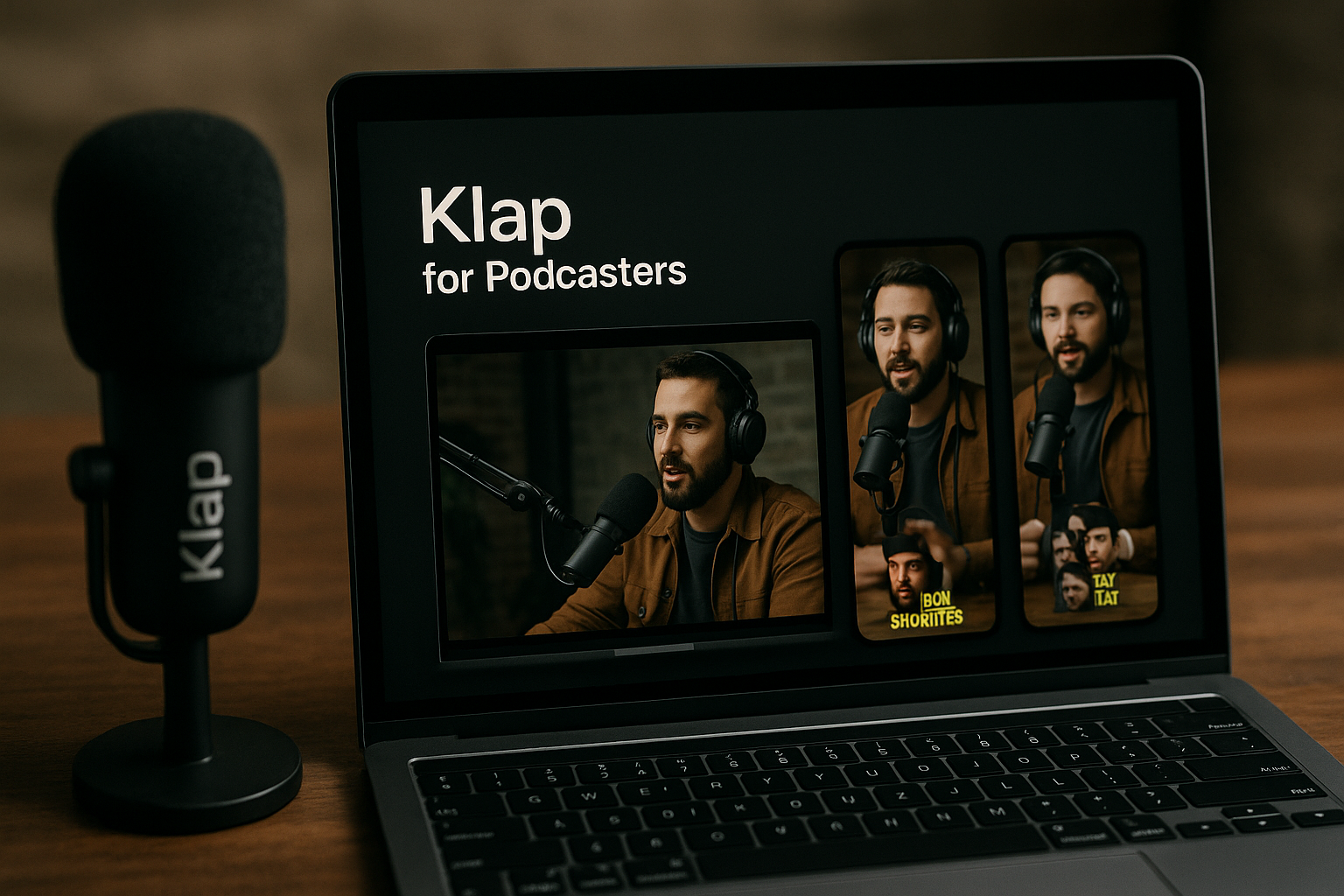
If you run a video podcast and want more short-form content from every episode, klap for podcasters is worth a close look. Klap is an AI podcast clip maker that turns long videos into short clips for TikTok, Instagram Reels, and YouTube Shorts, with AI-generated captions and resizing built in.
The key caveat: Klap is for video podcasts, not audio-only shows. If your podcast is already recorded on camera, it can help you turn one full episode into multiple social-ready assets faster than a manual clipping workflow.
Official website · Latest pricing & offers
Klap for Podcasters: Quick Verdict
Klap is best understood as a podcast repurposing tool for creators who already publish video episodes and want a faster way to create short-form content. It is not a full podcast production suite, and it is not a replacement for thoughtful editing, but it can remove a lot of repetitive work from clipping, captioning, resizing, and distributing clips.
For podcasters, the strongest value is speed. Instead of manually scrubbing through a 45-minute interview to find social moments, you can upload a video or paste a YouTube link and let Klap generate clips designed for TikTok, Reels, and YouTube Shorts.
Who Klap is best for
Klap for podcasters makes the most sense if you publish video episodes and want to turn podcast into shorts on a regular schedule. That includes interview podcasts, expert-led shows, creator-led brand podcasts, panel discussions, and video-first thought leadership shows.
It is especially useful if your podcast has moments that stand alone: strong opinions, sharp guest answers, funny exchanges, hot takes, practical tips, or short educational explanations. Those are the moments that usually work best as AI podcast clips.
Klap also fits creators who want a repeatable workflow. If you publish weekly and need several clips per episode, a video podcast clip maker can help you stay consistent without spending hours in editing software.
Who should skip it
Audio-only podcasters should be careful. Klap’s podcast clip maker positioning is for video podcasts, so if you only record audio, you will need to create video first or use a separate audiogram workflow.
You may also want to skip Klap if your show requires highly polished cinematic editing, complex brand graphics, or a human editor making nuanced storytelling decisions. Klap can help identify and format clips, but it is not a substitute for a producer with deep editorial judgment.
If your podcast has very few naturally clipped moments, you may still need to rethink your recording style. Good clips usually come from clear, self-contained answers and strong visual presentation.
One-sentence summary of the value proposition
Klap for podcasters is a practical AI clipping tool for video podcast creators who want to convert long episodes into captioned short-form clips for TikTok, Reels, and YouTube Shorts with less manual editing.
What Klap Does for Podcast Content Repurposing
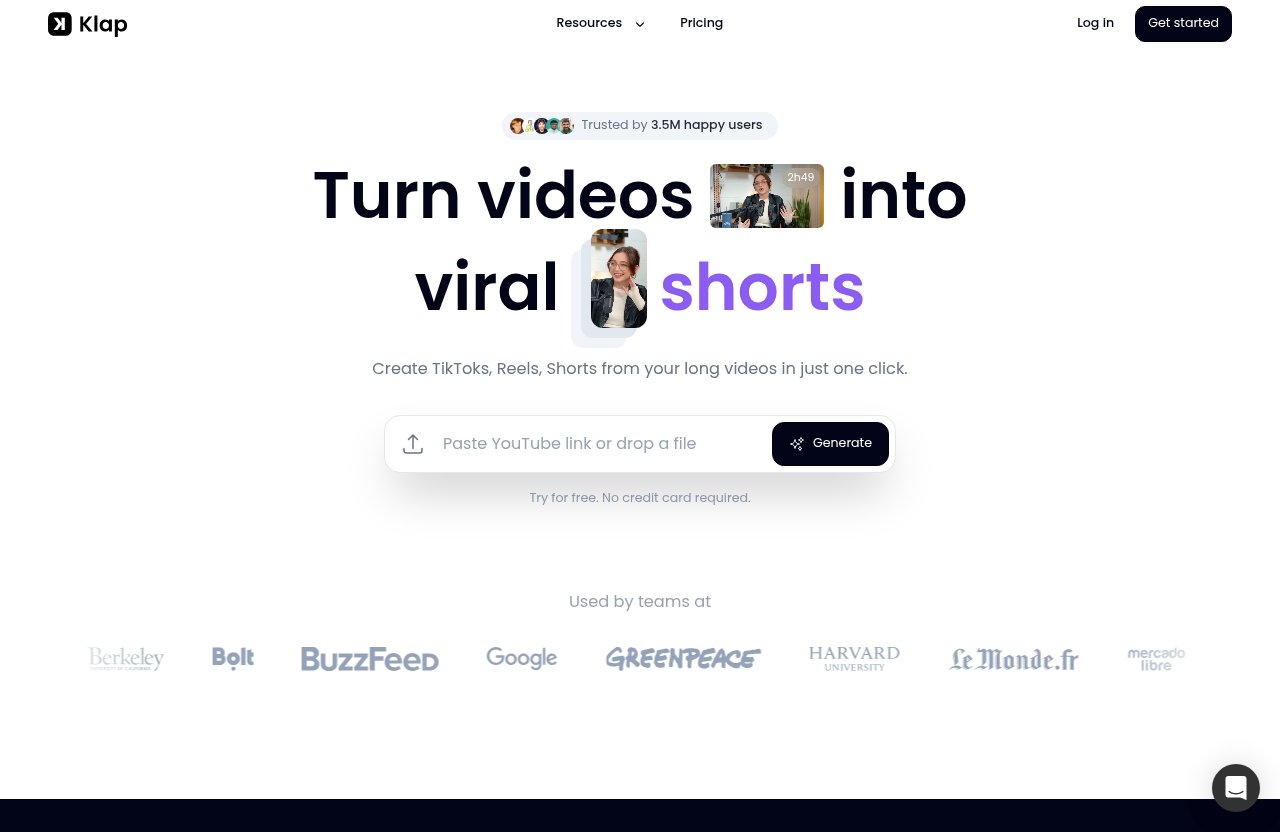
Klap turns long videos into short clips for TikToks, Reels, and YouTube Shorts. In podcast terms, that means your full video episode becomes the source material for multiple short-form promotional assets.
This is where Klap for podcasters feels most useful: it helps bridge the gap between long-form podcasting and short-form discovery. Your full episode remains the main content, while the clips become distribution pieces that bring attention back to your show, guest, topic, or brand.
AI clipping from long episodes
The core function is AI clipping. You give Klap a long video, and the tool helps find clip-worthy moments that can be repurposed into short videos.
For a podcast, those moments might be a guest explaining a controversial idea, a founder telling a useful story, or a host summarizing a practical lesson. Instead of searching the timeline manually, Klap can help surface these potential clips faster.
This is the main reason a klap for podcasters review should focus less on “video editing” and more on repurposing. The value is not just trimming footage; it is turning one recording session into multiple distribution assets.
Captions and vertical formatting
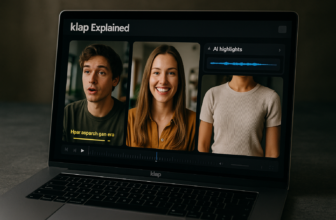
Klap’s homepage says it provides AI-generated captions. For podcast clips, that matters because many people watch short videos muted or semi-distracted.
Captions also help make a talking-head clip easier to follow. A strong quote may be missed if the viewer has to turn on sound first, but on-screen captions can hook attention quickly.
Klap also includes AI Reframe 2, which resizes videos for different platforms and can apply layouts such as Split Screen, Screencasts, and Gaming. For video podcasts, this is useful when the original episode is horizontal but the target platforms are vertical.
Multi-platform distribution
Podcast clips usually need to go to more than one place. TikTok, Instagram Reels, and YouTube Shorts each reward consistent short-form publishing, but manually formatting and posting clips across platforms can become a bottleneck.
The official pricing page says all Klap plans include unlimited social accounts and analytics. For creator-led teams or agencies managing several show accounts, unlimited social accounts can be a meaningful workflow advantage.
This is where Klap for podcasters becomes more than just a podcast clipping tool. It supports the wider distribution process around short-form content for podcasts.
Why this matters for podcast growth
Most podcasts struggle with discovery. Long episodes are valuable for depth, but they are not always easy to sample.
Short clips give potential listeners a quick reason to care. A strong 30- or 60-second moment can introduce the host’s personality, the guest’s credibility, or the episode’s core idea.
A podcast shorts maker cannot guarantee growth, and Klap does not remove the need for strong content. But it can help you publish more consistently, test more hooks, and get more mileage from episodes you already spent time producing.
Key Features That Matter Most for Podcasters
The best features in Klap are the ones that directly support a podcast repurposing workflow: AI clipping, captions, reframing, social account support, and analytics. These are not flashy extras; they are the daily tasks that usually slow podcasters down.
For video-first shows, klap for podcasters can reduce the number of tools needed between recording an episode and publishing clips. You still need to review the output, but the starting point is much faster than a blank editing timeline.
AI clipping and virality scoring
Klap’s official homepage positions the product around turning long videos into viral shorts. It also presents AI clipping as a core capability included in all paid plans.
In practical podcast terms, AI clipping helps identify moments that could work as standalone short-form content. That might include a guest’s bold statement, a host’s useful framework, or a quick back-and-forth between multiple speakers.
It is still wise to treat AI suggestions as drafts, not final editorial decisions. I would review every clip for context, accuracy, and whether the selected moment actually represents the episode fairly.
AI-generated captions
Klap says it provides AI-generated captions, which is one of the most important features for podcast clips. Captions improve scanability and make clips easier to consume in noisy, public, or muted environments.
For podcasters, this is especially valuable because spoken content is the product. A captioned clip gives the viewer a faster way to understand the point before deciding whether to keep watching.
Podcast captions AI also helps reduce repetitive production work. Manually transcribing and styling captions across several clips per episode can take longer than the actual clipping.
AI Reframe 2 for vertical layouts
Klap includes AI Reframe 2, which resizes videos for different platforms and can apply layouts such as Split Screen, Screencasts, and Gaming. This matters because most podcasts are recorded in landscape format, while short-form platforms typically favor vertical viewing.
For interview shows, reframing can help keep the speaker visible in a vertical crop. For multi-host or panel formats, layout options can help make a conversation easier to watch on a phone.
This is one area where klap for podcasters has clear workflow value. Vertical editing is not difficult once, but doing it repeatedly for every clip can become tedious.
Unlimited social accounts
The official pricing page says all plans include unlimited social accounts. That is useful for podcasters who distribute clips across multiple channels or manage more than one show brand.
A solo creator might connect podcast accounts across TikTok, Instagram, and YouTube. A team might manage accounts for the host, the show, the company brand, and guest-related campaigns.
Unlimited social accounts can also help agencies and creator-led teams keep distribution organized. It supports the reality that podcast clips often need to live in several places, not just one platform.
Analytics
Klap’s pricing page also says all plans include analytics. For podcasters, analytics help close the loop between clipping and content strategy.
You do not want to create short-form content blindly forever. You want to learn which guests, topics, hooks, and formats get attention.
Analytics are especially helpful if you are using Klap as a podcast repurposing tool over time. The point is not just to make clips faster, but to make better decisions about what to clip next.
How Klap Works with a Podcast Episode
The Klap workflow is straightforward: provide the video, let AI generate clips, then review and publish. For podcasters, the simplicity is the appeal.
A good klap for podcasters workflow starts before you upload the episode. If you record clean video, keep speakers visually clear, and encourage concise answers, the resulting clips will usually be easier to repurpose.
Upload a video file or paste a link
Klap’s homepage says users can upload a video file or paste a YouTube link. That gives podcasters two practical starting points.
If your episode is already uploaded to YouTube, you can paste the link. If you are working from a local export, you can upload the file directly.
This flexibility is helpful because podcast teams often have different workflows. Some edit the full YouTube episode first, while others create clips from the raw or near-final video file.
How many clips a long episode can produce
Klap’s homepage states that a one-minute long video produces about 5 video clips. That should be treated as a rough rule of thumb rather than a guaranteed result for every podcast episode.
The actual number of useful clips will depend on the episode length, pacing, topic quality, and how often speakers make self-contained points. A dense interview with strong answers will naturally produce more usable clips than a slow episode with long setup sections.
For long video podcasts, it is reasonable to expect a larger pool of candidate clips, but you should still curate. The best podcast shorts maker is only as useful as the editorial choices you make after generation.
Editing, exporting, and publishing
After Klap generates clips, the practical next step is review. You should check whether the clip starts at the right moment, ends cleanly, and does not remove context that changes the meaning.
This is also where captions and framing matter. Before publishing, make sure the speaker is visible, the captions are readable, and the clip feels native to TikTok, Reels, or YouTube Shorts.
Because all plans include unlimited social accounts and analytics, Klap can support the publishing and measurement side of the workflow too. That makes it more useful than a simple trimming tool.
Best workflow for weekly podcasts
For a weekly video podcast, I would use Klap after the final episode edit is complete. Upload the finished video or paste the YouTube link, generate clips, then choose the strongest ones for the week’s promotional calendar.
A practical system might look like this:
| Step | Podcast Workflow | Why It Matters |
|---|---|---|
| 1 | Record the video episode | Klap is designed for video podcasts |
| 2 | Publish or finalize the long episode | Gives you clean source material |
| 3 | Upload file or paste YouTube link | Starts AI clipping |
| 4 | Review generated clips | Keeps quality and context under control |
| 5 | Add captions and check framing | Improves short-form watchability |
| 6 | Publish across social accounts | Extends episode distribution |
| 7 | Review analytics | Guides future clips and topics |
This is the use case where klap for podcasters feels strongest: repeatable clipping from a consistent publishing schedule.
Official website · Latest pricing & offers
Real Podcast Use Cases
Klap can fit several podcast formats, but it is most useful when your show has visual content and conversational moments that work in isolation. A camera-on podcast gives the tool more to work with than an audio-only recording.
The following use cases are where I would consider Klap most seriously as a klap podcast clip maker.
Solo podcasters
Solo podcasters can use Klap to repurpose monologues, educational segments, commentary, and opinion-led episodes. If your show is built around teaching or analysis, clips can become mini-lessons.
This is helpful for creators who already do everything themselves. A solo host may not have time to manually create five to ten clips after recording, editing, publishing, writing show notes, and managing social posts.
Klap for podcasters is not a strategy replacement, though. Solo creators still need to record in a way that creates strong short-form moments, such as clear takeaways and concise explanations.
Interview shows
Interview podcasts are probably one of the strongest fits. Guest answers often create natural clip moments, especially when the guest shares a story, makes a surprising point, or gives practical advice.
A podcast clipping tool can help extract those highlights faster. This also gives guests assets they may want to share, which can extend distribution beyond the show’s own audience.
For interview shows, I would still review every AI-generated clip carefully. The best clip is not always the most dramatic line; it is the one that makes the guest look smart and makes the viewer want the full conversation.
Multi-host and panel shows
Multi-host and panel podcasts can also benefit, especially when the discussion includes debate, disagreement, or quick exchanges. These formats often create clips that feel energetic on short-form platforms.
Klap’s AI Reframe 2 layout options, including Split Screen, may be relevant here because panel videos can be harder to crop into vertical format. Keeping the right speakers visible is important.
This is one reason klap for podcasters is more compelling for video shows than audio-only shows. The visual layout can become part of the short-form experience.
Agencies and podcast teams
Agencies and podcast teams often manage higher clip volume. They may need to produce short-form content for multiple clients, shows, hosts, or brand accounts.
The official pricing page says all plans include unlimited social accounts and analytics, which can support multi-account distribution. For teams, that may reduce operational friction around publishing and tracking clips.
Klap can be a practical part of a broader content machine. It will not replace producers, strategists, or editors in every case, but it can help standardize the first pass of AI podcast clips.
Pricing: Is Klap for Podcasters Worth It?
Klap pricing is simple enough to compare by monthly clip volume. According to the official pricing page, the paid plans are Basic, Pro, and Pro+, with monthly prices shown for yearly billing.
Here is the verified pricing information:
| Plan | Price Billed Yearly | Clips Per Month | Included On All Plans |
|---|---|---|---|
| Basic | $14/mo | 100 clips/mo | AI Clipping, unlimited social accounts, analytics |
| Pro | $39/mo | 300 clips/mo | AI Clipping, unlimited social accounts, analytics |
| Pro+ | $94/mo | 1000 clips/mo | AI Clipping, unlimited social accounts, analytics |
Klap also offers a free trial / try for free option with no credit card required. That is useful because the best way to judge a video podcast editing software tool is to test it on one of your own episodes.
Basic plan
The Basic plan is $14/mo billed yearly and includes 100 clips/mo. For many solo podcasters, that is the most sensible starting point.
If you publish one episode per week and only need a handful of clips from each episode, 100 clips per month may be enough. It also lets you test whether klap for podcasters fits your production rhythm before committing to a higher-volume plan.
The Basic plan is best for creators who want consistent social clips but are not running a large content operation.
Pro plan
The Pro plan is $39/mo billed yearly and includes 300 clips/mo. This fits podcasters who publish more often or want to generate a larger pool of candidate clips from every episode.
If you run an interview show and want clips for the main podcast account, host profiles, and guest promotion, Pro may be a better fit than Basic. The extra clip volume gives you more room to test hooks and formats.
For small teams, Pro is likely the more practical middle ground. It gives more capacity without jumping straight to the highest plan.
Pro+ plan
The Pro+ plan is $94/mo billed yearly and includes 1000 clips/mo. This plan is best suited to high-output creators, agencies, or teams handling multiple shows.
If you are creating short-form content for podcasts at scale, 1000 clips per month can support a much heavier production calendar. It may also fit teams that generate many drafts and only publish the strongest ones.
For a single casual podcast, Pro+ is probably more than needed. For an agency or brand network, the volume may make more sense.
How to choose a plan
Choose based on how many clips you realistically want to create, review, and publish. Do not pay for 1000 clips if your team only has time to approve 40 good ones.
Here is a practical way to think about it:
| Creator Type | Likely Fit | Reason |
|---|---|---|
| New video podcaster | Basic | Low-cost way to test repurposing |
| Weekly solo host | Basic or Pro | Depends on clip volume |
| Interview show | Pro | More guest highlights and promo options |
| Multi-show team | Pro or Pro+ | Higher content output |
| Agency | Pro+ | More clips across accounts and clients |
Klap for podcasters is worth it when the time saved and extra publishing consistency are more valuable than the subscription cost. If you only need one polished clip per month, manual editing may be enough.
Free trial and what it means
Klap offers a free trial / try for free with no credit card required. That lowers the risk of testing it with your own video podcast.
If you want to test Klap, you can try it through our affiliate link. I recommend using a real episode, not a perfect demo file, because that will show you how well the workflow fits your actual content.
A free trial is also the best way to judge clip quality. AI clipping can be useful, but your show’s structure, pacing, and speaker style will affect the results.
Pros and Cons for Podcast Creators
Klap has a clear use case: turn long video podcasts into short-form clips faster. It is strong when you need volume, consistency, captions, and vertical formatting.
But like any podcast repurposing tool, it has limits. The output still needs human review, and audio-only creators will need a different starting workflow.
Main strengths
The biggest strength of klap for podcasters is efficiency. It helps reduce the time spent finding moments, creating vertical clips, adding captions, and preparing content for social platforms.
Another strength is platform fit. Klap is specifically positioned around TikToks, Reels, and YouTube Shorts, which are the main short-form channels most podcasters care about.
The combination of AI clipping, AI-generated captions, AI Reframe 2, unlimited social accounts, and analytics makes it a useful workflow tool rather than just a basic cutter.
Main limitations
The biggest limitation is that Klap is for video podcasts, not audio-only podcasts. If you do not record video, you will need to create video first or use a separate audiogram-style process.
Another limitation is that AI does not always understand nuance. A clip may look engaging but remove context, overemphasize a dramatic line, or miss the actual best moment.
Klap also does not eliminate the need for content judgment. Someone still needs to choose clips that align with your brand, guest relationship, and episode goals.
Best-fit scenarios
Klap is best for video podcasts that publish consistently and want multiple short clips from every long episode. It is also a strong fit for shows that rely on interviews, panels, expert commentary, and educational moments.
It is less ideal for shows that are audio-only, heavily narrative, or dependent on subtle long-form context. In those cases, manual editing or a more specialized production workflow may be better.
For most video podcasters, the question is not whether Klap can create clips. The better question is whether you have enough clip-worthy moments to make the subscription worthwhile.
Klap vs. The Manual Podcast Clip Workflow
The fairest comparison is not Klap versus another tool with unverified specs. It is Klap versus doing the clipping, captioning, reframing, exporting, and distribution manually.
Manual editing gives you control. Klap gives you speed and repeatability.
Time saved
Manual podcast clipping usually starts with watching or scrubbing through the episode. Then you mark potential moments, trim each clip, format it vertically, add captions, export, and prepare platform versions.
That process can easily become the most time-consuming part of short-form content for podcasts. Even if you enjoy editing, it is repetitive work.
Klap for podcasters helps by creating a faster first pass. You still review the clips, but you are not starting from zero.
Captioning and formatting workload
Captions and formatting are where manual workflows often drag. A single clip is manageable, but five to fifteen clips per episode becomes a lot of repetitive production.
Klap’s AI-generated captions and AI Reframe 2 help with this specific bottleneck. For video podcast creators, that can make the difference between posting clips consistently and skipping them because the editing queue is too full.
Manual captioning may still be better for highly branded shows with strict visual guidelines. But for regular social promotion, automation can be a practical tradeoff.
Distribution workflow
Manual distribution usually means exporting clips, naming files, uploading them to each platform, writing captions, and checking performance separately. That is manageable for one account, but harder across multiple social profiles.
Klap’s paid plans include unlimited social accounts and analytics, which helps support multi-platform distribution. This matters for podcasts that publish on TikTok, Reels, and YouTube Shorts at the same time.
The distribution value is a major reason to consider klap for podcasters if your show is part of a larger content marketing operation.
When manual editing still makes sense
Manual editing still makes sense when the clip is high-stakes. A major guest announcement, paid campaign asset, sponsor deliverable, or brand film may deserve a human editor’s full attention.
Manual editing also works well if you only publish occasional clips. If your podcast does not have a consistent short-form strategy, a subscription may not be necessary.
The best workflow may be hybrid. Use Klap to generate and format candidate clips, then manually polish the most important ones.
Final Recommendation for Klap for Podcasters
Klap is a strong option for video podcasters who want to turn long episodes into multiple short-form assets without building a heavy editing workflow. It is most valuable when clipping, captions, vertical formatting, and multi-platform distribution are currently slowing you down.
I would not recommend it as a magic growth tool. I would recommend it as a practical production tool for creators who already record good video conversations and want to publish more consistently on TikTok, Reels, and YouTube Shorts.
Best overall use case
The best overall use case for klap for podcasters is a weekly video interview or panel show that wants several captioned clips from every episode. If you have strong guests, clear talking points, and a repeatable publishing schedule, Klap can fit naturally into your workflow.
It is also useful for content marketers who treat podcasts as a source engine for social media. One long episode can support multiple clips, posts, and promotional angles.
For teams, the inclusion of unlimited social accounts and analytics on all plans adds practical distribution value.
Best alternative user type
The best alternative user type is an audio-only podcaster. If you do not record video, Klap is not the cleanest fit because its podcast clip maker is designed for video podcasts.
Audio-only creators should either start recording video or use an audiogram workflow built around audio-first content. That will usually match the source material better.
Highly produced narrative podcasts may also prefer manual editing. Their best promotional clips often require more context and storytelling than AI clipping can reliably judge.
Bottom-line buying advice
If you publish a video podcast and want a faster way to create AI podcast clips with captions and vertical formatting, Klap is worth testing. Start with the free trial, run one real episode through it, and judge the clips by whether you would actually post them.
If the output saves you editing time and gives you usable clips for TikTok, Reels, and YouTube Shorts, the paid plans are reasonably easy to match to your volume. If the clips need too much correction, stick with manual editing or use Klap only as a first-pass idea generator.
For the right video podcast workflow, klap for podcasters is a practical podcast shorts maker—not a miracle, but a useful shortcut.
Official website · Latest pricing & offers
FAQ
How much does Klap app cost?
According to the official pricing page, Klap has three yearly-billed monthly plans: Basic at $14/mo for 100 clips/mo, Pro at $39/mo for 300 clips/mo, and Pro+ at $94/mo for 1000 clips/mo.
The pricing page also says all plans include AI Clipping, unlimited social accounts, and analytics. Klap offers a free trial / try for free with no credit card required.
Is Klap for Podcasters good?
Yes, Klap for podcasters is a strong fit if you create video podcasts and want to repurpose episodes into short clips quickly. It is especially useful for interview shows, panel discussions, multi-host podcasts, and creator-led teams producing regular short-form content.
It is not ideal for every show. If your podcast is audio-only or needs very detailed human editing, you may need a different workflow.
Does Klap work for audio-only podcasts?
Klap’s podcast clip maker is designed for video podcasts, not audio-only podcasts. If you only record audio, you would need to record video first or use a separate audiogram workflow.
This distinction matters because Klap focuses on turning long videos into short-form clips for TikTok, Reels, and YouTube Shorts.
Can Klap add captions to podcast clips?
Yes. Klap’s official homepage says it provides AI-generated captions.
For podcast creators, captions are important because they make spoken clips easier to follow on social platforms, especially when viewers watch without sound.
How many clips can one episode make?
Klap’s homepage states that a one-minute long video produces about 5 video clips. For a full podcast episode, the number of usable clips depends on the length, pacing, and quality of the conversation.
Long video podcast episodes can produce many candidate clips, but not every generated clip should be published. The best results usually come from reviewing the output and selecting the strongest moments.
Related Reading
- Klap features explained
- Podsqueeze for solo podcasters review
- Top 5 Repurpose.io features for creators
References
- Podcast Clip Maker — Free AI Tool for Video Podcasts
- Klap | Turn videos into viral TikToks, Reels & Shorts
- Klap Pricing | Plans for Creators, Teams & API Users
- Transcribe a Podcast for Free With AI