Klap Features Explained: AI Highlights, Captions, and Auto-Cropping in 2026
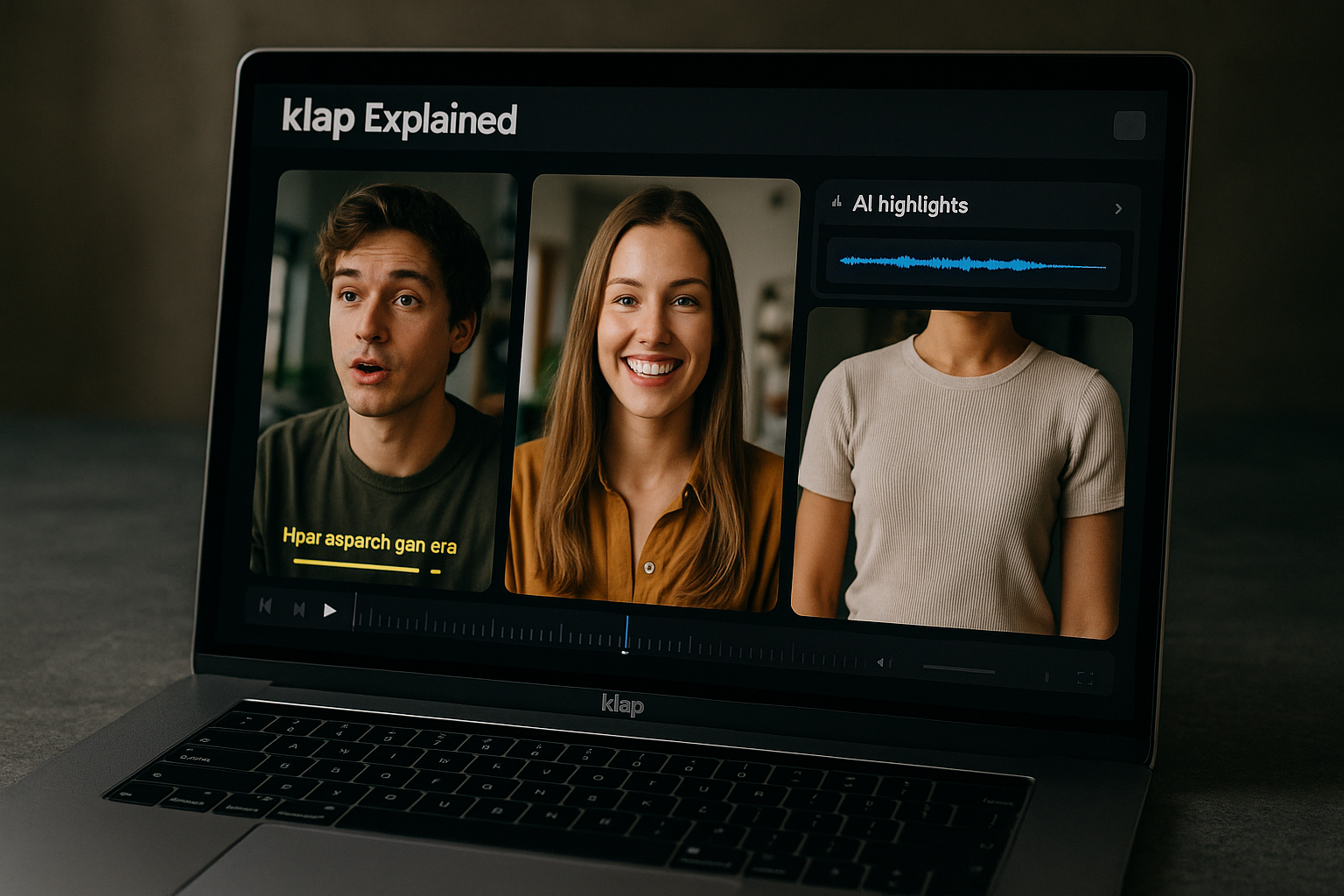
If you are comparing AI video repurposing tools, the most important question is simple: do the Klap features actually save enough time to justify paying for the product?
Klap is built to turn long videos into short-form clips for TikTok, Instagram Reels, and YouTube Shorts. Instead of manually finding highlights, cutting clips, adding captions, and resizing videos for vertical platforms, Klap uses AI to automate much of that workflow.
This guide breaks down the Klap features buyers usually care about most: AI clipping, AI captions, auto-cropping with AI Reframe 2, exports, pricing, and plan fit.
Official website · Latest pricing & offers
What Klap Is and Who It’s For
Quick definition of Klap in plain English
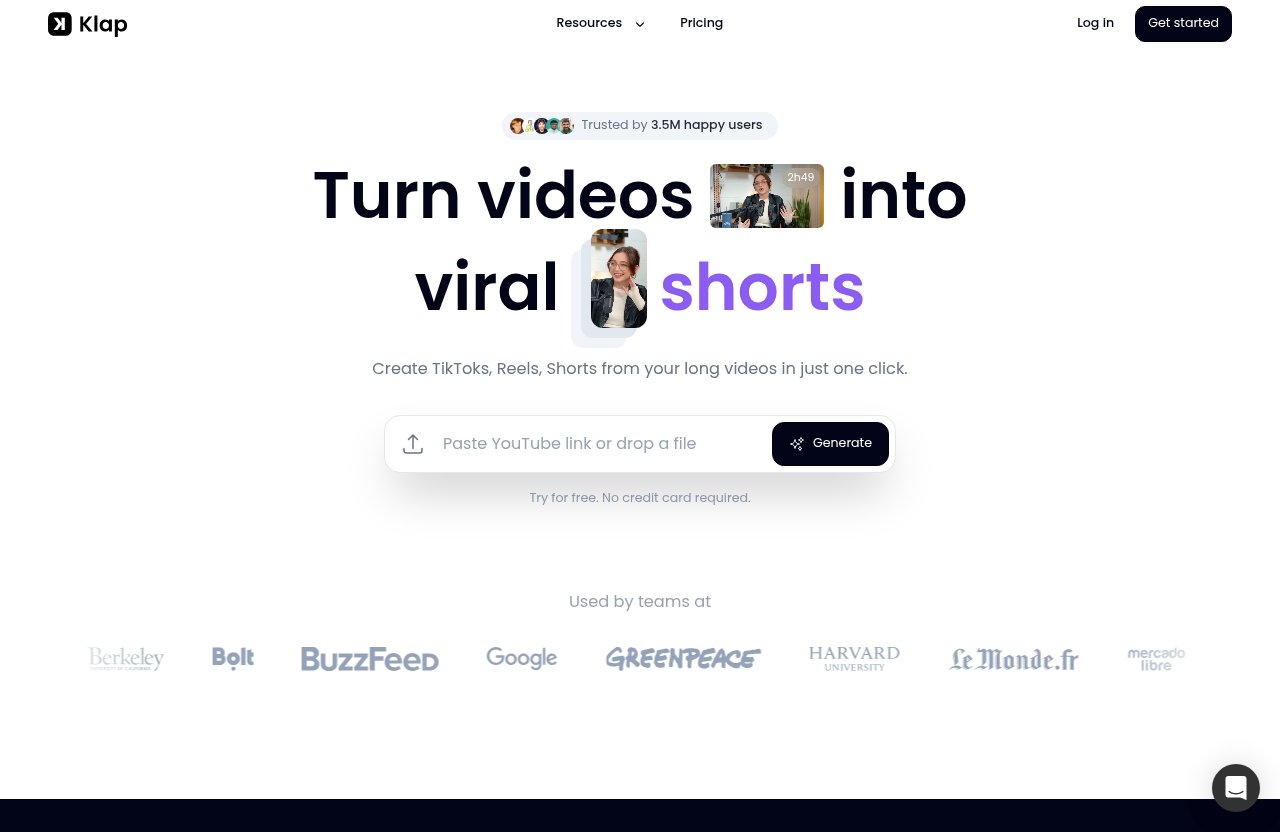
Klap is a video repurposing tool that takes long videos and helps convert them into short-form videos. The official homepage positions it as a way to turn long videos into viral short-form content for TikToks, Reels, and Shorts.
In practical terms, Klap is for people who already have long-form content and want more social clips from it. The core Klap features focus on finding strong moments, generating captions, reframing for different platforms, and exporting short clips.
You can upload a YouTube link or a video file, which makes it useful if your content already lives on YouTube or if you work from local recordings.
Best-fit users: creators, marketers, agencies, podcasters, and teams
Klap is most relevant for users who regularly produce long-form video and need more short-form output.
That includes:
| User Type | Why Klap May Fit |
|---|---|
| YouTubers | Repurpose long videos into Shorts |
| Podcasters | Turn interviews and episodes into social clips |
| Marketers | Create TikTok clips, Reels, and Shorts from webinars or brand videos |
| Agencies | Produce short-form content for multiple clients |
| Small teams | Speed up clipping, captioning, and resizing workflows |
The best-fit buyer is not someone who needs a full manual editing suite. It is someone who wants short-form video automation and is comfortable using AI as a first pass.
What Klap is trying to replace in a content workflow
The main workflow Klap tries to reduce is repetitive editing. Normally, repurposing one long video can involve watching the footage, finding highlight moments, cutting sections, writing captions, resizing for vertical platforms, and exporting multiple versions.
The Klap features are designed to compress that process. AI clipping helps identify moments. AI captions reduce subtitle work. AI Reframe 2 helps with layout and resizing. Export tools help prepare clips for publishing.
That does not mean every clip will be perfect without review. Buyers should think of Klap as a production accelerator, not a replacement for taste, brand judgment, or final quality control.
Klap Features Explained: The Core AI Tools Buyers Care About
AI clipping and highlight selection
AI clipping is one of the most important Klap features because it addresses the hardest part of repurposing: finding usable moments inside long content. According to Klap’s pricing page, all paid plans include AI Clipping.
The official homepage says Klap automatically creates viral-worthy content. In buyer terms, that means the tool is trying to identify short segments that may work well on short-form platforms.
This is especially valuable for podcasts, interviews, educational videos, product demos, and YouTube content where the best moments are spread across a longer recording. Instead of scrubbing through the timeline manually, Klap gives you a set of generated clips to review.
The official workflow also frames the process around evaluating clip potential. I would treat that as a helpful sorting mechanism rather than a guarantee that every output will perform well. Human review still matters because “good clip” depends on audience, context, hook, and brand style.
AI captions and subtitles
AI-generated captions are another major part of the Klap features set. The official homepage states that Klap provides AI-generated captions.
For short-form platforms, captions matter because many people watch videos without sound, especially in feeds. Captions also make fast-moving clips easier to follow and can improve the perceived polish of the video.
From a buyer perspective, AI captions can save time compared with manually transcribing and timing subtitles. They are particularly useful for talking-head content, podcast clips, lessons, webinars, and commentary videos.
Before buying, I would still test how the captions handle your content type. Accents, background noise, overlapping speakers, and niche terminology can affect caption quality in any AI captioning tool. The practical question is not whether captions are automatic, but whether they need only light cleanup for your use case.
Auto-cropping and AI Reframe 2
Auto-cropping is where Klap becomes more than a basic video cutter. One of the standout Klap features on the official homepage is AI Reframe 2.
Klap says AI Reframe 2 resizes videos for any platform and analyzes scenes to apply layouts such as Split Screen, Screencasts, Gaming, and more. That matters because short-form video is not just about cutting a 60-second segment. The clip also needs to fit the platform.
For example, a horizontal YouTube interview may need a vertical layout for Reels or Shorts. A screen recording may need a different layout than a podcast interview. A gaming video may need a format that keeps both gameplay and reaction visible.
This kind of AI reframing can reduce the amount of manual resizing needed in a traditional editor. For creators who produce a lot of content, that is often where meaningful time savings appear.
High-resolution export and platform-ready output
The official homepage says clips can be exported in high resolution. That is an important buyer detail because repurposed content still needs to look professional when published.
The most useful Klap features are not just about generating clips quickly. They are about helping you get closer to platform-ready output with less manual effort.
For TikTok clips, Reels, and Shorts, that means the clip should be short-form friendly, captioned, reframed, and ready for review. Klap’s value is strongest when those steps reduce the number of tools you need in the workflow.
If you want to evaluate the product directly, the official homepage says you can try it for free with no credit card required. You can review the current plans and free option through Klap’s site via TopTrustReview.
How Klap Works Step by Step
Upload a YouTube link or video file
Klap’s workflow starts with your source video. The official homepage says users can upload a YouTube link or a video file.
This is useful because many buyers already publish long-form content on YouTube. Instead of downloading, importing, and manually editing in another tool, you can start with the existing link.
The Klap features make the most sense when your input content has enough spoken moments, topic shifts, or highlights for the AI to work with.
Let the AI generate multiple short clips
After upload, Klap uses AI to generate short clips. The homepage gives a rule of thumb: a one-minute video produces about five video clips.
That should not be read as a guarantee for every video. It is better understood as a rough expectation from Klap’s official messaging.
For buyers, the real question is whether the generated clips are close enough to publish after review. If the AI clipping finds strong hooks and the captions are mostly accurate, Klap can save meaningful production time.
Review, make final touches, and export
The final step is reviewing the generated clips, making any needed adjustments, and exporting. This is where you apply human judgment.
Even with strong Klap features, I would not recommend publishing every AI-generated clip without review. You still need to check captions, context, framing, pacing, and whether the clip represents your brand accurately.
Once approved, clips can be exported in high resolution according to the official homepage. That makes the workflow practical for creators and teams that need consistent short-form publishing.
Klap Pricing and Plan Breakdown
Basic plan: 100 clips/mo
The Basic plan is listed on Klap’s pricing page at $14/mo billed yearly. It includes 100 clips per month and is positioned for individuals.
This plan is most relevant if you create content on your own and want to test whether the Klap features fit your posting workflow. For many solo creators, 100 clips per month may be enough to repurpose a modest amount of long-form content.
Pro plan: 300 clips/mo
The Pro plan is listed at $39/mo billed yearly. It includes 300 clips per month and is positioned for professionals.
This tier makes more sense if short-form publishing is part of your regular content strategy. If you post consistently across YouTube Shorts, Reels, and TikTok, the larger clip allowance gives you more room to test different moments from the same long video.
Pro+ plan: 1000 clips/mo
The Pro+ plan is listed at $94/mo billed yearly. It includes 1000 clips per month and is positioned for teams.
This plan is most relevant for agencies, content teams, or businesses repurposing higher volumes of video. If several people are working across multiple channels or clients, the larger allowance may be easier to justify.
What every plan includes
According to the official pricing page, all plans include AI Clipping, unlimited social accounts, and Analytics. The pricing page also says: “Only pay for clips you generate.”
Here is the official pricing breakdown based on the verified pricing page:
| Plan | Price | Billing | Clip Allowance | Best For | Included Across Plans |
|---|---|---|---|---|---|
| Basic | $14/mo | Billed yearly | 100 clips/mo | Individuals | AI Clipping, unlimited social accounts, Analytics |
| Pro | $39/mo | Billed yearly | 300 clips/mo | Professionals | AI Clipping, unlimited social accounts, Analytics |
| Pro+ | $94/mo | Billed yearly | 1000 clips/mo | Teams | AI Clipping, unlimited social accounts, Analytics |
When evaluating Klap pricing, focus on your expected clip volume. A lower plan can be a good starting point if you are unsure how many clips you will actually use.
Official website · Latest pricing & offers
Which Klap Plan Makes Sense for Different Buyers
For solo creators and hobbyists
For solo creators, the Basic plan is the logical first comparison point. It gives you 100 clips per month at the official yearly-billed price of $14/mo.
This plan is best if you publish occasionally, repurpose one or a few long videos per month, or want to test the Klap features without immediately committing to a higher clip volume.
If your content schedule is irregular, pay close attention to whether your monthly clip usage is consistent enough to make a paid plan worthwhile.
For professionals posting consistently
The Pro plan fits creators, marketers, and consultants who publish short-form content more consistently. At 300 clips per month, it gives more flexibility for testing multiple hooks and formats.
This is where Klap may become more practical as a regular video repurposing tool. If you are turning YouTube videos into Shorts, creating TikTok clips, or producing Reels from webinars, the higher allowance may reduce workflow bottlenecks.
The decision should come down to cadence. If you need short-form output every week, the Pro plan is likely the more realistic plan to compare.
For teams and higher-volume content workflows
The Pro+ plan is built for teams, with 1000 clips per month at the official yearly-billed price of $94/mo. This makes sense when multiple projects, channels, or clients are involved.
Teams should evaluate Klap features in terms of throughput. AI clipping, AI captions, and AI reframing can help reduce repetitive work, but your team still needs a review process.
If you manage client content, also check whether Klap’s output style fits each brand. Automation is useful, but agencies usually need brand consistency more than raw clip volume.
Strengths, Limitations, and What to Check Before Buying
Where Klap looks strongest
Klap looks strongest for buyers who want a focused short-form video automation workflow. Its official feature set is clearly aligned with repurposing: AI Clipping, AI-generated captions, AI Reframe 2, high-resolution exports, and support for YouTube links or video files.
The Klap features are especially useful when you already have long-form content and need to produce more short-form assets from it. This is common for creators, podcasters, educators, webinar teams, and agencies.
The ability to resize videos for different platforms and use layouts such as Split Screen, Screencasts, Gaming, and more is also important. Different source videos need different framing choices.
Potential trade-offs to consider
The main trade-off is that AI tools still need human review. Klap may reduce editing time, but you should still check clip context, caption accuracy, framing, and final polish.
Also consider how much manual control you need. If you require detailed timeline editing, advanced motion design, or highly customized caption styling, test whether the Klap features are deep enough for your workflow.
Clip quotas also matter. The pricing page says you only pay for clips you generate, but each plan still has a monthly clip allowance. Choose based on realistic usage, not ideal content goals.
Questions to ask if you are comparing alternatives
Before buying Klap or any AI video tool, ask:
- Does it find clips that match my audience and content style?
- Are captions accurate enough for my subject matter?
- Does the auto-cropping handle my video layout well?
- Can I export in the quality I need?
- Does the monthly clip allowance fit my publishing schedule?
- Is the workflow faster than my current editing process?
These questions keep the evaluation practical. The best tool is the one that removes real bottlenecks in your workflow.
Klap vs. Other AI Clip Tools: What Buyers Usually Compare
Feature comparison factors that matter
When buyers compare Klap against other AI clip tools, they usually look at clipping quality, caption generation, reframing, export quality, pricing, and workflow speed.
The verified Klap features to compare are AI Clipping, AI-generated captions, AI Reframe 2, high-resolution export, unlimited social accounts on all plans, and Analytics on all plans.
Avoid comparing only on price. A cheaper tool may still cost more time if it requires heavy manual cleanup. A more expensive tool may not be worth it if your clip volume is low.
Language support, customization, and workflow fit
Many AI video repurposing tool comparisons discuss language support, caption customization, and editing flexibility. Those are valid areas to test during a trial or free option.
Because official feature pages can change, buyers should verify the current details directly before purchase. This is especially true if you need specific language support, brand templates, or advanced editing controls.
The Klap features are most compelling if the standard workflow already matches your needs: upload, generate clips, review, caption, reframe, and export.
When Klap may be the better buy
Klap may be the better buy when you want a practical, focused tool to turn long videos into short clips with less manual editing. It is especially relevant if auto-cropping, AI captions, and AI clipping are the main jobs you need solved.
It may also be a strong fit if you publish across multiple short-form platforms and want a workflow designed around TikToks, Reels, and Shorts.
If you want to compare the current free option and paid plans, you can evaluate Klap through this TopTrustReview affiliate link. The recommendation is simple: test your own content before deciding.
Real Use Cases for Klap Features
Podcast clips for social growth
Podcasts are one of the clearest use cases for Klap features. A long interview often contains many short moments that can work as standalone clips.
AI clipping can help identify those moments. AI captions make dialogue easier to watch in silent feeds. AI Reframe 2 can help adapt the video for vertical platforms.
This is useful for podcasters who want more distribution without manually editing every segment.
YouTube video repurposing
Klap also fits YouTube to Shorts workflows. Since the official homepage says users can upload a YouTube link, creators can start from existing long-form videos.
For educational videos, tutorials, commentary, and interviews, the Klap features can help create short clips for additional reach. The key is choosing clips that make sense without the full video context.
You should still review each clip for clarity. A good short should have a strong opening, a clear point, and a reason for the viewer to keep watching.
Short-form content for teams and agencies
Teams and agencies often need repeatable systems. Klap can help create a more standardized workflow for turning webinars, client videos, podcasts, or brand content into short-form assets.
The Pro+ plan’s 1000 clips per month is the relevant official allowance for higher-volume workflows. Combined with AI Clipping, unlimited social accounts, and Analytics, the plan is built for teams that need scale.
For agencies, the biggest value of Klap features may be speed. The main thing to verify is whether the generated clips match each client’s tone, visual style, and content strategy.
Final Verdict: Are Klap’s Features Worth It?
Best reasons to choose Klap
Klap is worth considering if your main goal is to turn long videos into short clips faster. The strongest Klap features are AI clipping, AI-generated captions, AI Reframe 2, high-resolution export, and a workflow built around TikToks, Reels, and Shorts.
It is especially appealing for creators, podcasters, marketers, and teams that already produce long-form video. If you have a steady content pipeline, Klap can help reduce the repetitive work of finding, captioning, reframing, and exporting clips.
The free option also lowers the barrier to evaluation, since the official homepage says users can try it for free with no credit card required.
Who should skip it
You may want to skip Klap if you rarely create long-form video or only need occasional manual cuts. In that case, a basic editor may be enough.
You should also be cautious if your workflow requires advanced manual editing, complex brand templates, or very specific subtitle styling. The Klap features are designed for short-form automation, not necessarily full creative post-production.
If your content has poor audio, multiple overlapping speakers, or unusual formatting, test the output before committing to a paid plan.
Bottom-line recommendation
The bottom line: Klap’s features are worth considering if short-form video repurposing is already part of your content strategy. It is not a magic replacement for editorial judgment, but it can be a useful workflow accelerator.
Start by testing Klap with your own long-form videos. If the AI clips are relevant, the captions need minimal cleanup, and AI Reframe 2 handles your formats well, the product becomes much easier to justify.
Official website · Latest pricing & offers
FAQ
What does the Klap app do?
The Klap app helps turn long videos into short-form clips for TikTok, Instagram Reels, and YouTube Shorts. You can upload a YouTube link or video file, then Klap uses AI to find strong moments, generate captions, reframe the video, and prepare clips for export.
Is there a free alternative to KLAP AI?
There may be free video cutting or editing tools, but buyers should compare them carefully against Klap AI features like AI clipping, AI captions, and AI Reframe 2. A free tool may work for simple trimming, but it may not offer the same short-form automation workflow.
How to use Klap AI for free?
The official Klap homepage says users can “Try for free” and that no credit card is required. To understand the current free access details, check Klap directly and test it with one of your own videos before choosing a paid plan.
What features make Klap different from basic video cutters?
Basic video cutters usually help you trim footage manually. Klap adds AI clipping, AI-generated captions, AI Reframe 2, platform-specific layouts such as Split Screen, Screencasts, and Gaming, plus export-ready short-form output for TikToks, Reels, and Shorts.
Related Reading
References
- Klap | Turn videos into viral TikToks, Reels & Shorts
- Klap Pricing | Plans for Creators, Teams & API Users
- Klap AI review 2026: a hands-on test of this AI video-clipping tool
- Klap Review: The AI Video Repurposing Tool Every Creator …