Lalal.AI for Remixing Songs: A Practical Review for Producers and DJs
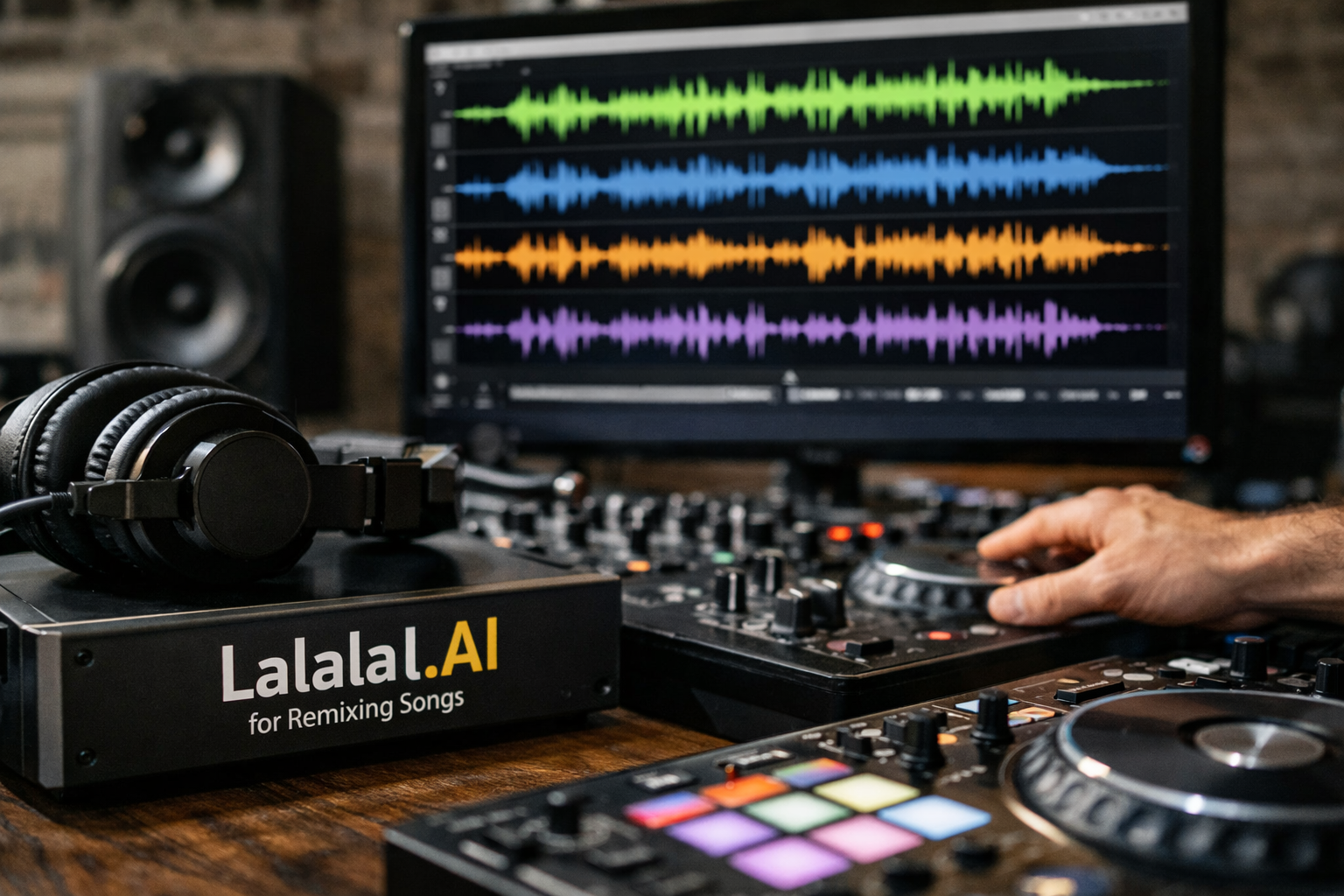
For creators who want to turn an existing track into a mashup, edit, bootleg, or sample-ready project, lalal.ai for remixing songs is primarily about speed. Instead of manually trying to reduce vocals with EQ, phase tricks, or filtering, you can use AI-powered separation to create working stems before moving into your preferred DAW.
This review evaluates LALAL.AI from a remix-focused perspective. The key question is not whether AI can replace production skills; it is whether the tool can make the early stage of a remix workflow faster and more flexible. Based on the official LALAL.AI homepage, its Vocal Remover and Stem Splitter are especially relevant for extracting vocals, instrumentals, drums, bass, guitar, synth, string, and wind instruments.
Official website · Latest pricing & offers
What LALAL.AI does for remixing songs
How stem extraction supports remixes, mashups, and edits
The core appeal of lalal.ai for remixing songs is audio stem separation. A producer can begin with a finished song, isolate useful musical elements, then arrange those elements in a new tempo, key, structure, or genre context.
For example, an extracted vocal can become the lead element of a dance remix, while an instrumental section may work underneath a new topline. DJs can use separated parts to make intro edits, transition tools, or mashups that combine the vocal of one song with the groove of another.
The value is not that every extracted part will be release-ready without editing. Instead, it gives remixers a fast starting point. When inspiration is fresh, an acapella extractor or instrumental isolator can be more useful than spending an hour attempting manual vocal reduction.
Which LALAL.AI tools matter most for remixers
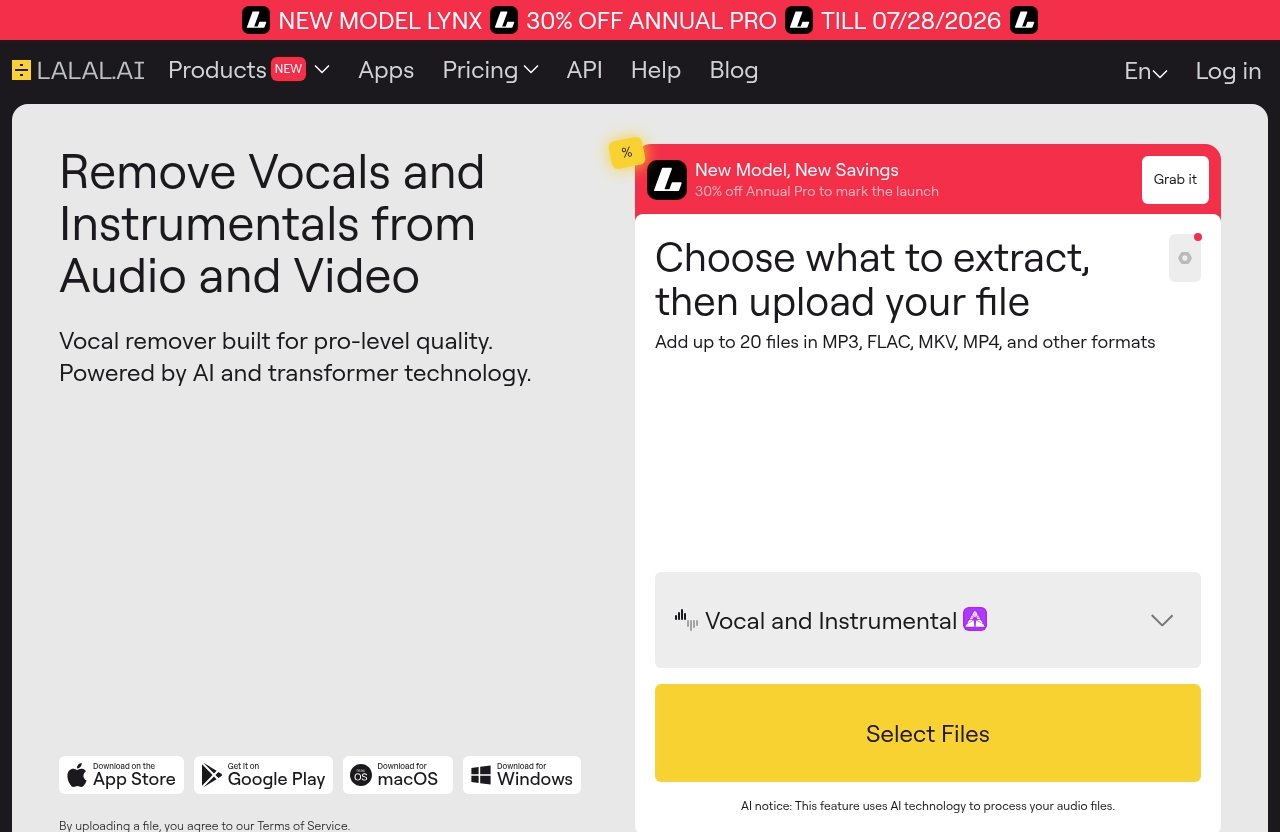
LALAL.AI lists several products on its official homepage, but remixers will usually focus first on Vocal Remover and Stem Splitter. Vocal Remover is designed to remove vocals and instrumentals from music tracks, audio clips, and video files. That makes it the direct choice when you need a vocal-focused or instrumental-focused version quickly.
Stem Splitter is the broader option for creators who need more than a simple vocal/instrumental divide. It can extract vocals, instrumental, drums, bass, guitar, synth, string, and wind instruments, which can open up more arrangement options for a remix.
Other available LALAL.AI tools may also help in specific situations. Voice Cleaner can remove background music, vocal plosives, mic rumble, and other unwanted noise, while Echo & Reverb Remover can help reduce echo and reverb from vocals, recordings, songs, and videos. Lead/Back Splitter is relevant when you want to distinguish the main vocal from backing parts.
Where it fits in a modern remix workflow
In a practical remix workflow, LALAL.AI sits before the DAW rather than replacing it. You use it to create raw working elements, then take those results into your regular environment for timing, key matching, EQ, arrangement, effects, and final export.
That positioning makes lalal.ai for remixing songs particularly useful for creators who already understand basic production but dislike the slow process of preparing source material. It is also approachable for beginners because the initial task is clear: choose what you want to separate, review the result, and build from the usable parts.
Why remixers choose LALAL.AI over manual editing
Speed advantage for idea capture
Manual vocal removal techniques can sometimes produce usable results, but they can require trial and error. EQ cuts, stereo-channel techniques, and phase-based approaches may reduce a vocal in certain mixes, yet they can also damage instruments that share the same frequency range.
With lalal.ai for remixing songs, the aim is to get a usable starting stem without spending the first part of a session on repair work. That matters when you are testing several mashup concepts, auditioning hooks against new beats, or preparing a quick DJ edit.
A fast extraction also changes how freely you can experiment. Rather than committing to one remix concept before doing the work, you can test multiple vocals, instrumental sections, or drum parts and decide which idea deserves a full arrangement.
Cleaner separation for creative experimentation
A stem splitter for remixes is useful because it treats the source as a collection of creative building blocks. You may only need a short vocal phrase, a bass groove, or a recognizable guitar figure to establish a remix identity.
The quality of any music source separation result should be judged in context. A stem that has faint artifacts may still work well after being layered with drums, synths, effects, and a new arrangement. Conversely, a highly exposed vocal ballad may demand more cleanup if the extracted voice will sit alone in the introduction.
My practical buying advice is to evaluate source-track quality before judging any tool. Cleanly produced recordings with well-defined elements are usually easier to work with than dense, heavily compressed tracks where vocal effects and instruments overlap constantly.
Useful for DJs, bedroom producers, and content creators
DJs often need functional edits rather than a fully reconstructed production. An isolated vocal can help create a short transition, while an instrumental version can provide a cleaner bed for announcements, blends, or live mashups.
Bedroom producers may get the most value from lalal.ai for remixing songs when they have plenty of ideas but limited time. It removes a common barrier: obtaining workable source elements before creative arranging begins.
Content creators can also use separated audio when making commentary, tutorials, musical analysis, or short-form remix content. They should still make sure they have the rights or permissions required for their intended use. Audio extraction does not automatically grant permission to distribute copyrighted material.
Key LALAL.AI features relevant to remixing
Vocal Remover for quick acapella and instrumental isolation
LALAL.AI’s Vocal Remover is the most straightforward feature for remix-focused work. According to the official product description, it removes vocals and instrumentals from music tracks, audio clips, and video files.
For a creator using lalal.ai for remixing songs, this means you can start with either direction. Need an acapella to put over a new house beat? Start with a vocal-focused separation. Need to make room for a new singer, rapper, or voiceover? Extract the instrumental side instead.
This AI vocal remover for songs is most useful when you keep expectations practical. Treat its output as remix material to assess and shape, not as an automatic replacement for officially supplied multitracks.
Stem Splitter for vocals, instrumental, drums, bass, guitar, synth, string, and wind instruments
The official Stem Splitter covers a wider set of elements: vocals, instrumental, drums, bass, guitar, synth, string, and wind instruments. This is the feature that makes LALAL.AI more than a basic vocal-removal utility.
For instance, a producer could extract drums to study the rhythm pattern, isolate bass to create space for a new low end, or use a guitar or synth part as a sampled texture. These possibilities are why lalal.ai for remixing songs can suit both quick edits and more involved production concepts.
Not every song will yield a perfectly isolated version of every instrument. Still, having multiple separation targets lets you choose the stem that best supports the remix idea instead of being limited to vocal versus instrumental.
| Remix Need | Relevant LALAL.AI Tool or Separation |
|---|---|
| Build a vocal mashup | Vocal Remover or vocals in Stem Splitter |
| Create an instrumental edit | Vocal Remover or instrumental stem |
| Replace the original drums | Drum separation through Stem Splitter |
| Sample a bass, guitar, or synth idea | Stem Splitter |
| Distinguish the main singer from harmonies | Lead/Back Splitter |
| Reduce distracting vocal ambience | Echo & Reverb Remover |
Desktop apps, mobile apps, VST plugin, and API
LALAL.AI is officially available as Desktop software for Windows, macOS, and Linux, as iOS software for iPhone and iPad, and as Android software for Android phones and tablets. This range is useful for creators who sketch ideas away from the studio as well as those who work at a desktop setup.
The official VST Plugin runs locally inside your DAW. For producers who prefer to keep their process centered in their music software, a VST plugin for stem splitting can make the workflow feel more connected to arranging and mixing.
There is also an API built for developers. Most remixers will not need it, but it may matter to teams or platforms that want to incorporate audio stem separation into a custom workflow.
How to use LALAL.AI for remixing songs
Step 1: Upload a track or video
Start with the best available source material. For lalal.ai for remixing songs, source quality is one of the most important variables you control. A clean file is generally a better foundation for extraction than a heavily degraded, distorted, or repeatedly converted audio file.
You can work from a music track, audio clip, or video where applicable to the selected LALAL.AI feature. Before uploading, decide what you actually need for the remix: a lead vocal, an instrumental bed, drums, a bass part, or a specific instrument.
Also confirm that your intended use is legitimate. If you plan to publish, monetize, or distribute a remix, clear the necessary rights with the appropriate rights holders.
Step 2: Choose the separation type you need
Choose Vocal Remover when the creative goal is simple vocal or instrumental isolation. Choose Stem Splitter when you need a more specific musical part, such as drums, bass, guitar, synth, string, or wind instruments.
The most efficient approach is to begin with the element that defines your remix. If the hook is the singer’s chorus, make the vocal your first priority. If you are rebuilding the track around a recognizable bassline or drum pattern, extract that component first.
This step keeps the remix workflow focused. There is no need to generate every possible stem if you only intend to use one or two parts in the final edit.
Step 3: Review the extracted stems and export into your DAW
Once you have the separated material, listen critically before arranging. Pay attention to the parts that matter most for the intended use: vocal intelligibility, drum transients, bass consistency, and whether any residual sounds will be noticeable in your mix.
Import the selected audio into your DAW and align it with your project tempo. You may need to trim silence, correct timing, adjust gain, filter low-end rumble, or use light processing to help the extracted stem blend with newly added instruments.
This is where lalal.ai for remixing songs becomes a practical production tool rather than a novelty. The extraction saves preparation time, while the DAW provides the controls needed to turn that material into a coherent remix.
Step 4: Build the remix around the cleanest elements
Use the strongest extracted parts as anchors. A clean chorus vocal can guide the song structure, while an effective instrumental section can establish the key and harmonic mood for a new arrangement.
If one stem is imperfect, avoid forcing it into the spotlight. You can place it in a busier section, layer it with your own sounds, use a short phrase as a sample, or apply effects that make minor artifacts less obvious.
The best results usually come from treating separated stems as creative raw material. Build around what works, rather than trying to preserve every detail of the original production.
Official website · Latest pricing & offers
LALAL.AI pricing for remixers
Plan structure and what to check before buying
The official LALAL.AI materials provided for this review link to Plans & Extras and an Enterprise Solution, but they do not include verified price figures, plan names, free-trial details, discounts, or usage allowances. For that reason, I would not rely on third-party pages for current cost information.
Before purchasing lalal.ai for remixing songs, check the live official pricing page and review the available options based on how much audio separation you expect to need. Confirm the current terms directly before making a decision, especially if you plan to use the tool regularly.
Which type of user should choose which plan
A creator making one isolated edit should assess whether the available current option makes financial sense for that one project. The key calculation is not only the upfront cost, but also how much time you would otherwise spend searching for stems or attempting manual separation.
Frequent producers and DJs should compare the current official options based on their expected volume of source material. If you routinely produce mashups, bootlegs, or remix packs, workflow convenience may have more value than it does for someone making a single experiment.
Business users or developers with larger-scale needs should investigate the official Enterprise Solution or API information directly. Avoid choosing based only on assumptions about features, usage rights, or allowances that are not clearly listed on the current official page.
How to evaluate value for one-off remixes vs frequent production
For a one-off project, ask whether the extracted vocal or instrumental will be central to the finished piece. If it solves a specific creative problem quickly, the value may be clear even if you only use it once.
For repeat use, consider how often audio stem separation appears in your process. If you regularly start remixes by searching for acapellas, instrumentals, and drum parts, the time saved across several sessions can be more meaningful.
A sensible LALAL.AI review conclusion is that value depends on workflow fit. It is worth comparing the current official plan details against your actual remix habits rather than buying simply because AI separation sounds useful.
Best use cases for LALAL.AI in remix projects
Bootleg-style edits and mashups
For mashups, the vocal is often the main challenge. Lalal.ai for remixing songs can help you test whether one track’s hook works over another track’s instrumental before investing in a full arrangement.
This is useful for bootleg-style ideas where speed matters. You can assess key compatibility, tempo feel, lyric phrasing, and energy quickly, then decide whether the combination is worth polishing.
It also works as a mashup tool for creating alternate versions of your own material. For example, producers can isolate elements from earlier demos and combine them with newer productions.
Practice mixes and DJ prep
DJs can use separated vocals and instrumentals to make practice transitions more interesting. A vocal phrase can be layered over an instrumental break, or an instrumental version can reduce lyrical clashes between two songs.
For DJ preparation, the goal is usually functionality rather than forensic perfection. If a stem works in the mix and helps create a memorable transition, it has done its job.
That said, always audition extracted material on the system you plan to use. Artifacts that are barely noticeable on headphones can become more apparent on a loud club system or large speakers.
Sampling, breakdown creation, and content repurposing
An instrumental isolator can be useful when you want to identify and reuse a musical texture without the vocal. Similarly, individual stem targets can help you create breakdowns, edits, and sample-based arrangements around a recognizable musical moment.
LALAL.AI may also be useful for educational content, production breakdowns, and creative analysis. Voice Cleaner and Echo & Reverb Remover can be relevant when the source has distracting noise or vocal ambience that makes listening and editing harder.
Use extracted material responsibly. Sampling and remixing may require clearance depending on how and where you use the finished project.
Limitations remixers should know before buying
Separation quality can vary by source material
No responsible lalal.ai for remixing songs review should suggest that every source will separate identically. Results can vary based on the original recording, mix density, stereo processing, effects, compression, distortion, and how much different elements overlap.
A dry lead vocal over simple instrumentation may be easier to use than a vocal buried beneath stacked harmonies, wide synths, and heavy reverb. Likewise, a clearly defined drum pattern may be more immediately useful than drums embedded in a dense live recording.
Test with the type of music you actually remix. A tool that works well for a sparse pop vocal may not meet your needs for heavily layered rock, orchestral material, or aggressively processed electronic tracks.
Some tracks need extra cleanup in a DAW
Extracted stems can still require editing. You may need EQ, noise reduction, fades, gain automation, timing correction, or creative masking with your own production layers.
This is not necessarily a downside; it is part of professional remixing. The realistic advantage is that AI separation can reduce the amount of manual preparation needed before you start making musical decisions.
If your work requires a totally isolated, exposed vocal with no room for artifacts, allow time for additional DAW cleanup. Source selection and post-processing remain important.
It is not a full remix workstation
LALAL.AI handles separation-related tasks, but it is not intended to replace a DAW, arranger, sampler, mixer, or mastering environment. You will still need your preferred music software for production work.
Think of it as a source-preparation stage. It can give you stems to explore, but it does not compose the remix, match keys, arrange sections, mix levels, or solve creative decisions for you.
That distinction is helpful for buyers. Choose it for fast extraction and workflow convenience, not because you expect an all-in-one music production suite.
Who should skip LALAL.AI
People needing full music production suites
If you need virtual instruments, MIDI sequencing, multitrack recording, mixing tools, and mastering controls in one place, LALAL.AI is not the primary product you need. Start with a DAW and consider separation tools as an optional addition.
The VST Plugin can be relevant to DAW users, but it does not change the fundamental role of the product. Its main purpose remains extracting or separating audio elements.
Users who only remix occasionally and need no stem separation
Not every remix requires an extracted acapella or isolated instrumental. If you primarily make original tracks, use official remix packs, or already receive authorized stems, a dedicated separation service may not provide enough value.
Similarly, if you only make a casual edit once in a while and do not need to isolate any parts, you may be better served by working with the files you already have. Assess your real usage before paying for a tool.
Creators who require advanced manual stem repair tools
Some editors need deep restoration controls, detailed spectral editing, or frame-by-frame repair for highly demanding projects. LALAL.AI can support their early extraction stage, but it should not be mistaken for a specialist manual audio-repair environment.
If every project involves repairing difficult archival recordings or delivering pristine isolated assets for commercial post-production, you may need a more specialized restoration workflow alongside any AI tool.
Final verdict: is LALAL.AI worth it for remixing songs?
Best for fast stem extraction
Lalal.ai for remixing songs is a strong fit for creators who want to move quickly from a source track to usable vocal, instrumental, or instrument-focused material. The official Vocal Remover and Stem Splitter address the most common remix needs without requiring you to begin with manual vocal-reduction techniques.
Its practical value is in accelerating the first creative decision: which part of this song can become the basis for something new?
Best for workflow convenience
The availability of desktop apps for Windows, macOS, and Linux, mobile apps for iOS and Android, and a VST Plugin that runs locally inside a DAW makes LALAL.AI adaptable to different working styles. That flexibility matters for producers who sketch on mobile, prepare edits on a laptop, or build complete arrangements in a studio DAW.
For a typical remix workflow, the best use is simple: separate first, evaluate the result, then do the creative and technical finishing work in your normal production setup.
Overall recommendation
My recommendation is positive but conditional. Lalal.ai for remixing songs is worth considering if fast stem extraction is a regular part of your process and you understand that source quality and DAW cleanup influence the final result.
It is especially suitable for DJs, producers, and hobbyists making mashups, edits, practice mixes, and sample-based remixes. If that describes your workflow, review the current official plan details and, if it looks suitable, explore LALAL.AI through Top Trust Review’s LALAL.AI link.
Official website · Latest pricing & offers
FAQ
Is LALAL.AI good for remixing songs?
Yes, LALAL.AI is useful for remixing songs when you need fast vocal, instrumental, or stem separation for mashups, edits, and new arrangements. The best results depend on the source track and how much cleanup you are prepared to do in your DAW.
Can LALAL.AI separate vocals and instrumentals from any song?
LALAL.AI’s official Vocal Remover is designed to remove vocals and instrumentals from music tracks, audio clips, and video files. Output quality can vary depending on the source recording, mix complexity, and effects used in the original track.
What stems can LALAL.AI extract?
According to the official homepage, Stem Splitter can extract vocals, instrumental, drums, bass, guitar, synth, string, and wind instruments. Lead/Back Splitter can also separate lead and backing vocals.
Does LALAL.AI work in a DAW?
Yes. LALAL.AI offers an official VST Plugin that runs locally inside your DAW. This can suit producers who want stem separation to fit more naturally into their established production process.
Is LALAL.AI better than manual stem editing for remixes?
It is generally faster for initial separation and creative testing than manual stem editing. However, manual DAW work may still be needed for cleanup, timing, EQ, and blending the extracted material into the final remix.
Related Reading
- How Much Does Skool Cost in 2026? A Clear Pricing Guide
- How to Speed Up WordPress with Cloudways
- Taplio for Recruiters: A Practical 2026 Review
References
- LALAL.AI: AI Vocal Remover & Instrumental Isolator
- Pricing
- Blog | LALAL.AI | All Things Music and AI
- Create Stunning Remixes with Masterchannel's AI …