Podsqueeze vs Riverside 2026: Which Podcast Workflow Tool Is Better for Repurposing?
If you are comparing podsqueeze vs riverside, the most important question is not “Which platform has more features?” It is “Where is your podcast workflow actually stuck?”
Podsqueeze and Riverside solve different parts of the creator process. Riverside is generally positioned as a remote recording tool for capturing podcast audio and video, especially with guests. Podsqueeze is built around podcast content automation: turning existing audio or video into transcripts, show notes, clips, audiograms, blog posts, newsletters, social posts, and other marketing assets.
This podsqueeze vs riverside review focuses on the practical buying decision: production workflow versus repurposing automation.
Official website · Latest pricing & offers
Podsqueeze vs Riverside: quick verdict
The short version: choose Riverside when your main problem is recording. Choose Podsqueeze when your main problem is turning each episode into more content.
That makes the podsqueeze vs riverside decision more about workflow stage than direct feature matching. One helps you capture the conversation; the other helps you extract marketing value from it after the episode exists.
| Decision factor | Better fit | Why |
|---|---|---|
| Remote guest recording | Riverside | Commonly positioned as a remote recording and local capture platform |
| Podcast repurposing | Podsqueeze | Built to generate transcripts, show notes, blogs, newsletters, social posts, clips, and audiograms |
| AI podcast clips | Podsqueeze | Verified Podsqueeze outputs include short clips with captions, clips/audiograms for TikTok, Instagram, and YouTube Shorts |
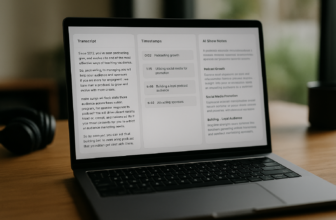
| Show notes generator | Podsqueeze | Generates show notes with timestamps, bullet points, and mentions |
| Publishing support after recording | Podsqueeze | Creates marketing assets, podcast landing pages, and an online hub |
| Best hybrid workflow | Both | Record in Riverside, then repurpose in Podsqueeze |
Who should choose Podsqueeze
Choose Podsqueeze if your biggest bottleneck is everything that happens after recording: transcripts, summaries, show notes, short clips, newsletters, blog posts, and social media content.
Based on verified official product information, Podsqueeze helps users launch and grow audio or video podcasts with AI. Its homepage lists podcast transcripts, summaries, short clips with captions, newsletters, blogs, social posts, short clips and audiograms, AI audio enhancement, and tools to remove silences and ums.
For creators who publish weekly, this matters. A single episode can become a transcript, SEO-friendly blog post, ready-to-send newsletter, multiple social posts, and short-form clips without rebuilding the content manually from scratch.
If that sounds like your workflow, you can try Podsqueeze through TopTrustReview’s affiliate link and evaluate whether its repurposing outputs match your publishing process.
Who should choose Riverside
Choose Riverside if your priority is recording the original episode, especially when hosts and guests are not in the same room.
Because official Riverside product and pricing data was not provided for this article, I am keeping this comparison deliberately limited. Based on common SERP-level positioning, Riverside is best understood here as a recording-first platform associated with remote recording, local recording, multi-track capture, and high-quality video/audio production.
That makes Riverside a better starting point when your problem is getting clean source material before editing or repurposing begins.
Bottom-line recommendation for repurposing-focused creators
For repurposing-focused creators, Podsqueeze is the stronger fit. It is purpose-built for transforming finished audio or video into the marketing assets that help a podcast travel beyond the episode feed.
The best hybrid answer is also simple: use Riverside to record, then use Podsqueeze to repurpose.
What each tool is built to do
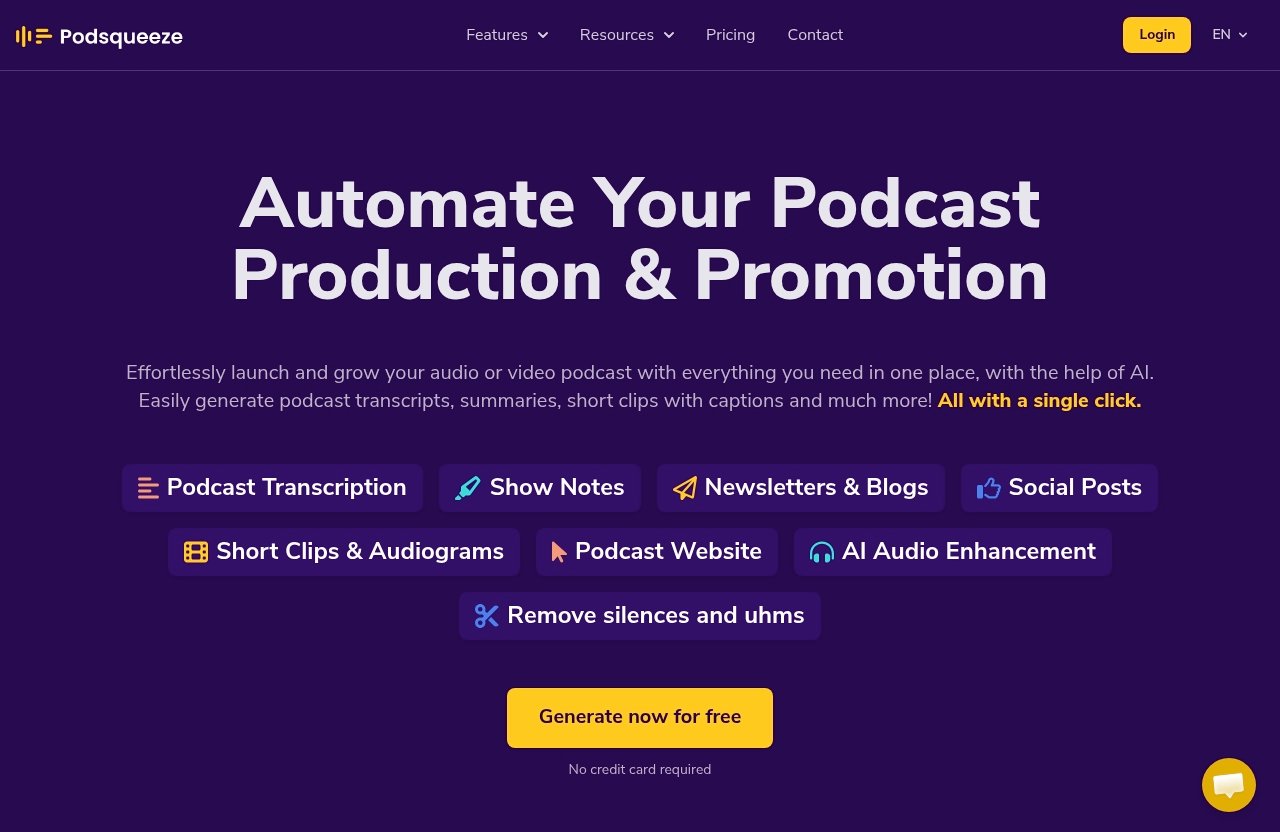
A fair podsqueeze vs riverside comparison starts with the job each tool is designed to perform. They are not identical podcast platforms competing feature-for-feature across the same workflow stage.
Podsqueeze is focused on content extraction and automation after you already have audio or video. Riverside is focused more broadly on the production and capture stage.
Podsqueeze's content repurposing workflow
Podsqueeze is built for creators who want to get more mileage from each episode.
The verified Podsqueeze feature set includes transcripts, SRT subtitle files, show notes with timestamps and bullet points, blog posts, ready-to-send newsletters, social media posts, clips and audiograms for TikTok, Instagram, and YouTube Shorts, plus audio enhancement.
That gives Podsqueeze a clear role among modern podcast repurposing tools. Instead of treating the podcast episode as one finished asset, it treats it as a source file that can become many assets.
For example, one interview can become:
- A full transcript with speaker labeling
- Timestamped show notes
- A blog article
- A newsletter
- Social posts in the creator’s own voice
- Short captioned clips
- Audiograms
- SRT subtitle files
- A podcast episode page or landing page
This is where the podsqueeze vs riverside comparison becomes especially clear. Podsqueeze is not mainly about capturing the conversation; it is about converting that conversation into a content system.
Riverside's production and recording workflow
Riverside, by contrast, is commonly positioned as a remote recording tool. In practical terms, that means it is generally considered when creators need to record conversations with remote guests and capture high-quality audio or video.
Because no official Riverside feature list was provided in the source material, this article does not claim exact Riverside specifications, plan limits, or pricing. The safe comparison is at the workflow level: Riverside belongs closer to the recording and production stage.
If your guest interviews are unreliable because of recording quality, connection issues, or inconsistent capture, a recording-first platform may be the better initial investment.
Why comparing them requires looking at workflow stage
The mistake many buyers make in a riverside vs podsqueeze comparison is assuming both tools are substitutes. For many teams, they are complements.
A podcast workflow usually has stages:
- Plan the episode
- Record the conversation
- Edit and enhance the audio/video
- Publish the episode
- Repurpose it into marketing assets
- Distribute across social, email, web, and clips platforms
Riverside fits mainly near stage two. Podsqueeze fits mainly after the recording exists, especially stages three through six.
So the buying question is not “Which tool is universally better?” It is “Which stage is costing me the most time or limiting my growth?”
Feature-by-feature comparison
In this section of the podsqueeze vs riverside review, I’ll compare the tools by buyer-relevant workflow categories rather than padding the article with unsupported feature claims.
For Podsqueeze, the details below come from verified official homepage and pricing-page facts supplied for this review. For Riverside, the comparison is intentionally broad because official competitor product data was not provided.
| Feature category | Podsqueeze | Riverside |
|---|---|---|
| Core purpose | AI-powered podcast repurposing and content automation | Remote recording and production workflow |
| Main input | Existing audio or video podcast content | Live/remote recording session |
| Transcripts | Verified: podcast transcripts, state-of-the-art accuracy, speaker labeling | Not evaluated here due to lack of official source data |
| Show notes | Verified: complete show notes with timestamps, bullet points, and mentions | Not evaluated here due to lack of official source data |
| Blog posts | Verified output type | Not evaluated here due to lack of official source data |
| Newsletters | Verified: ready-to-send newsletters | Not evaluated here due to lack of official source data |
| Social posts | Verified: social media posts in your own voice | Not evaluated here due to lack of official source data |
| Clips/audiograms | Verified: short clips with captions, clips/audiograms for TikTok, Instagram, and YouTube Shorts | Commonly associated with recording; specific repurposing outputs not claimed here |
| Audio enhancement | Verified: AI audio enhancement, remove silences and ums | Not evaluated here due to lack of official source data |
| Podcast website/landing pages | Verified: professional online hub, embedded audio players, auto-generated episode pages, show notes, SEO-optimized, no coding required | Not evaluated here due to lack of official source data |
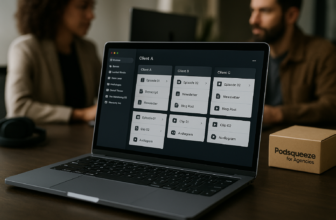
| Collaboration | Verified: podcast folders, share content pages with clients and teams, tune AI voice for every show | Not evaluated here due to lack of official source data |
| Best fit | Repurposing, marketing asset creation, post-production automation | Recording remote guests and capturing source material |
Content outputs and repurposing depth
Podsqueeze clearly has the deeper verified repurposing workflow.
Its official product facts include transcripts, summaries, show notes, blog posts, newsletters, social media posts, SRT subtitle files, clips, audiograms, and audio enhancement. That is a strong set of outputs for creators who want to publish across podcast directories, blogs, email, TikTok, Instagram, YouTube Shorts, and social feeds.
In a podsqueeze vs riverside decision, this is the first major dividing line. If you are measuring value by how many marketing assets you can create from one episode, Podsqueeze has the more directly relevant verified feature set.
Clips, audiograms, and social assets
Short-form content is one of the biggest reasons creators evaluate AI podcast clips tools.
Podsqueeze supports short clips with captions and clips/audiograms for TikTok, Instagram, and YouTube Shorts. Its pricing plans also include a defined number of video clips or audiograms per month, depending on the plan.
For social promotion, Podsqueeze also generates social media posts in your own voice. That matters because clips alone are not a full distribution workflow; you still need captions, post copy, context, and repeatable formats.
Riverside may be part of the production process before clips are created, but based on the source limitations for this review, I would not frame Riverside as the more specialized repurposing platform.
Transcript quality and speaker labeling
Podsqueeze’s homepage says it can automatically transcribe podcasts with state-of-the-art accuracy and speaker labeling.
That makes it useful not only for accessibility and archives, but also for downstream content creation. A transcript can support show notes, blog posts, quote extraction, newsletter writing, short clip selection, and internal review.
For buyers comparing podsqueeze vs riverside cost, transcripts are not just a “nice to have.” If you currently pay separately for transcription or spend time cleaning up rough transcripts manually, Podsqueeze’s transcript-centered workflow can be part of the value calculation.
Audio editing and enhancement
Podsqueeze includes AI audio enhancement and can remove silences and ums. Its paid plan feature lists also include a podcast audio editor.
This does not mean Podsqueeze should be treated as a full replacement for every professional editing suite. But for creators who need cleaner audio and faster post-production, those features fit the broader automation angle.
In a practical podsqueeze vs riverside comparison, Riverside is closer to capture quality, while Podsqueeze is closer to post-recording improvement and packaging.
Website and landing page features
Podsqueeze also includes website and landing-page functionality.
The verified website feature set includes the ability to create a professional online hub with embedded audio players, auto-generated episode pages, and show notes. It is described as SEO-optimized and requiring no coding.
This is particularly useful for creators who do not want each episode to live only inside podcast apps. A web page with show notes, transcripts, and embedded audio can support discovery, sharing, and client review.
Collaboration and team workflows
Podsqueeze is also designed for more than solo hobbyist use.
Verified collaboration and use-case facts include podcast folders, shared content pages for clients and teams, the ability to tune AI voice for every show, and a podcast topics finder for planning episodes. Podsqueeze is described as suited for content creators, podcast managers, producers, and studios, and its homepage references 70,000 content creators and podcast professionals.
That makes the podsqueeze vs riverside decision interesting for agencies. Recording may be only one part of the service; clients often care about clips, posts, newsletters, episode pages, and consistent publishing.
Pricing comparison and value for money
The podsqueeze vs riverside cost question needs to be handled carefully. Verified Podsqueeze pricing was provided, but verified official Riverside pricing was not.
So this section compares Podsqueeze plans in detail and discusses Riverside pricing only at a decision-framework level.
Podsqueeze pricing plans
Podsqueeze lists monthly and annual billing, with annual billing marked as 30% off. I will not invent annual prices here.
Here are the verified monthly Podsqueeze plans from the provided official pricing facts:
| Podsqueeze plan | Monthly price | Best for | Key included limits and features |
|---|---|---|---|
| Starter | $8.99/mo | Hobbyist podcasters who want to save time | 120 mins/month, minutes rollover, 8 video clips or audiograms, quote images, file upload up to 4Gb, unlimited uploads, unlimited YouTube conversions, podcast website, audio enhancement, podcast audio editor, chat with transcript, personalized results, saved video templates |
| Pro | $49/mo | Professionals using podcasting to develop and support their businesses | 320 mins/month, minutes rollover, 20 video clips or audiograms, quote images, file upload up to 10Gb, unlimited uploads, unlimited YouTube conversions, podcast landing pages, audio enhancement, podcast audio editor, chat with transcript, personalized results, saved video templates |
| Agency Lite | $89/mo | Podcast agencies that want to streamline and grow their business | 600 mins/month, minutes rollover, 40 video clips or audiograms, quote images, file upload up to 10Gb, unlimited uploads, unlimited YouTube conversions, podcast landing pages, audio enhancement, podcast audio editor, chat with transcript, personalized results, saved video templates |
| Enterprise Custom | Custom | Agencies and media companies scaling podcasting and media production | Everything in Pro, custom minutes, custom clips, priority support, feature requests, team onboarding and training |
The official homepage also says no credit card is required for the free trial/try free offer.
For a repurposing-heavy workflow, the key value drivers are monthly podcast minutes, clips/audiograms, upload limits, website or landing-page features, audio enhancement, and the ability to generate personalized results.
How to think about Riverside pricing without verified official pricing data
Because no verified official Riverside pricing data was provided in the source set, this article will not list Riverside plan prices, limits, or package details.
That is intentional. In commercial software comparisons, inaccurate pricing is worse than no pricing. Buyers should verify Riverside’s current pricing directly on Riverside’s official site before making a final purchase decision.
For this podsqueeze vs riverside comparison, the better question is: what are you paying to solve?
If you are paying to improve recording quality and remote guest capture, Riverside may justify its place in your stack. If you are paying to turn finished episodes into publishable assets, Podsqueeze is more directly aligned with that outcome.
Which pricing model fits solo creators, pros, and agencies
For solo creators, Podsqueeze Starter is appealing because it is built for hobbyist podcasters who want to save time. The 120 monthly minutes, rollover, clips/audiograms, podcast website, audio enhancement, and transcript-based tools create a practical entry point.
For business-focused creators, Pro is the more relevant plan because it increases monthly minutes, clips/audiograms, upload size, and includes podcast landing pages. That better matches a weekly show used for lead generation or brand authority.
For agencies, Agency Lite and Enterprise Custom are more appropriate because they align with multi-show or client-service workflows. Features like folders, client/team sharing, tuned AI voice per show, custom minutes, custom clips, onboarding, and priority support become more important as production volume grows.
In plain terms, Podsqueeze alternatives may make sense if you only need one narrow function. But if you want a combined show notes generator, social copy assistant, clip creator, transcript tool, newsletter generator, and podcast web asset builder, Podsqueeze’s value is more consolidated.
Official website · Latest pricing & offers
Best use cases by creator type
A strong podsqueeze vs riverside buying decision should start with the type of creator you are and the bottleneck you face most often.
Different teams need different things. A solo interview podcaster, a B2B brand, a production agency, and a YouTube-first creator may all use podcasts differently.
Solo podcasters who want faster repurposing
Solo podcasters often do not lack ideas. They lack time.
If you record an episode and then spend hours writing show notes, pulling quotes, creating social captions, drafting newsletters, and editing clips, Podsqueeze is the more direct fit. Its verified outputs map closely to the jobs a solo creator usually delays or skips.
For a solo creator, the biggest win is consistency. Podsqueeze can help turn each episode into a repeatable package instead of a one-off publishing scramble.
Podcast managers and agencies
Podcast managers and agencies usually need repeatable systems.
Podsqueeze supports podcast folders, shared content pages with clients and teams, tuned AI voice for every show, and planning support with the podcast topics finder. Those features are useful when managing multiple shows or presenting assets for review.
In a podsqueeze vs riverside reddit discussion, you might see creators debating whether one tool replaces the other. For agencies, the more realistic answer is often workflow stacking: one tool for recording, another for repurposing, and clear handoff points between them.
Creators who record remotely every week
Creators who regularly record remote interviews should consider Riverside when capture is the main issue.
If guests join from different locations and you need dependable source material, a recording-first platform is naturally relevant. Based on broad SERP positioning, Riverside is associated with remote recording, local capture, multi-track capture, and high-quality audio/video.
However, once the recording is finished, the need changes. At that point, Podsqueeze becomes more relevant for transcript generation, show notes, clips, blogs, newsletters, and social content.
Teams publishing across blog, email, and social
For teams that treat podcasts as a content engine, Podsqueeze is especially compelling.
A single episode might need to become:
- A podcast page
- A blog post
- A newsletter
- A LinkedIn post
- Several short-form video clips
- Quote images
- Timestamped show notes
- SRT subtitle files
- Internal summaries for sales or marketing teams
That is the essence of podcast marketing automation. If your podcast is part of a broader content strategy, Podsqueeze fits the repurposing layer more naturally than a recording-first tool.
Workflow examples: from recording to promotion
The most useful way to understand podsqueeze vs riverside is to look at actual workflows.
In practice, many creators should not think of these tools as enemies. They can sit next to each other in a podcast stack.
Using Riverside first, then Podsqueeze after recording
Here is a practical hybrid workflow:
- Plan your episode topic and guest questions.
- Record the remote conversation in Riverside.
- Export the finished audio or video file.
- Upload the file into Podsqueeze.
- Generate the transcript with speaker labeling.
- Create show notes with timestamps, bullet points, and mentions.
- Generate a blog post from the episode.
- Create a ready-to-send newsletter.
- Produce social media posts in your own voice.
- Create short clips or audiograms for TikTok, Instagram, and YouTube Shorts.
- Use the podcast website or landing-page features to publish an episode hub.
This is the cleanest answer for many creators researching riverside vs podsqueeze. Riverside can help you capture the episode, while Podsqueeze helps you turn that episode into a full distribution package.
Using Podsqueeze alone with uploaded audio or video
You do not necessarily need Riverside to use Podsqueeze.
If you already record with another camera, editing tool, webinar platform, phone recorder, or studio setup, you can still use Podsqueeze after the episode exists. The key is that Podsqueeze works from existing audio or video content.
This makes Podsqueeze a strong fit when your recording workflow is already good enough, but your repurposing workflow is slow.
For example, a creator who records locally and edits lightly could upload the final file to Podsqueeze, generate show notes, pull short clips, create a newsletter, and publish a podcast page without adopting a new recording tool.
A lean content engine for weekly podcasts
For a weekly podcast, the workflow can become very simple:
| Day | Task | Tool fit |
|---|---|---|
| Monday | Plan topic and guest angle | Podsqueeze topic planning can help with ideas |
| Tuesday | Record interview | Riverside or another recording setup |
| Wednesday | Upload final file and generate transcript | Podsqueeze |
| Thursday | Create show notes, blog, newsletter, and social posts | Podsqueeze |
| Friday | Publish episode page, clips, and social content | Podsqueeze |
This is where podcast content automation becomes valuable. The creator is no longer starting from a blank page after every recording.
Pros, limitations, and trade-offs
No podsqueeze vs riverside comparison should pretend that one tool is perfect for everyone.
The right decision depends on where the pain is in your workflow, how many episodes you publish, whether you record remotely, and how aggressively you repurpose.
Podsqueeze strengths
Podsqueeze’s main strength is repurposing depth.
Its verified outputs include transcripts, SRT subtitle files, show notes, blog posts, ready-to-send newsletters, social media posts, clips/audiograms for major short-form platforms, and audio enhancement. That is a broad set of assets from one source file.
It also supports workflow and client-facing needs through podcast folders, shared content pages, tuned AI voice per show, and podcast website or landing-page features.
For creators who want to grow beyond the audio feed, Podsqueeze functions as a practical podcast marketing automation layer.
Podsqueeze limitations
Podsqueeze is not primarily positioned as a remote recording platform.
If your main problem is capturing remote guests, managing live recording sessions, or improving the source recording process before editing begins, Riverside may be the more relevant first tool.
Also, while Podsqueeze includes AI audio enhancement, removing silences and ums, and a podcast audio editor, professional teams with complex editing needs may still use dedicated editing software alongside it.
Riverside strengths
Riverside’s strength, based on broad public positioning visible in search results, is the recording and production stage.
It is commonly associated with remote recording, local capture, multi-track capture, and high-quality video/audio. For interview shows, remote guest podcasts, and video-first conversations, that can be a critical part of the workflow.
If your source material is poor, repurposing tools can only help so much. Good capture still matters.
Riverside limitations
The limitation in this comparison is not necessarily Riverside’s product quality. It is workflow specialization.
Riverside is best understood here as recording-first, while Podsqueeze is repurposing-first. If your goal is to produce transcripts, blogs, newsletters, show notes, social posts, clips, audiograms, and podcast web pages from an existing episode, Podsqueeze has the more directly verified feature set.
Also, because official Riverside pricing and product specifications were not provided for this article, buyers should confirm current Riverside details directly before making a final decision.
Which tool is better for content repurposing?
For content repurposing, the answer is clear: Podsqueeze is the better fit.
That does not make Riverside a bad tool. It simply means the podsqueeze vs riverside comparison depends on the job you are hiring the software to do.
Choose Podsqueeze if your bottleneck is post-production
Choose Podsqueeze if your episode is already recorded, but you struggle to turn it into:
- Accurate transcripts
- Timestamped show notes
- Blog posts
- Newsletters
- Social media posts
- Short clips with captions
- Audiograms
- SRT subtitle files
- Podcast pages or landing pages
This is exactly where Podsqueeze is designed to help. It is especially useful for creators who want one episode to support multiple channels without manually rebuilding every asset.
If repurposing is the priority, you can try Podsqueeze via TopTrustReview’s affiliate link and test it with one of your existing episodes before changing your entire workflow.
Choose Riverside if your bottleneck is remote recording
Choose Riverside if your biggest issue happens before the episode exists.
If you host remote interviews, work with guests in different locations, or need a recording-first production setup, Riverside is the more natural option to evaluate. It addresses the capture stage rather than the repurposing stage.
In that case, Podsqueeze can still be useful afterward.
Final buying recommendation
For creators comparing podsqueeze vs riverside with repurposing in mind, Podsqueeze is the recommended choice. It is built around the exact outputs most podcast teams need after recording: transcripts, show notes, clips, audiograms, newsletters, blogs, social posts, landing pages, and audio enhancement.
For hybrid workflows, use Riverside first and Podsqueeze second. That gives you a clean production-to-promotion pipeline: record the episode, then transform it into marketing assets.
For budget-conscious creators who can only choose one and already have a recording method, Podsqueeze is the more direct investment for content growth.
Official website · Latest pricing & offers
FAQ
Is Podsqueeze better than Riverside for repurposing?
Yes. For repurposing, Podsqueeze is the better fit because it is built to turn existing podcast audio or video into transcripts, show notes, blogs, newsletters, social posts, clips, and audiograms.
Riverside is better understood as a recording-first tool, while Podsqueeze is more specialized for post-production content automation.
Can I use Podsqueeze with a podcast recorded in Riverside?
Yes. A practical workflow is to record your episode in Riverside, export the finished audio or video, and upload it to Podsqueeze.
From there, Podsqueeze can generate transcripts, show notes, clips, audiograms, newsletters, blog posts, social posts, and other marketing assets.
Does Podsqueeze have a free plan?
The official Podsqueeze homepage says no credit card is required for the free trial/try free offer.
For paid plans, verified monthly pricing starts with Starter at $8.99/mo, followed by Pro at $49/mo, Agency Lite at $89/mo, and Enterprise Custom with custom pricing.
What makes Podsqueeze different from Riverside?
Podsqueeze focuses on AI content repurposing and podcast marketing assets. It helps turn finished audio or video into transcripts, show notes, blogs, newsletters, social posts, clips, audiograms, and podcast pages.
Riverside is generally positioned as a remote recording and production tool for capturing podcast audio and video.
Is Riverside good for podcast production?
Yes, Riverside is commonly positioned as a good option for podcast production when remote recording quality and capture workflow matter.
However, for post-production repurposing, Podsqueeze is the more specialized tool based on the verified feature set available for this review.
Should I use one tool or both?
Use both if your workflow needs both stages: Riverside for recording and Podsqueeze for repurposing.
If your budget is tight and your main goal is repurposing existing episodes into marketing assets, Podsqueeze is the more direct fit.
Related Reading
- Podsqueeze discount guide
- Repurpose.io discount 2026
- Klap vs Descript: Which Tool Is Better for Video Repurposing in 2026?
References
- Podsqueeze vs Riverside – Which AI Podcast Tool is Best in 2026?
- Riverside FM vs Podsqueeze
- Best PodSqueeze Alternatives in 2026 | Compare Podcast Tools
- Top 10 Podsqueeze Alternatives & Competitors in 2026