Skool Review 2026: Best Community Platform?
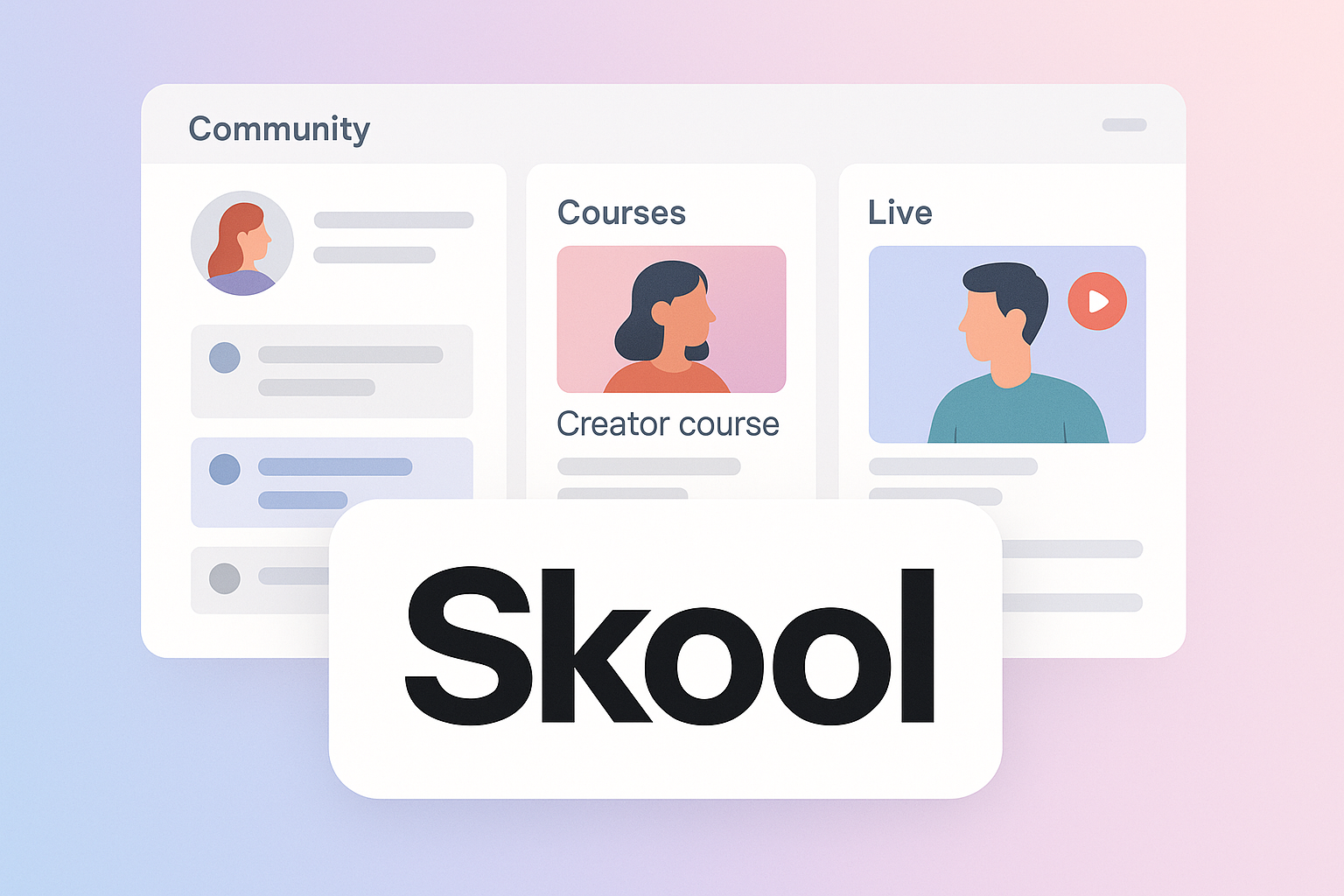
If you are comparing community platforms for a paid membership, coaching group, course community, or creator-led business, this Skool review is designed to help you decide whether Skool is actually worth buying in 2026.
Short version: Skool is best if you want a simple, community-first platform that combines members, courses, videos, live calls, custom URL support, and affiliates without making you build a complex tech stack. It is less compelling if you need deep branding, advanced LMS controls, or enterprise-level flexibility.
Affiliate disclosure: This article contains affiliate links. If you choose to explore Skool through our link, we may earn a commission at no extra cost to you. Our goal is to keep this Skool review practical, balanced, and decision-focused.
Official website · Latest pricing & offers
Skool Review 2026: Quick Verdict

Skool is a strong choice for creators, coaches, course sellers, and online business owners who want to build a paid community around learning, accountability, and recurring engagement. Based on the official Skool pricing and feature information available, its biggest advantage is simplicity: both plans include unlimited members, unlimited courses, unlimited videos, unlimited live calls, custom URL, and affiliates.
That does not automatically make it the best platform for every business. This Skool review takes the view that Skool is strongest when community engagement matters more than visual customization or advanced course architecture.
If you want to check the current offer while reading, you can view Skool here: explore Skool through our affiliate link.
Who Skool is best for
Skool is best for people selling access to a community, education, coaching, or a membership-style offer. That includes creators with an audience, coaches running group programs, course sellers who want students to interact, and business owners building niche communities around a specific outcome.
The platform fits especially well when the community is not just an add-on, but the core of the product. If your members need discussion, content access, live calls, and a clear place to gather, Skool’s streamlined approach makes sense.
This Skool review also sees Skool as a good fit for operators who dislike complicated software. If your priority is getting a community live quickly and keeping members engaged, simplicity can be more valuable than having dozens of advanced settings.
Who should skip Skool
You may want to skip Skool if your business depends on heavy design control, custom learning paths, advanced course delivery features, or highly customized member experiences. Skool’s appeal is that it keeps things focused, but that also means it may feel restrictive for brands that want full control over every detail.
If you are building a sophisticated online academy with complex certification, deep segmentation, custom dashboards, or a large integration ecosystem, a more flexible LMS or membership stack may be a better fit.
In short, this Skool review would not position Skool as the most customizable platform. It is better understood as a clean community platform with course and monetization support.
Bottom-line rating summary
| Category | Verdict |
|---|---|
| Ease of use | Strong |
| Community focus | Strong |
| Course hosting simplicity | Strong for straightforward programs |
| Pricing clarity | Strong, based on official plan details |
| Customization | Limited compared with more flexible platforms |
| Best use case | Paid communities, coaching groups, course communities, memberships |
The bottom line: Skool is worth considering if you value speed, engagement, and simplicity. It is not the obvious winner if your main priority is advanced customization or enterprise-style learning management.
What Is Skool and How Does It Work?

Skool is a community platform built around the idea that creators and educators need one simple place for members, content, discussions, and live interaction. Rather than separating a course platform, community forum, video hub, and membership system, Skool aims to keep the experience centralized.
For buyers, the important question is not just “what is Skool?” but “does it match the way I sell and support my audience?” This Skool review focuses on that decision.
Skool at a glance
At a high level, Skool is designed for membership-based communities. The official homepage examples show communities using Skool for AI video bootcamps, Claude code communities, creator academies, marketing clubs, AI automation groups, and other niche learning or business communities.
Those examples are useful because they show the type of audience Skool is clearly aiming at: people who want to bring learners, fans, clients, or members into a shared space around a specific topic.
Skool is not positioned as a traditional corporate LMS or a fully custom website builder. It is more like a community-first hub where education, discussion, live calls, and monetization can live together.
Community + courses + live calls in one place
One of the biggest reasons creators look at Skool is consolidation. According to the official pricing details, both Skool plans include unlimited members, unlimited courses, unlimited videos, and unlimited live calls.
That matters because many creators start with a messy stack: one tool for lessons, another for community, another for calls, and another for affiliate tracking. Skool’s value proposition is that it can reduce that operational friction.
In practical terms, a coach could host course materials, run live calls, build a member community, and use affiliates without needing to assemble a complex system from scratch. This Skool review sees that as the main reason to take the platform seriously.
Why it stands out from traditional platforms
Traditional course platforms often start with content and treat community as a secondary feature. Skool feels more aligned with the opposite approach: community is the product, and courses support the member experience.
That difference matters. If your business model depends on people showing up, participating, asking questions, and staying connected, then the community layer is not optional. It is part of retention.
The tradeoff is that community-first platforms usually do less in areas like deep course customization, detailed visual design, or highly specialized learning workflows. Skool appears to lean intentionally toward simplicity rather than maximum configurability.
Skool Features Review
This Skool features section separates verified facts from practical evaluation. The verified plan facts are clear: both Hobby and Pro include unlimited members, unlimited courses, unlimited videos, unlimited live calls, custom URL, and affiliates.
The practical evaluation is that Skool is best understood as a streamlined community and learning environment, not a heavy-duty LMS or design-first site builder.
Unlimited members, courses, videos, and live calls
The most important verified feature claim is generous: both Skool plans include unlimited members, unlimited courses, unlimited videos, and unlimited live calls. For a creator or coach, this removes a lot of the anxiety around hitting usage limits as the community grows.
This is especially useful for early-stage membership builders. You do not have to structure your offer around member caps or course caps based on the plan, at least according to the official pricing information.
In this Skool review, that is one of the clearest strengths. The platform’s monthly price and transaction fee matter, but the included usage allowances make the plans easier to understand.
Community experience and discussions
Skool is widely discussed as a community-first platform, and that positioning is consistent with the way its official examples are presented. Communities around AI, coding, creator education, marketing, and automation all suggest use cases where discussion and participation are central.
For creators, the practical value is that members are not just buying static videos. They are joining a place where they can interact with the host and other members around a shared goal.
That is important for retention. A course can feel finished once the lessons are consumed, but a community can stay valuable as long as the conversations, accountability, and updates continue.
Classroom/course hosting
Skool includes unlimited courses and unlimited videos on both official plans. That makes it suitable for straightforward course libraries, onboarding sequences, paid training programs, and educational resources inside a community.
However, this Skool review would not frame Skool as the most advanced LMS option. If you need complex assessments, deeply customized learning paths, or highly specialized academic-style delivery, you should compare carefully before committing.
For most creator-led offers, though, simple course hosting is often enough. Many buyers do not need a complicated LMS; they need a clear place to organize lessons and keep members moving.
Live calls and events
Both Skool plans include unlimited live calls, according to the official pricing page. That is a major advantage for coaches, educators, and group program operators who run regular sessions with members.
Live calls can turn a passive membership into an active experience. Weekly Q&A sessions, office hours, implementation calls, guest trainings, and accountability sessions all fit naturally into a community-driven model.
The key buyer question is whether your offer benefits from live interaction. If yes, unlimited live calls are a meaningful feature. If your business is mostly self-paced content with little community interaction, Skool may still work, but its biggest strengths may be underused.
Affiliates and custom URL
Both the Hobby and Pro plans include affiliates and a custom URL, based on the official Skool pricing details. For creators, this is notable because affiliate-driven growth can be useful for communities built around recommendations, partnerships, and audience sharing.
A custom URL also matters for professionalism. Even if Skool is not the most deeply customizable platform, having a custom URL helps make the community feel more like part of your brand rather than a disconnected third-party space.
In this Skool review, affiliates are especially relevant for coaches and course sellers who already have happy students or partners. If members can help refer others, your community can potentially grow through word of mouth.
What Skool intentionally does not try to do
Skool’s biggest strength is also its biggest limitation: it keeps the platform simple. That can be refreshing, but it also means buyers should not expect the same level of design control or advanced learning customization they might find in more complex tools.
Based on common review context and buyer discussions, Skool is often praised for simplicity and engagement, while criticized for limited customization. That is not necessarily a flaw. It is a product direction.
If you want a clean platform where the community experience comes first, Skool’s philosophy makes sense. If you want to build a highly branded, deeply customized course portal, this Skool review suggests comparing alternatives before choosing.
Skool Pricing in 2026
Skool pricing in 2026 is straightforward based on the official pricing page: there are two plans, Hobby and Pro. Hobby costs $9/month, and Pro costs $99/month.
Both plans include unlimited members, unlimited courses, unlimited videos, unlimited live calls, custom URL, and affiliates. The major difference is the monthly price and transaction fee.
| Plan | Monthly price | Transaction fee | Included features |
|---|---|---|---|
| Hobby | $9/month | 10% | Unlimited members, courses, videos, live calls, custom URL, affiliates |
| Pro | $99/month | 2.9% | Unlimited members, courses, videos, live calls, custom URL, affiliates |
Hobby plan: $9/month
The Skool Hobby plan costs $9/month. For someone testing a new community idea, that low monthly cost is attractive because it reduces upfront risk.
The important catch is the 10% transaction fee. That may be acceptable when you are starting out, validating an offer, or selling at lower volume. But as revenue grows, the transaction fee becomes a bigger part of the decision.
In this Skool review, Hobby looks best for beginners, experimenters, and creators who want to validate demand before paying for the higher monthly plan.
Pro plan: $99/month
The Skool Pro plan costs $99/month. It includes the same listed core features as Hobby: unlimited members, unlimited courses, unlimited videos, unlimited live calls, custom URL, and affiliates.
The main reason to consider Pro is the lower transaction fee of 2.9%. If your community is generating meaningful sales volume, the lower fee may matter more than the higher monthly price.
This is where Skool pricing becomes a business math decision rather than a simple “cheap vs expensive” comparison.
Transaction fees explained
The Skool transaction fee is 10% on Hobby and 2.9% on Pro, based on the official pricing information. That difference is significant if you are selling paid memberships, courses, or community access.
The monthly price difference between Hobby and Pro is $90. The transaction fee difference is 7.1 percentage points. That means once your monthly transaction volume is high enough, Pro may become financially more attractive despite the higher subscription price.
For example, using the listed plan prices and transaction fees, the fee difference offsets the $90 monthly gap at roughly $1,268 in monthly processed sales. This is a simple calculation based only on the official plan numbers, not a guarantee of your total costs or business results.
Monthly vs yearly billing
The official pricing page shows Monthly and Yearly billing options and states “2 months free!” for yearly billing. However, because the specific yearly prices are not provided in the verified facts for this article, this Skool review will not invent annual pricing.
The practical takeaway is simple: monthly billing may be better if you are testing a new offer, while yearly billing may appeal if you already know Skool fits your business.
Before subscribing, confirm the current billing details directly on Skool’s pricing page.
Which plan offers the best value
The best value depends on revenue stage. Hobby is better if you want the lowest monthly commitment and are still validating your community. Pro is better if your paid community is already making enough sales that the lower transaction fee outweighs the higher monthly price.
Because both plans include the same verified core features, you are not choosing based on member limits or course limits. You are mainly choosing based on upfront cost versus transaction fee.
For many buyers reading this Skool review, the sensible path is to start with the plan that fits your current revenue, then reassess once the transaction fee becomes material.
Hands-On Pros and Cons
This section is “hands-on” in the practical buyer sense: what the platform appears to do well, where it may frustrate certain users, and how those tradeoffs affect a real creator business. It is based on official Skool information plus broader review context, not an unsupported claim of private testing.
Pros: clean UI, low-friction setup, strong engagement focus
The biggest pro is simplicity. Skool’s feature set is easy to understand, and the pricing is relatively clear compared with platforms that split essential tools across many plan tiers.
Another major advantage is the community-first structure. If your members need interaction, accountability, and regular live contact, Skool aligns well with that type of business.
The inclusion of unlimited members, courses, videos, and live calls on both plans is also a strong benefit. In this Skool review, that makes Skool easier to evaluate because you are not constantly worrying about plan-based usage restrictions.
Cons: limited customization, not built for complex course businesses
The main downside is limited customization compared with platforms built for maximum brand control. If you want every page, layout, learning flow, and member experience to be deeply tailored, Skool may feel too opinionated.
It may also be less ideal for complex course businesses that need advanced LMS capabilities. Simple course hosting is useful, but not every education business is simple.
This Skool review would be cautious for businesses selling formal certifications, complex training paths, or enterprise-style learning experiences. In those cases, simplicity can become a constraint.
The tradeoff behind Skool’s simplicity
The real question is whether Skool’s simplicity helps or hurts your business. For many creators, simplicity is a competitive advantage because it reduces setup time and makes the member experience easier.
For others, the same simplicity may feel limiting. A brand with a detailed visual identity or a highly customized learning model may outgrow a minimalist platform.
That is the core tradeoff behind this Skool review: Skool is appealing because it removes friction, but the cost of removing friction is less flexibility.
Official website · Latest pricing & offers
Who Should Use Skool?
Skool is not just for “people who need a community.” It is best for specific business models where ongoing participation, education, and monetization overlap.
If your offer depends on member engagement, recurring value, and a clear community home, Skool deserves serious consideration.
Creators and coaches selling memberships
Creators and coaches are one of the clearest fits. If you sell access to expertise, accountability, or a niche learning environment, a Skool community can function as the central product.
For example, a fitness coach could run a paid accountability group, a business coach could host weekly implementation calls, or a creator could build a niche membership around a specialized skill.
This Skool review sees memberships as one of the strongest use cases because the platform’s community-first structure supports ongoing value instead of one-time content consumption.
Communities that want engagement over design
If you care more about engagement than custom design, Skool is likely a good match. The platform seems built for participation rather than visual complexity.
That can be a smart tradeoff. Many community businesses fail not because the branding is weak, but because members stop showing up. A clean, focused environment can help keep attention on the group and the offer.
If your audience values clarity, speed, and interaction, Skool may be more practical than a more customizable but harder-to-manage platform.
Online educators who want a simple funnel to monetize
Online educators who want to package knowledge into a paid community, course library, or coaching experience may find Skool appealing. The official feature set supports courses, videos, live calls, affiliates, and custom URL use across both plans.
That combination makes it easier to create a paid learning environment without building a complicated backend.
For educators who are not trying to create a university-style LMS, this Skool review finds the platform’s simplicity to be a legitimate advantage.
Who Skool Is Not Best For
A trustworthy Skool review should be clear about who should not buy it. Skool can be a strong platform, but only if its design philosophy matches your business.
If your requirements are complex, you should compare carefully before subscribing.
Brands needing deep customization
Brands that need extensive customization may feel limited by Skool. If your community platform must look and behave like a fully custom branded portal, Skool may not offer enough control.
This matters for established companies with strict brand guidelines or agencies building highly tailored client experiences.
Skool is better for people who are comfortable with a standardized, clean platform experience in exchange for speed and simplicity.
Businesses that need advanced LMS functionality
Skool includes unlimited courses and videos, but that does not mean it is the best choice for every education business. Advanced LMS needs can include complex learning paths, formal assessment structures, or highly detailed student management.
If those capabilities are central to your offer, you should compare Skool against more specialized learning platforms.
This Skool review would position Skool as a community-first education platform, not a replacement for every advanced LMS use case.
Users who want maximum integrations or enterprise flexibility
If your business depends on a large set of integrations, custom workflows, or enterprise-style flexibility, Skool may not be the most obvious fit. Simpler platforms often reduce complexity by limiting the number of moving parts.
That can be good for creators and small teams, but less ideal for organizations with elaborate operational requirements.
The practical question is whether you want a focused platform or a highly flexible system. Skool leans toward focus.
Skool vs Other Community Platform Options
When comparing Skool vs other community platforms, the decision usually comes down to three criteria: simplicity, monetization, and customization.
Skool’s strongest case is not that it does everything. Its strongest case is that it combines the essentials in a way that is easier for many creators to manage.
How Skool compares on simplicity
Compared with more flexible tools, Skool’s advantage is ease of understanding. The plan structure is simple, and the included features are clear.
This can matter more than it seems. If a platform is too complex, creators delay launching, members get confused, and teams spend more time managing software than serving the community.
In this Skool review, simplicity is the platform’s clearest competitive angle.
How Skool compares on monetization
Skool is built for monetized communities in a practical way. Both plans include affiliates, custom URL, unlimited members, unlimited courses, unlimited videos, and unlimited live calls.
The pricing difference between Hobby and Pro also creates a clear monetization decision. Start lower if you are validating; consider the lower transaction fee when revenue grows.
Compared with platforms that require piecing together separate tools, Skool’s monetization setup may feel more direct for creators selling memberships or course communities.
How Skool compares on customization
Customization is where Skool may lose to more flexible platforms. If your top priority is brand control, advanced layouts, custom learning flows, or specialized integrations, you may prefer another option.
That does not make Skool weak. It simply means the product is optimized for a different buyer.
The best way to frame Skool vs other community platforms is this: Skool is better for focused community monetization, while more flexible platforms may be better for complex brand or LMS requirements.
Real-World Use Cases and Monetization Ideas
The official Skool homepage examples show communities around AI video bootcamps, Claude code communities, creator academies, marketing clubs, AI automation groups, and other membership-based communities. These examples point toward practical use cases for creators and online business builders.
The best Skool use cases usually combine a clear niche, a reason for members to participate, and an ongoing value loop.
Paid membership communities
A paid membership community is one of the most natural Skool use cases. Members pay for access to a group, content, calls, and ongoing support around a specific topic.
This could be a marketing club, AI automation group, creator education community, health accountability group, or niche business network. The key is that members should have a reason to return regularly.
For this model, Skool’s unlimited members and live calls can be valuable because they support both scale and engagement.
Course plus community bundles
Another strong use case is bundling a course with a community. Instead of selling videos alone, you sell the implementation environment around the videos.
That can make the offer more valuable. Students can ask questions, attend calls, interact with peers, and stay accountable after watching lessons.
This Skool review sees this as a smart model for course sellers who want better engagement without creating a complicated course platform stack.
Coaching groups and mastermind programs
Coaching groups and mastermind programs can also fit well. These offers often rely on live interaction, peer learning, and structured discussion rather than just static lessons.
A coach could use Skool to host program materials, organize member discussion, and run live calls. A mastermind host could use it as the central home for members between sessions.
Because both plans include unlimited live calls, this model is especially relevant for buyers who deliver value through frequent group interaction.
Final Verdict: Is Skool Worth It in 2026?
So, is Skool worth it? For the right buyer, yes. This Skool review finds that Skool is a strong option for creators, coaches, course sellers, and membership owners who want a simple community platform with monetization-friendly features.
It is not the best answer for everyone. If you need deep customization, advanced LMS functionality, or enterprise flexibility, you should compare alternatives before buying.
Best-value recommendation
The best-value choice depends on your stage. Hobby at $9/month makes sense if you are testing a new community and want a low monthly commitment, while accepting the 10% transaction fee.
Pro at $99/month makes sense if you have enough transaction volume that the 2.9% transaction fee is more attractive. Since both plans include the same verified core features, this is mostly a pricing and fee decision.
If you are ready to evaluate it directly, you can visit Skool here and compare the current plan details for your own business model.
Decision checklist
Use this checklist before choosing Skool:
- Do you want a community-first platform rather than a design-heavy website builder?
- Do you need unlimited members, courses, videos, and live calls?
- Are you comfortable with a simpler platform in exchange for less setup friction?
- Will affiliates and a custom URL help your business?
- Is your offer based on engagement, accountability, education, or membership access?
- Are you okay with less customization than some advanced platforms provide?
- Have you compared Hobby and Pro based on your expected transaction volume?
If most answers are yes, Skool is likely a good fit. If several answers are no, you may need a more specialized platform.
Final answer to the headline question
Is Skool the best community platform in 2026? It depends on what “best” means for your business.
If best means simple, focused, community-first, and built around monetized memberships or educational groups, Skool is one of the more compelling options to consider. If best means maximum customization, advanced LMS depth, or enterprise-level flexibility, Skool is probably not the top choice.
The honest conclusion of this Skool review is that Skool is a strong platform for creators who want to launch and monetize an engaged community without overcomplicating the tech. It is not perfect, but for the right use case, its simplicity is the point.
Official website · Latest pricing & offers
FAQ
Is Skool Community worth it?
Yes, Skool Community can be worth it for creators, coaches, course sellers, and businesses that want to build and monetize an engaged community with a simple setup. It is especially appealing if your offer includes courses, videos, live calls, member discussions, and affiliate-driven growth.
It is less suitable if you need heavy branding, advanced LMS functionality, or a highly customized member experience.
Is Skool free?
Skool’s official pricing page shows paid plans rather than a free plan. The lower-cost Hobby plan is listed at $9/month, which may be useful if you want to start small and validate a community idea.
Always check the official pricing page before subscribing, as plan details can change.
What does Skool cost in 2026?
Based on the official Skool pricing page, Hobby costs $9/month with a 10% transaction fee, and Pro costs $99/month with a 2.9% transaction fee.
Both plans include unlimited members, unlimited courses, unlimited videos, unlimited live calls, custom URL, and affiliates. The pricing page also shows Monthly and Yearly billing options and says “2 months free!” for yearly billing, but this article does not invent yearly prices.
What is the difference between Hobby and Pro on Skool?
The main difference is price and transaction fee. Hobby costs $9/month and has a 10% transaction fee, while Pro costs $99/month and has a 2.9% transaction fee.
Both plans include the same verified core features: unlimited members, unlimited courses, unlimited videos, unlimited live calls, custom URL, and affiliates.
Who is Skool best for?
Skool is best for creators, coaches, educators, course sellers, membership owners, and community builders who prioritize engagement, simplicity, and monetization over deep customization.
It is a strong fit for paid communities, course-plus-community offers, coaching groups, mastermind programs, and niche educational memberships.
Related Reading
- Cloudways Review: Is It Worth It for Managed Cloud Hosting?
- Cloudways Pricing Explained: Plans, Costs, and Value for Money
- Freshlearn Review: Is This AI Pattern Generator Worth It for Designers?
References
- Skool Homepage
- Skool Pricing
- Brutally Honest Skool Review 2026: Pros, Cons, And Is It Worth It?
- My Detailed & Honest Skool Review in 2026 – LinoDash