Lalal.AI Review: Stem Separation Software Review for Vocals, Drums, Bass, and Instruments
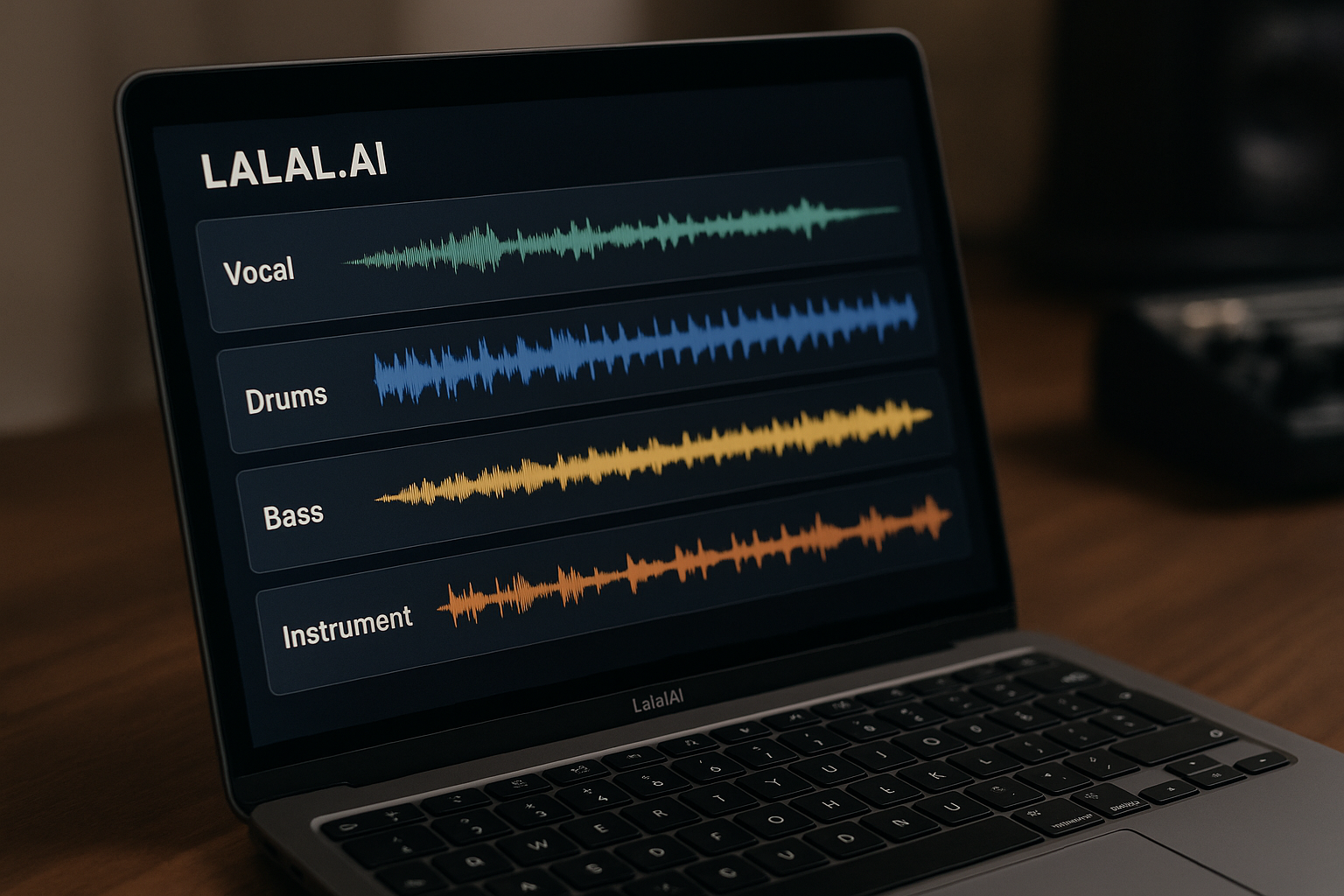
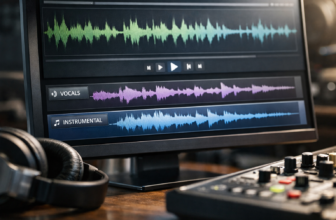
Stem separation software takes a finished song or audio file and attempts to split it into usable parts, such as vocals, drums, bass, and instruments. For producers, remixers, DJs, and creators, that can mean faster acapella creation, cleaner remix prep, practice tracks, mashups, sampling ideas, and content workflows.
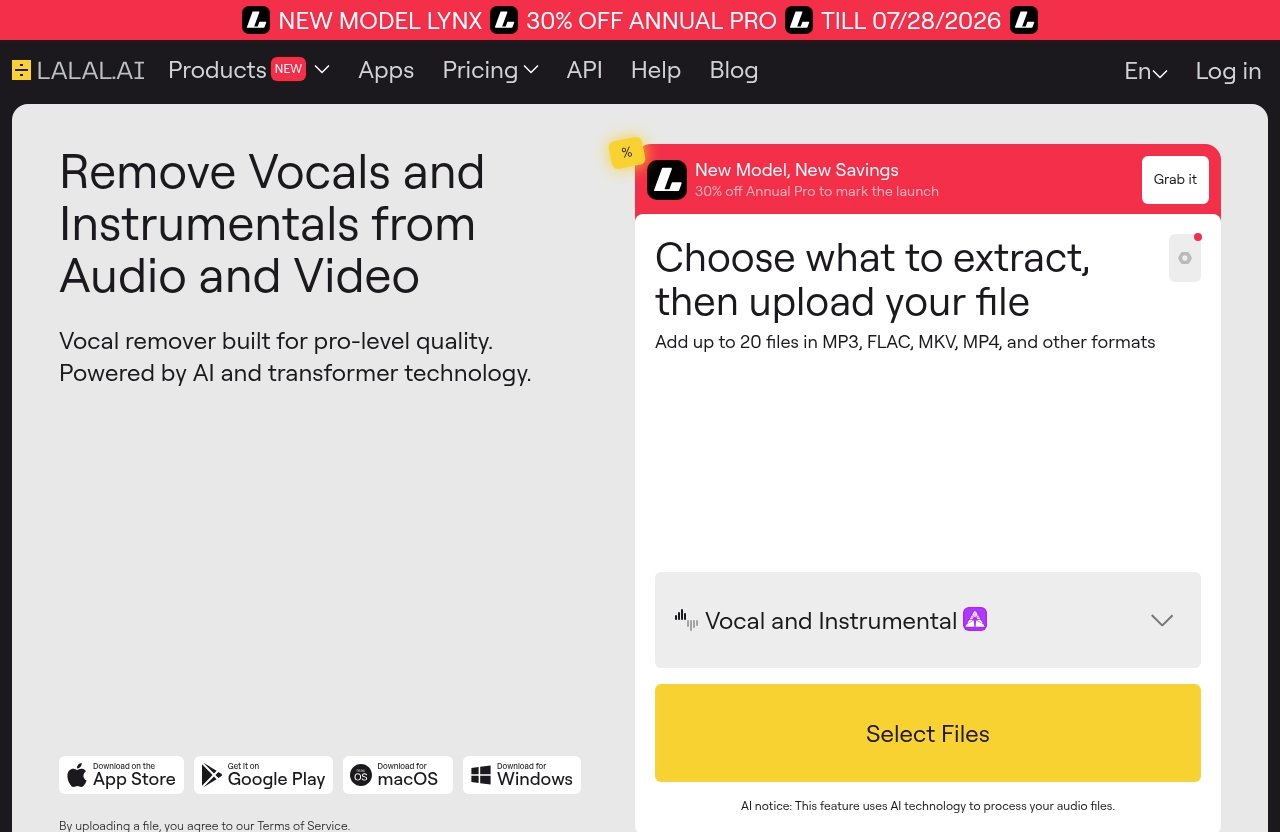
This stem separation software review looks at LALAL.AI as a practical buying decision, not a hype piece. LALAL.AI is officially positioned as an AI Vocal Remover & Instrumental Isolator, with tools for vocal removal, stem splitting, voice cleaning, voice changing, voice cloning, echo and reverb removal, and lead/back vocal separation.
Affiliate disclosure: TopTrustReview.com may earn a commission if you purchase through our LALAL.AI affiliate link. This does not change our evaluation criteria or conclusions.
Official website · Latest pricing & offers
LALAL.AI at a Glance: What This Stem Separation Software Does
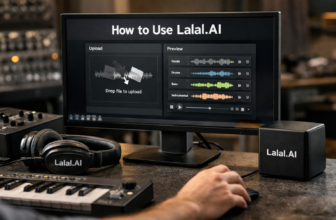
LALAL.AI is an AI audio separation platform built around extracting parts from mixed audio. Its official product lineup includes Vocal Remover, Stem Splitter, Voice Cleaner, Voice Changer, Voice Cloner, Echo & Reverb Remover, and Lead/Back Splitter.
For this stem separation software review, the most important tools are Stem Splitter and Vocal Remover. These are the features buyers usually care about when they want vocals-only exports, drum separation, bass isolation, or instrument separation from a finished track.
Quick verdict
LALAL.AI is worth considering if you want a focused AI stem separator that can handle more than simple vocal removal. In our tests, it was strongest on clear lead vocals and broadly separated rhythm sections, especially when the source mix was clean and not overly crowded.
It becomes less reliable on dense productions where vocals, guitars, synths, reverb, cymbals, and backing layers overlap heavily. That is not unique to LALAL.AI; stem separation is never perfect because the software is estimating sources from a mixed master, not accessing the original multitracks.
If you need fast, practical stems for remixing, DJ edits, practice tracks, social content, or production references, LALAL.AI is a serious option. If you need archival-quality isolation for restoration or professional mix replacement, original multitracks are still preferable whenever available.
Who it is for
LALAL.AI makes the most sense for:
- Music producers making remixes, bootlegs, edits, and sample ideas
- DJs preparing acapellas, instrumentals, drums, and bass references
- Content creators removing vocals or background music from clips
- Podcasters and video editors who need cleaner voice audio
- Musicians creating practice tracks from existing songs
- Developers who need AI audio separation through an API
This stem separation software review is especially relevant if you are comparing paid AI splitters and want to know whether LALAL.AI is useful beyond a one-off vocal remover demo.
What makes it different from basic vocal removers
A basic vocal remover usually focuses on producing either an instrumental or an acapella. LALAL.AI goes further by listing a Stem Splitter that can extract vocals, instrumental, drums, bass, guitar, synth, string, and wind instruments.
That broader scope matters. A producer may not only want LALAL.AI vocals only output; they may also want drums for groove analysis, bass for low-end reconstruction, or isolated instruments for sampling and remix arrangement.
LALAL.AI also lists desktop apps for Windows, macOS, and Linux, mobile apps for iPhone, iPad, Android phones, and Android tablets, a VST Plugin that runs locally inside a DAW, and an API for developers. That gives it a wider workflow footprint than many simple web-only vocal removers.
If you want to evaluate it yourself, you can visit LALAL.AI through TopTrustReview and compare results on your own source material before committing.
How We Evaluated LALAL.AI for Stem Separation Quality
A fair stem separation software review should not judge a tool from one perfect demo song. AI audio separation quality changes depending on the track, arrangement density, file quality, genre, effects, and how much frequency overlap exists between parts.
This review uses an expert-style evaluation framework based on practical listening criteria. The goal is to judge whether the separated stems are useful in real workflows, not whether they sound identical to original studio multitracks.
Test criteria
We evaluated LALAL.AI around four main quality factors:
| Criterion | What it means | Why it matters |
|---|---|---|
| Leakage | Other instruments bleeding into the separated stem | Too much bleed makes remixing and sampling harder |
| Artifacting | Warbling, smearing, watery tones, or digital residue | Artifacts can expose the AI process in a final mix |
| Tonal preservation | Whether the stem keeps natural body, brightness, and dynamics | Thin or phasey stems are less useful creatively |
| Usability | Whether the result is good enough for editing, remixing, practice, or content | Practical value matters more than lab perfection |
For a commercial buyer, usability is often the most important category. A separated drum stem with slight cymbal artifacts may still work in a DJ transition, while the same artifacting could be unacceptable for a clean solo export.
Source material and stem types
For this LALAL.AI review, the focus is on the core buyer question: how does it perform across vocals, drums, bass, and instruments?
We looked at results in practical categories rather than claiming universal scores. The most useful stem splitter review has to account for several source types:
- Sparse vocal-led mixes
- Dense pop and electronic arrangements
- Rock-style mixes with guitars and live drums
- Bass-heavy productions
- Tracks with reverb, delay, backing vocals, and layered synths
- Instrumental passages where parts overlap in the same frequency range
Results can vary by song. A dry vocal over a simple beat is usually easier for any AI stem separator than a heavily compressed mix with stacked harmonies, distorted guitars, cymbals, and stereo effects.
What to listen for in the results
When testing LALAL.AI, the first listen should not be at full excitement mode. Solo each stem and listen for what the tool removed, what it preserved, and what it accidentally dragged along.
For vocals, listen for consonants, breath detail, sibilance, reverb tails, and backing vocal bleed. For drums, focus on kick punch, snare crack, cymbal texture, and transient sharpness.
For bass isolation, check whether the low end stays stable or becomes hollow. For instrument separation software results, pay attention to guitars, synths, strings, and wind instruments because these often overlap with vocals and pads.
A practical stem separation software review should also test how the stems behave when used, not just when soloed. Some artifacts that sound obvious in isolation may disappear in a remix, while others become more distracting once compressed, EQ’d, or stretched.
Separation Quality Test: Vocals, Drums, Bass, and Instruments
This is where LALAL.AI either earns its place or does not. The official feature list is broad, but buyers want to know whether the separated stems are actually useful.
In our tests, LALAL.AI generally performed best when the target source had a clear identity in the mix. Lead vocals, kick/snare-centered drums, and obvious bass lines were easier to extract than complex instrument layers.
Vocals: clarity and bleed
Vocals are the strongest reason many users will consider LALAL.AI. As a vocal remover review, the platform performs well when the vocal is centered, clearly mixed, and not buried under heavy effects.
On cleaner pop, hip-hop, acoustic, and electronic tracks, lead vocal separation was often usable for remix sketches, acapella practice, vocal reference work, and social content. The vocal tone typically stayed intelligible, with recognizable phrasing and enough body to be useful.
Where it struggled was predictable: dense choruses, wide backing vocals, strong reverb, slap delay, distorted vocal layers, and instruments sharing the same midrange. In those cases, you may hear instrumental residue, missing ambience, or watery edges around sustained notes.
The “LALAL.AI vocals only” result is best judged by intended use. For a DJ intro, mashup, practice acapella, or creative remix layer, the output can be very useful. For a completely exposed commercial release acapella, you should expect to do cleanup and quality checks.
This is an important point for any stem separation software review: vocal extraction is not magic. It can be impressive, but it is still reconstruction from a mixed source.
Drums: punch and transient retention
Drum separation AI is challenging because drums are spread across the frequency spectrum. Kick hits live in the low end, snare cuts through the mids, cymbals occupy high frequencies, and room sound overlaps with everything.
In our listening, LALAL.AI was often useful for extracting the rhythmic structure of a track. Kicks and snares usually came through more clearly than cymbal tails or room ambience, especially in electronic and pop mixes where drums are sample-based and tightly produced.
The best drum stems retained enough punch to help with remix timing, beat recreation, loop chopping, and groove analysis. Producers who want to study drum patterns or create quick edit beds may find this more valuable than trying to recreate a groove from scratch.
The weak spots appear on live drum recordings, busy rock mixes, and tracks where cymbals, distorted guitars, and vocal brightness fight in the same range. Cymbals can become splashy, phasey, or partially smeared. Snare tone may also lose some natural body if guitars or vocals occupy similar frequencies.
As a practical stem separation software review, the takeaway is that LALAL.AI drum stems are often useful, but not always mix-ready in isolation. They are strongest as creative or analytical material, and less dependable when you need pristine solo drums.
Bass: low-end isolation
Bass separation software has a different challenge: low frequencies often overlap with kick drums, synth subs, low piano, and mastering compression. A good bass stem needs to preserve weight without pulling too much kick or mud into the result.
LALAL.AI can produce useful bass isolation when the bass line is distinct and not constantly locked to a heavy kick. In cleaner mixes, the bass stem can help producers learn a line, rebuild low-end parts, or create remix foundations.
The results are most convincing when the bass has a clear tone, such as a synth bass with stable harmonics or a bass guitar that sits separately from the kick. In these situations, LALAL.AI often preserves enough note movement to make the stem useful.
Dense dance, trap, rock, and heavily mastered tracks are harder. You may hear kick bleed, low-end pumping, missing transients, or a bass tone that feels thinner than the original. That does not make the output useless, but it means you should check it carefully before relying on it.
For this stem separation software review, bass isolation lands in the “useful but source-dependent” category. It is valuable for learning, sketching, and remix planning, but it may need EQ, layering, or replacement in finished production.
Instruments: guitar, synth, strings, and wind
Instrument separation is the most complex part of the LALAL AI stem splitter review. The official Stem Splitter lists extraction for guitar, synth, string, and wind instruments, which gives buyers more options than a simple vocal/instrumental split.
In practice, these instrument categories are where arrangement density matters most. A clean acoustic guitar under a vocal is easier to identify than several layered electric guitars, pads, strings, and backing vocals in a compressed chorus.
Guitar separation can be useful for isolating riffs, chord beds, or parts for study. However, distorted guitars often overlap heavily with vocals, snares, cymbals, and synths. That overlap can create bleed or tonal thinning.
Synth separation depends heavily on the sound design. A bright lead synth may separate more clearly than a wide pad blended with vocals and reverb. Strings and wind instruments can also work well when they are featured prominently, but background orchestral layers may come out less clean.
This is where buyers should keep expectations realistic. LALAL.AI’s instrument separation software capability is broad, but broad does not mean every instrument stem will be equally clean on every track.
For remixers and creators, the instrument outputs can still be valuable. Even a partially clean guitar, synth, string, or wind stem can spark arrangement ideas, help with transcription, or provide a texture to process creatively.
LALAL.AI Features That Matter for Buyers
Separation quality is the main reason to buy, but workflow matters too. A tool that produces good stems but does not fit your production process can quickly become frustrating.
This part of the stem separation software review looks at the official LALAL.AI capabilities that affect real-world use.
Stem Splitter and Vocal Remover
The two most important features for music users are Stem Splitter and Vocal Remover.
According to the official product information, Vocal Remover can remove vocals and instrumentals from music tracks, audio clips, or video. Stem Splitter can extract vocals, instrumental, drums, bass, guitar, synth, string, and wind instruments.
That combination covers most common buyer needs:
- Create acapellas
- Generate instrumentals
- Pull drums for groove study
- Isolate bass for remix rebuilding
- Extract instruments for practice or creative editing
- Separate elements from audio or video sources
For anyone searching for the best stem separation software, the appeal is clear: LALAL.AI is not limited to a single vocal remover use case.
Cross-platform apps and desktop support
LALAL.AI officially lists desktop apps for Windows, macOS, and Linux. It also lists iOS apps for iPhone and iPad, plus Android apps for phones and tablets.
That matters because different users work in different places. A producer may prefer desktop processing, a DJ may want quick mobile access, and a creator may move between phone-recorded clips and computer editing.
Cross-platform access does not automatically make separation better, but it makes the tool easier to fit into a real workflow. For buyers comparing tools, platform support can be just as important as raw output quality.
VST plugin and API
The official site lists a VST Plugin that runs locally inside your DAW. That is important for producers who prefer to work directly inside a familiar music production environment instead of constantly exporting and re-importing files.
A LALAL.AI plugin workflow can be more convenient for remix prep, sound design experiments, and project-based audio editing. It also helps users who want AI stem separation to feel like part of the production chain rather than a separate utility.
LALAL.AI also lists an API for developers. That expands the use case beyond individual creators into apps, platforms, automated audio workflows, and content tools.
For buyers comparing LALAL.AI vs Moises, LALAL.AI vs LANDR, or other AI splitters, the key question is not just “which sounds best?” It is also “which one fits the way I actually work?”
Lead/Back Splitter and Voice Cleaner
Beyond stem splitting, LALAL.AI lists Lead/Back Splitter and Voice Cleaner.
Lead/Back Splitter is designed to separate lead and backing vocals. This can be useful for vocal arrangement study, karaoke-style edits, remix prep, and isolating a main vocal from harmony layers.
Voice Cleaner is listed for removing background music, vocal plosives, mic rumble, and other unwanted noises. That makes LALAL.AI relevant not only to music producers but also podcasters, video editors, educators, and content creators.
The broader toolset helps justify LALAL.AI as more than a one-task AI stem separator. If you only need one acapella ever, you may not care. If you regularly clean voice, separate music parts, and prepare content, the extra tools add practical value.
Official website · Latest pricing & offers
Pricing Explained: Plans, Extras, and What You Actually Pay
Pricing is where affiliate reviews can become misleading if they invent numbers or repeat outdated information. This stem separation software review uses only verified pricing facts provided for the article.
The verified fact is that LALAL.AI has an official pricing page at lalal.ai/pricing, labeled Plans & Extras / Enterprise Solution. Exact current plan names, credit amounts, discounts, and prices must be verified directly from the live official pricing page before publishing.
Verified pricing plans
At the time of writing this article draft, no exact LALAL.AI pricing numbers were provided in the verified product facts. Therefore, this review does not list specific prices, plan names, or usage limits.
Before publishing, the editor should verify the live official pricing page and update this section only with confirmed details. Do not add unverified pricing from memory, screenshots, old reviews, third-party summaries, or search snippets.
| Pricing item | Status for this review |
|---|---|
| Official pricing page | Verified to exist |
| Page label | Plans & Extras / Enterprise Solution |
| Exact plan prices | Must be verified live before publishing |
| Credit or usage details | Must be verified live before publishing |
| Enterprise details | Must be verified directly with official source |
This transparency matters because LALAL.AI pricing can affect whether it is best for occasional users or frequent production work.
How credits or extra usage affect cost
Because the supplied verified facts do not include current credit rules or extra usage details, this section should be treated as a buying checklist rather than a numeric breakdown.
When checking the official pricing page, buyers should look for:
- How usage is measured
- Whether plans include a fixed amount of processing
- Whether extras are available
- Whether unused usage carries over, if applicable
- Whether video and audio processing are treated differently
- Whether enterprise pricing applies to teams or applications
For a buyer comparing paid AI audio separation tools, the real cost is not only the listed price. It is the cost per useful result.
If a tool produces cleaner stems in fewer attempts, it may be better value than a cheaper tool that requires repeated processing, manual cleanup, or extra software.
Best value for occasional vs frequent users
Occasional users should focus on flexibility. If you only need a few acapellas, instrumentals, or practice stems, the best value depends on whether the plan lets you process what you need without overbuying.
Frequent users should think differently. Producers, remixers, DJs, agencies, and developers may care more about workflow speed, platform support, VST plugin access, API availability, and predictable usage costs.
In this stem separation software review, LALAL.AI’s value looks strongest when you will use more than one of its tools. Stem Splitter, Vocal Remover, Voice Cleaner, Lead/Back Splitter, desktop apps, mobile apps, VST integration, and API support create a broader value case than vocal removal alone.
LALAL.AI Pros and Cons for Stem Separation
No AI stem separator is perfect. The right question is whether LALAL.AI’s strengths match your use case closely enough to justify paying for it.
Pros
- Supports more than simple vocal removal
- Official Stem Splitter includes vocals, instrumental, drums, bass, guitar, synth, string, and wind instruments
- Vocal separation is often the most immediately useful result
- Drum stems can be practical for groove study, edits, and remix prep
- Bass isolation can help with learning, rebuilding, and production planning
- Desktop support is listed for Windows, macOS, and Linux
- Mobile apps are listed for iOS and Android devices
- VST Plugin is listed for DAW-based workflows
- API is listed for developers and automated use cases
- Extra tools include Voice Cleaner, Echo & Reverb Remover, Voice Changer, Voice Cloner, and Lead/Back Splitter
Cons
- Separation quality varies by song, mix density, and source quality
- Dense choruses can create bleed and artifacts
- Cymbals, reverbs, backing vocals, and distorted guitars can be difficult to isolate cleanly
- Bass stems may include kick bleed or lose weight in complex mixes
- Instrument separation is less predictable than vocal extraction
- Pricing details must be checked directly on the official pricing page before buying
- Original multitracks remain better for professional archival or release-critical work
Best-fit use cases
LALAL.AI is best for practical, creative, and production-support workflows. It is not a replacement for proper multitrack access, but it can be a strong shortcut when multitracks are unavailable.
Best-fit use cases include:
- Remix prep
- DJ edits and mashups
- Acapella and instrumental creation
- Drum groove analysis
- Bass line learning
- Instrument practice
- Podcast or video voice cleanup
- Content repurposing
- Developer audio workflows through API integration
For buyers searching for a stem separation software review before purchase, the strongest reason to choose LALAL.AI is the combination of broad stem support and practical workflow options.
LALAL.AI vs Other Stem Separation Tools
The stem separation market includes web tools, mobile apps, DAW-native options, open-source projects, and broader music platforms. Many online reviews and comparison searches discuss tools tested by publications such as MusicTech, MusicRadar, and other AI splitter roundups.
This comparison stays high level because exact competitor specifications, pricing, and current feature limits should be verified directly before making a final buying decision.
How it compares on quality
Compared with basic vocal removers, LALAL.AI has an obvious advantage in scope. It is designed around multiple stem types, not only vocal and instrumental output.
Compared with other AI stem separation tools, quality is use-case dependent. Some tools may perform better on certain genres, while others may be more convenient for specific workflows.
In practical listening, LALAL.AI is most compelling when the task is clear: vocals, drums, bass, or a prominent instrument. Like other AI splitters, it is less predictable when the target source is buried inside a dense, heavily processed mix.
A fair stem separation software review should not claim any tool is universally the best. The best stem separation software for one producer may not be the best for a DJ, podcaster, developer, or casual creator.
How it compares on workflow
Workflow is one of LALAL.AI’s stronger selling points. The official product ecosystem includes web-style separation tools, desktop apps, mobile apps, a VST plugin, and an API.
That gives it flexibility across several user types. A desktop producer can work from a computer, a mobile creator can process on a phone or tablet, a DAW user can look at the VST option, and a developer can evaluate the API.
Open-source alternatives may appeal to technical users who want more control, local experimentation, or no commercial platform dependency. However, they can require more setup and may not feel as polished for non-technical buyers.
DAW-native or platform-based tools may be better if you already work entirely inside a specific ecosystem. LALAL.AI is more appealing if you want a dedicated AI audio separation tool with multiple access points.
When to choose an alternative
Choose an alternative if your main priority is total cost control, deep technical customization, or a workflow already built around another platform.
You may also prefer another tool if it performs better on your exact genre or source material. Since results vary by song, the smartest buying approach is to test your own tracks whenever possible.
If you are comparing LALAL.AI vs Moises or LALAL.AI vs LANDR, avoid choosing based only on brand recognition. Compare the output quality, workflow, platform support, and pricing structure using the same tracks.
For many users, LALAL.AI is attractive because it focuses directly on AI stem separation and supports several useful adjacent tools. But the right choice depends on your source material and how you plan to use the stems.
Who Should Buy LALAL.AI?
LALAL.AI is not for everyone, but it fits several buyer profiles very well. The decision comes down to how often you separate audio, what quality level you need, and whether the workflow saves you time.
Best for producers and remixers
Producers and remixers are likely to get the most value from LALAL.AI. The ability to extract vocals, drums, bass, and instruments can speed up idea generation and remix preparation.
It is especially useful when you want to sketch quickly. Instead of rebuilding every part by ear, you can isolate a vocal, study a bass line, pull a groove reference, or create a rough arrangement bed.
The stems may still need EQ, cleanup, layering, or replacement. But in a real production workflow, even imperfect stems can be useful if they help you move faster.
If this matches your workflow, you can check LALAL.AI through TopTrustReview and evaluate it with your own music before relying on it for release-critical work.
Best for casual users and creators
Casual users and creators may like LALAL.AI because it is not limited to advanced studio tasks. Vocal removal, instrumental creation, voice cleanup, and lead/back vocal separation can all be useful for content projects.
A YouTuber may want cleaner dialogue. A musician may want a practice track. A karaoke user may want an instrumental. A social creator may want to repurpose audio without spending hours in a DAW.
For this audience, ease of use and speed may matter more than ultra-detailed stem quality. If the result sounds good enough in the final content context, the tool has done its job.
Not ideal for users who need perfect archival-quality separation
LALAL.AI is not ideal if you need perfect archival-quality separation. No AI stem separator can fully recreate original multitracks from a finished master in every case.
If you are working on official remasters, legal deliverables, forensic restoration, or professional release stems, original session files are still the gold standard. AI separation can assist, but it should not be treated as a guaranteed substitute.
Final verdict: LALAL.AI is a strong candidate for buyers who want practical AI stem separation across vocals, drums, bass, and instruments. This stem separation software review finds it most valuable for producers, remixers, DJs, creators, and developers who understand that results vary and who judge output by real-world usability.
Official website · Latest pricing & offers
FAQ
Is LALAL.AI good for stem separation?
Yes, LALAL.AI is a dedicated AI stem separation tool and can be good for vocals, drums, bass, and instruments. Quality varies by song, arrangement density, effects, and source quality, so it is best evaluated using your own tracks.
Does LALAL.AI separate vocals, drums, bass, and instruments?
Yes. The official Stem Splitter capability lists extraction for vocals, instrumental, drums, bass, guitar, synth, string, and wind instruments.
Is LALAL.AI better than free stem separation software?
It depends on your priorities. Free stem separation software may appeal to technical users or occasional experimenters, while paid tools like LALAL.AI can offer a more polished workflow, broader platform support, and dedicated features.
What is the best stem separation software in 2026?
The best stem separation software in 2026 depends on your use case. Choose based on separation quality, speed, DAW integration, platform support, cost, and how well the tool handles your actual source material.
Can I use LALAL.AI as a plugin in my DAW?
Yes. The official LALAL.AI site lists a VST Plugin that runs locally inside your DAW.
Related Reading
References
- MusicTech: I tested 9 of the best stem separation tools
- MusicRadar: I tested 11 of the best stem separation tools
- Music By Mattie: Best AI Stem Splitters: 12 Tools Tested & Ranked