Best Systeme.io Features for Beginners
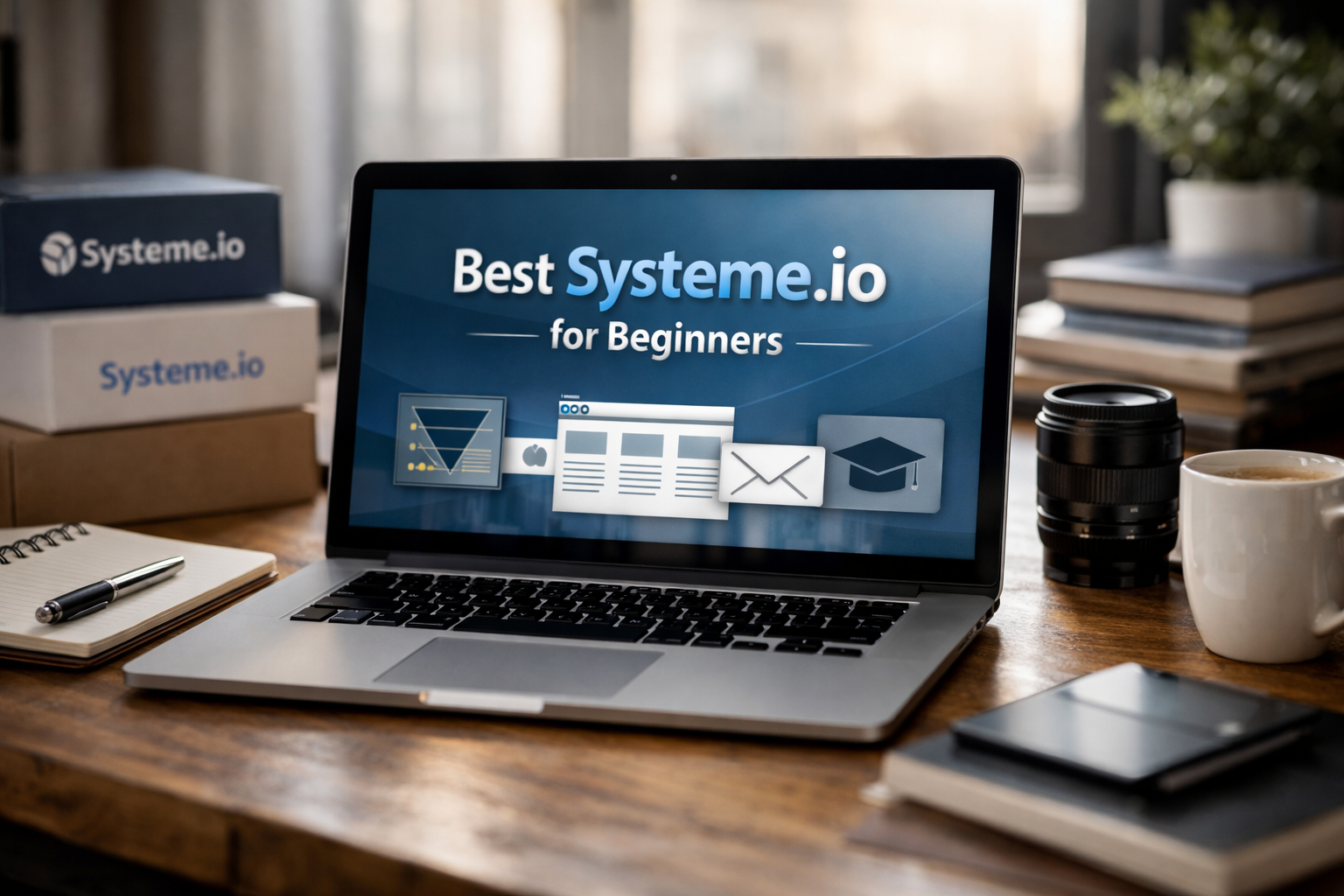
The best systeme.io features are designed to help beginners launch a simple online business setup without connecting a long list of separate apps. Instead of using one tool for landing pages, another for email, and another for course delivery, you can manage key tasks in one dashboard.
This makes Systeme.io especially appealing to solopreneurs, coaches, creators, service providers, and digital product sellers who want to start with a clear, manageable workflow. The goal is not to master every tool immediately; it is to choose one practical feature, build one asset, and improve it as you grow.
Official website · Latest pricing & offers
What Systeme.io Is and Why Beginners Like It
Simple all-in-one platform overview
Systeme.io is an all-in-one platform for building sales funnels, sending marketing emails, creating online courses, selling online, and publishing blog content. It also includes tools for affiliate management, booking pages, website building, automation, and communities.
For a beginner, the main appeal is simplicity. The core systeme.io features work together, so a person who downloads a lead magnet can be added to an email sequence without moving data between multiple platforms.
Why beginners choose fewer tools over a stack of apps
A typical online business stack can become complicated quickly. You might need a landing page builder, email provider, checkout tool, course platform, calendar scheduler, and website host—each with a separate login, setup process, and monthly bill.
A systeme.io all in one platform approach reduces that friction. Your funnel pages, emails, digital products, and course content can live in the same ecosystem, which makes the customer journey easier to understand and manage.
This does not mean every business needs every feature on day one. It means you can begin with one tool and have room to add others later without rebuilding your setup elsewhere.
Who this guide is for
This guide is for new online business owners who want a practical first platform rather than a complicated technical project. It is particularly useful if you want to collect leads, sell a digital product, book client calls, deliver a mini course, or start an email list.
Systeme.io says it powers more than 500,000 entrepreneurs, but the most important question is whether its beginner workflow matches your next step. If you want to publish a simple offer quickly, its no-code tools are worth considering.
The Best Systeme.io Features for Beginners
1. Funnel builder with templates
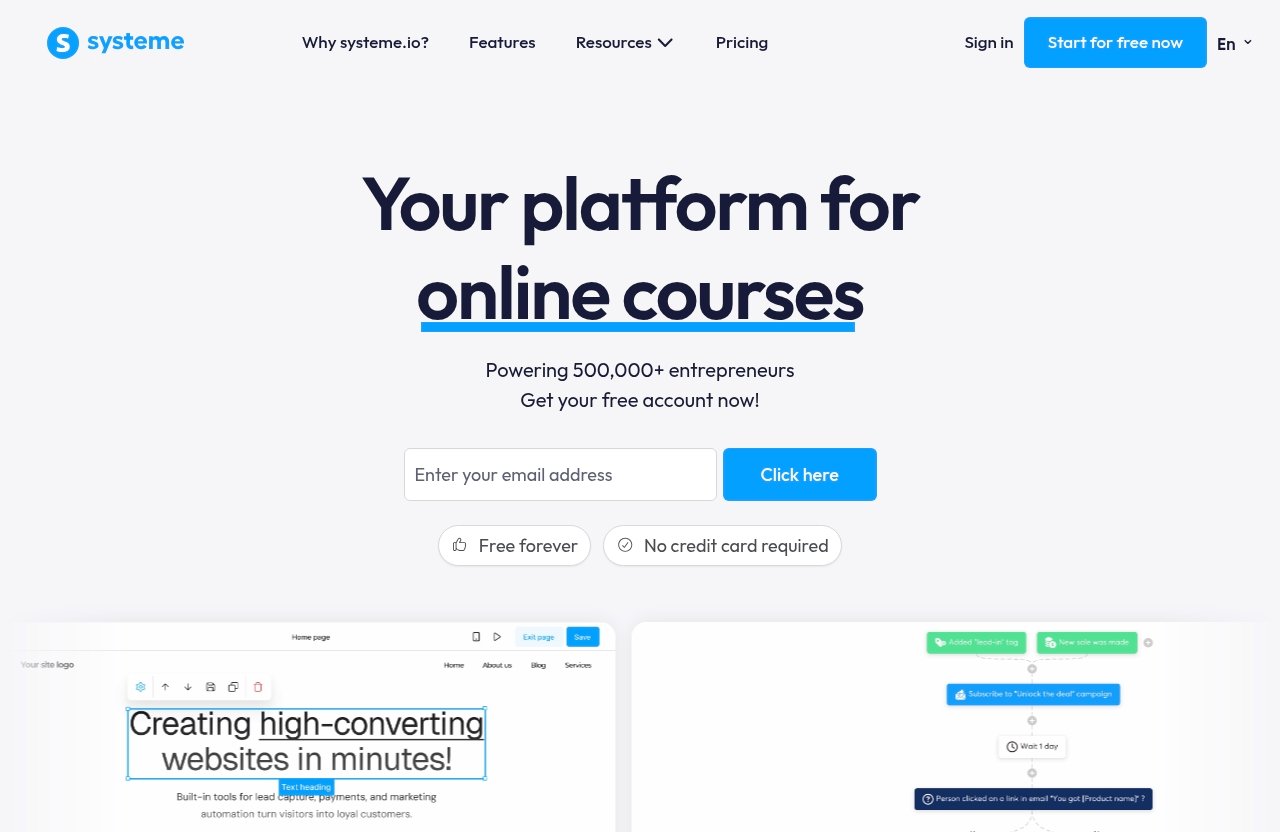
The systeme.io funnel builder is one of the easiest places to start. A funnel is simply a series of pages that guides a visitor toward one action, such as joining your email list, purchasing a product, or booking a call.
Templates remove the pressure of designing everything from scratch. A beginner can choose a layout, replace the sample copy with their own offer, add a form or checkout step, and publish a working campaign.
A simple starting use case is a free PDF lead magnet. Create an opt-in page, ask for an email address, and send the downloadable file or a follow-up email after sign-up.
2. Drag-and-drop page builder
The drag-and-drop editor lets you create landing pages without writing code. You can use it for opt-in pages, sales pages, thank-you pages, checkout pages, and simple website pages.
Among the most useful systeme.io features, this builder helps beginners focus on their message instead of technical formatting. Keep your first page basic: a clear headline, a short explanation, one benefit-driven call to action, and a form or button.
3. Email marketing and email sequences
Systeme.io email marketing is useful because it connects naturally with your pages and funnels. When someone signs up through a form, you can send an immediate welcome email and continue the conversation through a sequence.
For example, a coach could offer a “5-Day Confidence Challenge” PDF. The first email delivers the guide, the next shares a practical tip, and a later email invites readers to book a discovery call.
This approach is more useful than collecting contacts and forgetting to follow up. It gives new business owners a repeatable way to stay in touch with interested people.
4. Automation rules and workflows
Systeme.io automation helps you connect actions inside your business. A basic automation might tag or subscribe a contact after they opt in, purchase a product, or complete a specific step in a funnel.
Beginners should keep early automations simple. Start with one trigger and one outcome, such as: “When someone submits the lead magnet form, send the welcome email sequence.”
That small workflow is enough to demonstrate how automation reduces repetitive manual tasks. As your offers expand, you can build more detailed paths.
5. Online course builder
The systeme.io course builder gives creators a place to organize lessons and give students access after they join or purchase. It is a practical option for mini courses, paid workshops, onboarding programs, and simple educational products.
You do not need to create a large academy to benefit from it. A five-lesson beginner course can be enough to test an idea, support clients, or turn existing knowledge into a sellable resource.
Because course delivery is connected to the rest of the platform, you can build the sales page, collect payment, send emails, and grant access from one system.
6. Affiliate management
Affiliate management is useful when you want other people to recommend your product for a commission. This can be relevant for course creators, digital product sellers, and business owners with an audience-based offer.
It is not the first feature most beginners need to configure. Still, it is valuable to know that the option exists within the platform once you have a validated offer and want to grow through partnerships.
7. Booking calendar
The systeme.io booking calendar is particularly useful for coaches, consultants, freelancers, and service providers. It allows you to create a page where potential clients can book a call or appointment.
A simple use case is a consultant’s free strategy call. Build a short booking page that explains who the session is for, what the visitor can expect, and what they should prepare before scheduling.
This is often a faster first project than building a full course or complex sales funnel. It supports a direct service offer while helping you qualify leads.
8. Blog and website builder
The systeme.io website builder and blogging tools can help beginners create a simple web presence around their offer. You might publish a home page, an about page, a contact page, and a few helpful articles.
For a new business, a basic website does not need dozens of pages. The priority is clarity: explain what you offer, who it helps, and what visitors should do next.
Fastest Beginner Workflows You Can Build on Day 1
The most useful way to evaluate systeme.io features is to think in workflows rather than isolated tools. Here are five realistic projects a beginner can start on the first day.
Lead magnet funnel
Create a landing page for a checklist, template, guide, or short resource. Add an email form, connect it to a welcome email, and use the thank-you page to tell subscribers what happens next.
This workflow is ideal if you are building an audience. It gives visitors something useful while helping you begin an email list.
Simple sales funnel
A basic sales funnel can include a sales page, checkout page, and thank-you page. You can use it to sell a digital download, a workshop, a small service package, or a mini course.
Systeme.io also offers order bumps, one-click upsells, countdown timers, and A/B split testing. Beginners do not need to use every option immediately; the simplest version is one offer and one clear checkout path.
Email welcome sequence
A welcome sequence is a short series of emails sent after someone joins your list. Start with three messages: delivery, value, and invitation.
For instance, a designer could deliver a branding checklist, share one branding mistake to avoid, and then invite readers to a paid audit. This makes systeme.io email marketing practical even before you have a large audience.
Mini course launch
Build a small course around one outcome, such as “Create Your First Client Proposal” or “Plan Your First Digital Product.” Upload lessons, create an access page, and build a simple funnel to enroll students.
A mini course is often easier to create and validate than a large program. It also lets you learn how the course and funnel tools work without overcommitting.
Booking page for calls or services
If you sell a service, create a booking page before creating a large website. Explain your offer, who it is for, and what the next call will cover.
Then link the page from your social profiles, emails, or content. The integrated setup reduces the need to manually transfer leads from a calendar tool to an email system.
Which Systeme.io Tools Are Easiest to Learn First
Best feature to start with if you have no audience
Start with a lead magnet funnel and a basic email sequence. This combination gives you a reason for new visitors to share their email address and gives you a way to follow up.
Use one of the available systeme.io templates rather than designing a page from a blank canvas. Your first goal is to publish, not perfect every visual detail.
Best feature to start with if you sell a service
Start with the booking calendar and a simple landing page. A service provider usually benefits most from generating conversations with potential clients.
Add a short email confirmation or follow-up sequence once your booking flow is in place. This can help visitors feel prepared and reduce manual communication.
Best feature to start with if you sell digital products
Start with a simple sales funnel. Create one focused product page, a checkout step, and a confirmation page with delivery instructions.
If your product includes training, add the course builder after the funnel is working. This is a sensible way to use systeme.io features without building more than your current offer requires.
Best feature to start with if you want passive income
Start with a small digital product or mini course, then use a sales funnel and email sequence to promote it. You can later explore affiliate management if you have a product that others may want to recommend.
The important distinction is that “passive” does not mean no setup. You still need a useful offer, a clear page, and a reliable follow-up process.
Official website · Latest pricing & offers
Systeme.io Features That Save Beginners Time
No-code setup
No-code tools are valuable because they let you focus on business decisions rather than technical tasks. You can build pages, emails, funnels, and course areas without needing to hire a developer for a basic launch.
This makes the platform more approachable for people who have an offer idea but limited technical experience.
All tools in one dashboard
Managing core tasks in one dashboard can reduce the confusion of switching among multiple accounts. Pages, contacts, automations, products, and course access are easier to connect when they are part of the same platform.
For beginners, the biggest benefit of these systeme.io features is less operational clutter. You can see the flow from opt-in to email follow-up to sale more clearly.
Unlimited emailing on all plans
According to the official pricing page, all plans include unlimited emailing. This is helpful for beginners who want to create a welcome sequence and communicate with their list without worrying about a separate email sending limit.
The free plan has a contact limit, so it is still important to understand the size of your audience. However, unlimited emailing gives you flexibility to send useful follow-up messages to the contacts you have.
No transaction fees
The official pricing information also states that there are no transaction fees on all plans. For a beginner selling a first product or service, this is a straightforward advantage when evaluating the overall platform setup.
As always, review your complete checkout and payment setup before launching. But the platform itself does not add transaction fees according to the official plan details.
Templates and built-in automation
Templates and automation work well together for fast implementation. You can begin with a pre-built funnel structure, tailor the wording to your offer, and connect a simple action-based email workflow.
This helps beginners avoid building every page and process from zero. It also encourages a more consistent customer experience from the start.
Systeme.io Pricing for Beginners
Free plan overview
The systeme.io free plan is free forever and does not require a credit card, according to the official homepage. It includes 3 funnels, 1 automation rule, 1 custom domain, and up to 2,000 contacts.
All plans include unlimited emailing, unlimited file storage space, unlimited students, and no transaction fees. Those inclusions make the free option useful for testing a lead magnet, basic funnel, email list, or small course idea.
Paid plan overview
Systeme.io offers paid plans, but the official facts provided here do not include specific prices, so it would not be responsible to quote amounts. The official pricing page does state that annual billing includes two months free and that free migration is available.
Before choosing a paid option, compare your active needs with the free-plan limits. This is more useful than upgrading simply because more features may be available.
Which plan is enough to start
For many new users, the free plan is enough to learn the essentials. Three funnels can cover a lead magnet, a core offer, and a booking or thank-you flow, while 2,000 contacts is a practical starting point for a new list.
The key is to avoid launching too many projects at once. Use the available room to validate one offer and one audience path first.
When beginners should upgrade
Consider upgrading when your business needs exceed the verified limits of the free plan, such as needing more than three funnels, more than one automation rule, more than one custom domain, or more than 2,000 contacts.
Upgrade because your current workflow has outgrown the free setup—not because you assume a paid plan will solve an unclear offer or weak message.
Pros and Limits of Systeme.io for New Users
Beginner-friendly strengths
The strongest reason to consider Systeme.io is its integrated setup. The platform combines funnels, email, courses, affiliates, websites, bookings, blogging, and automation in one place.
The systeme.io features that stand out for beginners are the funnel templates, drag-and-drop page builder, email sequences, course delivery, and booking calendar. They support common first-business workflows without requiring a large software stack.
Possible limitations to know
The free plan has clear limits: 3 funnels, 1 automation rule, 1 custom domain, and up to 2,000 contacts. That is enough for many early projects, but it may become restrictive as you add offers and build a larger list.
Also, an all-in-one platform is best for people who value simplicity and connected workflows. If you already rely on highly specialized tools for a specific, complex business requirement, you should compare your exact needs before moving everything.
Best-fit scenarios
Systeme.io is a strong fit for beginners who want to collect leads, send emails, sell a digital offer, run a small course, or book client calls. It is especially practical for people who feel overwhelmed by stitching together separate tools.
It may be less suitable for someone who only needs one highly specialized function and has no interest in funnels, email, products, or integrated customer workflows.
How to Get Started With Systeme.io as a Beginner
Create your account
Start with the free account, which requires no credit card. Take a few minutes to explore the dashboard, but do not try to configure every available tool immediately.
Pick one goal
Choose one measurable goal: collect 25 email subscribers, sell one digital download, book five calls, or enroll your first mini-course student. A focused goal makes it easier to choose the right systeme.io beginner features.
Use one template
Select a template that matches your goal and customize the essential content. Change the headline, benefits, call to action, form fields, and branding elements before worrying about advanced design choices.
Connect email and automation
Create one welcome email and connect it to your form or funnel action. If you are using the free plan, remember that it includes one automation rule, so use it for your most important first follow-up.
Publish and test
Before sharing your page, test the full journey yourself. Submit the form, check whether the email arrives, review the page on mobile, and make sure your message tells visitors exactly what to do.
Final Recommendation
Who should use Systeme.io first
Systeme.io is a sensible first choice for solopreneurs, creators, coaches, service providers, and digital sellers who want to reduce the number of tools they manage. Its most useful beginner advantage is not one individual feature—it is how funnels, pages, email, courses, and bookings can work together.
If you want to launch a lead magnet, simple offer, mini course, or booking page without assembling a complicated tech stack, the core systeme.io features provide a practical place to begin.
Who may need a different tool
You may need a different solution if you require a highly specialized platform for one advanced function and do not need an integrated marketing or selling system. It is also worth comparing options if your business has requirements beyond the verified free-plan limits from the start.
For most new online businesses, however, starting simple is usually more valuable than buying a collection of disconnected apps.
Affiliate CTA
Based on its free-forever entry point, no-credit-card signup, and beginner-focused all-in-one tools, Systeme.io is worth testing if you want to build your first workflow without unnecessary complexity. You can explore it through our Systeme.io affiliate review link and decide whether the setup fits your business before committing to a larger tool stack.
Official website · Latest pricing & offers
FAQ
What are the most beginner-friendly Systeme.io features?
The most beginner-friendly tools are the funnel builder, drag-and-drop page builder, email marketing, automation rules, and course builder. Together, they let you build a landing page, collect contacts, send follow-up emails, and deliver a product or training without relying on multiple platforms.
Is Systeme.io good for beginners with no technical experience?
Yes. The platform includes no-code page building, templates, integrated email tools, and one dashboard for core online business tasks. Beginners can start with a simple funnel or booking page rather than trying to learn every feature at once.
Can I use Systeme.io for free?
Yes. Systeme.io offers a free-forever plan with no credit card required. The free plan includes 3 funnels, 1 automation rule, 1 custom domain, and up to 2,000 contacts, along with unlimited emailing, unlimited file storage space, unlimited students, and no transaction fees.
Which feature should I use first in Systeme.io?
Start with the feature that matches your immediate goal. Use a funnel if you want leads, a landing page if you need a simple online offer page, an email sequence if you already have contacts, or a booking page if you sell services.
Does Systeme.io replace multiple tools?
Yes, for many beginner workflows. Systeme.io combines funnels, email marketing, website and blog tools, online courses, affiliate management, booking tools, and automation in one platform, helping users reduce the need for separate apps.
Related Reading
- how to create an email sequence in systeme.io
- how to replace ClickFunnels with Systeme.io in 2026
- how much does Skool cost in 2026
References
- Systeme.io – Features
- Systeme.io Pricing — Free, Startup, Webinar, Unlimited Plans
- The Best Funnel Builder (Save $100 Per Month)
- 7 Features Unique to Systeme.io