Systeme.io Sales Funnel Tutorial: Step by Step for Beginners in 2026
If you want a simple, practical systeme.io sales funnel tutorial, this guide will walk you through the full beginner setup: choosing the right funnel type, creating your funnel, building an opt-in page, setting up a thank-you page, adding basic automation, and testing before launch.
This article may contain affiliate links. If you decide to follow along, you can start with a free account through this systeme.io link. The free plan requires no credit card, so it is a low-friction way to test the platform before considering an upgrade.
Official website · Latest pricing & offers
What a systeme.io sales funnel is and why it matters
A systeme.io sales funnel is a guided path that moves a visitor toward a specific action, such as joining your email list, signing up for a free resource, buying an offer, or registering for a webinar.
The point is not to build a complicated website. The point is to create a focused sequence of pages that removes distractions and helps people take the next step.
Definition of a sales funnel in plain English
In plain English, a sales funnel is a short journey. Someone lands on a page, sees an offer, enters their email or buys, and then reaches a confirmation or thank-you page.
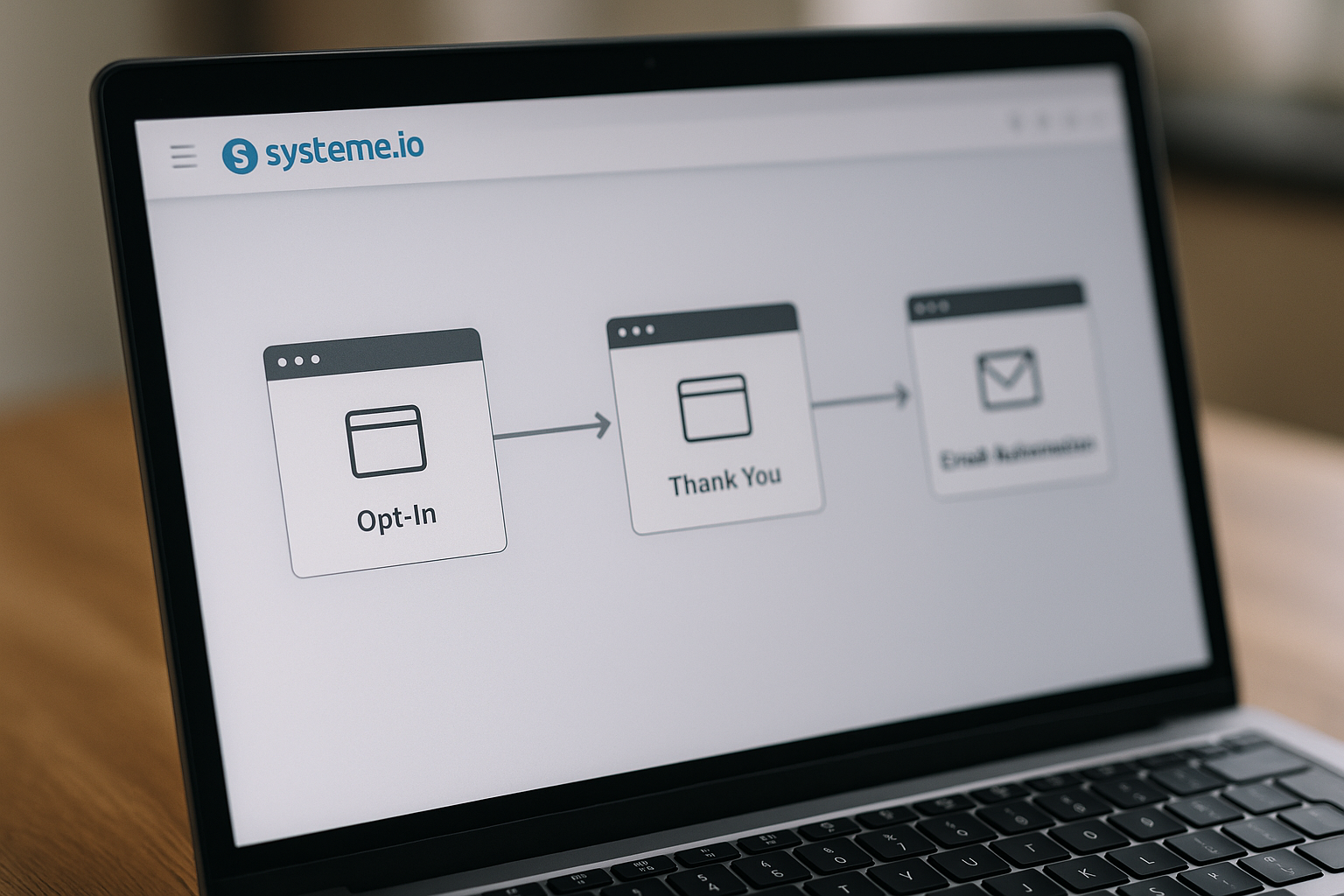
For example, a beginner-friendly lead generation funnel might look like this:
| Funnel Step | Purpose | Example |
|---|---|---|
| Opt-in page | Capture the visitor’s email | Free checklist, guide, mini-course, or coupon |
| Thank-you page | Confirm the signup | “Check your inbox” message |
| Follow-up email | Continue the relationship | Welcome email or next resource |
This systeme.io sales funnel tutorial focuses mainly on a simple lead-generation funnel because that is usually the fastest starting point for creators, coaches, affiliate marketers, and small businesses.
How systeme.io positions funnels inside its all-in-one platform
According to the official systeme.io homepage, systeme.io is presented as “The only tool you need to launch your online business.” The platform is positioned for sales funnels, email marketing, online courses, selling online, and blogging.
That matters because beginners often get stuck trying to connect too many separate tools. With a platform like systeme.io, the idea is to keep the essential online business pieces closer together: funnel pages, email follow-up, offers, and customer journeys.
This does not mean every funnel will automatically convert. The tool gives you the structure, but your offer, message, and follow-up still matter.
Who this tutorial is best for
This systeme.io sales funnel tutorial is best for people who want a practical, step-by-step setup without technical overwhelm.
It is especially useful if you are:
- A creator building an email list
- A coach offering a lead magnet or consultation
- A solopreneur testing a simple offer
- An affiliate marketer collecting interested leads
- A small business owner who wants a basic funnel instead of a full website
By the end, you should understand how to create a funnel in systeme.io, what pages to build first, and how to avoid the most common beginner mistakes.
Before you start: pick the right plan and funnel type
Before opening the systeme.io funnel builder, it helps to choose the right plan and funnel type. This saves time because different goals require different funnel structures.
For most beginners following this systeme.io sales funnel tutorial, the Free plan is enough to build and test a basic lead-generation funnel.
Verified systeme.io pricing plans at a glance
Here is the verified systeme.io pricing information from the official pricing page.
| Plan | Price | Key Verified Limits And Features |
|---|---|---|
| Free | $0 | No credit card required. Includes core features with limited usage: 3 funnels, 1 automation rule, 1 custom domain, and up to 2,000 contacts. |
| Startup | $17 | No credit card required. Includes up to 10 funnels, 10 automation rules, 3 custom domains, and 5,000 contacts. |
| Webinar | $47 | No credit card required. Includes up to 50 funnels, 100 automation rules, 10 custom domains, 10,000 contacts, and evergreen webinars. |
| Unlimited | $97 | No credit card required. Includes unlimited funnels, contacts, automation rules, and custom domains, plus early access to new features. |
The key takeaway is simple: the systeme.io free plan can be enough for a first funnel, especially if you are collecting leads and testing your messaging.
Which plan is enough for a basic lead-gen funnel
For a basic systeme.io lead generation funnel, the Free plan is usually the best place to start. It includes 3 funnels, 1 automation rule, 1 custom domain, and up to 2,000 contacts.
That gives you enough room to create a simple opt-in funnel and learn how the platform works. You can build a page, collect leads, and create one basic automation rule without paying upfront.
The practical advice here is to avoid upgrading too early. First, prove that people want your lead magnet or offer. Then consider upgrading when your funnel volume, contact list, domains, or automation needs grow.
Choose between Build an Audience, Sell, Custom, or Webinar
When creating a funnel, systeme.io offers these official funnel types:
| Funnel Type | Included Structure | Best For |
|---|---|---|
| Build an Audience | Opt-in page and Thank you page | Lead generation, free resources, email list growth |
| Sell | Order form and Thank you page | Selling a product, service, course, or offer |
| Custom | Blank canvas | Building your own structure from scratch |
| Run an evergreen webinar | 3-page structure optimized for selling and hosting evergreen webinars | Automated webinar funnels |
For most beginners, choose Build an Audience if your goal is lead generation. It gives you the basic structure you need: a systeme.io opt-in page and a systeme.io thank you page.
Choose Sell if your immediate goal is to take payment or sell an offer. The Sell funnel includes an Order form and a Thank you page, so it is designed around a purchase rather than a free signup.
Choose Custom only if you already know exactly what you want to build. For a first project, Custom can slow you down because you start from a blank canvas.
Choose Run an evergreen webinar only if your strategy involves webinars. This option is available only on the Webinar and Unlimited plans.
Step 1: create your funnel inside systeme.io
Now let’s begin the hands-on part of this systeme.io sales funnel tutorial. The official funnel creation flow is straightforward: go to the Sites tab, click Sales funnels, then click Create.
The goal of this step is to create the container for your funnel so you can add and edit individual pages.
Navigate to Sites > Sales funnels
After logging into your account, go to the Sites tab. From there, click Sales funnels.
This is where your funnels are managed. If you are brand new, this area may look empty at first, which is normal.
Why this step matters: your funnel is not just one page. It is a sequence of pages with a shared goal, and the Sales funnels area keeps those steps organized.
Click Create and set name, domain, and currency
Next, click Create. In the popup window, enter a name for your funnel, select your domain, and choose the currency.
A practical naming tip: name your funnel based on the offer and goal. For example:
- “Free Coaching Checklist Funnel”
- “Affiliate Lead Magnet Funnel”
- “Mini Course Signup Funnel”
- “Product Waitlist Funnel”
Your funnel name is mainly for your own organization. A clear name helps when you later have multiple funnels.
Why this step matters: selecting the domain and currency early keeps the funnel settings aligned with the audience and offer you are building for.
Add your first funnel step
After creating the funnel, add your first funnel step based on the type you selected. If you chose Build an Audience, you should work with an Opt-in page and a Thank you page.
For this systeme.io sales funnel tutorial, we will use the Build an Audience path because it is beginner-friendly and ideal for collecting leads.
At this stage, your outcome should be simple: you have a funnel created, and you are ready to edit the opt-in page.
Step 2: build the opt-in page
The opt-in page is where visitors decide whether your offer is worth their email address. This is one of the most important pages in the whole funnel.
A good systeme.io opt-in page is clear, focused, and easy to complete. It should not try to explain everything about your business.
Select a template and open the visual editor
Choose a template for your opt-in page, then open it in the visual editor. The exact design matters less than the clarity of your message.
As a beginner, look for a layout with:
- A strong headline area
- A short section for benefits
- A visible form
- Minimal distractions
- A simple call to action
Why this step matters: templates help you move faster. Instead of designing from a blank screen, you can start with a structure and adjust the words to match your offer.
Write a clear headline and offer
Your headline should tell visitors what they get and why it matters. Avoid clever wording that sounds nice but does not explain the value.
Weak headline:
“Unlock Your Potential Today”
Better headline:
“Get the 10-Step Checklist to Launch Your First Coaching Offer”
The second version is clearer because it explains the outcome. It tells the visitor what they receive and what problem it helps with.
In this systeme.io sales funnel tutorial, the practical rule is simple: promise one useful result, not ten vague benefits. A focused offer usually converts better than a broad one.
Good beginner lead magnet ideas include:
- Checklist
- Quick-start guide
- Template
- Email swipe file
- Mini training
- Discount or coupon
- Resource list
Add the form and connect contacts
Your opt-in form should ask only for the information you truly need. For many beginner funnels, an email address is enough.
If you ask for too much too soon, fewer people will complete the form. A name field can be useful for personalization, but it is not always necessary for a first funnel.
Why this step matters: the form is the conversion point. The easier it is to complete, the more likely visitors are to sign up.
Before moving on, review the page like a visitor would. Ask yourself:
- Is the offer obvious within a few seconds?
- Is the form easy to find?
- Does the button text explain the action?
- Are there unnecessary links or distractions?
- Does the page work on mobile?
This is where a systeme.io sales funnel tutorial becomes more than a setup guide. The page must not only exist; it must persuade the right person to take action.
Official website · Latest pricing & offers
Step 3: create the thank-you page and next action
The thank-you page is often underused. Many beginners only write “Thanks for signing up” and stop there.
That is a missed opportunity. Your systeme.io thank you page should confirm the action and guide the visitor to the next step.
Confirm the lead and deliver the promise
Start by confirming what just happened. Tell the visitor they successfully signed up and explain how they will receive the promised resource.
For example:
“You’re in! Check your inbox for the checklist. It should arrive shortly.”
If the next step is email-based, say that clearly. If they need to download something from the page, make that clear too.
Why this step matters: people want reassurance after submitting a form. A clear confirmation reduces confusion and builds trust.
Send users to email follow-up or offer page
After someone opts in, decide what should happen next. This is where your funnel strategy begins.
Common next actions include:
- Ask them to check their inbox
- Invite them to read a related article
- Send them to a low-ticket offer page
- Invite them to book a call
- Tell them to watch a short video
- Prepare them for the next email
For a beginner systeme.io sales funnel tutorial, I recommend keeping the first version simple. Send the lead to a thank-you page that confirms the signup and points them toward the next logical action.
Add a simple CTA to keep momentum
A CTA, or call to action, is the instruction you give the visitor. On a thank-you page, the CTA should be simple and relevant.
Examples include:
- “Check your inbox for the guide”
- “Watch the short welcome video”
- “Read the next step here”
- “Book your free consultation”
- “View the starter offer”
Why this step matters: the thank-you page should not be a dead end. The person has just taken action, so they are more engaged than a cold visitor.
Step 4: set up automations and emails
Once your pages are in place, you need follow-up. Most people will not buy, book, or engage deeply from one page visit.
This part of the systeme.io sales funnel tutorial connects your funnel to nurturing. The goal is to continue the conversation after the opt-in.
Create a basic automation rule
Systeme.io plans include automation rules with different limits by plan. The Free plan includes 1 automation rule, Startup includes 10, Webinar includes 100, and Unlimited includes unlimited automation rules.
For a basic funnel, one practical automation rule may be enough to start. For example, when someone signs up through the opt-in page, you can use an automation to begin your follow-up process.
Why this step matters: automation helps you respond consistently. Instead of manually emailing every new lead, your funnel can start the next step automatically within the limits of your plan.
Tag leads by interest or source
Tagging is a practical funnel best practice. It helps you understand where leads came from or what they were interested in.
For example, you might tag leads based on:
- Lead magnet topic
- Traffic source
- Funnel name
- Product interest
- Audience segment
This guidance is general funnel strategy, not a special income promise or guaranteed result. The reason it works is organizational: as your list grows, segmentation helps you send more relevant messages.
For a first systeme.io sales funnel tutorial setup, keep tags simple. One clear tag for the funnel or offer is usually enough.
Send a welcome sequence
A welcome sequence is a short series of emails that introduces your brand, delivers the promised resource, and explains the next step.
A simple beginner sequence might look like this:
| Purpose | Example Content | |
|---|---|---|
| Email 1 | Deliver the resource | Link or instructions for the lead magnet |
| Email 2 | Build trust | Quick story, useful tip, or common mistake |
| Email 3 | Present next step | Offer, consultation, product, or helpful content |
Why this step matters: people often need context before they take a bigger action. A welcome sequence gives you a chance to be helpful before making an offer.
Keep the emails short. Focus on one idea per email, and make the next action obvious.
Step 5: publish, test, and track results
Do not send traffic to your funnel until you test it. Many beginner funnels fail because of small errors: broken links, unclear buttons, missing confirmation messages, or pages that look poor on mobile.
This part of the systeme.io sales funnel tutorial is about quality control before launch.
Check mobile layout and page links
Open your opt-in page and thank-you page on desktop and mobile. Make sure the headline, form, and CTA are easy to see.
Check every link. If your thank-you page tells people to check their email, make sure the email process is ready. If it sends people to another page, make sure the destination loads correctly.
Why this step matters: a funnel can look fine in the editor but feel awkward to a real visitor. Mobile review is especially important because many people will visit from a phone.
Run a test opt-in
Submit the form yourself using a test email address. Then follow the exact path a visitor would follow.
Use this quick launch checklist:
- Funnel name is clear
- Domain is selected
- Currency is selected where relevant
- Opt-in page headline is clear
- Form is visible and easy to complete
- Thank-you page confirms the action
- CTA leads to the right next step
- Automation rule works within your plan limits
- Welcome email or follow-up is ready
- Mobile layout looks clean
- All links work
Why this step matters: testing catches problems before real visitors experience them. This is one of the easiest ways to improve your funnel before spending time or money on traffic.
Review funnel metrics and improve weak points
After launch, review performance and look for weak points. The main question is: where are people dropping off?
If many people visit but few sign up, improve the opt-in page. If people sign up but do not take the next action, improve the thank-you page or follow-up.
Troubleshooting tips:
| Problem | Likely Cause | Practical Fix |
|---|---|---|
| Low opt-in rate | Offer is unclear or weak | Rewrite headline and make the benefit more specific |
| Form abandonment | Too many fields | Ask for less information |
| No next-step action | Thank-you page is too passive | Add a clear CTA |
| Poor mobile results | Page layout is hard to use | Simplify sections and check spacing |
| Leads do not engage | Weak follow-up | Improve welcome email clarity |
A good systeme.io sales funnel tutorial should not stop at publishing. Funnels improve through testing, feedback, and small changes over time.
Common mistakes to avoid when building a funnel
Beginners often make funnels harder than they need to be. The best first funnel is usually simple, focused, and easy to test.
Use this section as a troubleshooting guide while you build a sales funnel with systeme.io.
Too many steps
A common mistake is adding too many pages before you have validated the offer. More steps mean more places for people to drop off.
For a first funnel, start with:
- Opt-in page
- Thank-you page
- Basic follow-up email
You can add complexity later. This systeme.io sales funnel tutorial is intentionally simple because simple funnels are easier to launch and improve.
Weak offer or vague CTA
A funnel cannot fix an unclear offer. If visitors do not understand what they get, they will not sign up.
Instead of saying:
“Join my newsletter”
Try:
“Get the 5-minute checklist to plan your first webinar topic”
The second version is specific. It gives the visitor a reason to act now.
Your CTA should also be clear. Use direct wording that matches the outcome, such as “Get the checklist” or “Send me the guide.”
No follow-up automation
Another common mistake is collecting emails but not following up. If someone joins your list and hears nothing, momentum disappears.
Even a basic welcome email can help. It confirms the signup, delivers the promised resource, and introduces the next step.
Because automation rule limits vary by plan, keep your first setup aligned with your account level. On the Free plan, remember that you have 1 automation rule.
Choosing the wrong funnel type
Choosing the wrong funnel type can make the setup feel confusing. If you want leads, choose Build an Audience. If you want to sell directly, choose Sell.
The difference is simple:
- Build an Audience is for collecting contacts through an opt-in page and thank-you page.
- Sell is for selling through an order form and thank-you page.
- Custom is for building from a blank canvas.
- Run an evergreen webinar is for evergreen webinar funnels and requires the Webinar or Unlimited plan.
If you are unsure, follow the lead-generation path in this systeme.io sales funnel tutorial first. It is easier to learn with a simple structure.
When to upgrade your plan
You do not need to upgrade just because you are starting. The best plan depends on your funnel volume, contact count, domains, automation needs, and whether you need evergreen webinars.
A beginner can often use the Free plan to learn the basics and validate a first offer.
Signs the Free plan is enough
The Free plan is enough if you are building your first simple funnel and staying within the verified limits: 3 funnels, 1 automation rule, 1 custom domain, and up to 2,000 contacts.
It is a good fit if:
- You are testing one lead magnet
- You only need a few funnels
- You are not close to 2,000 contacts
- You only need one automation rule
- You want to learn before paying
If that sounds like you, it is reasonable to start free and upgrade only when your needs become clearer.
When Startup becomes useful
The Startup plan becomes useful when you need more room. It includes up to 10 funnels, 10 automation rules, 3 custom domains, and 5,000 contacts.
This may fit if you are running multiple lead magnets, testing several offers, or need more automation flexibility.
In practical terms, upgrade when the limits slow down your actual work. Do not upgrade because you think you “should”; upgrade when your funnel strategy requires it.
Why Webinar or Unlimited may fit scaling
The Webinar plan includes up to 50 funnels, 100 automation rules, 10 custom domains, 10,000 contacts, and evergreen webinars. The evergreen webinar funnel option is only available on the Webinar and Unlimited plans.
The Unlimited plan includes unlimited funnels, contacts, automation rules, and custom domains, plus early access to new features.
These plans may fit if:
- Evergreen webinars are part of your strategy
- You manage many funnels
- Your contact list is growing
- You need more automation rules
- You work with multiple domains
- You want fewer usage limits as you scale
For most people reading this systeme.io sales funnel tutorial, the Free or Startup plan is the natural starting point. Webinar and Unlimited are more relevant when your funnel system becomes bigger or webinar-driven.
Official website · Latest pricing & offers
FAQ
How do I create a sales funnel in systeme.io?
To create a sales funnel in systeme.io, go to the Sites tab, click Sales funnels, then click Create. In the popup window, enter a funnel name, select your domain, and choose the currency.
After that, choose the funnel type and add or edit your funnel steps.
Is systeme.io free for sales funnels?
Yes. The systeme.io free plan is $0, requires no credit card, and includes core features with limited usage.
For funnels specifically, the Free plan includes 3 funnels, 1 automation rule, 1 custom domain, and up to 2,000 contacts.
What type of funnel should I choose for lead generation?
For lead generation, choose Build an Audience. It includes an Opt-in page and a Thank you page, which is the basic structure you need to collect leads.
This is the best beginner option if your goal is to grow an email list or deliver a free resource.
Can I sell products with systeme.io funnels?
Yes. The Sell funnel type is designed for selling and includes an Order form and a Thank you page.
Choose this option if your goal is to sell an offer rather than collect a free opt-in first.
Does systeme.io support evergreen webinars?
Yes. Systeme.io supports evergreen webinars through the Run an evergreen webinar funnel type.
However, this option is only available on the Webinar and Unlimited plans.
Conclusion: build your first funnel today
A beginner-friendly systeme.io sales funnel tutorial does not need to be complicated. The fastest path is to choose the right plan, select Build an Audience for lead generation, create your funnel, build a clear opt-in page, add a useful thank-you page, set up basic follow-up, and test everything before launch.
Recap the fastest path
Here is the simple version:
- Start with the Free plan if your needs are basic.
- Choose Build an Audience for a lead-generation funnel.
- Go to Sites > Sales funnels > Create.
- Name your funnel, select your domain, and choose the currency.
- Build the opt-in page.
- Create the thank-you page.
- Add basic automation and email follow-up.
- Test the full visitor experience.
- Improve one weak point at a time.
That is enough to launch your first funnel without getting buried in technical decisions.
Encourage a free account start
If you want to follow this systeme.io sales funnel tutorial hands-on, you can start a free systeme.io account here. The Free plan is $0 and requires no credit card, which makes it practical for testing before upgrading.
There is no need to build a perfect funnel on day one. Launch a clear first version, collect feedback, and improve it.
Next steps for improving conversions
Once your funnel is live, focus on the basics that usually matter most: a stronger offer, a clearer headline, fewer form fields, a better thank-you page CTA, and more helpful follow-up emails.
A good funnel is not just a set of pages. It is a focused path that helps the right person take the next step with confidence.
Related Reading
- Systeme.io Review BBB: Is Systeme.io Legit or a Scam in 2026?
- Systeme.io vs Kartra: Feature and Price Comparison 2026
- How to Sell Courses on Skool in 2026
References
- How to create a funnel
- Our Complete Guide to Build High-Converting Sales Funnels
- systeme.io video tutorial
- The easiest funnel builder you'll ever use