OpusClip Pricing: Free vs Paid Plans Explained (2026 Guide)
Navigating opusclip pricing requires understanding how monthly credits, feature access, and export rules are distributed across its free and premium tiers. While OpusClip provides a free-forever option alongside its Starter, Pro, and Business plans, key restrictions—such as watermarks, credit expiration windows, and source integration limits—determine which tier suits your repurposing workflow. This guide breaks down the official plan tiers, credit allocations, and subscription costs directly from the official platform specifications.
Affiliate disclosure: This article may contain affiliate links. If you buy through them, we may earn a commission at no extra cost to you. Details were checked on November 16, 2026 and can change.
Official website · Latest pricing & offers
Quick Answer: How Does OpusClip Pricing Work?
The core structure of opusclip pricing spans four distinct levels designed for varied content volumes:
- Free Plan ($0/month): Includes 60 credits per month, auto-reframing, and AI captions with keyword highlights, but applies a visible watermark, disables timeline editing, and permanently restricts clip exports after 3 days.
- Starter Plan ($15/month): Billed strictly on a monthly basis, offering 150 credits per month, watermark removal, filler and silence deletion, 1 brand template, Virality Score metrics, and full access to the editing workspace.
- Pro Plan ($29/month or $14.50/month billed annually at $174): Includes 3,600 annual credits (distributed over 12 months) with a 2-month rollover window, a team workspace with 2 seats, 2 brand templates, 6 social account connections, multi-source video imports (10+ platforms), XML export to Adobe Premiere Pro and DaVinci Resolve, multiple aspect ratios (9:16, 1:1, 16:9), AI B-Roll, and social scheduling.
- Business Plan (Custom Pricing): Tailored enterprise tier offering customized credits, seats, dedicated storage, Single Sign-On (SSO), Master Service Agreements (MSA), dedicated Slack support, SOC II Type 2 compliance, and API integration.
OpusClip Pricing Overview: Comparing Free, Starter, Pro, and Business Plans
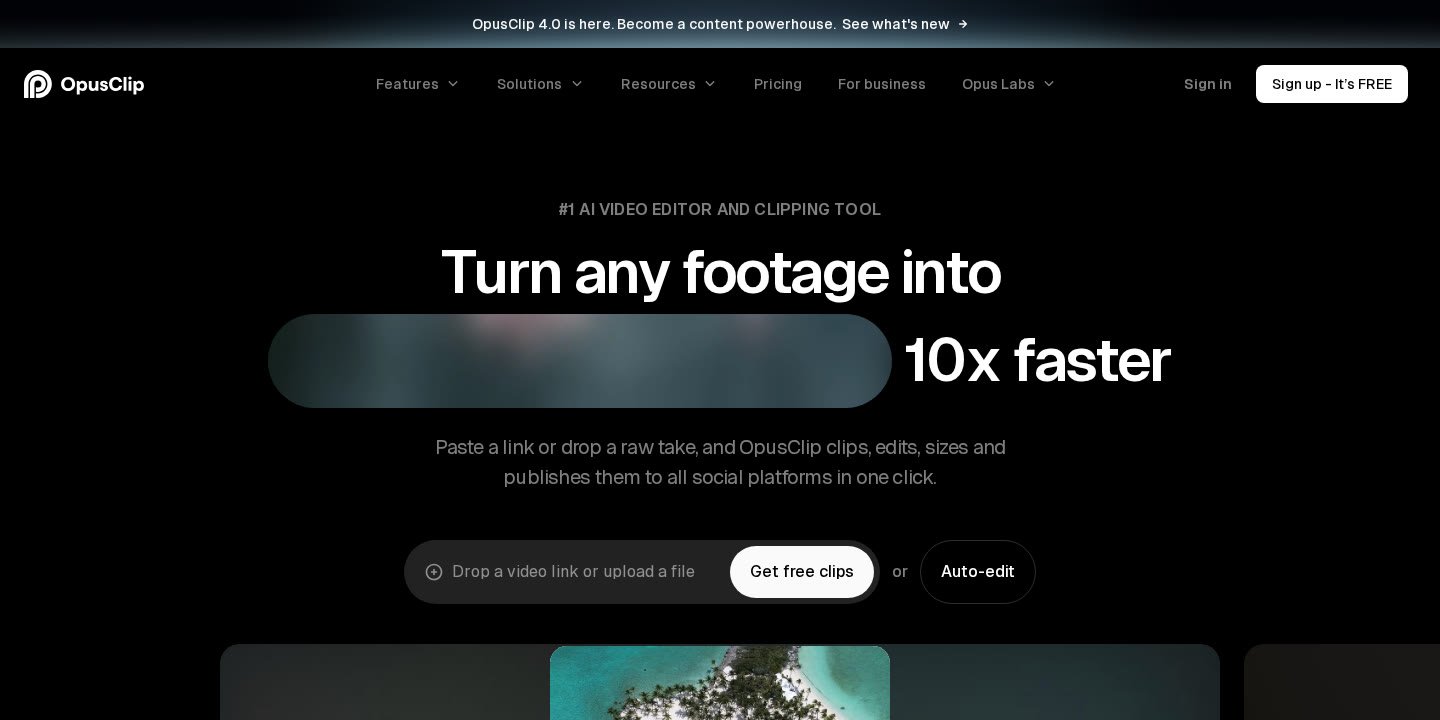
To evaluate how each tier balances cost against utility, consult the official feature breakdown below, derived directly from OpusClip’s published pricing specifications:
| Feature / Parameter | Free Plan | Starter Plan | Pro Plan | Business Plan |
|---|---|---|---|---|
| Monthly Cost | $0 / month | $15 / month | $29 / month (Monthly) $14.50 / month (Annual) |
Custom / Contact Sales |
| Annual Billing Total | N/A | Monthly only | $174 billed annually | Custom contract |
| Credit Allowance | 60 credits / month | 150 credits / month | 3,600 credits over 12 months (Pack 1) | Customized credit packages |
| Credit Rollover | No | No | Yes (rolls over for 2 months) | Customized contract terms |
| Watermark | Has watermark | Watermark-free | Watermark-free | Watermark-free |
| Export Resolution & Limits | Up to 1080p; expires after 3 days | Full MP4 export | Full MP4 & XML (Premiere, DaVinci) | Full MP4, XML, & 4K scheduling |
| Timeline & Text Editing | No editing available | Powerful text/timeline editor | Advanced editor + B-Roll + Dubbing | Full custom editor & API access |
| Team Seats | 1 user | 1 user | 2 workspace seats | Customized team seats |
| Brand Templates | None | 1 brand template | 2 brand templates | Tailored business templates |
| Supported Aspect Ratios | 9:16 vertical only | 9:16 vertical | 9:16, 1:1, 16:9 | All supported ratios |
| Social Connections | None (manual download) | Auto post to YT, TikTok, IG Reels | 6 social account connections | Customized connections |
Understanding these tier distinctions allows video producers to select a level corresponding directly to their output demands, whether testing short clips or managing multi-platform schedules for clients. For a broader perspective on video repurposing strategies, you can explore our guide on the best AI short form video maker options available today.
How the OpusClip Credit System and Usage Limits Work
Central to evaluating opusclip pricing is understanding how the platform calculates and consumes credits. Unlike conventional timeline editors charged strictly per seat or storage gigabyte, OpusClip meters AI transcription, face tracking, reframing, and generation via an internal credit balance.
Credit Allocation and Renewal Mechanics
Each tier is granted a specific credit volume:
- Free: Users receive 60 credits per month. These reset monthly and do not accumulate if unused.
- Starter: Users receive 150 credits per month, renewing on the monthly billing anniversary.
- Pro: When purchased as an annual package, users receive 3,600 credits over 12 months for a base pack (1x). Furthermore, Pro plans incorporate a rollover feature: unused credits remain valid for up to 2 months before expiring.
- On-Demand Credit Top-Ups: Pro plan subscribers gain access to on-demand credit top-ups directly from their billing dashboard if monthly requirements exceed the base allocation.
File Size and Processing Constraints
Across plans, video imports must meet technical thresholds. For local video uploads, OpusClip supports files up to 10GB per video. While the Free tier processes videos at standard rendering speeds, paid tiers unlock accelerated server priority, and the Business plan guarantees priority project queue processing for high-volume enterprise rendering.
OpusClip Free Plan Explained: Limits, Watermarks, and Expiration Rules
The OpusClip Free tier is labeled “Free forever” at $0 USD per month, requiring an account creation without upfront payment information. While it serves as an introductory path to automated clipping, several operational constraints govern its output.
Watermark and Visual Overlays
All videos processed and rendered on the Free plan include an indelible OpusClip watermark. For commercial brands, marketing agencies, or public influencers requiring unbranded deliverables, content generated under the Free plan cannot be stripped of watermarks without upgrading to an active paid subscription.
The 3-Day Export Expiration Policy
A distinctive operational policy of the Free plan is its export timeline limit: after 3 days, generated clips will no longer be exportable. If a user processes a long-form video on a Monday, all resulting short clips must be downloaded before Thursday. Once that 72-hour window lapses, project files and rendered exports expire from the download queue, necessitating a new render or a plan upgrade to regain access.
Editing Constraints on the Free Tier
The Free tier includes automated AI reframing to 9:16 and AI-generated captions with automatic emoji and keyword highlights. However, it explicitly lists “No editing” within its plan specifications. Users cannot access the timeline editor, trim specific phrases, modify visual B-roll, eliminate silence markers, or apply brand fonts without upgrading to Starter or Pro.
OpusClip Starter vs Pro: Key Differences for Creators and Teams
The choice between Starter and Pro represents the most frequent decision point for solo content creators, podcasters, and small production teams. Below are the functional parameters separating these two paid tiers.
Pricing Structure: Monthly vs Annual Flexibility
The Starter plan is priced at $15 USD per month and is exclusively available on a monthly billing cycle. OpusClip does not offer an annual commitment option for Starter. Conversely, the Pro plan offers both monthly ($29 USD/month) and annual billing ($14.50 USD/month, billed upfront at $174 for the year). This annual option delivers up to a 50% discount compared to the rolling Pro monthly rate.
Input Sources and Integration Limits
The Starter plan operates primarily via manual uploads or direct links. In contrast, the Pro plan unlocks input integration from more than 10 platforms, including:
- YouTube
- Google Drive
- Vimeo
- Zoom
- Rumble
- Twitch
- Twitter (X)
- Loom
- Riverside
- StreamYard
This automated ingest allows podcasters and live streamers using platforms like Riverside or StreamYard to pull raw takes into OpusClip without manually downloading and re-uploading massive 10GB video files.
Editorial Power: B-Roll, Dubbing, and Timeline Control
While the Starter plan provides access to OpusClip’s core editor, silence removal, and filler word stripping, the Pro plan introduces advanced generative capabilities:
- AI B-Roll: Automatically fetches and overlays context-relevant AI images, video clips, and stock media in under one minute.
- Viral Hook & Motion Graphics: Automatically designs kinetic visual hooks to boost front-end clip retention.
- Speech Enhancement: Delivers pro-level audio cleanup without requiring outboard external audio plugins.
- AI Video Dubbing: Dubs speech into other languages while preserving original speaker vocal characteristics.
- Professional NLE Export: Exports XML timelines compatible directly with Adobe Premiere Pro and DaVinci Resolve for manual color grading and high-end post-production.
- Aspect Ratio Flexibility: Supports 9:16 vertical, 1:1 square, and 16:9 widescreen, whereas lower plans focus strictly on vertical formats.
For an expanded analysis of how these features compare to competitor workflows, read our detailed comparison of Klap vs Opus Clip or review our comprehensive OpusClip Review.
Understanding OpusClip Pricing for Teams and High-Volume Workflows
For organizations, agencies, and high-frequency content studios, single-pack allocations and individual accounts often fail to satisfy volume demands. OpusClip handles scalability through structured multi-pack Pro scaling and enterprise Business contracts.
Scaling Pro Packs (1 Pack to 15 Packs)
Rather than forcing growing agencies immediately into enterprise negotiations, OpusClip allows users on the Pro tier to configure scalable “packs” directly within the checkout interface. The selector accommodates increments from 1 pack up to 15 packs, with corresponding credit scaling:
- 1 Pack: 3,600 credits over 12 months (base allocation).
- Multiple Packs (2–15 Packs): Proportionately expands annual credit allowances while maintaining Pro workspace capabilities, including 2 seats, 2 brand templates, and 6 social account connections.
- Beyond 15 Packs: The interface instructs users to contact the OpusClip enterprise team for custom provisioning.
The Enterprise Business Plan
Organizations operating with stringent compliance, security, or custom architecture requirements can opt for the custom-priced Business plan. This plan incorporates everything in Pro plus enterprise-exclusive operational features:
- Priority Project Processing: Dedicated compute queue ensuring rapid rendering during platform peak traffic periods.
- Tailored Team and Asset Allowances: Fully customized credit volumes, user seat counts, and social channel connection limits, along with custom fonts and custom brand vocabulary engines.
- Dedicated Storage & Infrastructure: Dedicated asset storage partitions alongside API access and custom integrations.
- Enterprise Governance and Compliance: SOC II Type 2 certification, Single Sign-On (SSO), Software License Management (SLM), and formal Master Service Agreements (MSA).
- Dedicated Communication Channels: Direct customer support via a dedicated Slack channel and customized team onboarding sessions.
Step-by-Step Guide: How to Select and Activate an OpusClip Plan
Enrolling in an OpusClip subscription involves straightforward digital account steps. Follow this outline to configure your account according to official platform procedures:
- Navigate to the Official Pricing Portal: Access the official site at
https://opus.pro/pricingand review the live plan comparison toggles. - Select Your Billing Cadence: Toggle between the “Monthly” and “Yearly” views at the top of the pricing matrix. Note that choosing “Yearly” unlocks the discounted $14.50/month rate ($174 billed annually) on the Pro plan, while the Starter plan will reflect its fixed $15/month fee.
- Choose Your Credit Volume: If selecting the Pro plan, use the pack dropdown selector (ranging from 1 pack to 15 packs) to match your anticipated annual video runtime requirements.
- Initiate the Free Trial: Click “Start your free trial” beneath your chosen tier. OpusClip offers trial access with no credit card required during initial setup.
- Configure Brand and Workspace Settings: Once logged into your dashboard, establish your brand template (1 template on Starter, 2 on Pro), upload relevant custom fonts (Pro or higher), and invite your secondary team seat if operating on Pro.
- Connect Social Accounts: If utilizing automated scheduling, link your destination profiles (up to 6 connections on Pro) across YouTube Shorts, TikTok, and Instagram Reels via the integrated social scheduler.
Pros and Cons of the OpusClip Pricing Structure
Evaluating any SaaS investment requires weighing operational strengths against platform limitations. Based strictly on the official pricing disclosures, here is how OpusClip’s plan structure balances out:
Pros
- Zero-Cost Entry Point: The Free plan offers 60 credits per month indefinitely, allowing users to evaluate reframing and caption accuracy without submitting payment details.
- No Credit Card Free Trial: Paid plan trials allow users to explore premium processing capabilities without upfront financial exposure.
- Substantial Annual Discount: Subscribing annually to the Pro tier cuts the effective monthly cost from $29 to $14.50, delivering a 50% cost reduction.
- Credit Rollover Window: Pro tiers permit unused credits to roll over for up to 2 months, protecting users against lost value during slow production cycles.
- Broad Import Ingestion: Pro plans accommodate links directly from YouTube, Google Drive, Zoom, Riverside, StreamYard, and Loom, eliminating local download steps.
- Professional NLE Integration: Pro and Business tiers provide XML project exports directly into Adobe Premiere Pro and DaVinci Resolve.
Cons
- Strict Free Tier Expiration: Free plan projects lose exportability after 3 days, making long-term storage or delayed publishing impossible on the free tier.
- Persistent Watermarking on Free: Content created on the Free plan carries a visible watermark, preventing clean professional publication.
- No Editing on Free: Users on the $0 tier cannot access timeline trimming, text editing, or silence removal.
- No Annual Option for Starter: Solo creators seeking a budget-friendly annual commitment cannot buy an annual Starter tier; it remains locked at $15 billed monthly.
- Strict Seat Ceilings on Pro: The base Pro tier includes only 2 team seats; larger collaborative teams must negotiate enterprise Business pricing to expand membership seats.
Who Should Use Each OpusClip Plan (and Who Should Look Elsewhere)
Matching specific operational profiles to OpusClip’s pricing tiers ensures you avoid overpaying for unneeded capacity or encountering restrictive bottlenecks.
Who the Free Plan Is For
The Free plan is best suited for students, hobbyists, or prospective users who want to assess AI caption transcription accuracy and reframing algorithms before committing capital. Because exports expire within 72 hours and carry a watermark, this tier is not built for client-facing deliverables or monetized channels.
Who the Starter Plan Is For
The Starter plan ($15/month) serves individual solo creators, educators, and independent podcasters producing a modest volume of clips per month. If you publish 10 to 20 clips monthly, need watermarks removed, require silence and filler word removal, and manage your own content calendar without an assistant, Starter delivers core functionality without requiring an annual contract.
Who the Pro Plan Is For
The Pro plan ($29/month or $14.50/month billed annually) is built for serious content marketers, dedicated YouTubers, multi-platform agencies, and small production teams. It is necessary if you need:
- Multi-source importing from Zoom, Riverside, or Google Drive.
- Collaborative workspace sharing between two team members (e.g., an editor and a social media manager).
- XML timelines to polish cut points within Premiere Pro or DaVinci Resolve.
- Multiple aspect ratios for simultaneous desktop and mobile distribution (16:9, 1:1, 9:16).
- Automated B-Roll generation and video dubbing across global markets.
Who Should Look Elsewhere
Creators seeking offline desktop processing, those requiring totally unlimited video rendering minutes for a flat fee without credit metering, or organizations needing traditional non-AI manual editing suites may find credit-based AI clipping mismatched to their financial model. Such creators should examine alternative workflows within our guide to the best AI video repurposing tools.
Common Billing and Account Questions with OpusClip
Before finalizing an account upgrade on OpusClip, consider these documented operational policies regarding account management, payment processing, and usage rules.
Payment Methods and Invoicing
For enterprise Business tiers, OpusClip officially supports invoice billing and ACH payment arrangements tied to custom Master Service Agreements.
Credit Rollover Nuances
While Pro plans feature credit rollover, this protection is capped at a 2-month rolling window. Credits unused after two consecutive billing intervals will expire from your active balance.
Managing Upgrades and Cancellations
Users on Pro can access Intercom chat support, while Free users receive customer support via Discord and AI chat.
Official website · Latest pricing & offers
FAQ
Does OpusClip offer a completely free plan?
Yes. OpusClip offers a Free plan labeled “Free forever” at $0 USD per month. It provides 60 credits monthly, auto-reframing, and AI captions, but outputs include a visible watermark, disallow timeline editing, and restrict video exports after 3 days.
How much does the OpusClip Pro plan cost?
The Pro plan costs $29 USD per month when billed monthly, or $14.50 USD per month when billed annually, which amounts to a single upfront payment of $174 per year. The annual plan represents a savings of up to 50% compared to monthly billing.
Do unused OpusClip credits roll over each month?
Unused credits do not roll over on the Free or Starter plans. On the Pro plan, unused credits roll over for up to 2 months before expiring. The Pro annual plan allocates 3,600 credits over a 12-month period for its baseline 1-pack tier.
Can I export clips without a watermark on the Free plan?
No. Watermark removal is reserved exclusively for paid plans. To export clean, unbranded MP4 videos or XML timelines, you must subscribe to at least the Starter plan ($15/month) or Pro plan ($29/month or $14.50/month annual).
What video import sources are supported by OpusClip?
All plans support local video file uploads up to 10GB per video. The Pro plan adds direct link and cloud imports from more than 10 platforms, including YouTube, Google Drive, Vimeo, Zoom, Rumble, Twitch, Facebook, LinkedIn, Twitter, Loom, Riverside, and StreamYard.
Can multiple team members share an OpusClip account?
The Free and Starter plans are single-user accounts. The Pro plan includes a team workspace with 2 member seats. Organizations needing more than 2 seats must contact sales to establish a customized Business plan with tailored seat allowances.
What happens after the 3-day limit on the Free plan?
On the Free plan, rendered clips will no longer be exportable once 3 days have passed from processing. To retain ongoing export and editing access to project files, users must download their deliverables immediately or upgrade to a paid subscription.
Related Reading
- OpusClip Review 2026: Features, Pricing, and Credit Limits
- Best AI Short Form Video Maker in 2026: Top Tools to Turn Long Videos Into Shorts
- Best AI Video Repurposing Tools for YouTube Shorts in 2026
- Klap vs Opus Clip: Which AI Shorts Maker Is Better?