Fireflies AI Review 2026: Is This AI Meeting Assistant Worth It?
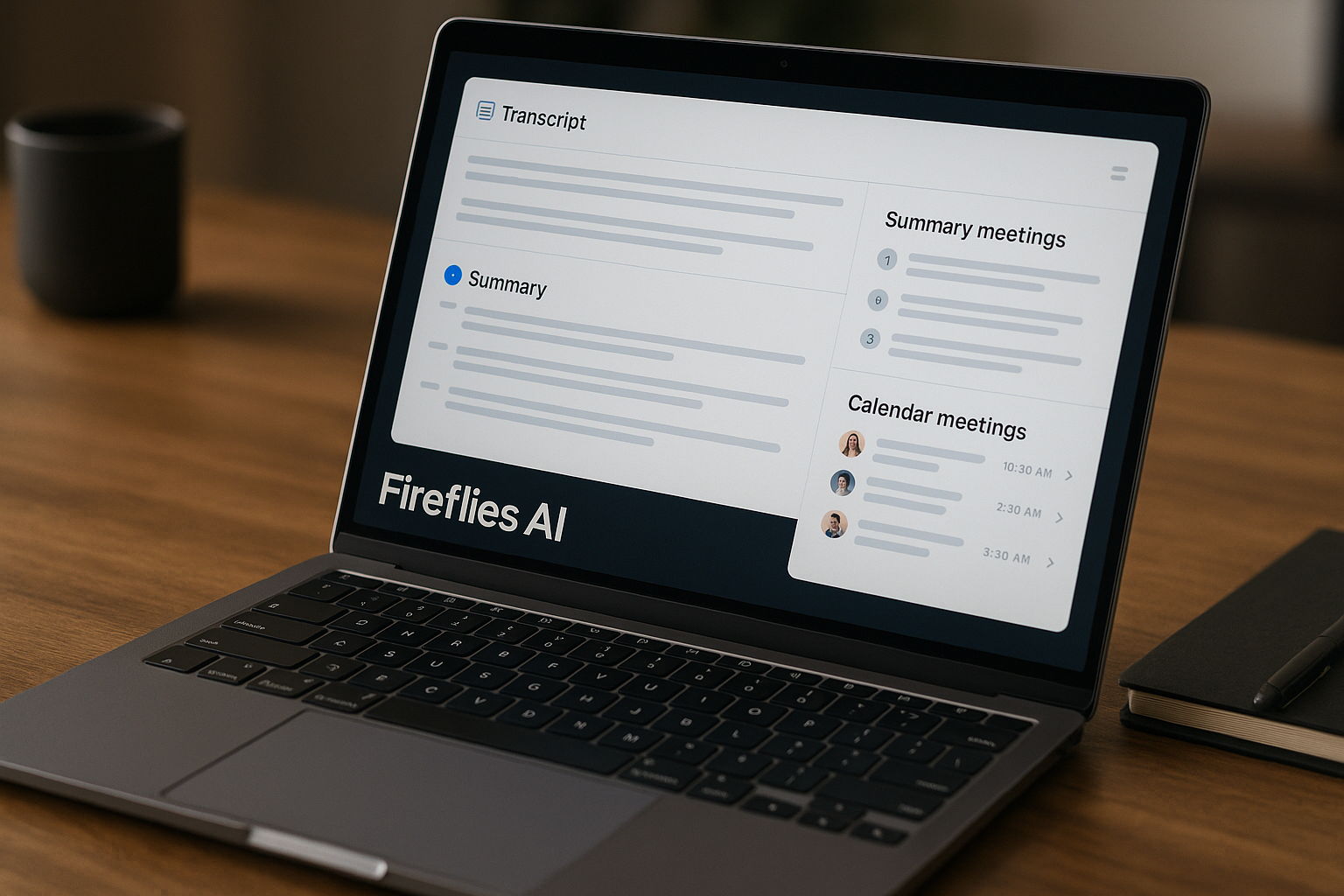
Official website · Latest pricing & offers
Fireflies AI Review 2026: Quick Verdict
Is Fireflies AI worth it?
If you want an AI meeting assistant that can record conversations, generate transcripts, summarize calls, and make meetings searchable later, this fireflies ai review finds Fireflies AI worth considering in 2026. It is especially strong for post-meeting documentation, team knowledge capture, follow-up workflows, and searchable meeting history.
For teams that live in back-to-back calls, Fireflies can reduce note-taking overhead and make it easier to reuse what was said. This review is based on verified Fireflies product and pricing information, official feature claims, and buyer-fit analysis—not hype or invented hands-on results. Disclosure: toptrustreview.com may earn a commission if you choose to try Fireflies AI through our affiliate link, at no extra cost to you. You can try Fireflies AI here if you want to evaluate it for your own meetings.
Best for / not best for
Fireflies AI is best for teams that want better meeting records without manually writing notes. Sales teams, recruiters, client-facing agencies, founders, and internal teams can benefit from searchable transcripts, summaries, action items, integrations, and workflow automation.
It is not the best fit if you mainly want live coaching during calls, a completely bot-free recording experience, or a very lightweight note-taking app with minimal setup. Some buyers may also need to review consent, privacy, and compliance requirements before inviting any meeting assistant into calls.
Bottom-line recommendation
The short version of this fireflies ai review: Fireflies AI is a strong choice for post-meeting productivity and team documentation. It turns meetings into searchable records, summaries, and follow-up tasks without adding much manual work.
I would start with the Free plan if you are testing casually, Pro if you need downloads and more storage, Business if you manage a growing team, and Enterprise if security controls are a major buying requirement.
What Fireflies AI Is and How It Works
What the platform does
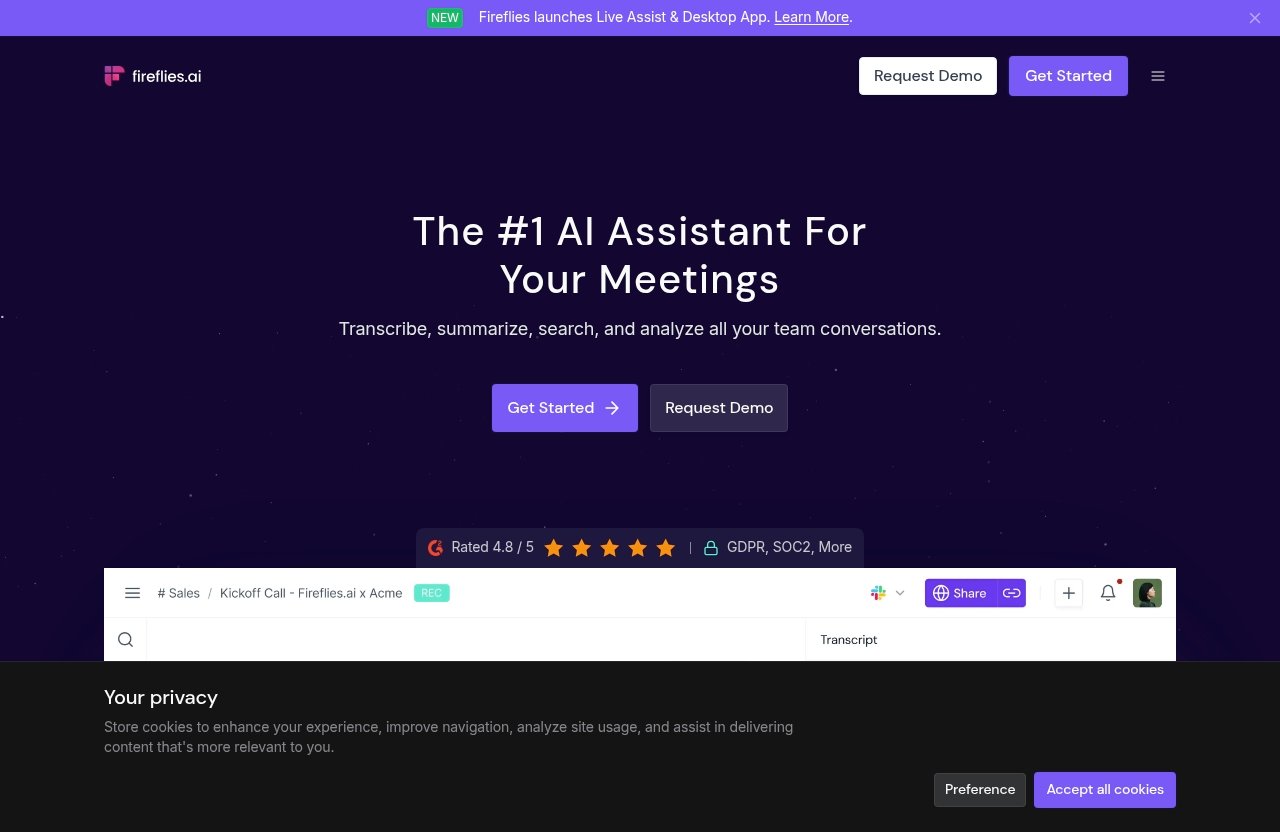
Fireflies AI is an AI meeting assistant built to transcribe, summarize, search, and analyze team conversations. According to the official Fireflies homepage, the platform supports transcription, AI summaries, meeting search, conversation analysis, speaker recognition, auto-language detection, and 100+ languages.
In practical terms, it helps turn calls into a meeting archive. Instead of relying on memory, scattered notes, or someone manually typing minutes, Fireflies AI can capture what happened and make it easier to find later.
Supported meeting sources
Fireflies supports common meeting platforms such as Zoom, Google Meet, Microsoft Teams, and more on its Free plan. It also offers ways to upload audio or video files, use a desktop app, mobile app, Chrome extension, and API access.
That flexibility matters if your team has meetings in different places. A good fireflies ai review should not just ask whether the tool works in one meeting app, but whether it fits the messy way real teams communicate.
How the workflow works from invite to recap
The typical workflow is simple: Fireflies can join a meeting, capture the conversation, transcribe it, and generate notes or summaries afterward. It can also provide real-time notes and live transcriptions, depending on how you use the platform.
After the meeting, you can search through the transcript, review summaries, identify action items, and use integrations or automation features to push work forward. For teams with many recurring calls, this creates a searchable knowledge base instead of a pile of forgotten recordings.
Key Features That Matter Most
Transcription and speaker recognition
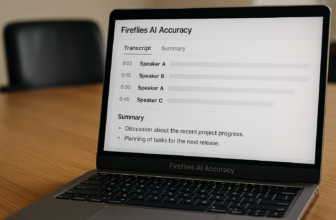
The core reason most buyers consider Fireflies is Fireflies AI transcription. The platform is designed to capture meeting audio and turn it into written transcripts that can be searched and reviewed.
Fireflies also lists speaker recognition and auto-language detection among its official capabilities. That is useful when reviewing multi-person meetings, because a transcript is much more valuable when you can understand who said what.
AI summaries and action items
Fireflies provides unlimited AI summaries across its plans, including the Free plan. This is one of the strongest buyer-facing benefits because many teams do not want to read a full transcript after every meeting.
Summaries help you quickly understand what was discussed, while action items and task management features on paid plans can help convert conversations into next steps. In this fireflies ai review, that post-meeting workflow is one of the biggest reasons the tool makes sense for busy teams.
Search, highlights, and meeting history
Search is where Fireflies becomes more than a recorder. Meeting search allows users to find specific discussions, decisions, objections, customer comments, or internal commitments without replaying an entire call.
For sales teams, this can help locate customer pain points. For managers, it can help review decisions. For agencies, it can reduce the “what did the client say?” problem that often happens after busy weeks of calls.
Tasks, CRM, and workflow integrations
Paid Fireflies plans add stronger workflow value. The Pro plan includes unlimited integrations, AI Skills, Voice Agents, action items, and a task manager. These features are designed to help teams move from meeting notes to actual follow-through.
The Business plan adds conversation intelligence and team analytics for admins. For teams that rely on CRM notes, project management workflows, or repeatable follow-ups, those integrations can be a major reason to upgrade beyond the Free plan.
Mobile app, desktop app, and Chrome extension
Fireflies includes access through a mobile app, desktop app, and Chrome extension. This makes it more flexible for users who do not only work from one browser tab or one meeting platform.
That said, buyers should think about where meetings actually happen. If your team uses a mix of live calls, uploaded recordings, and mobile conversations, Fireflies may fit better than a tool that only works in one narrow workflow.
Accuracy and Real-World Performance
When Fireflies is most accurate
The official Fireflies homepage claims up to 95% accurate transcription. For this fireflies ai review, I would treat that as a vendor claim rather than a guaranteed result for every meeting.
In general, AI transcription tools tend to perform best when speakers use clear microphones, background noise is low, people avoid talking over each other, and the meeting language is supported well. Fireflies supports transcription in 100+ languages, which is helpful for global teams, but real-world results can still depend on audio conditions.
Where accuracy can drop
Fireflies AI accuracy may drop when meetings include heavy background noise, multiple speakers interrupting each other, poor laptop microphones, unstable internet audio, or highly technical vocabulary. Accents, fast speech, and mixed-language conversations can also affect transcript quality.
This does not mean Fireflies AI is unreliable. It means buyers should avoid treating any AI transcript as a perfect legal record unless they have reviewed it. For important decisions, contracts, medical conversations, or compliance-sensitive discussions, human review is still wise.
How to get better results
To improve transcript quality, use dedicated microphones where possible, ask participants to avoid speaking over each other, and record from a stable meeting source. It also helps to keep meeting structure clear, especially when several topics are discussed.
Teams should also build a review habit. If a summary or action item is important, check the transcript before sending it to a customer or adding it to an official record. This balanced approach is the safest way to use the tool.
Security, Privacy, and Trust Factors
SOC 2 Type II and GDPR
A common buyer question is: Is Fireflies AI safe? According to the official Fireflies homepage, the platform lists GDPR and SOC 2 among its trust and security signals. The prompt information also references SOC 2 Type II, GDPR, and enterprise-grade security considerations.
That is encouraging, but buyers should still do their own compliance review. A fireflies ai review can summarize public claims, but your legal, IT, or security team should verify whether the platform fits your industry, data policies, and consent requirements.
Enterprise controls and admin features
The Enterprise plan includes advanced controls such as SSO + SCIM, audit logs, HIPAA compliance, private storage, custom data retention, transcript + summary only mode, a super admin role, and a dedicated account manager. These features are important for larger organizations that need tighter control over meeting data.
Business users also get team analytics for admins, user groups, and public meeting access. For buyers with Fireflies AI security concerns, the main question is not only whether Fireflies has security features, but whether the plan you choose includes the controls your organization requires.
What buyers should check before using it
Before rolling out Fireflies across a team, check your meeting consent rules, customer agreements, internal data policies, and retention requirements. This matters because Fireflies can join meetings and capture conversations, which may require disclosure depending on your region, industry, or company policy.
Visible bot-based meeting capture can actually be a benefit for transparency, because attendees can see that a meeting assistant is present. But it may also make some participants uncomfortable, especially in sensitive sales, HR, legal, or executive conversations.
Official website · Latest pricing & offers
Fireflies AI Pricing Explained
Free plan
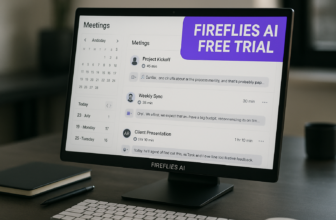
Fireflies AI free access is available through the Free plan, which is listed as $0 and free forever. It includes unlimited transcription, unlimited AI summaries, 400 minutes of storage per team, and 20 AI credits.
The Free plan also includes Zoom, Google Meet, Microsoft Teams, and more; transcription in 100+ languages; real-time notes and live transcriptions; meeting search; AskFred AI assistant; audio/video file upload; desktop app; mobile app; Chrome extension; and API access.
Pro plan
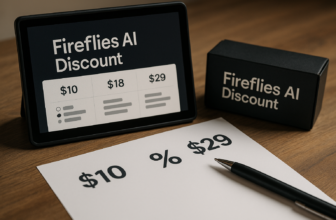
The Pro plan is $10 per seat/month billed annually, with $18 shown crossed out on the official pricing information. It includes unlimited transcription, unlimited AI summaries, 8,000 minutes of storage per seat, and 20 AI credits.
Pro includes everything in Free plus video recording, downloads for transcripts, summaries, and recordings, Personal Assistant, AI Skills, Voice Agents, action items and task manager, and unlimited integrations. In this fireflies ai review, Pro looks like the first serious paid tier for individuals or small teams that need more than basic capture.
Business plan
The Business plan is $19 per seat/month billed annually, with $29 shown crossed out. It includes unlimited transcription, unlimited AI summaries, unlimited storage, and 30 AI credits.
Business includes everything in Pro plus Multi-language Mode, conversation intelligence, team analytics for admins, public meeting access, and user groups. This plan is better suited for growing teams that need admin visibility and more advanced team-level features.
Enterprise plan
The Enterprise plan is $39 per seat/month billed annually and is annual only. It includes unlimited transcription, unlimited AI summaries, unlimited storage, and 50 AI credits.
Enterprise includes everything in Business plus a rules engine, SSO + SCIM, audit logs, HIPAA compliance, private storage, custom data retention, transcript + summary only mode, super admin role, and a dedicated account manager. This is the plan to evaluate if security, governance, and large-scale administration matter most.
Which plan has the best value
| Plan | Price | Best for | Key limits or reasons to upgrade |
|---|---|---|---|
| Free | $0 | Casual users testing Fireflies | 400 mins storage/team, 20 AI credits |
| Pro | $10/seat/month billed annually | Individuals and small teams | 8,000 mins storage/seat, stronger exports and integrations |
| Business | $19/seat/month billed annually | Growing teams | Adds unlimited storage, team analytics, conversation intelligence |
| Enterprise | $39/seat/month billed annually | Large organizations | Advanced security, compliance, admin controls |
For most buyers, Fireflies AI pricing is easiest to understand by asking three questions: how much storage do you need, how many AI credits do you need, and how much admin control is required? Free is generous for testing, Pro is practical for regular users, Business is stronger for teams, and Enterprise is for organizations with strict controls.
Pros and Cons After Testing the Buyer Fit
Top strengths
The biggest strength is that Fireflies turns meetings into a useful record. Transcripts, summaries, search, action items, and integrations can reduce manual note-taking and help teams remember what was decided.
Another strength is the breadth of access. Fireflies supports major meeting tools, uploads, mobile, desktop, Chrome, and API access. The official homepage also says Fireflies is used across 1 million+ companies and rated 4.8/5 on G2, although buyers should still read current user feedback for their own use case.
Main limitations
The main limitation is that Fireflies is primarily valuable after the conversation. If you need live coaching, real-time objection handling, or in-call guidance, this may not be the best match.
Another possible drawback is bot visibility. Since Fireflies can join meetings as an assistant, some buyers may prefer Fireflies AI alternatives that match a different capture style, especially if they want less visible recording or have strict meeting-participant concerns.
Why some buyers regret signing up
Some users may regret signing up if they expected perfect transcripts, fully automatic workflow cleanup, or zero review work. AI summaries are useful, but they should not replace judgment for important communications.
Others may find the platform more than they need. If all you want is a simple personal note pad, a full Fireflies AI meeting assistant with searchable archives, integrations, AI credits, and admin controls may feel like overkill.
Who Should Use Fireflies AI
Sales teams
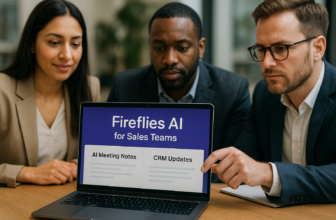
Sales teams are one of the clearest fits. Fireflies can help capture discovery calls, demo conversations, objections, customer language, and follow-up items.
The value is not just the transcript. It is the ability to search past calls, create summaries, and push notes into workflows. For sales managers, Business features like conversation intelligence and team analytics may also be useful.
Recruiters and HR teams
Recruiters and HR teams can use Fireflies to document interviews, hiring conversations, and internal alignment meetings. Searchable meeting history can help when comparing candidate discussions or reviewing decisions.
However, HR teams should be especially careful about consent and sensitive information. A fireflies ai review would be incomplete without noting that people-related conversations often require extra privacy discipline.
Agency and client-facing teams
Agencies can benefit from better client meeting records. Fireflies can help capture requirements, revisions, approvals, and next steps so teams do not rely only on memory or scattered notes.
This is especially helpful when multiple account managers, strategists, or delivery teams need to understand what a client asked for. Search and summaries can reduce internal confusion after busy meeting days.
Founders and solo professionals
Founders and solo professionals may like Fireflies because it reduces admin work. If you handle sales calls, investor conversations, hiring interviews, and customer feedback yourself, a searchable meeting archive can be valuable.
For solo users, the Free plan may be enough to test the workflow. Pro becomes more attractive if you need more storage, downloads, video recording, and stronger integrations.
Who Should Skip Fireflies AI
People who need live coaching during the call
If your main need is live help during a conversation, Fireflies may not be the best choice. Its strongest value is in transcription, summaries, search, and post-meeting follow-up.
For example, if you want real-time coaching prompts, live objection guidance, or in-call sales assistance, compare tools based on that specific need. This fireflies ai review rates Fireflies higher for documentation than for live coaching.
Teams that want bot-free recording
Some teams prefer bot-free capture because they do not want an assistant visibly joining calls. Fireflies can join meetings as a guest, which is practical and transparent, but not ideal for every meeting culture.
If bot visibility is a dealbreaker, compare alternatives based on recording style before choosing. This is one of the most important buyer-fit questions.
Buyers with strict privacy or consent constraints
Teams in regulated industries, legal environments, healthcare, HR, finance, or enterprise sales should review privacy rules carefully. Fireflies lists serious security and compliance-related features, especially on Enterprise, but your use case may still require internal approval.
The key question is not simply Is Fireflies AI legit. Based on official information, it is a real and established product. The better question is whether your organization is allowed to record, store, summarize, and search the conversations you plan to capture.
Users who only need a simple note taker
If you only need quick personal notes, Fireflies may be more powerful than necessary. Its real value appears when you need searchable transcripts, summaries, integrations, team workflows, and meeting history.
A basic note-taking tool may be enough for occasional calls. Fireflies makes more sense when meetings are frequent and the information inside them has ongoing value.
Fireflies AI vs Alternatives: What Matters in Comparison
How to compare it against note-takers
When comparing Fireflies AI vs Copilot tools or other AI note-takers, avoid focusing only on feature lists. Start with your workflow: do you want meeting capture, post-call summaries, searchable archives, CRM notes, team analytics, or live guidance?
Fireflies is best evaluated as a documentation and workflow automation tool. If an alternative is stronger in real-time assistance or bot-free capture, that may matter more for your team than transcript storage or integrations.
What criteria matter most
The most important comparison criteria are:
| Criteria | Why it matters |
|---|---|
| Bot visibility | Some teams want transparent capture; others prefer bot-free workflows |
| Transcription quality | Accuracy depends on audio, speakers, and meeting conditions |
| Summary usefulness | Saves time only if summaries are relevant and easy to review |
| Search and history | Critical for teams with many recurring meetings |
| Integrations | Helps turn meeting outcomes into CRM notes or tasks |
| Security controls | Important for regulated or enterprise buyers |
| Pricing fit | Storage, AI credits, and admin controls affect value |
A thoughtful fireflies ai review should compare based on buying priorities, not just whether a tool has more features on paper.
When an alternative may be better
An alternative may be better if you need live in-call help, a bot-free recording approach, a simpler personal note-taking experience, or a compliance model that better fits your organization. It may also be better if your team dislikes having an assistant visibly present in meetings.
Fireflies is most compelling when you want searchable transcripts, summaries, meeting intelligence, and workflow integrations. If those are not your priorities, do not buy it just because it is popular.
Official website · Latest pricing & offers
FAQ
Is Fireflies AI free?
Yes. Fireflies has a Free plan listed at $0 and described as free forever. It includes unlimited transcription, unlimited AI summaries, 400 minutes of storage per team, 20 AI credits, meeting search, AskFred AI assistant, uploads, mobile app, desktop app, Chrome extension, API access, and support for Zoom, Google Meet, Teams, and more.
Is Fireflies AI safe?
Fireflies lists GDPR and SOC 2 among its official security and trust signals. Enterprise also includes controls such as SSO + SCIM, audit logs, HIPAA compliance, private storage, custom data retention, transcript + summary only mode, and a super admin role.
That said, buyers should verify their own legal, compliance, consent, and data retention requirements before using any AI meeting assistant.
How accurate is Fireflies AI?
The official Fireflies homepage claims 95% accurate transcription. Actual Fireflies AI accuracy can vary depending on microphone quality, background noise, overlapping speakers, accents, meeting language, and audio clarity.
For important meetings, review transcripts and summaries before relying on them as final records.
Does Fireflies AI join meetings with a bot?
Yes, Fireflies can join meetings as a guest assistant to capture the conversation. This can be useful because it is visible and transparent, but it may be a drawback for teams that prefer bot-free recording or have strict participant-consent concerns.
What is the best Fireflies AI plan?
The best plan depends on your use case. Free is best for casual testing, Pro is better for individuals and small teams that need more storage and downloads, Business fits growing teams that need analytics and unlimited storage, and Enterprise is for larger organizations that need advanced security and admin controls.
Final Verdict: Is Fireflies AI Worth It in 2026?
Best-value recommendation
The best-value choice for most serious users is likely Pro or Business, depending on team size. Pro gives individuals and small teams more practical working features, while Business adds unlimited storage, conversation intelligence, admin analytics, and user groups.
If you are unsure, start with Free and test the workflow on real meetings. If you like the transcripts, summaries, and search experience, then consider upgrading based on storage, AI credits, and admin needs.
Value for money assessment
This fireflies ai review finds the product most valuable for teams that treat meetings as business records. If calls contain customer insights, hiring decisions, client requests, sales objections, or internal commitments, Fireflies can help preserve and organize that information.
It is less valuable if your meetings are rare, informal, or not worth searching later. It is also not the ideal choice if your top priority is live coaching or bot-free capture.
Final score-style wrap-up
Fireflies AI is legit, feature-rich, and commercially sensible for buyers who want an AI meeting assistant focused on documentation, summaries, search, and workflow automation. Its official feature set is broad, the Free plan is useful for evaluation, and the paid tiers scale into team and enterprise needs.
Final recommendation: consider Fireflies AI if you want stronger post-meeting records and searchable team knowledge. Skip it if you need live in-call guidance, a bot-free experience, or a very simple note-taking tool. For buyers who match its strengths, this fireflies ai review concludes that Fireflies AI is worth shortlisting in 2026.
Related Reading
- GoHighLevel Review 2026
- GoHighLevel Pricing 2026
- Skool Review 2026
- Best Gohighlevel Alternatives in 2026
- Best Skool Alternatives in 2026: Cheaper and More Advanced Options for Creators
References
- Fireflies.ai | #1 AI Assistant for Meetings, Email, Chat & CRM
- Pricing & Plans | Fireflies.ai AI App for Smarter Meeting Notes
- Read Customer Service Reviews of fireflies.ai – Trustpilot
- I used Fireflies.ai for 33 meetings in 30 days – Reddit