Taplio Features 2026: What You Get for the Price
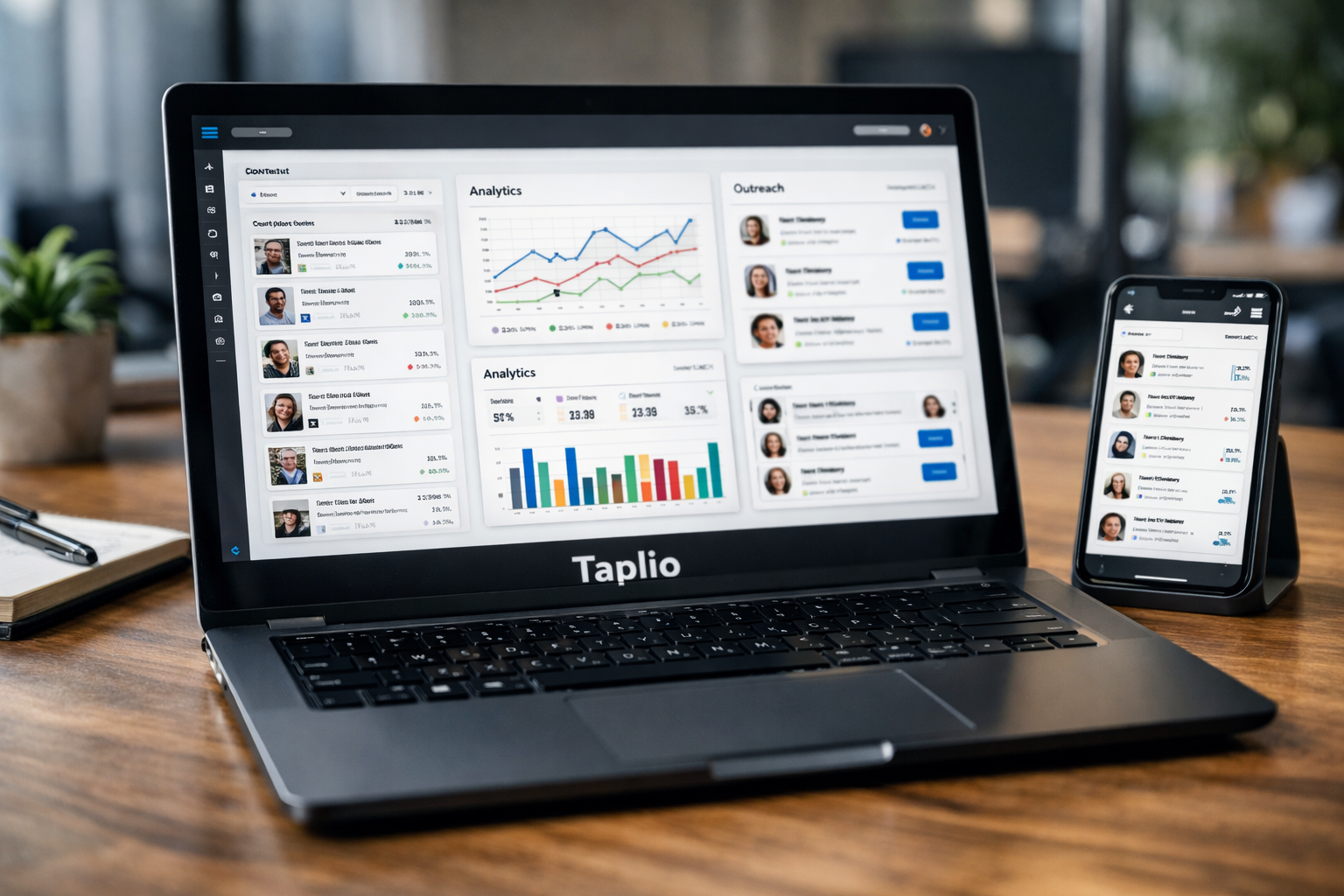
Taplio is an all-in-one LinkedIn growth tool built around a simple promise: help users create, publish, analyse, and support LinkedIn activity in less time. For buyers comparing taplio features, the real question is not whether the platform has a long checklist. It is whether those tools solve the daily bottlenecks that slow down content, engagement, and lead generation.
This TopTrustReview guide is based on the official Taplio homepage and pricing page, alongside reputable review coverage. It may contain an affiliate link, which means TopTrustReview could earn a commission if you decide to purchase through a link, at no added cost to you. My goal is to separate verified product facts from practical interpretation so you can decide whether Taplio fits your workflow.
Official website · Latest pricing & offers
Taplio Features at a Glance
What Taplio is built to do
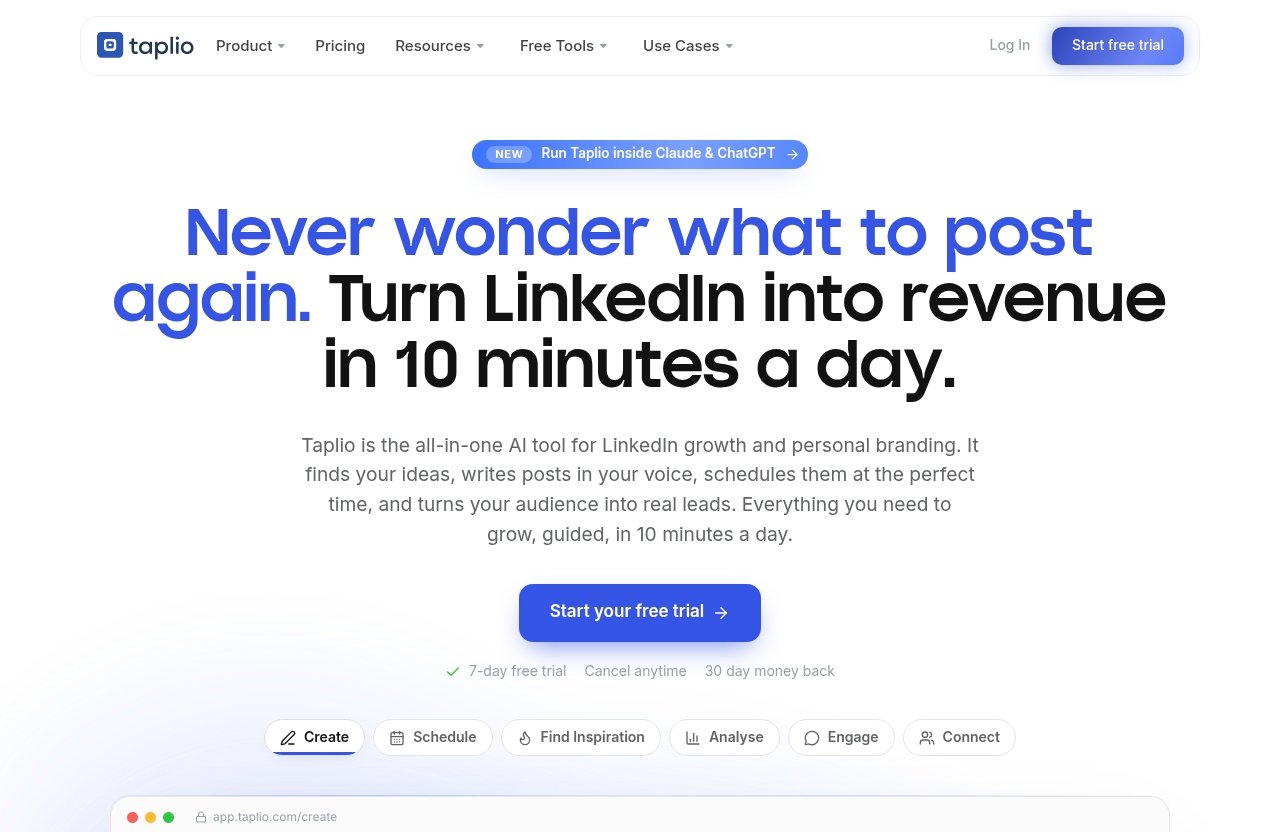
The official taplio features list covers the major jobs involved in building a LinkedIn presence: creating posts, finding ideas, scheduling content, analysing performance, engaging with relevant people, and supporting outreach. It also includes carousels, automation, and a new MCP workflow that lets users run Taplio through Claude, ChatGPT, or another MCP-enabled LLM.
In practical terms, Taplio aims to replace a fragmented routine. Instead of switching between a writing assistant, a post scheduler, a spreadsheet of ideas, and manual profile research, users can handle more of the LinkedIn workflow in one place.
The platform’s core feature areas include:
| Feature Area | What It Helps With | Likely Buyer Value |
|---|---|---|
| Create | Finding ideas and writing posts | Faster content production |
| Schedule | Queueing posts at optimal times automatically | Better consistency |
| Analyse | Seeing which content is working | More informed content decisions |
| Find Inspiration | Discovering viral posts worth remixing | Stronger topics and hooks |
| Engage | Showing up on relevant people’s posts | More visible networking |
| Connect | Auto-connecting and sending DMs to warm leads | Outreach support |
| Carousels | Turning content into swipeable carousels | More varied content formats |
| Automate | Putting recurring LinkedIn activity on autopilot | Time savings |
| MCP | Running workflows through compatible LLMs | More flexible AI-assisted work |
Who Taplio is best for in 2026
The strongest fit for taplio features is a person or team that treats LinkedIn as a meaningful channel rather than an occasional place to repost company news. That includes solo founders developing authority, consultants building inbound demand, creators publishing regularly, agencies managing LinkedIn activity, and sales-led teams that want a more structured outreach process.
It is especially useful for buyers who already know they should be more consistent but struggle with the execution. If post ideas, writing time, engagement routines, and lead follow-up are recurring friction points, a LinkedIn-specific workspace can be easier to justify than another broad marketing subscription.
Why features matter more than the headline price
A $39 monthly tool is expensive if it only produces unused drafts. A $199 plan can be reasonable if it replaces enough manual work in a serious client or team workflow. That is why a useful Taplio review should assess the fit between your operating habits and the product’s feature areas, not just compare subscription prices.
Before subscribing, identify the one or two problems that cost you the most time each week. For some buyers, that will be the Taplio scheduler and content queue. For others, it will be inspiration discovery, the Taplio engagement feed, or outreach support.
Taplio Pricing in 2026: What You Actually Pay For
Taplio pricing officially starts at $39 per month. The verified plan prices are Starter at $39 per month, Standard at $65 per month, and Pro at $199 per month.
The official information provided confirms those prices, but it does not provide enough verified detail here to map every individual feature, usage limit, or permission to a specific tier. That distinction matters: buyers should review the current plan comparison on Taplio’s checkout or pricing page before assuming a particular capability is included at a given level.
Starter plan: $39/month
The Starter plan costs $39 per month. At this level, the practical question is whether the core Taplio LinkedIn tool workflow saves a solo user enough time to justify the fee.
Starter is the most logical plan to investigate if you are a founder, independent consultant, or new LinkedIn creator who wants a repeatable publishing routine. Use the trial period to test whether you actually create, schedule, and analyse content more consistently than you would with your current process.
Standard plan: $65/month
The Standard plan costs $65 per month. This price point may make more sense for a buyer who is using Taplio regularly rather than occasionally.
For a consultant or creator with a proven LinkedIn habit, the incremental cost over Starter may be worthwhile if the current plan details include the access or capacity you need. Check the official plan page for the live comparison rather than choosing based on price alone.
Pro plan: $199/month
The Pro plan costs $199 per month. This is a business-level decision, not a casual productivity purchase.
Pro is most relevant for intensive users, agencies, client managers, or teams where saved time and workflow consolidation have a larger commercial impact. It can also make sense when a buyer needs more than one person’s lightweight content routine, but you should validate current Pro inclusions carefully before committing.
What the free trial and money-back policy mean for buyers
The official pricing page is titled “Taplio Pricing – Plans from $39/mo | Free Trial,” confirming that Taplio offers a free trial. A trial is the best way to test whether the platform fits your real LinkedIn process rather than an idealized version of it.
I would use the trial to write several posts, build a queue, inspect analytics, explore inspiration, and assess whether outreach tools match your style. The verified facts supplied for this review do not confirm a money-back policy, its duration, or its terms, so buyers should check Taplio’s current billing and help documentation directly.
Core Taplio Features and the Results They Help Drive
AI post creation and idea generation
Taplio AI supports the “Create” workflow: finding ideas and writing posts designed to grow on LinkedIn. This is useful when you have expertise but cannot turn it into a clear post fast enough.
For founders and consultants, the practical outcome is fewer blank-page moments. Rather than treating AI output as publish-ready copy, use it as a first draft, angle generator, or outline assistant, then add your personal experience, examples, and point of view.
The taplio features for creation also include a Taplio carousel generator. Turning existing content into a swipeable carousel can help users repurpose a strong idea into a format that feels more structured and easier to scan.
Scheduling and queueing posts at best times
The Taplio scheduler lets users queue posts at their best times automatically. This directly addresses one of the most common LinkedIn problems: posting only when you happen to remember.
Consistency is the main benefit. A queue gives you space to create content in batches, review it calmly, and keep publishing active during busy weeks without having to manually post every day.
For many buyers, scheduling alone will not justify a new platform. Its value grows when it works alongside writing, inspiration, analysis, and engagement features in the same LinkedIn-first routine.
Analytics and performance insights
Taplio analytics are designed to show what is working so users can double down. That is more useful than chasing every individual post result because it encourages a repeatable content strategy.
A consultant might find that certain client lessons consistently create conversations. A founder may notice that product-building stories outperform generic advice. The sensible next step is to create more content from the themes that attract the right audience, not simply the highest visible engagement.
The important limitation is that analytics inform decisions; they do not guarantee outcomes. Strong positioning, a credible profile, and genuinely useful ideas still determine whether visibility turns into relevant business conversations.
Viral post discovery for inspiration
The “Find inspiration” feature helps users discover viral posts worth remixing. This should not mean copying someone else’s voice or point of view. Used well, it helps you understand common formats, hooks, topics, and audience questions that are already getting attention.
This part of the taplio features set is valuable for creators who publish often and need a dependable research habit. You can take the underlying idea, add your own experience, and make the post relevant to your buyers.
Taplio’s official site also references resources including LinkedIn Masterclasses, LinkedIn Benchmark, a blog, help center, and free tools. These may be useful supporting resources, but they should not be confused with verified plan-level feature access.
Taplio’s Growth and Outreach Tools
Engagement feed and commenting workflow
The Taplio engagement feed is designed to help users show up on the right people’s posts. That matters because LinkedIn growth is rarely just a publishing game; relevant comments and conversations can introduce your expertise to people outside your direct audience.
For a consultant, this can support relationship-building around ideal clients, peers, and industry voices. For a creator, it can make engagement more intentional instead of endlessly scrolling and reacting without a clear purpose.
The likely result is a more focused commenting habit. It is not a substitute for genuine insight: useful comments should add context, experience, or a thoughtful question rather than simply say “great post.”
Auto-connect and warm DM outreach
Taplio connect is officially described as auto-connecting and sending DMs to warm leads. That makes it relevant to users who want a more systematic way to follow up with people who have already shown some level of interest.
The commercial value lies in reducing administrative friction. When outreach is connected to relevant engagement and profile activity, it can help sales-led users avoid losing warm conversations in a crowded inbox.
However, the quality of the message still matters. Personal relevance, a clear reason for reaching out, and respectful timing are much more important than sending a high volume of generic messages.
Lead generation and prospecting value
Taplio lead generation value is strongest when LinkedIn content and networking already play a role in your sales process. Publishing useful posts can create awareness, while engagement and warm outreach can help turn that attention into conversations.
That does not mean Taplio replaces a full CRM, a sales strategy, or a qualified offer. It is better understood as a LinkedIn activity layer that can support prospecting, follow-up, and authority-building.
If your buyers are not active on LinkedIn, or if your business wins work mainly through paid search, referrals, or local foot traffic, the platform’s specialized workflow may be less valuable.
When automation helps and when it can feel too hands-off
Taplio automation is most helpful for repeatable, low-value tasks that otherwise consume attention. Scheduling, maintaining a queue, and creating a more orderly daily workflow are sensible examples of where automation can preserve time.
It can feel too hands-off when users attempt to automate trust. Relationship-building, thoughtful comments, and direct messages require human judgment. A good rule is to automate the administration around your LinkedIn activity while keeping your voice, targeting, and conversations personal.
Official website · Latest pricing & offers
Taplio’s AI and New Workflow Enhancements
Run Taplio from Claude, ChatGPT, or MCP-enabled LLMs
Taplio MCP is a newly listed feature that allows users to run Taplio from Claude, ChatGPT, or any MCP-enabled LLM. Officially, this positions Taplio as more than a standalone dashboard for users who prefer to work through an AI interface.
The practical implication is workflow flexibility. A user who already plans content or develops ideas in an MCP-compatible LLM environment may be able to bring Taplio activity closer to that existing process.
Because this is a newer workflow area, buyers should review Taplio’s current documentation to understand the exact setup, supported actions, and access requirements.
How the AI workflow changes daily use
The best use of Taplio AI is not to remove human thinking. It is to reduce the repetitive work between an idea, a draft, a scheduled post, and the review of what happened next.
For example, a consultant could use an AI-assisted workflow to turn a client-safe lesson into several possible post angles, choose one, refine it with real experience, and add it to a queue. That is a more practical use than generating large volumes of interchangeable content.
This is where taplio features can create daily value: they connect multiple small tasks that are easy to postpone when managed separately.
Why this matters for power users and agencies
Power users often already have a preferred system for notes, prompts, research, and content review. MCP support may appeal to them because it can make Taplio part of that broader workflow instead of another isolated tab.
Taplio for agencies may also benefit when managers need a more repeatable way to support client content operations. Still, agencies should confirm current account structure, collaboration needs, and plan-level access directly with Taplio before treating the tool as a complete client management solution.
For a broader agency-oriented perspective, see our [Taplio for Agencies Review 2026: Is It Worth Paying For?](/taplio-for-agencies-review-2026/).
Taplio for Different Buyer Types
Solo founders and personal brands
Solo founders should start by identifying whether LinkedIn is a strategic channel for customer discovery, partnerships, hiring, or credibility. If it is, the Starter plan’s $39 monthly price is the natural entry point to evaluate.
The most valuable workflow is usually idea generation, writing, scheduling, and basic performance review. A founder who posts only once every few months will likely not get enough value from the platform, regardless of tier.
LinkedIn creators and consultants
Creators and consultants often get the clearest benefit from taplio features because their expertise needs to be turned into regular, visible content. Inspiration discovery, AI-assisted creation, carousels, scheduling, analytics, and focused engagement all support that job.
Start with the lowest tier that contains the current access you need. Move beyond Starter only after you can point to a real workflow constraint, rather than upgrading because a higher plan sounds more professional.
Agencies and client managers
Agencies should assess Taplio around operational fit: How will it support client ideation, approval, publishing routines, engagement, and reporting? The $199 Pro plan may be worth evaluating for higher-intensity agency use, while the $65 Standard plan could suit a smaller operation depending on the current feature allocation.
Do not assume a higher price automatically solves collaboration needs. Compare the live plan details against your client workflow, then also consider our [Contentstudio Social Media Automation Review 2026: Is It Worth It for Solo Marketers and Small Teams?](/contentstudio-social-media-automation-review-2026/) and [Post Planner for Agencies: A Practical 2026 Review](/post-planner-for-agencies-2026-review/) if multi-platform needs are central.
Sales-led teams and outreach users
Sales-led teams should evaluate Taplio connect, warm DM outreach, engagement support, and content creation as one system. The goal is not to automate indiscriminate prospecting; it is to make relevant LinkedIn activity easier to maintain.
Standard or Pro may warrant consideration for serious sales use, but only after confirming current access and team suitability with Taplio. A team that lacks a defined audience, message, or follow-up process will not solve those foundational issues with software alone.
What Taplio Does Well vs. Where It May Fall Short
Strengths: speed, consistency, LinkedIn-first workflow
The major strength of taplio features is their focus. Taplio brings creation, inspiration, scheduling, analytics, engagement, carousels, outreach, automation, and MCP into a LinkedIn-centered environment.
That focus can reduce context switching. Instead of adapting a generic social media process to LinkedIn, users can build a workflow around how they actually publish, network, and start conversations on that platform.
The strongest buyer outcome is consistent execution. When you can move from idea to draft to scheduled post and then learn from performance, it becomes easier to sustain a useful presence over time.
Potential limitations: platform focus and feature overlap
Taplio’s specialization is also its main limitation. If your content strategy is equally dependent on several social networks, a LinkedIn-first tool may not be the only platform you need.
There can also be feature overlap with tools you already own. If you have a preferred AI writer, a social scheduler, and an analytics workflow that you use reliably, calculate whether Taplio consolidates enough work to replace or simplify those subscriptions.
The phrase “all-in-one” should not automatically mean “best for everyone.” Buyers need to decide whether LinkedIn is important enough to deserve a dedicated workspace.
How to decide if Taplio is worth the price
A practical Taplio review decision comes down to three questions:
- Do you have a clear LinkedIn audience and reason to show up regularly?
- Will you use the content, scheduling, engagement, or outreach tools every week?
- Does the time saved or improved consistency matter commercially to your business?
If the answer is yes to all three, start with the official trial and evaluate the lowest suitable tier. You can review the current offer through Taplio’s pricing page while keeping in mind that TopTrustReview may earn an affiliate commission from qualifying purchases.
How Taplio Compares to the Alternatives Buyers Usually Consider
Taplio vs generic social schedulers
Generic social schedulers are usually designed to help users plan and publish across multiple networks. Taplio is different because it is built specifically around LinkedIn growth activities, including inspiration, content creation, analytics, engagement, and warm outreach support.
If your main need is to publish one post across several channels, a general scheduler may be a better fit. If LinkedIn is your primary business-development channel, Taplio’s specialized workflow can be more relevant.
Taplio vs broader AI content tools
Broader AI content tools can help with drafting, brainstorming, and repurposing content across many formats. Taplio AI adds value when you want that creation process tied directly to LinkedIn publishing, performance analysis, engagement, and automation.
The choice depends on where your bottleneck sits. Choose a general AI tool if content production across many channels is the problem; consider Taplio if LinkedIn execution is the specific process you want to improve.
Why LinkedIn-first specialization is the differentiator
Taplio’s LinkedIn-first specialization matters because it combines the workflow around one channel rather than treating LinkedIn as an afterthought in a wider publishing calendar. This can be particularly useful for consultants, founders, and sales professionals whose audience and commercial conversations are concentrated there.
For lean businesses comparing marketing stacks, it is also worth reading [Systeme.io vs HubSpot: Which Platform Is Better for Lean Small Businesses in 2026?](/systeme-io-vs-hubspot-2026/) to separate social visibility tools from broader funnel and customer-management needs.
Final Verdict: Is Taplio Worth It for the Price in 2026?
Best-value scenario
The best-value scenario for taplio features is a buyer who relies on LinkedIn for visibility, authority, networking, or lead generation and will use the tool consistently. The platform is most compelling when its connected workflow replaces scattered manual tasks rather than becoming another unused subscription.
When the Starter plan is enough
The $39 Starter plan is the sensible place for a solo founder, consultant, or creator to begin. It gives you a lower-risk way to evaluate whether Taplio’s creation, scheduling, inspiration, and analysis approach actually improves your weekly output.
Use the free trial to test your real behavior. If you do not return to the dashboard, build a queue, or find better ideas, upgrading will not fix the underlying issue.
When Standard or Pro makes sense
The $65 Standard plan may make sense for regular users who need the access available in that tier. The $199 Pro plan is more appropriate for higher-intensity users, agencies, or teams that can connect the software cost to a meaningful operational need.
Since exact plan entitlements can change, confirm the current comparison on Taplio’s official pricing page before selecting either option. The right tier is the lowest-priced plan that supports your genuine workflow.
Bottom-line recommendation
Taplio is worth considering in 2026 if LinkedIn is a serious growth channel for your business and you need a more disciplined system for content, engagement, and warm outreach. Its value comes from combining those jobs in a LinkedIn-specific workspace, not from any single feature in isolation.
For most individual buyers, begin with Starter and validate usage during the trial. Consider Standard or Pro only when your publishing volume, client work, or team workflow clearly justifies the additional spend.
Official website · Latest pricing & offers
FAQ
What are Taplio's key features?
Taplio’s key official feature areas are post scheduling, viral post discovery for inspiration, analytics, AI-assisted content creation, carousels, engagement support, automation, and connect tools for auto-connecting and sending DMs to warm leads. It also offers Taplio MCP, which lets users run Taplio from Claude, ChatGPT, or another MCP-enabled LLM.
How does Taplio compare to Buffer?
Buffer is generally considered a broader social media scheduling tool, while Taplio is specialized around LinkedIn growth workflows. Taplio goes beyond the basic publishing use case with LinkedIn-focused inspiration, analytics, engagement, content creation, carousel creation, and outreach-related capabilities. Buyers managing many platforms may prefer a general scheduler, while LinkedIn-focused users may find Taplio more aligned with their daily needs.
Is Taplio safe for LinkedIn?
Use caution with any tool that supports automated LinkedIn activity. Taplio officially lists automation, auto-connect, and warm DM capabilities, but users should keep activity relevant, avoid spammy behavior, and retain human judgment over comments and messages. Before using outreach or automation features, review Taplio’s current help documentation and policies, along with LinkedIn’s current best-practice guidance.
Related Reading
- Contentstudio Social Media Automation Review 2026: Is It Worth It for Solo Marketers and Small Teams?
- Systeme.io vs HubSpot: Which Platform Is Better for Lean Small Businesses in 2026?
References
- Taplio official homepage
- Taplio pricing page
- Taplio Review 2026: Features, Pricing, Safety & What Users Don't Know
- Taplio Review (2026): Honest Pros, Cons, Pricing, and When It's Worth It