Best AI Podcast Tools in 2026: Compare the Right Tool for Your Podcast Workflow
The best ai podcast tools in 2026 are not all trying to solve the same problem. Some help you plan episodes, some clean up audio, some generate synthetic voices, and others turn one long-form episode into clips, transcripts, show notes, newsletters, and social content.
For most solo podcasters, podcast managers, agencies, and small teams, the biggest bottleneck is not recording more content. It is turning each episode into publishable assets fast. That is where Podsqueeze stands out as the strongest recommendation for podcast repurposing and content output.
Official website · Latest pricing & offers
Best AI Podcast Tools in 2026: Quick Verdict
If you want a quick commercial verdict, here it is: choose the tool that removes your most painful workflow step first.
For research, NotebookLM-style tools can help you explore source material and plan topics. For voice generation, ElevenLabs is a common option to consider. For text-based editing, Descript is often part of the conversation. For recording workflows, Riverside is worth comparing. But if your priority is turning existing podcast audio or video into transcripts, show notes, clips, audiograms, newsletters, blogs, and social posts, Podsqueeze is the most focused choice.
The best ai podcast tools are strongest when matched to a specific job, not judged as generic “AI for podcasting” platforms.
What ‘best’ means for different podcast workflows
“Best” depends on where your podcast workflow breaks down.
A creator who spends too long planning episodes needs research and outlining help. A video podcast team may care more about recording quality and short-form clips. An agency managing multiple shows may need repeatable repurposing workflows, saved templates, transcripts, and content folders.
Here is the practical way to think about the market:
| Workflow need | Best-fit tool type | What to prioritize |
|---|---|---|
| Research and planning | AI research assistant | Source handling, summaries, idea generation |
| Voice generation | AI voice platform | Consent, realism, licensing, control |
| Editing | AI podcast editing tools | Text-based editing, cleanup, collaboration |
| Audio enhancement | Enhancement tool | Noise cleanup, clarity, speed |
| Repurposing | Podcast repurposing tools | Clips, show notes, social posts, newsletters |
| Publishing support | Podcast marketing tools | Website pages, SEO content, social formats |
The best ai podcast tools for one creator may be overkill for another. A two-tool stack often beats an all-in-one platform if each tool is excellent at its specific role.
Who Podsqueeze is best for
Podsqueeze is best for creators and teams who already have podcast episodes and want to multiply the output from each one.
It is especially relevant if you need:
- Podcast transcripts
- Summaries and complete show notes
- Short clips with captions
- Audiograms
- Newsletters
- Blog posts
- Social media posts
- Quote images
- YouTube transcripts
- SRT subtitle files
- Podcast website or landing pages
- Audio enhancement and removal of silences or filler words
In this Podsqueeze review, the key point is focus. Podsqueeze is not trying to be every possible podcast production tool. It is built around the content-after-recording problem: turning long-form audio or video into assets your audience can discover, read, watch, and share.
If that is your bottleneck, Podsqueeze is one of the best ai podcast tools to evaluate first.
How this list was selected
This guide uses an editorial evaluation framework based on verified product information, official feature positioning, pricing clarity where available, and practical workflow fit.
The goal is not to crown a universal winner. It is to help buyers compare tools by use case: research, voice, editing, recording, repurposing, transcription, and publishing support.
AI podcast tools still require human review. Summaries can miss nuance, generated copy can sound flat, and AI systems may hallucinate details if you do not check the output against the source episode. The tools below are useful because they reduce manual work, not because they replace editorial judgment.
How We Evaluated the Best AI Podcast Tools
The best ai podcast tools should save time without creating more cleanup work later.
A tool that generates five weak assets you have to rewrite from scratch is less valuable than a tool that gives you two strong drafts you can polish quickly. For commercial buyers, the real question is not “Does it use AI?” It is “Does it help me publish more consistently with less operational drag?”
Core evaluation criteria
We evaluated AI podcast tools across five buyer-focused criteria:
| Criteria | Why it matters |
|---|---|
| Workflow fit | The tool should solve a real production bottleneck |
| Output quality | Drafts, clips, transcripts, and summaries should be usable after review |
| Speed | The tool should reduce repetitive manual work |
| Feature depth | Specialized features often matter more than broad claims |
| Pricing clarity | Buyers need to understand what they get at each plan level |
For podcast teams, workflow fit matters most. A strong AI podcast clip generator may not be the right tool for recording. A great editor may not be the fastest podcast show notes generator. The best choice depends on the job.
Ease of use and output quality
Ease of use is not just about a clean interface. It is about how many steps it takes to go from episode file to publishable asset.
For example, a practical podcast repurposing workflow might look like this:
- Upload or import an episode.
- Generate a transcript with speaker labels.
- Create a summary and show notes.
- Pull short clips or audiograms.
- Draft social posts and newsletter copy.
- Review, edit, and publish.
The best ai podcast tools reduce friction across that chain. They should make the first draft faster while still giving you control over tone, accuracy, formatting, and final approval.
Pricing and value for money
Value depends on output volume.
A solo creator publishing twice a month may need a lower-cost plan with enough minutes and a few clips. An agency managing multiple shows may need more minutes, more exports, team onboarding, folders, and repeatable templates.
The strongest tools make pricing easy to understand. Podsqueeze is a good example because its pricing page clearly lists monthly podcast minutes, clip or audiogram counts, file upload limits, and plan differences. For competitor tools, avoid comparing on price unless you verify current official pricing directly, because AI software plans change often.
Best-fit use case vs all-in-one promise
The “all-in-one” promise sounds attractive, but it can be misleading.
A single platform may be convenient, yet a focused stack can perform better. For example, a team might use Riverside for recording, Descript for editing, and Podsqueeze for repurposing. That stack is more complex than one tool, but it may create better results if each product handles its stage well.
The best ai podcast tools do not have to replace your full workflow. Sometimes the smartest buy is the tool that removes the one bottleneck costing you the most time.
Podsqueeze Review: Best for Podcast Repurposing and Fast Content Output
Podsqueeze is the strongest recommendation in this guide for podcast repurposing, transcription, show notes, clips, audiograms, newsletters, and social content.
Based on its official product pages, Podsqueeze helps users launch and grow audio or video podcasts with AI. Its feature set is clearly built around turning long-form podcast content into multiple publishable assets.
If your workflow problem is “we record episodes, but we struggle to turn them into marketing content,” Podsqueeze is the tool I would put at the top of your shortlist.
What Podsqueeze does well
Podsqueeze is best understood as a podcast workflow automation and repurposing tool.
It helps creators take an episode and generate assets such as transcripts, summaries, complete show notes, social posts, newsletters, blogs, clips, and audiograms. That makes it especially useful for teams that want each podcast episode to support YouTube Shorts, TikTok, Instagram, email, blogs, and SEO pages.
This is why Podsqueeze is one of the best ai podcast tools for content multiplication. It focuses on what happens after the recording is done, which is where many creators lose momentum.
For example, instead of manually writing show notes, clipping highlights, drafting posts, and preparing newsletter copy, you can use Podsqueeze to produce first drafts and media assets from the episode itself. Human review is still required, but the starting point is much faster.
Best features from the official product pages
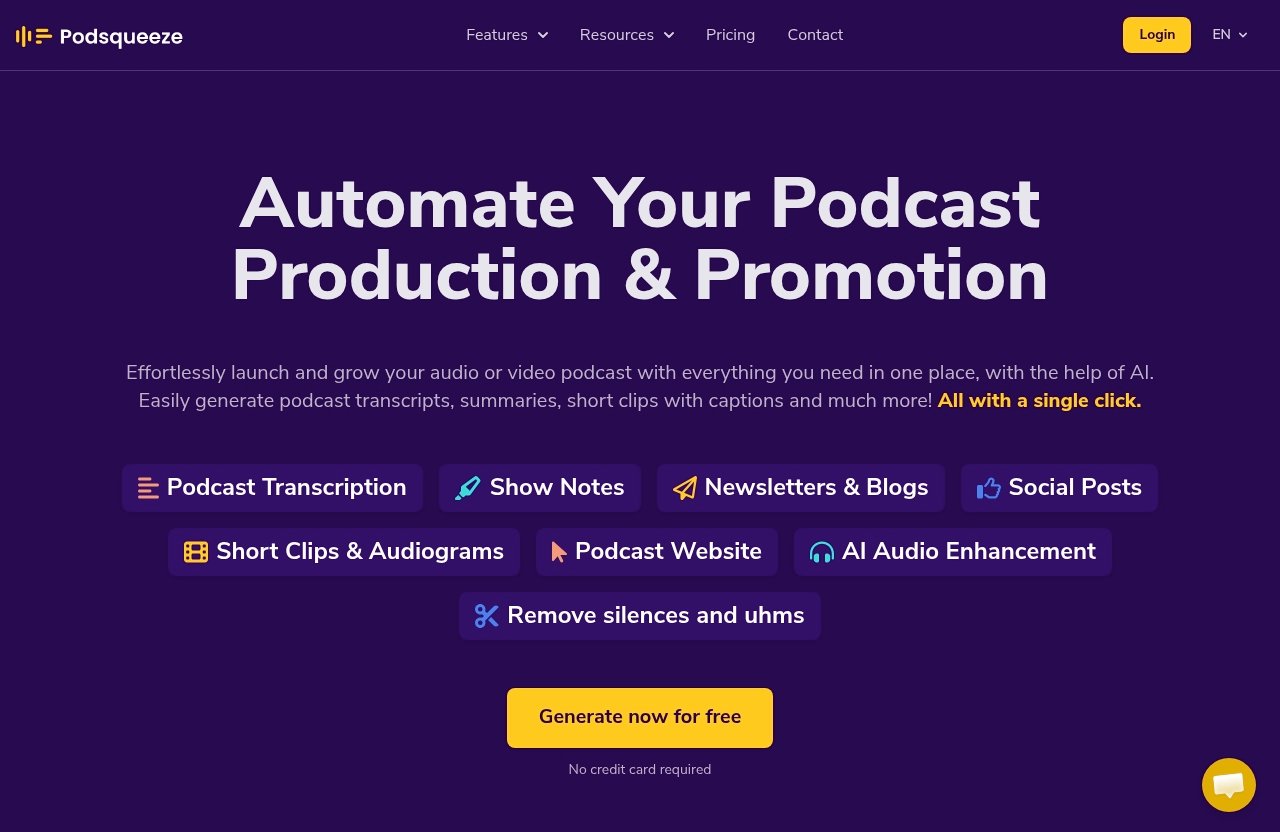
Podsqueeze’s official homepage lists a broad set of podcast-focused features. The most important ones for buyers include:
| Feature | Why it matters |
|---|---|
| Podcast transcripts | Useful for accessibility, editing, SEO, and content review |
| Summaries and show notes | Helps create episode pages and listener-friendly descriptions |
| Short clips with captions | Supports TikTok, Instagram, and YouTube Shorts workflows |
| Audiograms | Useful for promoting audio-first shows on visual platforms |
| Newsletters | Helps turn episodes into email content |
| Blogs | Supports long-form repurposing and search visibility |
| Social posts | Speeds up promotion across channels |
| AI audio enhancement | Helps improve sound quality |
| Removing silences and ums | Reduces manual cleanup work |
| Podcast website creation | Builds an online hub for episodes |
| Podcast landing pages | Useful for promoting individual shows or campaigns |
| Podcast folders | Helps organize content |
| Speaker labeling | Makes transcripts easier to read and edit |
| YouTube transcripts | Useful for video podcast workflows |
| SRT subtitle files | Supports captions and accessibility |
| Chat with transcript | Helps query episode content faster |
| Personalized results | Helps align outputs with user preferences |
| Save video templates | Supports repeatable visual workflows |
Podsqueeze also states that users can generate complete show notes and social media posts in their own voice. That matters because many AI podcast marketing tools produce generic copy unless you spend time editing tone and structure.
For clips and audiograms, Podsqueeze says exports can be used for TikTok, Instagram, and YouTube Shorts. It also states that AI editing can shorten each chapter of an episode to under 60 seconds, which is useful for creators building a repeatable short-form workflow.
Pricing plans and who each plan suits
Podsqueeze pricing is clear enough to compare by buyer type. The official pricing page lists four plans:
| Plan | Price | Included podcast time | Clips/audiograms | Best fit |
|---|---|---|---|---|
| Starter | $8.99/mo | 120 mins/month | 8 video clips or audiograms | Solo creators, hobby shows, simple monthly repurposing |
| Pro | $49/mo | 320 mins/month | 20 video clips or audiograms | Consistent podcasters and small teams |
| Agency Lite | $89/mo | 600 mins/month | 40 video clips or audiograms | Podcast managers and agencies handling more volume |
| Enterprise | Custom pricing | Custom minutes | Custom clips | Larger teams needing priority support and onboarding |
All listed paid plans include minutes rollover, quote images, unlimited uploads, unlimited YouTube conversions, audio enhancement, podcast audio editor, chat with transcript, personalized results, and saved video templates.
There are some plan differences worth noting. Starter includes file upload up to 4Gb and a podcast website. Pro and Agency Lite include file upload up to 10Gb and podcast landing pages. Enterprise includes everything in Pro, plus custom minutes, custom clips, priority support, feature requests, team onboarding, and training.
Annual billing is available with 30% off, according to the pricing page.
For a buyer comparing the best ai podcast tools, the main value question is simple: how many minutes do you publish per month, and how many clips or audiograms do you realistically need?
Limitations to consider
Podsqueeze is not the right answer for every podcasting task.
If your main need is remote recording, compare Riverside. If your priority is deep text-based editing, compare Descript. If you need synthetic voice generation, compare ElevenLabs. If you want a simple audio cleanup utility, Adobe Podcast-style enhancement tools may be enough.
Podsqueeze is strongest after the episode exists. It can support audio enhancement and editing tasks, but its clearest advantage is repurposing finished audio or video into a complete content package.
Like all AI tools, Podsqueeze outputs should be reviewed before publishing. Check transcripts for names, facts, speaker labels, and context. Review social posts and show notes to make sure they match your brand voice and do not overstate claims from the episode.
Official website · Latest pricing & offers
Best AI Podcast Tools by Use Case
The best ai podcast tools are easier to compare when grouped by job.
Most podcast teams do not need every category on day one. Start with the workflow stage that slows you down most, then add tools only when the return is obvious.
Best for research and episode planning
For research and planning, NotebookLM-style workflows are useful when you need to explore source material, summarize documents, and develop episode angles.
This type of tool can help with:
- Topic exploration
- Source-based summaries
- Interview prep
- Question generation
- Episode outlines
- Audio overview-style brainstorming
The main caution is accuracy. Research assistants can be helpful, but they should not be treated as final fact-checkers. Always verify claims against original sources before recording or publishing.
For many creators, the ideal stack is a research tool for planning plus Podsqueeze after recording. That gives you support at both ends of the workflow: better preparation and faster repurposing.
Best for AI voice generation
For AI voice generation, ElevenLabs is one of the main names buyers tend to compare.
AI voice tools can be useful for narration, language versions, accessibility experiments, or scripted audio. However, voice cloning and synthetic media require careful consent and rights management. You should only clone or reproduce a voice when you have clear permission and understand the licensing terms.
This category is different from podcast repurposing. A voice tool helps create or transform spoken audio. It does not necessarily give you the transcripts, show notes, clips, newsletters, and social content you need after publishing.
That is why the best ai podcast tools for voice are not automatically the best tools for podcast marketing.
Best for editing and cleanup
For editing, Descript is commonly associated with text-based audio and video editing. This can be valuable if you want to edit spoken content more like a document.
Adobe Podcast-style enhancement tools are relevant if your main problem is audio clarity. A simple enhancement workflow can help when recordings have background noise, inconsistent sound, or lower production quality.
Podsqueeze also includes AI audio enhancement and can remove silences and ums, according to its homepage and pricing page. That makes it useful for light cleanup inside a broader repurposing workflow.
If editing is your primary bottleneck, compare dedicated AI podcast editing tools first. If editing is only one part of a bigger publishing problem, Podsqueeze may be more efficient because it connects cleanup with content generation.
Best for clips and short-form repurposing
Short-form repurposing is where Podsqueeze is particularly strong.
The tool can generate short clips with captions and audiograms, with exports intended for TikTok, Instagram, and YouTube Shorts. It also supports quote images, social posts, newsletters, blogs, summaries, and transcripts.
For buyers looking for an AI podcast clip generator, the key question is not just “Can it make clips?” It is “Can it help us turn the episode into a full promotion package?” Podsqueeze is compelling because clips are part of a wider repurposing system.
Castmagic or Podscribe-style repurposing competitors may also appear in your research. Compare them by output types, workflow speed, transcript quality, and how much editing you need after generation.
Best for transcription and speaker labeling
Transcription is foundational because many downstream assets depend on it.
A transcript can support show notes, summaries, blogs, captions, quotes, editing decisions, and internal search. Speaker labeling matters because a messy transcript slows down review and makes repurposed content less reliable.
Podsqueeze includes podcast transcripts and speaker labeling, plus YouTube transcripts and SRT subtitle files. For teams that publish video podcasts, those transcript and subtitle options are especially useful.
The best ai podcast tools for transcription should help you do more than download a wall of text. Ideally, they should connect the transcript to clips, summaries, show notes, and social content.
Podsqueeze vs the Main Alternatives
This section compares tools functionally rather than pretending every product is a direct replacement.
The right choice depends on where you need leverage: recording, editing, research, voice generation, enhancement, or repurposing.
| Comparison | Stronger fit for Podsqueeze | Stronger fit for alternative |
|---|---|---|
| Podsqueeze vs Descript | Repurposing, show notes, clips, newsletters, social posts | Text-based editing workflows |
| Podsqueeze vs Podcastle | Post-production content output | All-in-one creation workflows |
| Podsqueeze vs Adobe Podcast | Multi-asset repurposing | Simple audio enhancement |
| Podsqueeze vs Riverside | Content after recording | Recording workflow |
| Podsqueeze vs NotebookLM | Publishing assets from episodes | Research and planning |
Podsqueeze vs Descript
Podsqueeze and Descript are often compared because both sit near podcast production workflows, but they solve different problems.
Descript is best known for editing workflows, especially text-based editing. If your main goal is to cut, rearrange, and polish spoken content, it deserves consideration.
Podsqueeze is stronger when the episode is already recorded and you need outputs: transcripts, summaries, show notes, clips, audiograms, newsletters, blogs, and social posts. It is less of a pure editor and more of a podcast repurposing engine.
If you are searching for a Descript alternative specifically because you need more marketing assets from each episode, Podsqueeze may be the better fit. If you need deep editing controls first, Descript may still belong in your stack.
Podsqueeze vs Podcastle
Podcastle is typically positioned around podcast creation workflows, so it may appeal to users looking for an all-in-one creation environment.
Podsqueeze is more compelling when your priority is post-recording output. Its official feature set is clearly aligned with repurposing: show notes, transcripts, blogs, newsletters, social posts, clips, audiograms, quote images, podcast pages, and more.
For a beginner, an all-in-one tool can feel simpler. For a creator with a repeatable publishing schedule, however, the best value may come from a specialized tool that removes the content distribution workload.
That is why Podsqueeze belongs on any shortlist of the best ai podcast tools for teams that already know how to record but struggle to publish consistently across channels.
Podsqueeze vs Adobe Podcast
Adobe Podcast-style tools are often considered for audio enhancement and cleanup.
If all you need is to improve poor audio quickly, a dedicated enhancement tool may be enough. That can be useful for interviews, remote recordings, or inconsistent microphone setups.
Podsqueeze includes audio enhancement and can remove ums and silences, but its larger value is that cleanup sits alongside repurposing. After improving the episode, you can also generate transcripts, show notes, social posts, newsletters, blogs, clips, and audiograms.
So the decision is straightforward: choose a simple enhancement tool if audio cleanup is the only job. Choose Podsqueeze if you want cleanup plus a broader podcast marketing workflow.
Podsqueeze vs Riverside
Riverside is most relevant when recording workflow is the priority.
If you need to capture remote interviews or manage video-first recording sessions, compare recording platforms before choosing a repurposing tool. Recording quality and guest experience matter at the start of the process.
Podsqueeze comes later. It helps once you have audio or video content and need to turn it into publishable assets.
Many teams may use both types of tools. Riverside-style recording plus Podsqueeze-style repurposing can be a practical stack for video podcasters who want to record high-quality conversations and then quickly produce Shorts, transcripts, show notes, and social assets.
Podsqueeze vs NotebookLM
NotebookLM-style tools are useful for research, source exploration, and planning.
They can help you understand documents, develop episode ideas, and prepare interview questions. That makes them valuable before recording.
Podsqueeze is valuable after recording. It works from your audio or video podcast content to produce transcripts, summaries, clips, audiograms, newsletters, blogs, and posts.
These tools are complementary rather than direct substitutes. For many buyers comparing the best ai podcast tools, the smartest stack is NotebookLM for research and Podsqueeze for repurposing.
Which AI Podcast Tool Should You Choose?
The right choice depends on your publishing model, team size, budget, and bottleneck.
Do not start by buying the platform with the longest feature list. Start by identifying the task that prevents you from publishing consistently.
Solo creators
Solo creators usually need speed and simplicity.
If you record episodes but struggle to promote them, Podsqueeze is a strong fit. It can help turn one episode into transcripts, show notes, clips, audiograms, newsletters, blogs, and social posts without requiring a large team.
A solo creator stack might look like this:
| Need | Suggested tool type |
|---|---|
| Planning | NotebookLM-style research assistant |
| Recording | Your preferred recording setup |
| Repurposing | Podsqueeze |
| Light cleanup | Podsqueeze audio enhancement or a dedicated enhancer |
For solo podcasters, the best ai podcast tools are the ones that reduce repetitive work and make publishing feel manageable.
Agencies and podcast managers
Agencies and podcast managers need consistency across clients and shows.
They should prioritize tools that support repeatable workflows, organized assets, templates, transcripts, and scalable content output. Podsqueeze is relevant because its official plans include podcast folders, personalized results, saved video templates, and higher-minute options.
Agency Lite includes 600 minutes per month, 40 video clips or audiograms, file upload up to 10Gb, unlimited uploads, unlimited YouTube conversions, podcast landing pages, audio enhancement, podcast audio editor, chat with transcript, personalized results, and saved video templates.
For higher-volume teams, Enterprise offers custom minutes, custom clips, priority support, feature requests, team onboarding, and training.
Video-first podcasters
Video-first podcasters should think in terms of both recording and distribution.
You may want a dedicated recording platform for capturing interviews, then a repurposing tool for turning the final episode into short clips and platform-specific assets. Podsqueeze is useful here because it supports short clips with captions, audiograms, YouTube transcripts, and SRT subtitle files.
It also states that clips and audiograms can be exported for TikTok, Instagram, and YouTube Shorts. That matters if short-form video is part of your discovery strategy.
For video creators, the best ai podcast tools are usually a stack: recording first, editing if needed, then repurposing.
Budget-conscious beginners
Budget-conscious beginners should avoid buying too many tools too early.
Start with the tool that gives you the most visible output from your existing episodes. Podsqueeze Starter is listed at $8.99/mo and includes 120 minutes of podcast time per month, 8 video clips or audiograms, quote images, file upload up to 4Gb, unlimited uploads, unlimited YouTube conversions, podcast website, audio enhancement, podcast audio editor, chat with transcript, personalized results, and saved video templates.
That makes it a practical entry point for creators who want to publish more assets without building a complicated content team.
If you are only experimenting with podcasting, keep the stack lean. Add dedicated editing, voice, or research tools only when you know you need them.
Teams scaling multiple shows
Teams scaling multiple shows need process more than novelty.
They should document who owns each workflow stage: research, recording, editing, repurposing, review, publishing, and analytics. AI tools can speed up each stage, but only if the team has clear standards for quality and approval.
Podsqueeze is well suited to scaling content output from completed episodes. Pro, Agency Lite, and Enterprise plans are the most relevant tiers to compare depending on monthly minutes, clip needs, file sizes, support expectations, and number of shows.
For teams, the best ai podcast tools are not just creative assistants. They are operational systems that help turn every episode into a repeatable set of assets.
How to Use AI Podcast Tools Without Hurting Quality or Trust
AI can speed up podcast production, but careless publishing can damage trust.
The goal is not to automate judgment. The goal is to remove repetitive work while keeping human editorial control.
Human review before publishing
Every AI-generated transcript, summary, show note, clip caption, and social post should be reviewed before publishing.
Check for:
- Incorrect names
- Misattributed quotes
- Missing context
- Awkward phrasing
- Overstated claims
- Repetitive copy
- Captions that change meaning
- Tone that does not match your brand
This is especially important for expert interviews, health content, finance topics, legal discussions, and any episode involving sensitive claims.
The best ai podcast tools make review easier by giving you strong drafts, but they do not remove responsibility for accuracy.
Avoiding hallucinations and bad summaries
AI tools can hallucinate. They can also flatten nuance, skip caveats, or summarize a guest’s point too aggressively.
To reduce risk, compare generated content against the transcript and original episode. For show notes, make sure the summary reflects what was actually said. For social posts, avoid turning a nuanced conversation into a misleading hot take.
A good workflow is to treat AI outputs as drafts, not final copy. Use them to accelerate production, then apply human judgment before publishing.
Rights, consent, and voice cloning considerations
Voice cloning and AI-generated media require special care.
Only use someone’s voice, likeness, or performance with clear consent. If you work with guests, hosts, contractors, or clients, make sure you understand who owns the recording and what rights you have to repurpose it.
Synthetic voices can be useful, but they also create ethical and legal risks if used casually. Be transparent where appropriate, especially if listeners may assume a real person recorded something they did not.
The best ai podcast tools should fit inside a responsible media workflow. Speed is not worth risking trust, rights, or reputation.
Keeping your brand voice consistent
AI-generated content can sound generic if you do not guide it.
Create a simple brand voice checklist for your podcast:
| Brand element | Example decision |
|---|---|
| Tone | Practical, warm, expert, conversational |
| Formatting | Bullets, timestamps, short paragraphs |
| Social style | Educational, opinionated, story-led |
| CTA style | Soft recommendation, direct offer, newsletter invite |
| Words to avoid | Hype phrases, clichés, exaggerated claims |
Podsqueeze’s official homepage says it can generate complete show notes and social media posts in your own voice. Even so, you should review outputs and refine them so your content feels like it came from your show, not from a generic AI template.
Official website · Latest pricing & offers
FAQ
Which AI is best for podcasts?
The best AI depends on the podcast task. NotebookLM-style tools can help with research and planning, ElevenLabs is commonly considered for AI voices, Descript is often used for editing workflows, and Podsqueeze is strongest for transcription, show notes, clips, audiograms, newsletters, blogs, and social repurposing.
If your main bottleneck is turning episodes into publishable assets, Podsqueeze is one of the best ai podcast tools to evaluate first.
What are the best AI podcast tools for beginners?
Beginners should start with tools that simplify the most repetitive parts of podcasting. For many new creators, that means transcription, show notes, clips, and social content rather than advanced editing or complex automation.
Podsqueeze is a strong beginner-friendly option because it helps turn one episode into multiple assets quickly. If you also need planning help, pair it with a research assistant. If you need recording support, add a dedicated recording tool.
Can AI make a podcast from start to finish?
AI can help across nearly the full podcast workflow: research, outlining, scripting, voice generation, editing, transcription, show notes, clips, newsletters, and social promotion.
However, human review is still needed. You should check facts, tone, guest quotes, summaries, captions, rights, and final publishing decisions. AI can accelerate the process, but it should not replace editorial responsibility.
Is Podsqueeze good for podcast clips and social media content?
Yes. Podsqueeze’s official product pages list short clips with captions, audiograms, quote images, social posts, newsletters, summaries, transcripts, blogs, and show notes.
It also states that clips and audiograms can be exported for TikTok, Instagram, and YouTube Shorts. That makes it a strong option for creators who want an AI podcast clip generator plus broader podcast repurposing tools in one workflow.
What should I look for in an AI podcast tool?
Look for output quality, time saved, pricing clarity, transcription accuracy, speaker labeling, clip creation, editing controls, and workflow fit.
The most important question is whether the tool solves your real bottleneck. The best ai podcast tools are not always the ones with the most features. They are the ones that help you publish better content faster with less manual work.
Final Recommendation: The Best AI Podcast Tools for Most Buyers in 2026
The best ai podcast tools in 2026 are workflow-specific.
Do not buy based on hype. Buy based on the job you need done: research, recording, editing, voice, transcription, repurposing, or publishing support.
Best overall for repurposing
Podsqueeze is the best overall recommendation for podcast repurposing.
It is the strongest fit for creators, podcast managers, agencies, and small teams that want to turn completed audio or video episodes into transcripts, summaries, show notes, clips, audiograms, newsletters, blogs, social posts, quote images, subtitles, and podcast pages.
If your goal is to get more value from every episode, start your comparison with Podsqueeze.
Best for editing
For editing-first workflows, compare Descript and other dedicated AI podcast editing tools.
This is the right category if your biggest challenge is cutting, restructuring, and polishing the episode itself before publishing.
Best for voice
For AI voice generation, compare ElevenLabs-style tools.
Use this category carefully. Make sure you have consent, rights, and a clear reason to use synthetic voice content in your podcast workflow.
Best for research
For research and planning, NotebookLM-style tools are useful before you record.
They can help summarize sources, organize ideas, and prepare interview questions. Pairing a research assistant with Podsqueeze after recording can create a practical end-to-end workflow.
Best budget-friendly stack
For budget-conscious creators, the best starting stack is simple:
| Workflow stage | Recommended approach |
|---|---|
| Planning | Free or low-cost research workflow |
| Recording | Existing recording setup |
| Repurposing | Podsqueeze Starter or Pro, depending on volume |
| Review | Human editing and approval before publishing |
The final verdict: choose Podsqueeze if your main goal is to turn each podcast episode into more publishable content with less manual production work. Among the best ai podcast tools available in 2026, it is the clearest fit for fast, practical podcast repurposing.
Related Reading
- Best Repurpose.io Alternatives in 2026
- Best Klap Alternatives for Podcast Clips and Social Media Shorts in 2026
- Contentstudio Review 2026
References
- The Best Podcast AI Tools: How to Create a Podcast with AI
- The Best AI Tools for Podcasting – And How To Use Them
- The 9 Best AI Podcasting Tools in 2026 – Alex Birkett
- The AI tools I actually use to make podcasts