Contentstudio Pros and Cons in 2026: A Buyer-Focused Decision Guide

Official website · Latest pricing & offers
Quick Verdict: Is ContentStudio Worth It in 2026?
If you are weighing ContentStudio pros and cons before buying, the short answer is this: ContentStudio is worth considering if you need more than basic post scheduling. It is a unified social media management tool built around publishing, AI-assisted content creation, analytics, engagement, social listening, discovery, automation, and team workflows.
In my view, ContentStudio makes the most sense for buyers who want one platform to organize the social content process from idea to publishing to measurement. It is less compelling if your only need is to schedule a few posts per week on one or two channels.
The main tradeoff is depth versus simplicity. The same breadth that makes ContentStudio useful for agencies, teams, and growing creators can also make it feel heavier than a lightweight scheduler.
Best for: agencies, teams, and creators managing multiple channels
ContentStudio is best suited to users who manage recurring content across multiple social profiles, brands, clients, or campaigns. Its official feature set includes Workspaces, Calendar/Planner, Smart scheduling, Bulk scheduling, Approval workflow, Client management, White-label, Competitor analytics, Automation, Mobile app, and more.
That matters because social media work rarely happens in one step. You may need to find ideas, draft captions, organize approvals, schedule posts, respond to comments, track KPIs, and compare performance. A broader content marketing platform can reduce the number of tools involved.
For agencies, the value is especially clear. ContentStudio for agencies is positioned around client workflows, centralized control, and scalable publishing operations.
Not ideal for: users who only need basic scheduling
If your workflow is simple, the ContentStudio pros and cons calculation changes. A creator who only wants to queue posts occasionally may not use enough of the platform to justify the learning curve or cost.
Review patterns on sites like G2 and Capterra commonly show buyers appreciating ContentStudio’s efficiency and centralized scheduling, while also noting that richer tools can take time to learn. That is not unusual for a multi-feature social media management tool, but it is still important.
If you want the simplest possible posting queue, ContentStudio may feel like more platform than you need.
Bottom-line decision framework
Use this quick framework before going deeper:
| Buyer situation | Likely fit |
|---|---|
| You manage multiple brands, clients, or workspaces | Strong fit |
| You need discovery, AI, scheduling, analytics, and engagement together | Strong fit |
| You only post occasionally to a few profiles | Possibly overkill |
| You need approval workflows or client management | Strong fit |
| You want the lowest-friction basic scheduler | Consider simpler ContentStudio alternatives |
My bottom-line ContentStudio review is balanced: it is a capable, broad platform for serious social workflows, but buyers should confirm they will use its deeper features before subscribing.
What ContentStudio Is Used For
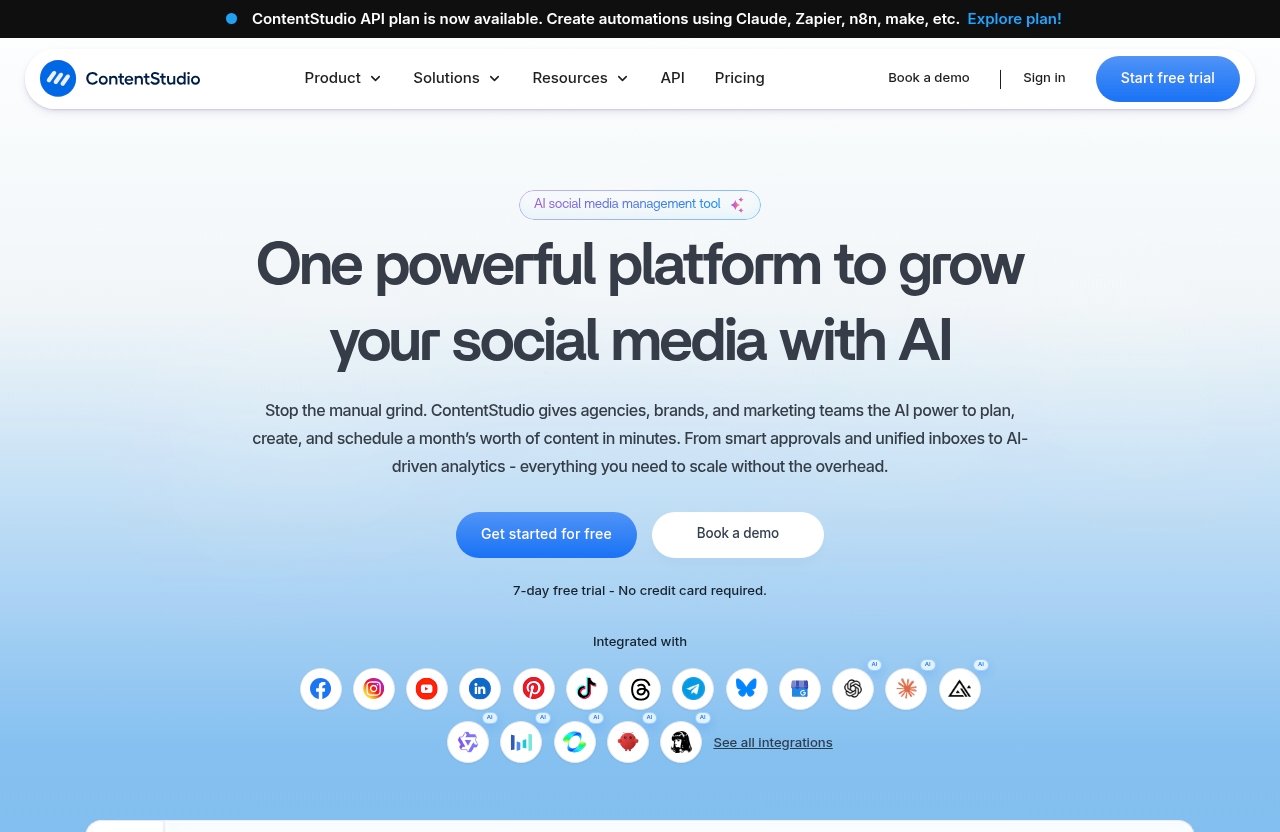
ContentStudio is officially positioned as a unified social media management tool. In practical terms, it helps users plan, create, discover, schedule, publish, analyze, engage, listen, and automate social media activity from one place.
When comparing ContentStudio pros and cons, this is the key point: it is not just a post scheduler. It is closer to a full social media and content workflow platform.
Content creation and AI-assisted captioning
ContentStudio’s official homepage includes AI Studio, which supports AI-generated captions and images. The official top feature list also mentions AI content library and AI video generator.
For buyers, this matters because content production is often the bottleneck. AI-assisted captioning can help teams move from blank page to draft faster, especially when they need variations for different channels or campaigns.
That said, AI should still be treated as a drafting assistant, not a replacement for editorial judgment. Brand voice, accuracy, compliance, and final approvals still need human oversight.
Content curation and feed discovery
ContentStudio’s Discover feature is designed to manage and read feeds. This supports content curation, topic monitoring, and idea generation.
This is one of the more practical ContentStudio features for teams that need a steady stream of content ideas. Instead of starting from scratch every day, marketers can use discovery workflows to spot relevant conversations, themes, and shareable content.
For more on turning research into reusable assets, see our guide to repurposing content workflows.
Publishing, scheduling, and calendar planning
Publishing is a core part of the platform. Official features include Publish, Calendar/Planner, Smart scheduling, Bulk scheduling, and Media library.
The ContentStudio content calendar is important because it gives buyers a planning layer, not just a posting queue. For teams, that means campaigns can be mapped visually, reviewed more easily, and coordinated across channels.
Bulk scheduling and smart scheduling are especially useful when you manage recurring campaigns or high-volume content. These features can save time compared with manual posting.
Analytics, inbox, social listening, and automation
ContentStudio also includes Analyze for measuring social media KPIs, Engage for social media customer care, Social Listening to follow conversations, and Automation.
This is where the ContentStudio pros and cons become more buyer-specific. If you need measurement, customer engagement, listening, and workflow automation, the platform’s broader scope can be valuable. If you only need to publish, the added depth may not matter.
The official pricing page also states that a ContentStudio API plan is available and can be used to create automations using Claude, Zapier, n8n, Make, and similar tools.
ContentStudio Pros
The strongest ContentStudio pros come from its breadth. It brings several important social media functions into one environment, which can reduce tool switching and improve workflow consistency.
Below are the advantages that matter most when evaluating ContentStudio pros and cons as a buyer.
Broad feature set in one platform
ContentStudio combines publishing, planning, AI content support, analytics, engagement, discovery, listening, and automation. That gives it a wider role than a basic scheduler.
For small teams, this can reduce the need to patch together separate tools for ideation, scheduling, reporting, and monitoring. For agencies, it can support more organized multi-client operations.
The buyer benefit is operational simplicity. Even if there is a learning curve, having one central platform can make day-to-day work easier once the workflow is set up.
Strong workflow coverage across publish, discover, analyze, engage
The official homepage groups core functions into Publish, AI Studio, Analyze, Engage, Social Listening, and Discover. That structure reflects the real content lifecycle.
A typical workflow might start with Discover, move into AI-assisted drafting, go through calendar planning and approvals, publish via smart scheduling, then review performance in Analyze. Engagement and listening can then inform the next cycle.
This is why many user-review patterns around ContentStudio mention efficiency and centralized control. The platform is built around the full loop, not only the final publishing step.
Supports many networks and business types
Official solution pages position ContentStudio for solo creators, agencies, small business, marketing teams, and enterprise. That does not mean every buyer needs the same setup, but it does show the product is intended for a wide range of operating models.
For solo creators, the value may come from faster planning and AI-assisted content. For small businesses, it may be centralized scheduling and reporting. For teams and agencies, workspaces, approvals, client management, and white-label options become more relevant.
When considering ContentStudio pros and cons, match the platform to your workflow complexity. The more stakeholders, channels, and campaigns you manage, the more its broader feature set may matter.
Automation-friendly setup and API plan
ContentStudio includes Automation as an official top feature. Its pricing page also confirms that the ContentStudio API plan is available and can be used to create automations using tools such as Claude, Zapier, n8n, and Make.
This is significant for buyers who want more than manual scheduling. ContentStudio automation can help connect social workflows with other systems, although the exact setup will depend on your tools and technical comfort level.
For growing teams, automation can reduce repetitive work. It can also help standardize processes around publishing, content operations, and reporting.
Useful for teams, client workflows, and scaling
ContentStudio’s official feature list includes Workspaces, Approval workflow, Client management, White-label, and White-label reseller. These are especially relevant for agencies and teams.
Approval workflows help reduce accidental publishing and support review processes. Workspaces and client management can help separate brands, campaigns, or accounts. White-label options may matter for service providers that present reports or portals under their own brand.
This is one of the clearest arguments in favor of ContentStudio for teams. If several people are involved in content production, the platform’s structure can support a more professional process.
ContentStudio Cons
A fair ContentStudio review should also cover the drawbacks. The main ContentStudio cons are not necessarily product flaws; they are fit issues that depend on how simple or complex your workflow is.
When assessing ContentStudio pros and cons, these are the tradeoffs I would pay attention to before buying.
Can feel complex for beginners
Because ContentStudio covers publishing, discovery, AI, analytics, engagement, listening, automation, and client workflows, new users may need time to understand the platform.
This is a common pattern with all-in-one marketing software. More capability usually means more settings, more screens, and more decisions during setup.
If you are new to social media management tools, plan time for onboarding. Do not judge the platform only by the first hour of use.
Advanced feature set may be overkill for simple posting
If you only need to schedule a few posts, ContentStudio may be more advanced than necessary. Features like social listening, approval workflows, competitor analytics, AI libraries, white-label, and API-based automation may not be relevant to a basic user.
This is where simpler ContentStudio alternatives can make sense. A lightweight scheduler may be easier if you do not need content discovery, client management, or multi-step workflows.
The key is not whether ContentStudio has enough features. It clearly has a broad feature set. The question is whether you will actually use them.
Pricing can rise with team use and higher needs
The verified official pricing snapshot states that plans start from $19 per month. However, advanced or team-oriented needs can create pricing pressure with many software platforms, especially when buyers require more users, brands, workflows, automation, or client management.
Because the provided official facts do not include full tier details, I would not assume the exact cost for your team without checking the live pricing page. Buyers should verify current plan inclusions before committing.
This is an important part of evaluating ContentStudio pros and cons. The entry point may look accessible, but your real cost depends on the plan that fits your workflow.
Not the best fit if you only want lightweight scheduling
ContentStudio is a unified social media management tool, not just a minimalist queue. That is good for buyers who need a full workflow, but less ideal for someone who values speed and simplicity above everything else.
If your team does not need Discover, Analyze, Engage, Social Listening, AI Studio, or Automation, you may be paying attention to features that will sit unused.
For very simple publishing, compare ContentStudio vs Buffer-style lightweight scheduling tools in terms of workflow depth, not just price.
Official website · Latest pricing & offers
Core Features That Matter Most
The best way to evaluate ContentStudio pros and cons is to map each major feature to a real business need. A long feature list only matters if it solves work you actually do.
Here are the ContentStudio features that should influence your buying decision.
Publish: scheduling, calendar, bulk scheduling, smart scheduling
Publish is the foundation of the platform. Officially, ContentStudio supports planning and scheduling content, with top features including Calendar/Planner, Smart scheduling, Bulk scheduling, and Media library.
For buyers, the value is consistency. A calendar helps you see what is going out and when. Bulk scheduling can reduce repetitive posting work. Smart scheduling can help teams organize publishing times more efficiently.
If your content operation depends on regular posting, campaign coordination, or multi-channel planning, this is likely one of the platform’s most important areas.
Discover: feeds and content discovery
Discover helps users manage and read feeds. This makes ContentStudio useful not only for publishing, but also for research and curation.
Content discovery matters because content teams need fresh angles, industry updates, and shareable material. A discovery workflow can support thought leadership, newsletter research, social commentary, and campaign planning.
This is one area where ContentStudio can feel more like a content marketing platform than a basic social posting tool.
AI Studio and AI content library
ContentStudio AI Studio includes AI-generated captions and images. The official feature list also includes AI content library and AI video generator.
These tools matter most if your team needs to create drafts quickly or produce multiple caption ideas for different campaigns. They can support ideation and production, especially when paired with a strong editorial review process.
However, buyers should be realistic. AI features can speed up content creation, but they do not automatically produce strategy, accuracy, or brand differentiation.
Analyze and competitor analytics
Analyze is designed to measure social media KPIs. Competitor analytics is also listed among the official top features.
Analytics matter because scheduling without measurement creates a blind spot. Teams need to know which posts, channels, and campaigns are contributing to growth, engagement, or business goals.
Competitor analytics can also help teams understand market activity. Buyers should use it as a directional planning input rather than a complete strategy on its own.
Engage, social listening, automation, mobile app
Engage supports social media customer care, while ContentStudio social listening helps follow conversations. Automation and Mobile app are also listed among official top features.
These features become more important as your audience grows. Engagement workflows help teams respond more consistently. Social listening can surface conversations, brand mentions, or market signals. Automation can reduce manual steps, especially when connected with other tools.
For buyers comparing ContentStudio pros and cons, this group of features is often the difference between a scheduler and a more complete social operations platform.
Pricing and Plans Explained
ContentStudio pricing should be handled carefully because only limited verified pricing information is available from the provided official facts. The official pricing page headline states: “Plans From $19 per Month.”
That is the verified starting point. Before buying, you should confirm the current plan details directly on the live pricing page, especially if you need team, agency, API, white-label, or automation capabilities.
Verified pricing snapshot
Here is the safest factual pricing summary:
| Pricing item | Verified information |
|---|---|
| Starting price | Plans from $19 per month |
| API availability | ContentStudio API plan is now available |
| API use cases stated officially | Automations using Claude, Zapier, n8n, Make, etc. |
| Other plan details | Not available in the provided official facts; confirm live before purchase |
This means you can use the $19 per month figure as a starting reference, not a final quote for your exact use case.
If ContentStudio looks like a fit, you can review the current official details through this ContentStudio access link. Always verify the latest pricing and plan inclusions before subscribing.
Which plan type may fit which buyer
Because full plan names and limits are not verified here, it is better to think in buyer types rather than specific tiers.
| Buyer type | What to prioritize |
|---|---|
| Solo creator | Publishing, AI Studio, content calendar, media library |
| Small business | Scheduling, analytics, engagement, discovery |
| Freelancer or agency | Workspaces, client management, approvals, white-label |
| Marketing team | Collaboration, automation, analytics, social listening |
| Enterprise or multi-brand user | Governance, workflows, API needs, scalability |
When reviewing ContentStudio pricing, do not focus only on the entry price. Focus on which plan includes the workflows you actually need.
What to check before upgrading
Before upgrading or choosing a higher plan, verify these details on the live pricing page:
- Which social profiles and channels are included
- Whether your required team workflow is supported
- Whether approval workflow and client management are included
- Whether white-label or reseller options are available in your selected plan
- Whether API access is included or requires a specific API plan
- Whether automation features match your use case
- Whether analytics and competitor analytics meet your reporting needs
This step is essential in any serious ContentStudio pros and cons evaluation because the best plan is the one that matches your workflow, not simply the one with the most features.
ContentStudio vs Simpler Alternatives
Many buyers compare ContentStudio alternatives because they are not sure whether they need a full platform or a simpler scheduler. That is the right question.
ContentStudio’s advantage is workflow depth. Simpler tools often win on ease, speed, and minimal setup.
When a simpler scheduler may be better
A simpler scheduler may be better if you:
- Post to only a small number of accounts
- Do not need approval workflows
- Do not manage clients
- Do not need content discovery
- Do not need social listening
- Do not need competitor analytics
- Prefer a very minimal interface
This is the scenario where ContentStudio may feel too broad. If your workflow starts and ends with scheduling posts, a lighter tool may be enough.
In ContentStudio vs Buffer-style comparisons, Buffer is often thought of as simpler and more streamlined, while ContentStudio is better evaluated as a broader social media management tool.
When ContentStudio’s depth wins
ContentStudio’s depth is more useful when publishing is only one part of your work. If you also need ideation, feeds, AI-assisted drafts, approvals, analytics, engagement, listening, automation, and client organization, a deeper platform can save time.
This is especially true for agencies and teams. A lightweight scheduler can become limiting when multiple people, brands, or campaigns are involved.
The strongest argument for ContentStudio is not that every user needs every feature. It is that growing social operations often need more structure than a basic queue provides.
How to choose by team size and workflow complexity
Use this simple decision matrix:
| Your workflow | Better fit |
|---|---|
| One person, occasional posts | Simpler scheduler |
| One creator, consistent content calendar | ContentStudio may fit |
| Small business with regular campaigns | ContentStudio likely fits |
| Agency managing several clients | ContentStudio strong fit |
| Team needing approvals and analytics | ContentStudio strong fit |
| Enterprise or multi-brand setup | Evaluate ContentStudio closely |
If your process has multiple steps and stakeholders, the ContentStudio pros and cons lean more positive. If your process is intentionally simple, the cons become more relevant.
Who Should Buy ContentStudio in 2026
The official solution pages position ContentStudio for solo creators, agencies, small business, marketing teams, and enterprise. That broad positioning makes sense given the platform’s feature set.
Still, not every buyer will get the same value. Here is how I would think about fit.
Solo creators
Solo creators should consider ContentStudio if they publish consistently and want a more organized content workflow. The content calendar, AI Studio, Discover, and scheduling features can help reduce the friction of regular posting.
However, solo creators with very light needs should be cautious. If you post infrequently, you may not use enough of the platform to justify the setup.
For serious creators building a repeatable publishing system, the ContentStudio pros and cons are generally favorable.
Freelancers and agencies
Freelancers and agencies are among the strongest-fit buyers. ContentStudio for agencies benefits from features such as Workspaces, Client management, Approval workflow, White-label, White-label reseller, scheduling, analytics, and automation.
These capabilities align with common agency needs: managing multiple clients, keeping work organized, reviewing posts before publishing, and reporting performance.
If you sell social media management services, ContentStudio is worth shortlisting.
Marketing teams
ContentStudio for teams is compelling when social media involves collaboration. Marketing teams often need planners, content creators, reviewers, analysts, and customer-facing staff to work from the same process.
Features like Calendar/Planner, Approval workflow, Analyze, Engage, Social Listening, and Automation support that kind of coordination.
For teams, the biggest buying question is not whether ContentStudio has enough features. It is whether your team will adopt the workflow consistently.
Enterprise or multi-brand users
Enterprise or multi-brand users should evaluate ContentStudio if they need structured workspaces, governance, automation, analytics, social listening, and potentially API-supported workflows.
The availability of a ContentStudio API plan is especially relevant for organizations that want to connect social workflows with broader systems.
That said, enterprise buyers should conduct a more formal evaluation. Confirm security, workflow, user, approval, reporting, and integration requirements directly with the vendor before purchasing.
How to Decide Before You Buy
A smart ContentStudio pros and cons decision comes down to workflow fit. Do not buy only because the feature list is long. Buy if the platform solves real bottlenecks in your content operation.
The best buyers for ContentStudio are those who need publishing, planning, discovery, analytics, engagement, listening, AI assistance, and automation in one place.
Questions to ask before subscribing
Ask yourself:
- How many social profiles, brands, or clients do we manage?
- Do we need a visual content calendar?
- Do we need approval workflows?
- Do we need client management or white-label options?
- Do we need content discovery and feed reading?
- Do we need AI-assisted captions, images, or content libraries?
- Do we need analytics and competitor analytics?
- Do we need engagement, social listening, or customer care workflows?
- Do we need automations through tools like Zapier, n8n, Make, Claude, or API workflows?
- Will a simpler scheduler cover most of our needs?
If you answer yes to several workflow questions, ContentStudio becomes more attractive.
Free-trial and workflow checklist
Before committing, test the platform against your real workflow:
| Test area | What to evaluate |
|---|---|
| Setup | Can you connect and organize accounts easily? |
| Calendar | Can you plan your real publishing schedule? |
| AI Studio | Do the AI drafts help your content process? |
| Discovery | Are feeds useful for your niche or clients? |
| Approvals | Does the review flow match your team process? |
| Analytics | Are the KPI views useful for decision-making? |
| Engagement | Can your team manage responses effectively? |
| Automation | Can it reduce repetitive work? |
| Pricing | Does the plan match your required features? |
This checklist is more useful than reading any single ContentStudio review in isolation. It forces you to test the tool against your own operating reality.
Affiliate disclosure and recommendation logic
Final recommendation: ContentStudio is best for agencies, teams, serious creators, small businesses, and multi-brand users who want a centralized content marketing platform. It is not best for buyers who only need lightweight scheduling and minimal setup.
My buyer-first conclusion on ContentStudio pros and cons is simple: choose ContentStudio if workflow depth, automation, content discovery, AI assistance, social listening, and team control matter to you. Choose a simpler alternative if speed and basic scheduling are your only priorities.
Affiliate disclosure: toptrustreview.com may earn a commission if you purchase through our links, at no extra cost to you. If the fit is right, you can check ContentStudio’s current pricing and availability here, but confirm the latest plan details before buying.
Official website · Latest pricing & offers
FAQ
Is ContentStudio better than Buffer?
It depends on what you need. In a general ContentStudio vs Buffer comparison, Buffer is usually better for buyers who want streamlined, lightweight scheduling with minimal complexity.
ContentStudio is better suited to teams, agencies, and users who need deeper workflows such as content discovery, AI Studio, analytics, engagement, social listening, automation, workspaces, approvals, and client management. If you are comparing ContentStudio pros and cons, the key difference is simplicity versus workflow depth.
How much does ContentStudio cost?
The verified official pricing snapshot states that ContentStudio plans start from $19 per month. The official pricing page also states that a ContentStudio API plan is available for automations using Claude, Zapier, n8n, Make, and similar tools.
Because full plan details were not included in the provided official facts, confirm current ContentStudio pricing on the live pricing page before purchasing.
Is content marketing still worth it?
Yes, for most brands, creators, and service businesses, content marketing is still worth it when done consistently and strategically. It works best when paired with a repeatable workflow for planning, publishing, repurposing, measuring, and improving content.
Tools like ContentStudio can help by centralizing parts of that process. For related ideas, see our article on software tools for content workflows.
What is ContentStudio used for?
ContentStudio is used as a unified social media management tool for content creation, AI-assisted captioning and images, content curation, feed discovery, publishing, scheduling, calendar planning, analytics, engagement, social listening, and automation.
In practical terms, it helps creators, businesses, agencies, marketing teams, and enterprise users manage social media workflows from one platform. This is why the ContentStudio pros and cons are most favorable for buyers who need more than basic scheduling.
Related Reading
- repurpose content with Contentstudio
- Top 10 Gohighlevel Features for Agencies in 2026
- Taplio Customer Reviews 2026
References
- ContentStudio: Unified Social Media Management Tool
- ContentStudio Pricing | Plans From $19 per Month
- ContentStudio Pros and Cons | User Likes & Dislikes
- ContentStudio Software Pricing, Alternatives & More 2026