Foreplay Ad Research Tool: What It Does in 2026
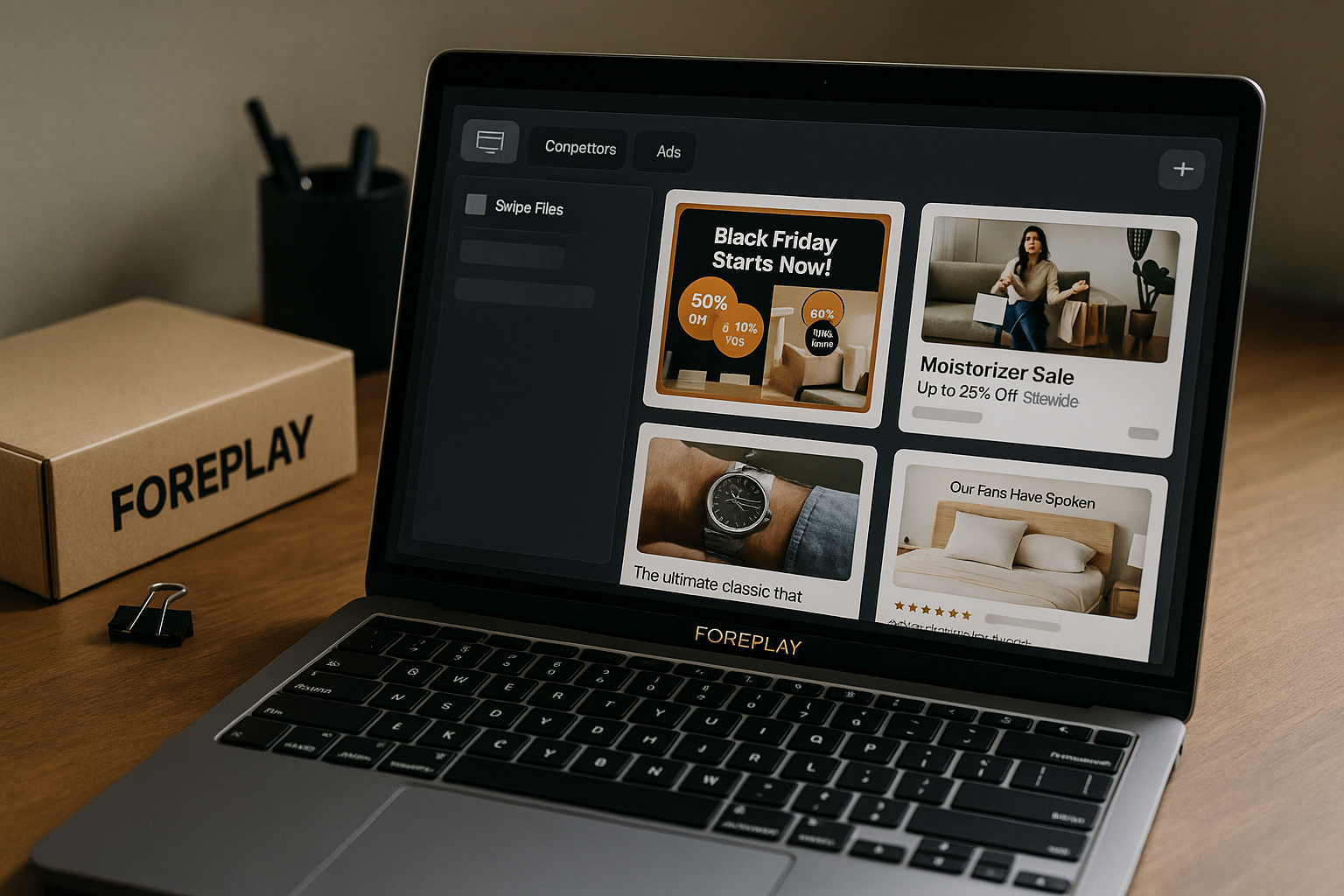
Foreplay is a creative workflow platform that helps marketers save, organize, research, share, and turn ad inspiration into usable briefs. In plain English, foreplay ad research is about moving beyond random screenshots and scattered links, so your team can study winning ads, track competitors, and build better creative systems.
For paid social teams, the real value is not just “spying” on ads. It is reducing friction between media buyers, creative strategists, designers, copywriters, clients, and founders. If you want to explore the platform while reading, you can review Foreplay through our partner link here: try Foreplay.
Official website · Latest pricing & offers
What Foreplay Ad Research Tool Does
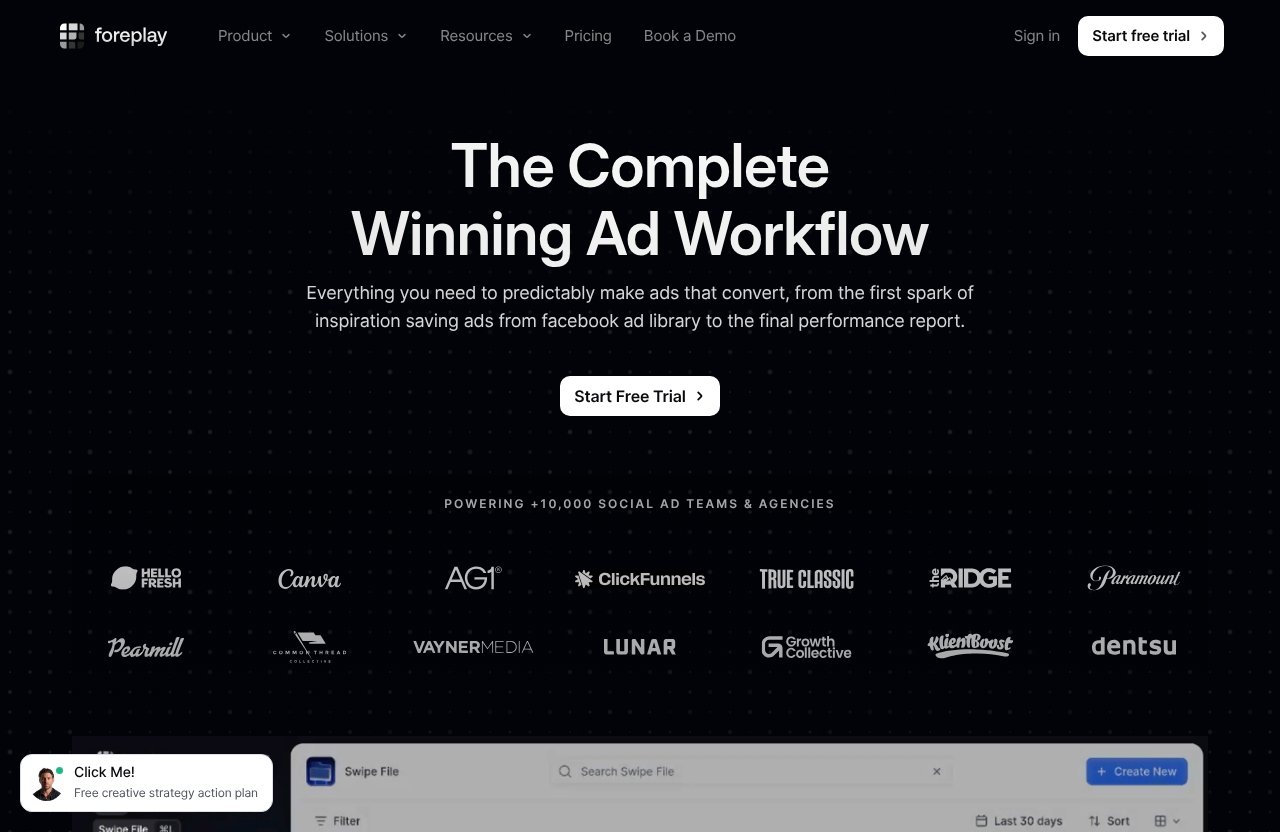
Foreplay positions itself as “The Complete Winning Ad Workflow.” That is a useful way to understand the product: it is not only a foreplay ad spy tool, and it is not only a place to bookmark ads.
The core use case is helping teams go from inspiration to execution. You find ads, save them, organize them, discuss them, and turn them into creative briefs that can guide production.
The short definition
A simple definition: Foreplay is an ad research and creative workflow tool for collecting ad inspiration, building swipe files, researching competitor ads, and creating briefs.
For teams doing foreplay ad research, this means you can move from messy research habits into a repeatable process. Instead of relying on screenshots in Slack, browser bookmarks, or disconnected spreadsheets, Foreplay gives your team a shared place to store and use ad ideas.
Its official product areas include:
| Product Area | What It Supports |
|---|---|
| Swipe File | Save and share creative inspiration |
| Discovery | Search ads through an ad search engine with over 100M ads |
| Spyder | Track and analyze competitor advertising 24/7 |
| Lens | Advertising analytics for creative teams |
| Briefs | Turn inspiration into actionable briefs |
This makes it especially relevant for paid social marketers who need to study hooks, offers, formats, creative angles, landing page messaging, and competitor patterns.
Why it exists for advertisers
Creative research is usually messy. A media buyer may see a strong Meta ad, a strategist may save a TikTok-style concept, a designer may keep reference visuals, and a founder may send competitor examples in Slack.
Without a system, those ideas disappear.
Foreplay exists because modern creative teams need a better bridge between ad discovery and ad production. A foreplay ad research workflow lets you collect patterns from the market, discuss them with the right people, and turn them into creative assets that can actually be tested.
This matters because creative volume has increased across paid social. Teams are not just making one campaign per month. They are constantly testing hooks, formats, avatars, objections, offers, and product claims.
The main problem it solves
The main problem Foreplay solves is research fragmentation.
Most teams already do ad research, but they do it across too many places:
- Meta Ad Library searches
- Screenshots
- Slack threads
- Google Docs
- Notion pages
- Random browser bookmarks
- Client folders
- Internal inspiration boards
Foreplay gives that research a workflow. It helps convert scattered inspiration into a usable foreplay swipe file, searchable reference library, shared discussion space, and creative brief system.
That is why foreplay ad research is especially useful for teams that care about creative operations, not just competitor spying.
How Foreplay Ad Research Works in Practice
The practical workflow is straightforward: find ads, save them, organize them, share them, and brief your team.
That sounds simple, but the difference is consistency. A strong foreplay ad research process prevents ideas from getting lost and makes it easier to reuse insights across campaigns.
Save ads from ad libraries and beyond
Foreplay supports saving creative inspiration through its Swipe File product area. It also lists extend options such as the Chrome Extension, MCP, Mobile App, and API.
In a real workflow, a strategist or media buyer might browse a public ad library, spot a strong ad, and save it to Foreplay instead of taking a screenshot. This is where an ad library Chrome extension can become useful, because it reduces the friction of saving ads while researching.
The point is speed. When research is easy to capture, your team is more likely to build a meaningful library over time.
For example, a paid social strategist might save:
- A strong first-three-seconds video hook
- A competitor’s seasonal promotion
- A landing-page-style static ad
- A founder-led UGC angle
- A before-and-after product demonstration
- A testimonial structure worth adapting
This is where foreplay ad research starts to become operational. The saved ad is no longer just an interesting example; it becomes a reusable asset for future creative planning.
Organize inspiration into swipe files and folders
Saving ads is only the first step. The real benefit comes from organization.
A foreplay swipe file can help teams group inspiration by campaign, brand, funnel stage, creative angle, competitor, product category, offer type, or client. Instead of dumping everything into one generic folder, you can build a library that is actually useful during strategy calls and briefing sessions.
A practical folder structure might look like this:
| Folder Type | Example Use |
|---|---|
| Competitor Ads | Track direct competitors by brand |
| Hooks | Save scroll-stopping openings |
| Offers | Study discounts, bundles, guarantees, and trials |
| UGC Examples | Collect creator-style formats |
| Static Ads | Organize image-based references |
| Landing Page Messaging | Save ads tied to specific claims or benefits |
| Client Inspiration | Share approved examples with clients |
This is important because foreplay ad research should not end with “that ad looks good.” The better question is: why does it work, and how can we adapt the insight without copying it?
Share, review, and brief creative teams
Foreplay is especially helpful when multiple people need to interact with the research. Media buyers, strategists, creative directors, designers, editors, copywriters, and clients often need different levels of context.
A media buyer might care about the offer and angle. A copywriter might care about the hook and objection handling. A designer might care about layout, visual pacing, and format.
Foreplay helps bring those conversations into a shared workflow. Its Briefs product area is designed to turn inspiration into actionable briefs, which is a key part of the foreplay creative workflow.
Instead of sending a vague message like “make something like this,” a strategist can collect several examples, identify what matters, and create a clearer brief for the creative team.
Core Features Advertisers Use Most
Foreplay has several product areas, but most buyers evaluating a foreplay ad research tool will care most about five: Swipe File, Discovery, Spyder, Lens, and Briefs.
These features support different parts of the creative process, from research to collaboration to reporting.
Swipe File and saving workflow
The Swipe File feature is for saving and sharing creative inspiration. This is the foundation of most Foreplay workflows.
A good foreplay swipe file helps teams avoid starting from a blank page. You can build libraries around competitor research, seasonal campaigns, hooks, product launches, creative formats, and evergreen concepts.
For agencies, this is useful across multiple clients. For in-house ecommerce teams, it helps build a brand-specific memory of what the market is doing.
From a practical standpoint, this is where foreplay ad research becomes easier to scale. The more organized your saved examples are, the faster your team can reference them during planning.
Discovery ad search engine
Foreplay Discovery is officially described as an ad search engine with over 100M ads. For marketers who regularly research paid social creative, this is one of the most commercially important parts of the platform.
Foreplay Discovery helps teams search for ad inspiration rather than relying only on manual browsing. This can support research into categories, brands, angles, formats, and creative patterns.
For a creative strategist, this means faster research before building a testing roadmap. For a media buyer, it means easier competitive context before launching or refreshing campaigns.
In short, foreplay discovery is useful when you want a broader view of the market and do not want to depend only on one-off searches.
Spyder competitor tracking
Foreplay Spyder is officially listed as a product area for tracking and analyzing competitor advertising 24/7. This is the feature most closely associated with foreplay competitor tracking.
For commercial investigation, this matters because competitor research is not a one-time task. Brands change offers, update hooks, test new formats, and react to seasonality.
A foreplay spyder workflow may help teams monitor competitor activity more consistently. Instead of remembering to check every competitor manually, the process becomes more structured.
That said, it is better to think of Spyder as a research input, not a magic answer. Competitor ads can show what others are testing, but they do not prove what will work for your account.
Lens analytics for creative teams
Foreplay Lens is officially described as advertising analytics for creative teams. This feature fits the part of the workflow where research, creative production, and performance learning need to connect.
Many teams struggle to close the loop between “what we made” and “what happened after launch.” Lens is positioned to help creative teams analyze advertising performance in a more creative-focused way.
For buyers comparing a foreplay ad spy workflow with a broader creative system, Lens is one of the reasons Foreplay feels more like workflow software than a simple ad swipe tool.
It is especially relevant for teams that want more structure around post-launch learning. If your team runs frequent creative tests, analytics tied to creative decisions can help inform the next round of concepts.
Briefs for turning inspiration into action
Foreplay Briefs is designed to turn inspiration into actionable briefs. This is a major part of the product’s practical value.
Research without briefing often creates confusion. Someone saves ten ads, shares them with a designer, and expects the designer to understand the strategic intent.
Briefs help clarify that intent. A creative brief can explain the angle, hook, desired format, audience, offer, objections, and references.
For foreplay ad research, this is where the research becomes production-ready. Instead of only building a winning ads library, your team can turn patterns into specific creative tasks.
Who Foreplay Is Best For
Foreplay is not only for large media buying teams. Its official solution categories include E-Commerce & Retail, Agencies, Mobile Apps & Gaming, B2B & SaaS, Info, Education & Community, and Freelancers & Creators.
The best fit depends on how often you research ads and how many people need to collaborate on creative decisions.
E-commerce and retail teams
Ecommerce and retail brands are among the clearest fits for Foreplay. These teams usually need a steady flow of new creative for Meta, TikTok-style ads, and other paid social channels.
A foreplay ad research process can help ecommerce teams study:
- Product demonstration formats
- UGC structures
- Seasonal offers
- Competitor positioning
- Static ad layouts
- Problem-solution messaging
- Testimonial and review angles
For in-house performance teams, Foreplay can also reduce friction between growth marketers and creative producers. Everyone can reference the same swipe file and brief structure.
It may be overkill for very small stores that run only a few ads per quarter. But for ecommerce brands testing creative regularly, the workflow benefits are easier to justify.
Agencies and freelancers
Agencies often benefit because they manage multiple brands, clients, and creative pipelines. A structured foreplay ad research system can help an agency keep research organized by account.
For example, an agency might create separate swipe files for each client, competitor set, vertical, and campaign theme. Strategists can then share selected examples with clients during planning calls.
Freelancers can also use Foreplay to professionalize their research process. If you sell creative strategy, media buying, or ad creative services, a strong research workflow can make deliverables feel more organized and valuable.
This is also where related resources on toptrustreview.com can help. If you are comparing workflow options, our Foreplay vs Alternatives page may be useful; if you are exploring AI-assisted creative, Adcreative.ai Examples may give additional context.
B2B, SaaS, apps, education, and creators
Foreplay’s official solution categories also include Mobile Apps & Gaming, B2B & SaaS, Info, Education & Community, and Freelancers & Creators.
These categories can use Foreplay differently from ecommerce teams. A B2B SaaS marketer may research demo ads, webinar offers, comparison messaging, or objection-handling hooks. An education brand may track course creators, lead magnets, or community-based offers.
Mobile app and gaming teams may use it to study angles, visual pacing, user motivations, and competitive positioning. Creators can use it to organize inspiration before launching paid campaigns or client work.
Foreplay is best when research is recurring. If you only need to look up a competitor once, a free ad library may be enough.
Official website · Latest pricing & offers
What Makes Foreplay Different from a Free Ad Library
A free ad library can be useful, especially for transparency and basic research. But it usually stops at access.
Foreplay is different because it turns ad access into a workflow. That is the main distinction for anyone evaluating foreplay ad research against manual research.
Organization vs. raw access
Free ad libraries are useful for seeing ads. But if you want to save, categorize, revisit, share, and brief from those ads, you usually need another system.
Foreplay adds an organization layer. The value is not just finding ads; it is keeping the right examples in a system your team can use again.
That difference matters when you are building creative over time. A raw ad search may help today, but an organized swipe file helps next week, next month, and next quarter.
Workflow vs. one-off searching
One-off searching is fine for quick curiosity. But paid social teams often need repeatable research before every creative sprint.
A foreplay ad research workflow can support recurring steps:
- Research competitor and category ads.
- Save relevant examples.
- Organize them by theme.
- Discuss patterns with the team.
- Turn the strongest insights into briefs.
- Launch creative tests.
- Review learning for the next cycle.
That is why Foreplay is better understood as a creative research tool, not just an ad library replacement.
Collaboration vs. solo bookmarking
Solo bookmarking works until more people need context. Once a team is involved, scattered bookmarks become inefficient.
Foreplay supports shared creative workflows by helping teams save and share inspiration. This is useful for agencies working with clients and in-house teams coordinating media buyers, strategists, editors, and designers.
If you are building agency systems more broadly, you may also want to compare this with operational tools covered in Top 10 GoHighLevel Features for Agencies. Foreplay focuses on ad creative workflow, while other platforms may focus on CRM, automation, or client management.
Pricing and Plan Breakdown
Foreplay pricing should be evaluated based on your team size, research volume, and need for collaboration. The official pricing page shows monthly billing options, a 7-day free trial, and no credit card required for the trial.
Annual billing is also shown as saving 15% and including Unlimited Spyder, but the official text does not require adding extra annual prices here.
Basic plan
The Basic plan is listed at $59/month with 1 user included. Additional users are listed at $20 per additional user.
The official pricing page shows a 7-day free trial with no credit card required. It includes Swipe File, Discovery, Briefs, Spyder, Lens, API Access with 10,000 credits, and MCP.
For solo media buyers, freelancers, and small teams, Basic may be the first plan to evaluate. If your main goal is structured foreplay ad research, saving inspiration, and building a repeatable ad swipe tool process, this plan may cover the essentials.
Workflow plan
The Workflow plan is listed at $175/month with up to 5 users included. Additional users are listed at $20 per additional user.
The official pricing page shows a 7-day free trial with no credit card required. It includes Swipe File, Discovery, Briefs, Spyder with 15 Brands, Lens with 1 Brand and Unlimited Ad Spend, plus the verified product access shown on the pricing page.
This plan is more naturally aligned with teams. If several strategists, buyers, designers, or clients need access, Workflow may make more sense than adding users one by one to a solo setup.
For a team doing frequent foreplay ad research, the included user allocation and competitor tracking structure can be important buying factors.
How pricing is positioned
Foreplay pricing is best viewed as workflow software, not just a browsing tool. The question is whether it saves enough time and improves enough collaboration to justify the monthly cost.
Here is a simple way to think about it:
| Buyer Type | Pricing Consideration |
|---|---|
| Solo freelancer | Basic may be enough if research is part of paid client work |
| Small ecommerce team | Consider how often you launch new creative |
| Agency | Workflow may fit better if several users need access |
| In-house performance team | Evaluate collaboration, briefing, and competitor tracking needs |
| Casual advertiser | A free ad library may be enough if research is occasional |
If you want to test the fit without overcommitting, the official 7-day free trial with no credit card required makes the evaluation easier.
Pros, Limitations, and Buying Considerations
A balanced foreplay review should separate what the product clearly helps with from what buyers still need to manage themselves.
Foreplay can improve the research and workflow process, but it does not replace creative judgment, media buying strategy, or offer development.
Strengths for ad research
The biggest strength is organization. Foreplay helps turn ad research into a shared system instead of a scattered habit.
Key strengths include:
- A central place to save and share inspiration
- Discovery through an ad search engine with over 100M ads
- Spyder for competitor tracking and analysis
- Briefs for turning inspiration into production direction
- Lens for advertising analytics for creative teams
- Extend options including Chrome Extension, MCP, Mobile App, and API
- Fit for agencies, ecommerce, SaaS, apps, education, and creators
For teams doing foreplay ad research every week, the time savings can come from fewer lost examples, clearer creative references, and better alignment.
Foreplay also states that it powers +10,000 social ad teams and agencies, which is a useful credibility point when evaluating whether the platform is built for real advertising workflows.
Where Foreplay may not be enough
Foreplay is not a substitute for strategy. It can help you find and organize ads, but your team still needs to interpret the insights.
A competitor ad may be active, but that does not automatically mean it is profitable. An ad may look strong, but you may not know its spend, targeting, conversion rate, or role in the funnel unless supported by available analytics and your own testing.
Foreplay may also feel like more tool than necessary if:
- You run ads rarely
- You work alone and already have a simple system
- You only need occasional competitor checks
- You do not create briefs or manage creative teams
- You are looking for a full media buying platform rather than a creative workflow system
The best buyers are teams that will actually use the workflow, not just browse the library once.
Questions to ask before subscribing
Before subscribing, ask practical questions about your workflow.
Consider:
- How often do we research new ads?
- Who needs access: buyer, strategist, designer, client, founder?
- Do we need a structured foreplay creative workflow?
- Are we tracking competitors regularly?
- Will we use foreplay briefs to guide production?
- Do we need Lens for creative analytics?
- Is our current swipe file organized enough?
- Will this replace scattered screenshots and bookmarks?
If you answer yes to several of these, foreplay ad research may be worth testing through the free trial.
You can start your evaluation from the official partner link here: try Foreplay for ad research.
How to Get the Most Value from Foreplay
Foreplay delivers the most value when you build a process around it. If the team only saves random ads without structure, the platform becomes another library.
The goal is to make foreplay ad research part of your creative operating system.
Set up a research workflow
Start by defining how your team will research ads each week.
A simple workflow might look like this:
- Assign one person to gather competitor and category examples.
- Save relevant ads into the right swipe files.
- Tag or group examples by angle, format, or funnel stage.
- Review the best examples during the creative meeting.
- Choose patterns worth testing.
- Convert selected inspiration into briefs.
- Revisit results after launch.
For agencies, this process can be repeated per client. For in-house teams, it can become part of the weekly growth meeting.
The key is consistency. A small weekly research habit is more useful than a massive one-time research dump.
Use it for creative briefs
Foreplay Briefs can help translate research into action. This is where many teams get the largest workflow improvement.
A useful brief should not simply say, “Make an ad like this.” It should explain what to borrow strategically.
For example:
| Brief Element | What to Include |
|---|---|
| Objective | What the ad should test |
| Audience | Who the creative speaks to |
| Hook | The opening idea or scroll-stopper |
| Angle | Problem, benefit, objection, comparison, or proof |
| Format | UGC, founder video, static, demo, testimonial, etc. |
| References | Saved examples from the swipe file |
| Notes | What to adapt and what to avoid |
This turns foreplay ad research into creative direction. Designers, editors, and copywriters get clearer input, and strategists get a more repeatable way to explain ideas.
Build a repeatable swipe-file system
A swipe file is only valuable if people can find what they need.
Instead of dumping all saved ads into one folder, create a naming structure your team understands. For example:
- Brand / Competitor / Month
- Product Category / Offer Type
- Hook Type / Format
- Funnel Stage / Creative Angle
- Client / Campaign / Concept
For ecommerce, you might create folders for “UGC Hooks,” “Founder Ads,” “Holiday Offers,” and “Competitor Bundles.” For B2B SaaS, you might use “Demo Ads,” “Problem Aware,” “Comparison Ads,” and “Lead Magnet Offers.”
This makes foreplay ad research easier to reuse. Over time, your swipe file becomes a strategic archive instead of a pile of saved ads.
Final Verdict: Is Foreplay Worth It for Ad Research?
Foreplay is worth considering if your team regularly researches ads, tracks competitors, saves creative inspiration, and turns ideas into briefs. It is especially useful when multiple people need to collaborate on creative decisions.
The strongest case for foreplay ad research is not that it magically identifies winning ads. It is that it helps teams build a cleaner workflow from discovery to briefing to creative review.
Best use case summary
Foreplay is best used as a creative research and workflow system.
Its strongest use cases include:
- Building a structured foreplay swipe file
- Searching for ad inspiration through foreplay discovery
- Monitoring competitor ads with foreplay spyder
- Supporting creative analysis with foreplay lens
- Turning research into production-ready foreplay briefs
- Helping agencies and in-house teams collaborate faster
If your current research lives in screenshots, Slack threads, and bookmarks, Foreplay can bring order to that process.
Who should buy
Foreplay is a strong fit for:
- Ecommerce brands testing creative frequently
- Paid social agencies managing multiple clients
- Creative strategists building testing roadmaps
- Media buyers who want better creative inputs
- Freelancers offering ad creative or strategy services
- B2B, SaaS, app, education, and creator teams with recurring ad research needs
It is also a good fit for teams that want to reduce friction between buyers, strategists, creatives, and clients.
Who should look elsewhere
You may not need Foreplay if you only run ads occasionally, do not collaborate with others, or only need a quick look inside a free ad library.
A free option may be enough for casual research. But if you want a repeatable process for saving, organizing, sharing, tracking, and briefing from ad inspiration, Foreplay is much more aligned with that workflow.
Final answer: foreplay ad research is most valuable for teams that treat creative as an ongoing system, not a one-off task. If that sounds like your team, Foreplay is worth testing through the free trial before deciding whether to subscribe.
Official website · Latest pricing & offers
FAQ
What is Foreplay used for?
Foreplay is used to save, organize, review, and share ad inspiration. Teams also use it to turn research insights into creative briefs and repeatable workflows for ad production.
In practice, it helps marketers move from scattered screenshots and bookmarks to a structured creative research system.
Is Foreplay good for ad research?
Yes, Foreplay is good for ad research if you need organized swipe files, competitor inspiration, and collaboration around creative assets.
It is especially useful for paid social teams, agencies, and ecommerce brands that research ads frequently and need to turn inspiration into briefs.
Does Foreplay help with competitor ads?
Yes. Foreplay includes Discovery, an ad search engine with over 100M ads, and Spyder, which is designed to track and analyze competitor advertising 24/7.
This makes it useful for foreplay competitor tracking, although your team still needs to interpret what competitor ads mean for your own strategy.
Who is Foreplay best for?
Foreplay is best for e-commerce and retail teams, agencies, mobile apps and gaming companies, B2B and SaaS teams, info, education and community brands, freelancers, and creators.
It is most valuable for users who do recurring creative research and need a shared workflow for saving, organizing, and briefing ad ideas.
What is the difference between Foreplay and a free ad library?
A free ad library gives you access to ads. Foreplay adds the workflow layer: saving, organizing, sharing, competitor tracking, analytics for creative teams, and briefs.
In short, free ad libraries are useful for looking up ads, while Foreplay is built to help teams use ad research inside a creative production process.
Related Reading
- Foreplay vs Alternatives: Best Ad Workflow Tools Compared in 2026
- Adcreative.ai Examples: 15 Industry Ad Concepts to Judge Creative Quality in 2026
- Top 10 Gohighlevel Features for Agencies in 2026
References
- Foreplay Official Homepage
- Foreplay Pricing
- Meta Ad Library vs Foreplay 2026: Full Comparison
- Foreplay.co: Is It the Best Ad Swipe Tool in 2025? – Bestever