Gohighlevel vs Pipedrive: Which CRM Is Better for Growth in 2026?
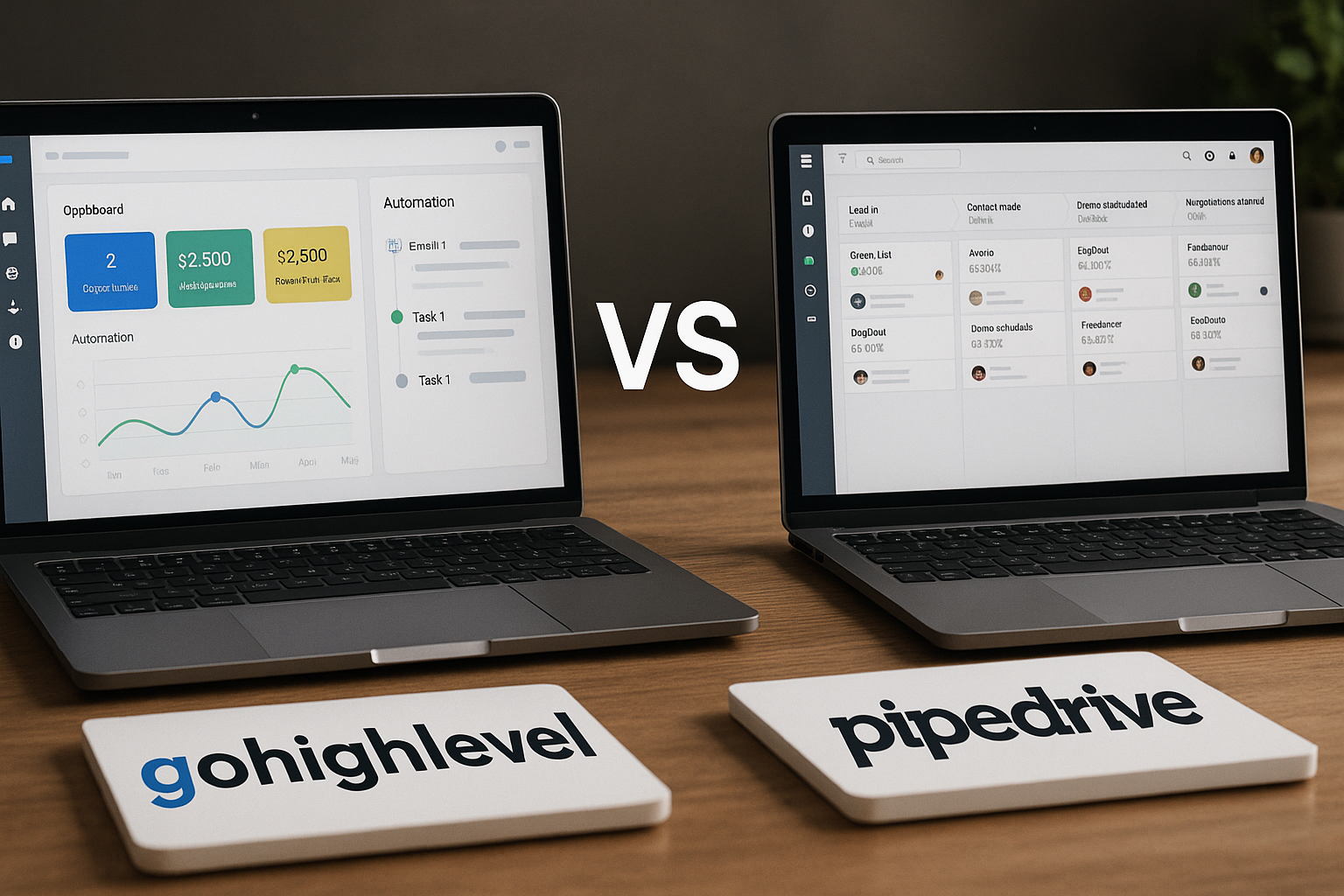
If you are comparing GoHighLevel vs Pipedrive, the real question is not simply “Which CRM has more features?” It is “What kind of business are you trying to run?”
Pipedrive is generally viewed as a simpler, pipeline-focused CRM for sales teams that mainly want to track deals. GoHighLevel is positioned as a broader AI-powered business operating system with CRM, automation, funnels, websites, calendars, SMS, calls, payments, and client lifecycle tools in one platform.
Disclosure: TopTrustReview may earn a commission if you sign up through links in this article, at no extra cost to you.
Official website · Latest pricing & offers
GoHighLevel vs Pipedrive at a glance
The GoHighLevel vs Pipedrive decision comes down to business model. If your team only needs a clean sales pipeline, Pipedrive may feel more direct. If you want CRM plus marketing automation, lead capture, follow-up, booking, payments, and client communication, GoHighLevel is the more complete platform.
Quick verdict: who each CRM is best for in GoHighLevel vs Pipedrive
Choose GoHighLevel if you are an agency, consultant, local service business, coach, or growth-focused company that wants fewer disconnected tools and more automated follow-up.
Choose Pipedrive if your business mainly needs a lightweight sales CRM for tracking deals, sales stages, and rep activity without building a larger marketing system.
Quick recommendations:
- Agencies: GoHighLevel is the stronger fit because it combines CRM, automation, funnels, calendars, client communication, and sales tools.
- Local service businesses: GoHighLevel is better if you need booking, SMS follow-up, missed call text-back, forms, pipelines, and payment-related tools.
- Sales-only teams: Pipedrive can be a sensible option if all you want is a simple sales pipeline.
GoHighLevel vs Pipedrive side-by-side summary table
| Category | GoHighLevel | Pipedrive |
|---|---|---|
| Best for | Agencies, consultants, local businesses, growth teams | Sales teams focused on pipeline tracking |
| Core positioning | AI-powered business operating system | Sales-pipeline CRM |
| CRM | Yes, with sales pipelines | Yes, focused on sales pipeline management |
| Automation | Workflows, automations, reminders, lead scoring, nurture tools | Generally considered more focused on core sales workflows |
| Lead capture | Forms, surveys, quizzes, funnels, landing pages, websites, QR codes, prospecting tools | Primarily pipeline-oriented |
| Communication | SMS, Messenger, Instagram DM, WhatsApp, live chat, call tracking, Voice AI, Conversation AI | Best evaluated as a sales CRM rather than an all-in-one communication hub |
| Booking and payments | Calendars, paid calendars, invoicing, payment integrations, order forms, Text-2-Pay, Tap-2-Pay | Not the main reason most buyers compare it |
| Learning curve | Broader platform, more setup | Simpler for pipeline use |
| Value angle | Replace multiple tools with one platform | Keep sales tracking simple |
The main difference: sales pipeline vs all-in-one operating system
The clearest way to understand GoHighLevel vs Pipedrive is this: Pipedrive centers on the sales pipeline, while GoHighLevel extends far beyond pipeline management.
GoHighLevel’s official homepage describes HighLevel as an AI-powered business operating system built to help capture, nurture, and close leads into bookings, sales, reviews, and repeat customers. That matters if your CRM is not just a place to store contacts, but the center of your marketing and revenue operations.
Pipedrive can still be the better choice for a team that wants fewer moving parts. But if your business is already paying for separate landing page, calendar, SMS, funnel, form, proposal, payment, and automation tools, GoHighLevel deserves serious consideration.
What GoHighLevel is built to do
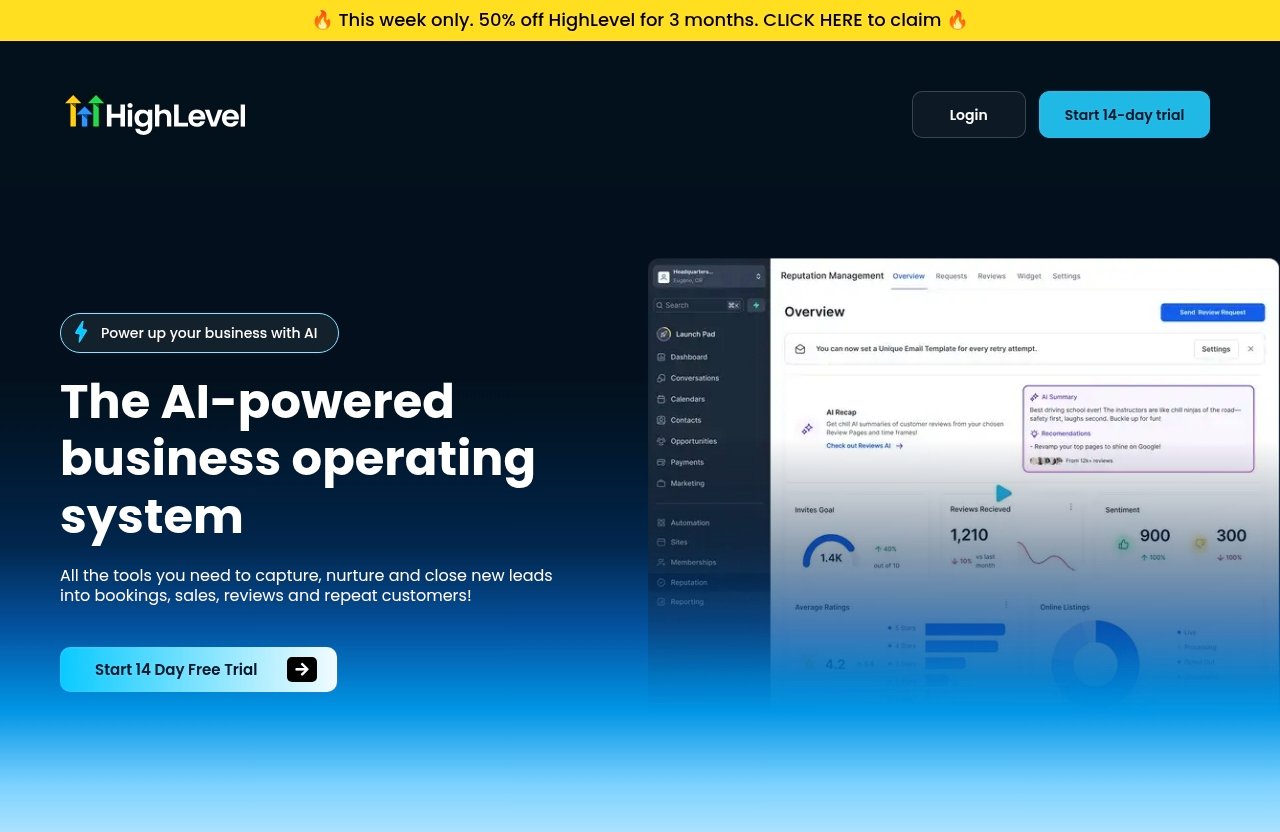
GoHighLevel is not just trying to be a traditional CRM. In this GoHighLevel vs Pipedrive comparison, its biggest advantage is platform consolidation.
The official GoHighLevel homepage positions HighLevel as an AI-powered business operating system with tools for lead capture, communication, automation, scheduling, payments, and customer retention.
CRM and pipeline management
GoHighLevel includes CRM functionality and sales pipelines, so you can track contacts, opportunities, and deal stages. For businesses that need pipeline visibility, this gives you the core CRM layer you would expect.
Where GoHighLevel becomes more compelling is what happens around the pipeline. Instead of only tracking where a lead sits, you can connect that lead to workflows, calendars, reminders, conversations, forms, payments, and follow-up sequences.
For many buyers comparing highlevel vs pipedrive, this is the key distinction. Pipedrive may be easier for pure sales tracking, but GoHighLevel is designed to connect pipeline activity with marketing and operational execution.
Marketing automation and follow-up
GoHighLevel includes workflows and automations, appointment reminders, lead scoring, text snippets, ringless voicemail, automated outbound call connect, missed call text-back, and Conversation AI.
That combination is important because many small businesses do not lose leads because they lack a CRM. They lose leads because follow-up is slow, inconsistent, or spread across too many tools.
In a practical GoHighLevel vs Pipedrive evaluation, GoHighLevel has the stronger automation story for businesses that want to capture leads, nurture them, book appointments, and continue communication after the sale.
Funnels, websites, SMS, email, calls, and reputation tools
GoHighLevel’s official feature categories include websites, funnels and landing pages, webinar funnels, forms, surveys and quizzes, chat widgets, call tracking, inbound SMS and social DMs, Social Planner, QR codes, and a prospecting tool.
It also supports a consolidated conversation stream across SMS, Messenger, Instagram DM, WhatsApp, and live chat. For businesses that communicate with prospects across multiple channels, this can reduce friction.
GoHighLevel also includes estimate and proposal tools, invoicing, payment integrations, paid calendars, order forms, upsells, downsells, membership offers, courses, gift cards, and loyalty programs. That makes it much more than an address book with pipeline stages.
What Pipedrive is best known for
Pipedrive is best known as a sales-pipeline CRM. In many gohighlevel vs pipedrive reviews, the positive case for Pipedrive is not that it replaces every marketing tool, but that it keeps sales tracking focused.
That simplicity is a legitimate advantage for certain teams.
Simple sales pipeline management
Pipedrive’s appeal is its pipeline-centric approach. If your company has sales reps moving deals from stage to stage, and your main requirement is visibility into that sales process, Pipedrive can be a practical choice.
Not every business wants an all-in-one CRM. Some teams prefer a focused system that does fewer things and is easier to adopt.
This is where the pipedrive vs gohighlevel debate becomes more nuanced. The “best” CRM depends on whether you want pipeline clarity only, or a broader system that also handles marketing automation and client communication.
Ease of use for sales teams
Pipedrive is often considered easier for sales teams that do not want a large platform to configure. A straightforward CRM can be helpful when reps need to log activity, move deals, and keep follow-up organized.
That matters because CRM adoption is often more important than feature count. A simple system that a team actually uses can outperform a powerful system that is never properly implemented.
So in GoHighLevel vs Pipedrive, Pipedrive deserves credit for being a cleaner fit when the business problem is narrow: manage the sales pipeline without adding broader marketing operations.
Why some teams prefer a focused CRM
Some teams already have separate tools for websites, forms, email, SMS, scheduling, payments, and reporting. If those tools are working well, a pipeline-only CRM may be enough.
A focused CRM can also make sense when marketing and sales are handled by different departments with established software stacks.
However, that same simplicity becomes a limitation if your team is juggling multiple apps, manually transferring leads, or missing follow-up opportunities. That is when GoHighLevel’s all-in-one CRM approach starts to look more valuable.
Feature-by-feature comparison
A good GoHighLevel vs Pipedrive comparison should not just count features. It should ask which features support your revenue process from first touch to closed sale and repeat customer.
Here is how the two platforms compare by practical buying criteria.
Lead capture and prospecting
GoHighLevel offers multiple lead capture tools, including forms, surveys, quizzes, websites, funnels, landing pages, webinar funnels, QR codes, and a prospecting tool. It also includes an Ad Manager for Google, Facebook, and Instagram ads.
That gives businesses more ways to generate and capture leads before they ever enter the pipeline.
Pipedrive, by comparison, is generally evaluated as a pipeline-centric CRM. For teams that already have lead capture handled elsewhere, that may be fine. But if you want lead capture and CRM under one roof, go high level vs pipedrive tilts toward GoHighLevel.
Automation and nurture sequences
GoHighLevel includes workflows and automations that can support lead nurture, appointment reminders, follow-up, and internal processes. It also includes lead scoring, missed call text-back, Conversation AI, and automated outbound call connect.
This is one of the strongest reasons agencies and local businesses consider GoHighLevel. Automation helps reduce manual follow-up and keeps leads moving.
In GoHighLevel vs Pipedrive, Pipedrive is better understood as the simpler sales CRM option. GoHighLevel is better for businesses that want CRM automation to drive more of the customer journey.
Communication channels and follow-up
GoHighLevel supports a consolidated conversation stream across SMS, Messenger, Instagram DM, WhatsApp, and live chat. Its official feature categories also include call tracking, Voice AI, chat widget, inbound SMS and social DMs, and ringless voicemail.
For businesses that communicate through many channels, centralizing conversations can make follow-up easier. It also helps reduce the “Where did that lead message go?” problem.
Pipedrive may suit teams that mainly manage sales conversations within their established process. But for omnichannel follow-up, GoHighLevel vs Pipedrive favors GoHighLevel because the platform is built around broader communication workflows.
Booking, proposals, and payments
GoHighLevel includes calendars, appointment reminders, paid calendars, estimates and proposals, invoicing, payment integrations, order forms, upsells, downsells, one-click upsell funnels, Text-2-Pay, and Tap-2-Pay.
That is a meaningful advantage for service businesses, agencies, coaches, clinics, and appointment-driven companies. You can connect lead capture, booking, follow-up, and payment-related steps more closely.
Pipedrive’s strength remains sales pipeline management. If booking and payment tools are already handled elsewhere, that may be acceptable. If not, GoHighLevel can reduce the number of separate platforms you need.
Team collaboration and client management
GoHighLevel’s value is especially clear when several people need visibility into contacts, conversations, appointments, pipelines, and follow-up activity. Agencies can also benefit from having marketing, CRM, and client lifecycle tools in one environment.
The platform’s mobile app, including video messages, can also support communication while teams are away from a desktop.
When reading gohighlevel vs pipedrive reddit discussions or informal user comparisons, you will often see the same split: people who want simplicity lean toward pipeline CRMs, while people who want consolidation lean toward GoHighLevel. Always verify claims against official pages before making a purchase decision.
Customization and scalability
GoHighLevel is broader, which means it has more configuration decisions. You may need to set up pipelines, workflows, calendars, forms, funnels, communication channels, and payment-related processes.
That setup effort is the tradeoff for more control. Once configured, the platform can support a more complete customer journey.
In GoHighLevel vs Pipedrive, scalability depends on what you are scaling. If you are scaling a sales pipeline, Pipedrive may be enough. If you are scaling lead generation, automation, client communication, and fulfillment processes, GoHighLevel is the stronger fit.
Official website · Latest pricing & offers
Pricing and value: what you really pay for
Pricing should be evaluated beyond the monthly CRM bill. The better question in GoHighLevel vs Pipedrive is: how many other tools will you still need after choosing the CRM?
A lower CRM subscription can become less attractive if you still need separate software for funnels, forms, scheduling, SMS, automation, proposals, payments, courses, or reputation-related workflows.
GoHighLevel pricing snapshot
The official GoHighLevel pricing page states that GoHighLevel offers a 14 Day Free Trial. Because pricing can change, you should always confirm current gohighlevel pricing directly on the official pricing page before subscribing.
For readers who want to evaluate the platform, you can review the current offer and trial availability through this GoHighLevel signup link.
The key point is not just the subscription price. It is whether GoHighLevel can replace several tools you are already paying for.
Trial and plan considerations
Before choosing any CRM, map the features you actually need. A platform with more tools is only valuable if those tools replace real costs or create measurable operational improvements.
For GoHighLevel, evaluate whether you will use CRM, funnels, websites, calendars, SMS, workflows, forms, proposals, invoicing, payments, and communication tools. If yes, the platform’s value becomes much stronger.
For Pipedrive, check the current official pipedrive pricing and compare it with your existing tool stack. Since no verified pricing details are used here, confirm all plan details directly with Pipedrive before deciding.
Why total cost of ownership matters
Total cost of ownership includes software subscriptions, setup time, training, integrations, maintenance, and missed opportunities from poor follow-up.
This is where GoHighLevel vs Pipedrive often becomes a consolidation decision. If you use Pipedrive plus separate tools for landing pages, SMS, email automation, booking, proposals, payments, and courses, your total cost may be higher than the CRM price suggests.
GoHighLevel is not automatically cheaper for every business. But it can deliver better value when it replaces multiple tools and reduces manual work.
When a cheaper CRM becomes more expensive
A cheaper CRM becomes expensive when your team needs to bolt on many other platforms to complete the customer journey. Integrations can also create maintenance work and data gaps.
For example, if a lead fills out a form, books a call, receives SMS reminders, gets a proposal, pays an invoice, and enters a follow-up sequence, that process may require several tools in a pipeline-only setup.
In that scenario, GoHighLevel vs Pipedrive favors GoHighLevel because the platform is designed to bring more of that workflow together.
Best use cases by business type
The best CRM depends on how your business sells. In this GoHighLevel vs Pipedrive section, the recommendations are based on practical fit, not feature hype.
Agencies and consultants
GoHighLevel is the better choice for agencies and consultants that need CRM, automation, funnels, client communication, lead capture, booking, and payment-related tools in one place.
It is also a strong candidate for anyone searching for the best CRM for agencies because agency work often involves managing leads, appointments, client communication, campaigns, and reporting workflows across multiple clients or offers.
Pipedrive can work for consultants who only need to track sales opportunities. But agencies that deliver marketing services usually need more than a pipeline.
Local service businesses
Local service businesses often need fast follow-up, appointment booking, SMS communication, missed call recovery, forms, estimates, payments, and review or repeat-customer workflows.
GoHighLevel’s official feature categories align well with those needs. Missed call text-back, calendars, appointment reminders, call tracking, SMS, forms, funnels, invoices, and payment integrations can all support local lead conversion.
In GoHighLevel vs Pipedrive, local businesses that depend on inbound leads and quick response times will usually get more leverage from GoHighLevel.
Sales teams with a simple pipeline
Pipedrive is still a valid option for sales teams that only want deal tracking. If your team lives inside a pipeline and does not need advanced marketing automation or built-in funnels, a focused CRM can reduce complexity.
This is the fairest case for Pipedrive. Simplicity can help adoption, especially when sales reps do not want to manage a broader operating system.
So if your buying criteria are “clean pipeline, simple deal tracking, minimal setup,” Pipedrive may be the better fit.
Businesses that need marketing + CRM in one place
If your business wants lead capture, nurture, booking, sales, payments, and retention tools connected, GoHighLevel is the stronger option.
Its all-in-one CRM approach is especially useful when you want fewer logins, fewer integrations, and fewer manual handoffs between marketing and sales.
For growth-focused businesses comparing GoHighLevel vs Pipedrive, GoHighLevel is the better long-term choice when CRM is only one part of the revenue system.
Pros and cons of GoHighLevel
No platform is perfect. A fair GoHighLevel vs Pipedrive review should acknowledge that GoHighLevel’s biggest strength, its breadth, is also the reason it requires more setup.
Pros
- All-in-one platform: CRM, funnels, websites, forms, calendars, automation, communication, payments, courses, and more.
- Strong automation tools: Workflows, appointment reminders, lead scoring, missed call text-back, Conversation AI, and follow-up tools.
- Built for lead conversion: The official homepage says HighLevel is built to help capture, nurture, and close leads into bookings, sales, reviews, and repeat customers.
- Useful for agencies: Agencies can consolidate many marketing and client management tools.
- Omnichannel communication: SMS, Messenger, Instagram DM, WhatsApp, live chat, and call-related tools can centralize conversations.
- Free trial available: The official pricing page states there is a 14 Day Free Trial.
Cons
- More setup required: GoHighLevel is broader than a simple pipeline CRM.
- Learning curve: Teams must understand workflows, funnels, calendars, pipelines, and communication settings to get full value.
- May be more than some teams need: If you only want deal tracking, the platform may feel too large.
- Process planning matters: Automation is powerful, but poorly planned workflows can create confusion.
In GoHighLevel vs Pipedrive, the tradeoff is straightforward: GoHighLevel offers more consolidation and automation, while Pipedrive may feel simpler for pure sales pipeline use.
Who should avoid it
Avoid GoHighLevel if your team wants only a basic sales pipeline and has no interest in automation, funnels, forms, booking, SMS, payments, or broader marketing operations.
Also avoid it if you do not have time to configure the system properly. An all-in-one platform works best when you commit to setting it up around your real sales process.
For everyone else, especially agencies and growth-focused businesses, the setup effort can be worth it.
How to migrate from Pipedrive to GoHighLevel
If GoHighLevel vs Pipedrive has led you toward GoHighLevel, the next question is how to switch without disrupting sales activity.
A good migration is mostly about preparation. Before moving, document your current pipeline stages, contact fields, active deals, follow-up tasks, and key sales processes.
Importing contacts and pipelines
Start by organizing your CRM data. Clean up duplicate contacts, outdated records, inactive deals, and inconsistent field names before importing anything into a new system.
You should also decide which pipelines you actually need in GoHighLevel. Do not automatically recreate every old stage if your process has changed.
Because migration capabilities and import options can vary, confirm the current process inside GoHighLevel’s official resources or support documentation before making the switch.
What to prepare before switching
Before migration, prepare:
- Contact lists and key fields
- Current pipeline stages
- Open opportunities and deal owners
- Active follow-up tasks
- Forms and lead sources
- Calendar and booking requirements
- SMS, call, and conversation workflows
- Proposal, invoice, and payment processes
- Automation sequences you want to rebuild
This step is where many teams discover why GoHighLevel vs Pipedrive is not just a CRM decision. You are redesigning how leads move through your entire business.
How to reduce downtime and disruption
Do not migrate everything at once unless your process is simple. Test one pipeline, one lead source, and one follow-up workflow first.
Train your team on the most important daily actions: adding contacts, updating opportunities, checking conversations, managing appointments, and triggering follow-up.
Keep your old CRM accessible during the transition if possible, and avoid launching complex automations until you have verified that contacts, pipelines, calendars, and communication settings are working correctly.
Official website · Latest pricing & offers
FAQ
Is GoHighLevel better than Pipedrive for small businesses?
It depends on what the small business needs. If you only want a simple sales pipeline, Pipedrive can be a good fit.
If you want CRM plus automation, lead capture, SMS, calls, booking, funnels, payments, and client communication, GoHighLevel is usually the stronger choice.
Is GoHighLevel too complicated compared with Pipedrive?
GoHighLevel is broader, so it usually takes more setup than a pipeline-focused CRM. That does not make it too complicated, but it does mean you should plan your workflows carefully.
Pipedrive may feel simpler for teams that only want to track deals and sales stages.
Which CRM is better for agencies: GoHighLevel or Pipedrive?
GoHighLevel is generally the better fit for agencies. It is built as an all-in-one growth platform with CRM, automation, funnels, calendars, communication tools, and client lifecycle features.
Pipedrive can work for agencies that only need sales pipeline tracking, but most agencies need more than that.
Can I replace multiple tools with GoHighLevel?
Yes, that is one of GoHighLevel’s main value points. The official site positions it as an all-in-one AI-powered platform with CRM, websites, funnels, forms, SMS, calls, calendars, automation, payments, courses, and more.
Whether it replaces your exact tools depends on your current stack and setup requirements.
Does GoHighLevel offer a free trial?
Yes. The official GoHighLevel pricing page states that GoHighLevel offers a 14 Day Free Trial.
You can review the current trial details and sign up through this GoHighLevel trial link.
Final verdict: which CRM should you choose?
The final GoHighLevel vs Pipedrive decision is simple once you define your business model. Pipedrive is a focused sales CRM. GoHighLevel is a broader platform for marketing, sales, communication, booking, payments, and automation.
Choose GoHighLevel if you want growth and automation
Choose GoHighLevel if you want to reduce tool sprawl and build a more connected revenue system. It is the better fit for agencies, consultants, local service businesses, appointment-based companies, and teams that want marketing plus CRM in one place.
It is especially compelling if you want workflows, funnels, websites, forms, SMS, calls, calendars, proposals, invoicing, payment integrations, memberships, and follow-up tools under one roof.
For buyers comparing GoHighLevel vs Pipedrive, GoHighLevel is the stronger recommendation when automation and consolidation matter.
Choose Pipedrive if you want a lightweight sales CRM
Choose Pipedrive if your team mainly needs a simple way to manage deals and pipeline stages. If your marketing, booking, communication, and payment systems are already handled elsewhere, a focused CRM may be enough.
Pipedrive’s advantage is simplicity. For sales-only teams, that can be exactly what they need.
Bottom-line recommendation for GoHighLevel vs Pipedrive
For agencies and growth-focused businesses, GoHighLevel is the better overall choice because it combines CRM, automation, communication, lead capture, scheduling, and payment-related tools in one platform.
For teams that only want lightweight deal tracking, Pipedrive remains a reasonable option.
Bottom line: in GoHighLevel vs Pipedrive, choose GoHighLevel if you want fewer tools and more automation. Choose Pipedrive if you only need a clean sales pipeline.
Related Reading
- GoHighLevel CRM review
- Systeme.io vs ClickFunnels comparison
- Best social media scheduler for engagement
References
- Pipedrive vs HighLevel | CRM & Automation Comparison
- Pipedrive vs GoHighLevel (2026): The CTO's Technical Comparison
- HighLevel vs. Pipedrive Comparison 2026