lalal.ai vs ripx: Which Is the Best Stem Separation Tool for Your Workflow?
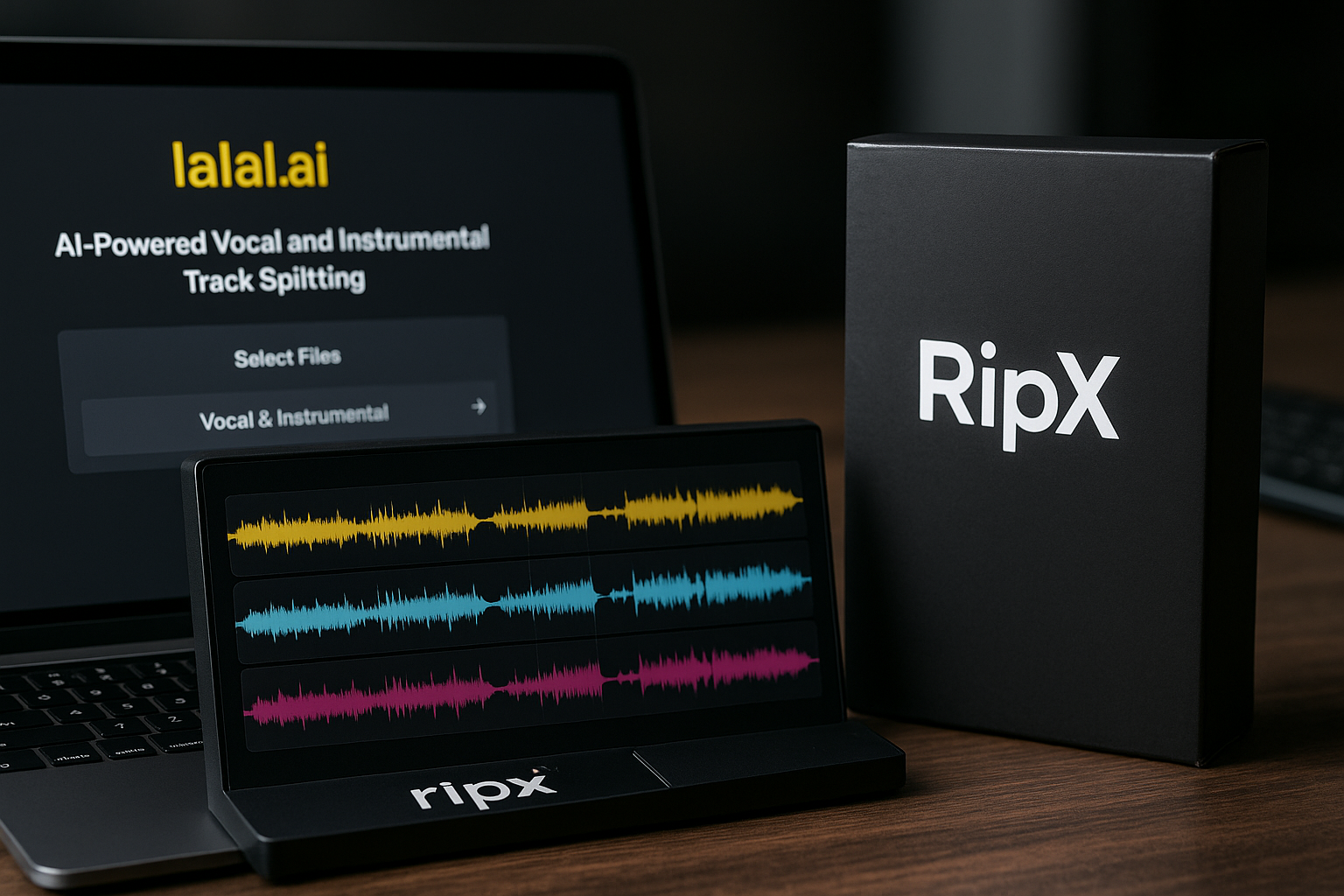
If you are comparing lalal.ai vs ripx, the practical question is not simply “which one is better?” It is “what do you need after the stems are separated?”
LALAL.AI is the better fit if you want fast, simple, online stem separation for vocals, instrumentals, drums, bass, guitar, synth, strings, wind instruments, or cleanup-style tasks. RipX is more suitable if separation is only the beginning and you want a deeper editing environment for manipulating stems after extraction.
In short: choose LALAL.AI for speed and convenience; choose RipX for advanced post-separation editing.
Official website · Latest pricing & offers
Quick verdict: who should choose LALAL.AI vs RipX?
The lalal.ai vs ripx decision comes down to workflow. LALAL.AI is built around quick extraction: choose what you want to separate, upload your file, and get usable stems without building a full editing session.
RipX, by contrast, is better understood as an advanced stem editing environment. It appeals to users who want to go beyond separation and make detailed changes after the audio has been split.
Best for fast online separation
Choose LALAL.AI if your main goal is to remove vocals, isolate an instrumental, extract drums, pull out bass, or create practice tracks without learning a complex editor.
This is especially useful for singers, guitarists, DJs, remixers, YouTubers, podcasters, and creators who need results quickly. The official LALAL.AI homepage describes it as a tool to “Remove Vocals and Instrumentals from Audio and Video,” powered by AI and transformer technology.
If you want to try that workflow directly, you can check LALAL.AI here and compare it with your own source files.
Best for advanced stem editing
Choose RipX if you want more detailed control after separation. Based on its general positioning, RipX is more attractive to users who want a stem editor rather than just a stem separator.
That means it may suit producers, sound designers, and advanced editors who want to manipulate separated material more deeply. If you are thinking in terms of editing the separated audio inside a more involved production workflow, RipX becomes more relevant.
Short answer by use case
| Use case | Better fit | Why |
|---|---|---|
| Karaoke track creation | LALAL.AI | Fast vocal removal and instrumental isolation |
| Practice tracks | LALAL.AI | Quick extraction without a complex setup |
| Remix prep | LALAL.AI or RipX | LALAL.AI for fast stems; RipX for deeper editing |
| Sampling | LALAL.AI | Convenient stem extraction from audio or video |
| Podcast vocal cleanup | LALAL.AI | Voice Cleaner and related cleanup tools are listed officially |
| Detailed post-separation editing | RipX | Better fit when editing control matters more than speed |
For most creators who simply want the best stem separation tool for quick results, LALAL.AI is the easier recommendation. For users who need a more advanced editing environment, RipX deserves consideration.
What LALAL.AI is designed to do
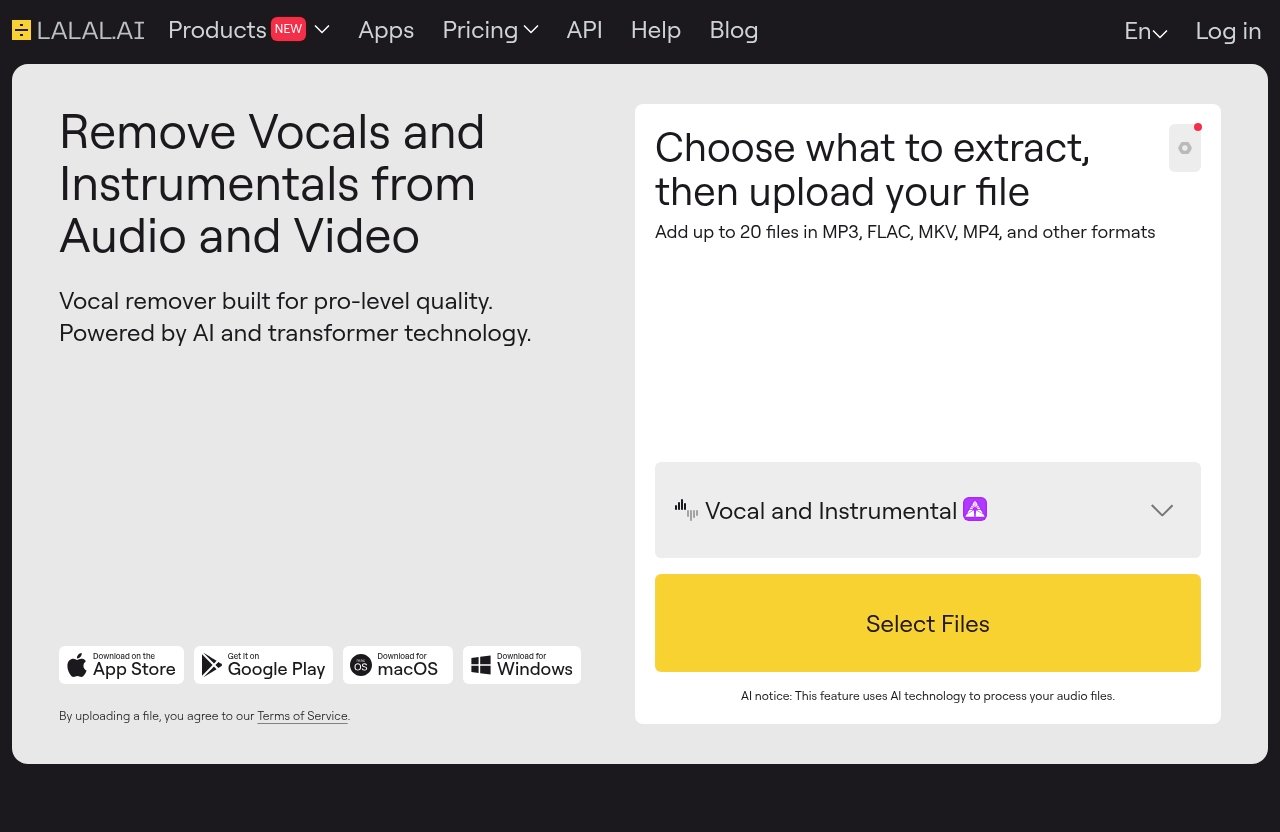
LALAL.AI is designed as an AI vocal remover and instrumental isolator for audio and video. In the lalal.ai vs ripx comparison, this matters because LALAL.AI focuses on getting from source file to separated result with as little friction as possible.
It is not trying to be a full digital audio workstation. It is built for creators who want to separate stems quickly, clean up vocals, or prepare audio for another tool.
Core separation tools
The official LALAL.AI homepage lists several products:
- Vocal Remover
- Stem Splitter
- Voice Cleaner
- Voice Changer
- Voice Cloner
- Echo & Reverb Remover
- Lead/Back Splitter
The Stem Splitter can extract vocals, instrumental, drums, bass, guitar, synth, string, and wind instruments. That makes it useful for common music production, remixing, practice, and content creation tasks.
For example, a singer can remove vocals from a track to make a backing track. A bassist can isolate bass for practice. A producer can extract drums or guitar to sketch remix ideas.
Supported file types and workflow
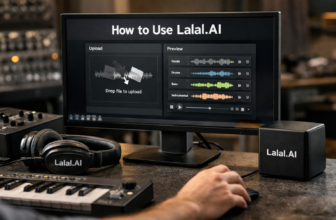
LALAL.AI uses an upload-based workflow. The official site says users can choose what to extract, then upload a file.
It also says users can add up to 20 files in MP3, FLAC, MKV, MP4, and other formats. That is important if you regularly work with mixed media, such as music videos, live clips, podcast video files, or social media content.
The official site also offers apps for iPhone/iPad and Android, plus downloads for macOS and Windows. So while LALAL.AI is easy to think of as an online stem splitter, it is not limited to one device category.
Why creators use it
Creators use LALAL.AI because the workflow is direct. You do not need to build a full editing session before getting value from the tool.
That is the main advantage in a lalal ai vs ripx comparison. If your priority is speed, simplicity, and usable separation, LALAL.AI feels more approachable.
Typical users include:
- Musicians making practice tracks
- DJs preparing remix material
- Producers extracting stems for arrangement ideas
- Podcasters isolating speech
- Video creators removing or reducing unwanted audio elements
- Teachers preparing instrument-focused examples
The key point is that LALAL.AI is a stem separator first. It helps you get parts out of a finished audio or video file so you can use them elsewhere.
What RipX is designed to do
RipX is best described at a high level as an advanced stem editor. In the ripx vs lalal.ai discussion, this is the clearest distinction: RipX is more compelling when separation is only the first step.
Because no verified official RipX pricing, feature list, or technical specification is provided here, it would not be fair to make precise claims about its plans, models, or capabilities. What can be said safely is that RipX appeals to users who want deeper manipulation after audio stem separation.
Why RipX appeals to editors
RipX appeals to editors because it is associated with more advanced post-separation work. Instead of simply extracting stems and downloading them, the idea is to continue shaping the separated material.
That can be valuable if you want to repair, modify, or rework parts in a more detailed way. For creators who think like editors, not just extractors, RipX may fit better.
This is the classic vocal remover vs stem editor distinction. A vocal remover helps you separate. A stem editor helps you do more after the separation is done.
Where it fits in a production workflow
RipX fits later in the creative chain. You might use it when you need to inspect separated material, adjust parts, or work with stems in a more hands-on way.
For example, a remixer might separate a song and then want to manipulate specific sections more deeply. A sound designer might want to reshape extracted musical elements. A producer might want to experiment with separated content before moving it into a DAW.
This is why the phrase lalal.ai vs ripx daw often comes up in buyer research. The decision is partly about whether you want a quick stem extraction workflow or something closer to an editing environment.
Who benefits most
RipX makes the most sense for users who are comfortable spending more time inside an editor. That may include experienced producers, remix artists, restoration-minded editors, and sound designers.
It may be less ideal for someone who only wants to remove vocals from one song or quickly make a karaoke track. In those cases, the extra editing depth can become unnecessary complexity.
So when evaluating lalal.ai vs ripx, ask whether you want results quickly or whether you want an environment for deeper work after the split.
LALAL.AI vs RipX: feature-by-feature comparison
A good stem separator comparison should not pretend every user has the same needs. Some people need a clean vocal or instrumental quickly. Others need a more detailed editing space.
Here is the simplest way to compare lalal.ai vs ripx in practical terms.
| Category | LALAL.AI | RipX |
|---|---|---|
| Main purpose | AI vocal remover and instrumental isolator for audio and video | Advanced stem editing after separation |
| Workflow style | Choose what to extract, upload a file, process stems | More editor-focused workflow |
| Best for | Speed, simplicity, online separation | Detailed post-separation manipulation |
| Learning curve | Beginner-friendly | Better for users comfortable with deeper editing |
| File handling | Supports up to 20 files in MP3, FLAC, MKV, MP4, and other formats, according to the official site | Avoiding unsupported specifics; generally considered more editor-oriented |
| Product scope | Vocal Remover, Stem Splitter, Voice Cleaner, Voice Changer, Voice Cloner, Echo & Reverb Remover, Lead/Back Splitter | Advanced stem editing positioning |
Ease of use
LALAL.AI is easier for beginners because it is built around a guided upload workflow. You choose the kind of extraction you want and upload your file.
That is ideal when you do not want to learn a new editing system. For many creators, this is the deciding factor in the lalal.ai vs ripx comparison.
RipX is likely more appealing if you are comfortable working in an editor-style environment. That can be powerful, but it also means the workflow may take more time to understand.
Separation workflow
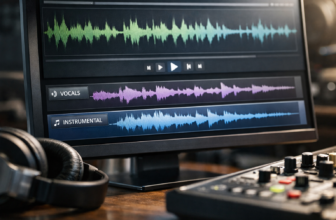
LALAL.AI is direct: choose what to extract, upload the file, and process the separation. The Stem Splitter supports vocals, instrumental, drums, bass, guitar, synth, string, and wind instruments.
This makes it practical for fast audio stem separation. If you need an ai stem splitter for common creative tasks, LALAL.AI keeps the process focused.
RipX is better framed as a tool for people who want to continue working with the separated material after extraction. That is useful, but not always necessary.
Editing depth
Editing depth is where RipX has the stronger appeal. If you need more detailed manipulation after separation, RipX is the more relevant option.
LALAL.AI, on the other hand, should be viewed as a specialist separation and cleanup tool. It is not positioned here as a full advanced audio editor, and buyers should not expect it to replace a detailed editing environment.
That difference is central to lalal.ai vs ripx. One emphasizes fast separation; the other is more attractive for deeper editing.
File handling
LALAL.AI has clear verified file-handling information from the official site. Users can add up to 20 files in MP3, FLAC, MKV, MP4, and other formats.
This is useful if you handle mixed file types, including video. A creator pulling audio from a video clip can benefit from that flexibility.
For RipX, this article avoids making unsupported file-format or limit claims. Without verified official details in the provided source material, the fair comparison is qualitative rather than numeric.
Ideal user
LALAL.AI is ideal for creators who want quick results without unnecessary setup. That includes musicians, DJs, singers, teachers, podcasters, YouTubers, and social media creators.
RipX is ideal for people who want to edit separated stems in more detail. That includes advanced producers, remixers, and audio editors who see separation as the start of a larger process.
If you mostly want a fast online stem splitter, LALAL.AI is the practical choice. If you want a deeper editor, RipX may fit better.
Pricing and value: what you actually pay
Pricing is often where buyers try to settle the lalal.ai vs ripx debate. But value depends on what you actually need.
If you only separate stems occasionally, a fast tool with a simple workflow may be more valuable than a powerful editor you barely use. If stem editing is part of your regular production process, a deeper tool may justify more time and attention.
LALAL.AI pricing structure
The verified LALAL.AI pricing page says: “Try it free. Upgrade for higher limits and advanced features.”
The provided official excerpt does not include specific plan names, prices, or numeric limits beyond the product facts already listed. For that reason, this review will not invent exact pricing or plan details.
The important takeaway is that LALAL.AI lets users try the service and upgrade if they need higher limits or advanced features. Before buying, always check the current official pricing page because software pricing can change.
How to evaluate value for occasional use
If you are an occasional user, value usually comes from convenience. You may not need a complex editor if your task is simply to remove vocals, isolate an instrumental, or split a few stems.
For example, if you are making a karaoke track for rehearsal, LALAL.AI’s workflow is likely more efficient. You choose the extraction type, upload the track, and avoid the overhead of a larger editing process.
In that situation, the best stem separation tool is not necessarily the most complex one. It is the one that gets you a clean-enough result quickly and reliably for your use case.
Why pricing model matters for creators
Creators should think about pricing in relation to time saved. A tool that costs less on paper may not be better if it slows down your workflow.
For musicians and podcasters, time matters. If LALAL.AI helps you quickly prepare stems, isolate voices, or create backing tracks, that convenience has real value.
RipX may offer better value for users who need detailed editing after separation. But if you only need extraction, you may be paying in both money and learning time for features you do not use.
Official website · Latest pricing & offers
Audio quality and stem separation results
Audio quality is one of the hardest parts of any lalal.ai vs ripx comparison because results can vary by source material. A dense rock mix, a live recording, a compressed MP3, and a clean studio vocal can all behave differently.
No stem separation tool is magic. AI systems can produce impressive results, but artifacts, leakage, and tonal changes can still happen depending on the track.
What matters more than brand names
Instead of assuming one brand always wins, evaluate the result on your own files. The most important question is whether the separated stem works for your project.
For karaoke, you may tolerate small artifacts if the lead vocal is mostly removed. For remixing, you may need cleaner drums or bass. For podcast cleanup, intelligibility may matter more than musical perfection.
In practical terms, lalal.ai vs ripx should be tested with your real material. A tool that performs well on one song may not be equally strong on another.
Common quality tradeoffs
Common stem separation issues include:
- Vocal bleed in the instrumental
- Instrumental leakage in the vocal stem
- Watery or phase-like artifacts
- Reduced high-frequency detail
- Drum hits leaving traces in other stems
- Reverb tails remaining after vocal removal
These tradeoffs are normal in AI audio stem separation. They do not automatically mean a tool is bad; they mean separation is technically difficult.
LALAL.AI’s advantage is that it lets you get to a result quickly. RipX may be more useful when you want to spend additional time editing after separation.
When cleaner vocals matter most
Cleaner vocals matter most when the voice is the main product. That includes podcast cleanup, vocal sampling, acapella extraction, dialogue isolation, and remix vocals.
LALAL.AI includes Voice Cleaner among its officially listed products, along with Echo & Reverb Remover and Lead/Back Splitter. Those tools make it especially relevant for creators working with voice-focused content.
For advanced vocal manipulation after separation, RipX may be worth exploring. But for fast vocal removal and instrumental isolation, LALAL.AI is the more straightforward recommendation.
Best use cases for each tool
The easiest way to choose in the lalal.ai vs ripx debate is to match the tool to the job. Most buyers do not need every possible feature. They need the right workflow for their next project.
Below are the most common real-world scenarios.
Karaoke and practice tracks
For karaoke and practice tracks, LALAL.AI is the obvious first stop. It is designed to remove vocals and isolate instrumentals from audio and video.
A singer can create a backing track. A guitarist can isolate guitar parts for learning. A drummer can focus on drum extraction for practice or transcription.
RipX may be more than you need for these tasks unless you plan to edit the separated parts in detail afterward.
Sampling and remix prep
For sampling and remix prep, both tools can make sense depending on your process. LALAL.AI is excellent for quickly extracting material to test ideas.
For example, you might isolate a vocal hook, extract drums, or pull a bass line to see if it works in a new arrangement. That makes LALAL.AI practical for early-stage creativity.
RipX becomes more interesting if you want to reshape the separated material in a more detailed editing workflow. If remix prep turns into deep stem manipulation, RipX may fit better.
Podcast cleanup and vocal isolation
For podcast cleanup and vocal isolation, LALAL.AI has a strong practical case. The official product list includes Voice Cleaner, Echo & Reverb Remover, and vocal-focused tools.
Podcasters often need to isolate speech, reduce distracting sound, or prepare cleaner audio from imperfect recordings. A simple upload workflow can save time, especially for creators who are not audio engineers.
RipX may appeal to editors who want more manual control. But for many podcasters, fast cleanup and isolation are more important than deep editing features.
Advanced repair and remix editing
For advanced repair and remix editing, RipX is the better conceptual fit. If you want to manipulate separated stems after extraction, an advanced stem editor makes more sense than a simple separator.
This is where experienced producers and editors may prefer a more detailed environment. They are not just asking, “Can I separate this?” They are asking, “What can I do to the separated material next?”
That is the fairest way to frame ripx vs lalal.ai. RipX is more appealing for deep editing; LALAL.AI is more convenient for fast extraction.
Pros and cons of LALAL.AI
LALAL.AI is a strong choice for creators who want fast, accessible separation. It is especially compelling if you need an online stem splitter that works with both audio and video.
Still, it is important to understand what it is and what it is not.
Pros
- Designed for vocal removal and instrumental isolation
- Works with audio and video
- Stem Splitter can extract vocals, instrumental, drums, bass, guitar, synth, string, and wind instruments
- Official tools include Voice Cleaner, Voice Changer, Voice Cloner, Echo & Reverb Remover, and Lead/Back Splitter
- Upload-based workflow is easy for beginners
- Official site says users can add up to 20 files in MP3, FLAC, MKV, MP4, and other formats
- Apps are available for iPhone/iPad and Android, plus downloads for macOS and Windows
- Strong fit for karaoke, practice, remix prep, content creation, and quick cleanup
Cons
- Not positioned here as a full advanced audio editor
- May not satisfy users who need deep post-separation manipulation
- Like all AI separation tools, results can vary depending on the source file
- Exact pricing details should be checked on the official site because no verified plan prices are provided here
Bottom line
LALAL.AI is the better everyday recommendation for users who want quick, convenient stem separation. In the lalal.ai vs ripx decision, it wins on simplicity and speed.
If your goal is to remove vocals, isolate an instrumental, or split common stems without learning an advanced editor, LALAL.AI is the practical choice.
Pros and cons of RipX
RipX is best suited for users who need more than basic separation. It is more compelling when you want advanced editing after the stems are split.
Because this article does not have verified official RipX product or pricing details, the pros and cons below stay general and avoid unsupported claims.
Pros
- Better fit for deeper post-separation editing
- Appeals to experienced producers, remixers, and audio editors
- Useful when stem separation is only the first step
- More relevant for detailed manipulation than a simple vocal remover
Cons
- Likely more complex for beginners than an upload-based separator
- May be unnecessary if you only need quick vocal removal or instrumental isolation
- Not the most direct choice for simple karaoke, practice, or basic extraction tasks
- No verified pricing or specification details are included here, so buyers should confirm directly before purchasing
Bottom line
RipX is a better fit for advanced users who want a stem editor. It is less compelling if your main need is fast, convenient separation.
If the question is lalal.ai vs ripx for everyday creators, LALAL.AI is easier to recommend. If the question is advanced editing after separation, RipX becomes more relevant.
How to decide in 60 seconds
If you are still deciding between lalal.ai vs ripx, use this quick checklist. It will help you avoid buying the wrong type of tool.
The key is to decide whether you need a separator, an editor, or both.
Choose LALAL.AI if…
Choose LALAL.AI if you want to:
- Remove vocals quickly
- Isolate instrumentals
- Extract drums, bass, guitar, synth, strings, or wind instruments
- Work with audio or video files
- Use a beginner-friendly upload workflow
- Create karaoke or practice tracks
- Prepare stems for remix ideas
- Clean or isolate voice-focused content
- Avoid learning a deeper editing environment
For most musicians, podcasters, and creators who want fast results, LALAL.AI is the more convenient option. You can test the workflow through LALAL.AI’s official offer here and judge it with your own files.
Choose RipX if…
Choose RipX if you want to:
- Do more detailed editing after separation
- Spend time manipulating separated stems
- Use separation as part of a larger production workflow
- Work like an advanced editor rather than a quick extractor
- Go beyond basic vocal removal or instrumental isolation
RipX makes the most sense when separation is not the final goal. If you need deeper control, it may be worth the extra complexity.
Hybrid workflow option
Some users do not need to choose only one approach. A practical hybrid workflow is to separate stems quickly with LALAL.AI, then move those stems into another editor if deeper polishing is needed.
That can be the best of both worlds. You get fast extraction first, then advanced editing only when the project actually requires it.
For many creators, this is the smartest answer to lalal.ai vs ripx: start with the simpler tool, then add complexity only when it improves the final result.
Official website · Latest pricing & offers
FAQ
Is LALAL.AI better than RipX for vocals?
LALAL.AI is a strong choice for fast vocal removal and instrumental isolation. It is especially practical if you want a simple upload-based workflow.
RipX is more compelling if you want deeper editing after the vocal has been separated. So for quick vocal extraction, LALAL.AI is easier to recommend; for advanced post-separation editing, consider RipX.
Is RipX worth it if I only need stem separation?
RipX makes the most sense when stem separation is only the first step. If you also need detailed editing control after separation, it may be worth considering.
If you only need quick vocal removal, instrumentals, or common stems, LALAL.AI is likely the more efficient option.
Can LALAL.AI be used for video files?
Yes. The official LALAL.AI site describes it as a tool to remove vocals and instrumentals from audio and video.
It also says users can add files in formats including MP3, FLAC, MKV, MP4, and other formats, which makes it useful for creators working with video clips as well as music tracks.
Which tool is easier for beginners?
LALAL.AI is easier for beginners because it is upload-based and designed for quick separation. You choose what to extract, upload your file, and process the result.
RipX is better suited to users who want deeper editing after separation. For beginners comparing lalal.ai vs ripx, LALAL.AI is the simpler place to start.
Related Reading
References
- I tested 9 of the best stem separation tools | MusicTech
- LALAL.AI vs Moises vs RipX vs Ultimate Vocal Remover – Chartlex
- Stem splitter comparison – Gearspace