Best LinkedIn AI Tools Like Taplio in 2026
Choosing between linkedin ai tools is no longer just about generating a few post ideas. In 2026, the strongest options help with the entire LinkedIn workflow: finding topics, drafting posts, scheduling content, engaging with the right people, reviewing performance, and managing thoughtful outreach.
Taplio is the benchmark in this comparison because it brings several LinkedIn-focused growth activities into one workflow. Still, it is not automatically the right choice for every buyer. This guide compares Taplio alternatives for creators, sales teams, agencies, founders, marketers, and job seekers who need a practical toolset rather than generic AI copywriting.
Official website · Latest pricing & offers
Best LinkedIn AI Tools Like Taplio in 2026: Quick Comparison
The best linkedin ai tools should reduce repetitive work without making your profile sound automated. For most individual creators and founders, a content-first platform with scheduling and analytics will be more useful than a complex outreach stack. For sales-led teams, outreach and data workflow tools may be the better starting point.
What This List Covers
This review focuses on tools commonly considered by people researching Taplio alternatives. The selection spans six main LinkedIn jobs:
- AI-assisted post ideation and writing
- Content scheduling and publishing consistency
- Engagement and comment workflows
- Prospecting, connection requests, and outreach
- Analytics and content performance review
- Repurposing and creative production
Not every platform below is an all-in-one LinkedIn solution. That distinction matters. A specialist tool can be excellent when you have one clear bottleneck, while an integrated platform can be better when you want fewer subscriptions and less context switching.
Who Each Tool Is Best For
Here is the buyer-friendly version before getting into the detailed reviews:
| Tool | Best For | Why Consider It |
|---|---|---|
| Taplio | Creators, founders, consultants | Broad LinkedIn content and growth workflow |
| Supergrow | Content-led LinkedIn users | LinkedIn writing and content organization |
| AuthoredUp | Serious individual posters | Drafting, formatting, and post publishing workflow |
| HeyReach | Outreach-oriented teams | Campaign-based LinkedIn prospecting workflows |
| Engage AI | People who want help commenting | Faster, more relevant engagement prompts |
| Expandi | Sales and lead-generation users | LinkedIn outreach automation focus |
| Salesforge | Sales teams | Multichannel outbound workflow considerations |
| Clay | Revenue and research teams | Data enrichment and personalized prospecting research |
| PhantomBuster | Technical growth users | Workflow automation and data-oriented tasks |
| Descript | Video-first creators | Editing video content for LinkedIn distribution |
At-a-Glance Feature Comparison
The table below is a practical fit guide, not a substitute for testing current product capabilities. Competitor features and plans can change, so verify live details directly before purchasing.
| Tool | AI Writing | Scheduling | Outreach | Analytics | Team Collaboration | Ideal Use Case |
|---|---|---|---|---|---|---|
| Taplio | Yes, verified | Yes, verified | Yes, verified | Yes, verified | Confirm current setup | All-around LinkedIn growth |
| Supergrow | Content-focused | Check current features | Not the core reason to buy | Check current features | Check current setup | Content planning |
| AuthoredUp | Writing-focused | Publishing workflow focus | No primary outreach focus | Check current features | Check current setup | Better post drafting |
| HeyReach | Not the primary focus | Campaign-related workflow | Core consideration | Check current features | Often evaluated by teams | Prospecting |
| Engage AI | Comment assistance focus | Not the primary focus | Not the primary focus | Limited workflow fit | Individual users | Engagement support |
| Expandi | Not the primary focus | Campaign workflow | Core consideration | Check current features | Sales workflow fit | Automated outreach |
| Salesforge | Outbound messaging focus | Check current features | Core consideration | Check current features | Team-oriented use | Sales sequences |
| Clay | Research and personalization | No core LinkedIn scheduler role | Supports prospecting workflow | Data workflow focus | Team workflow fit | Lead research |
| PhantomBuster | Automation-oriented | No core content scheduler role | Workflow-dependent | Workflow-dependent | Technical teams | Automations |
| Descript | Script and content support | No core LinkedIn scheduler role | No | No core LinkedIn analytics role | Collaboration depends on plan | Video production |
What to Look for in a LinkedIn AI Tool in 2026
Before choosing among linkedin ai tools, define the outcome you actually need. A creator trying to publish three strong posts weekly should not buy the same stack as an agency running prospecting campaigns for multiple clients.
The most useful evaluation process starts with your workflow: content creation, relationship building, lead generation, team approval, or personal brand development. Then select the fewest tools that solve the largest bottleneck.
AI Post Writing Quality
A good LinkedIn AI generator should not merely produce polished corporate language. It should help you turn your experience, opinions, customer conversations, and source material into a post that sounds recognizably like you.
When testing AI writing, ask it to produce three versions of the same idea: a story-led post, a tactical post, and a contrarian opinion. The better tool will preserve your context and make editing easier rather than forcing you to rewrite generic output from scratch.
Look for support with:
- Topic and hook generation
- Post structure and readability
- Rewriting rough notes into clearer language
- Repurposing existing ideas into new angles
- Creating strong but credible calls to action
- Finding relevant inspiration without copying others
Scheduling and Content Calendar
Consistency is one of the main reasons people research linkedin ai tools. Scheduling can remove the friction of publishing, but only if it supports a realistic content cadence and lets you review posts before they go live.
Taplio’s verified Schedule Queue feature is designed to schedule posts automatically at your best times. That is useful for busy professionals who want to batch content without treating LinkedIn as a daily administrative task.
A scheduling tool should fit your process, not pressure you into posting more than you can sustain. The best schedule is one that leaves room for timely comments, industry news, and genuine conversations.
Engagement and Commenting Support
LinkedIn growth is not only about posting. Meaningful comments on relevant people’s posts can build familiarity faster than publishing alone, particularly for newer accounts or job seekers.
Engagement support can help identify conversations worth joining, generate a starting point for a comment, or keep you from overlooking important contacts. But the final comment needs your judgment. A generic “great insights” response, even when grammatically perfect, does little for reputation or relationships.
Outreach Automation and Lead Generation
LinkedIn outreach tools can support prospecting, connection workflows, and follow-ups. They can be valuable for sales professionals and agencies, but this is also the area where careless automation creates the most risk.
Prioritize personalization controls, sensible pacing, contact relevance, and a clear review process. Never use automation as an excuse to send identical messages at scale. LinkedIn users can spot templated outreach immediately, and a damaged reputation is harder to repair than a slow pipeline.
Analytics and Content Insights
A useful analytics view should help answer practical questions:
- Which topics earn meaningful engagement?
- Which formats attract the right audience?
- Which opening lines keep readers interested?
- Are your best posts generating conversations or only impressions?
- What should you repeat, refine, or stop publishing?
Taplio states that users can analyse what is working and double down, and it provides a LinkedIn Benchmark based on more than 60,000 LinkedIn posts analysed each month. That is the type of context that can help move content decisions beyond guesswork.
Safety and Compliance Considerations
The best linkedin ai tools save time while preserving account safety, audience trust, and professional standards. Review LinkedIn’s current policies yourself before using any automation workflow, because platform rules and enforcement can change.
Use AI to prepare, prioritize, and organize work—not to impersonate human relationships. Keep messages relevant, avoid aggressive volumes, review automated actions, and protect prospect data. For agencies, create client approval rules before connecting, messaging, or commenting on anyone’s behalf.
Top LinkedIn AI Tools Like Taplio
The following tools address different parts of the LinkedIn growth process. Rather than claiming every product does everything, this section explains where each option is likely to fit and where it may be less suitable than Taplio.
Taplio
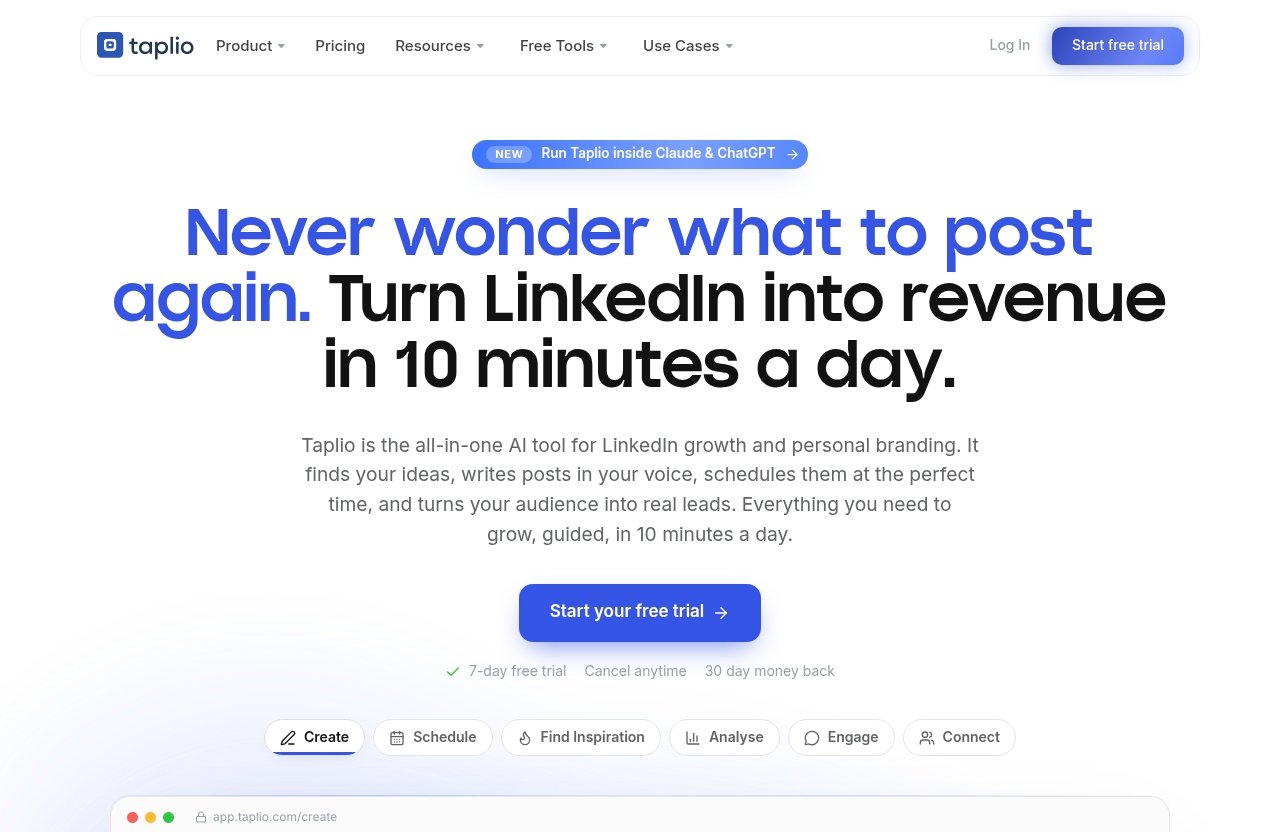
Taplio is positioned as an “AI tool to grow on LinkedIn in 10 min/day.” Its verified feature set covers content creation, inspiration, scheduling, analytics, connection and DM workflows, carousels, engagement, and automation.
For many people comparing linkedin ai tools, that breadth is Taplio’s main advantage. Instead of using one product for prompts, another for scheduling, and a third for performance review, users can build a more connected LinkedIn workflow in one place.
Verified Taplio capabilities include finding ideas and writing posts that grow, discovering viral posts worth remixing, using a Schedule Queue, analysing content performance, creating swipeable carousels, and showing up on relevant people’s posts. It also offers auto-connect and DMs to warm leads, plus MCP support for running Taplio from Claude, ChatGPT, or another MCP-enabled LLM.
Best for: creators, consultants, founders, marketers, and solopreneurs who want content-led LinkedIn growth with adjacent engagement and outreach tools.
Potential limitation: users who only need a narrow specialist function, such as high-volume outbound operations or video editing, may prefer a dedicated tool alongside their existing stack.
Taplio’s pricing page headline states: “Plans from $39/mo | Free Trial.” If that broad workflow matches your needs, you can learn more about Taplio here.
Supergrow
Supergrow is typically considered by LinkedIn users who want a more content-centered workflow. It may appeal to people who spend most of their effort planning posts, drafting ideas, and organizing a publishing routine.
Compared with Taplio, Supergrow may be worth evaluating if content management is your sole priority. However, buyers should verify the current product’s scheduling, analytics, engagement, and outreach scope before assuming it replaces a broader LinkedIn growth platform.
Best for: content-focused users who want help maintaining a LinkedIn publishing habit.
Potential limitation: it may be less suitable if you need one system for content, warm-lead connection workflows, and LinkedIn-specific performance insights.
AuthoredUp
AuthoredUp is commonly evaluated by professionals who care deeply about LinkedIn post writing, formatting, and a cleaner drafting workflow. For writers and personal-brand builders, a focused editor can be more valuable than a large automation suite.
It can be a sensible Taplio alternative when your central problem is improving post quality before publishing. If your growth strategy also relies on analytics, content inspiration, engagement workflows, or lead nurturing, compare the full workflow carefully.
Best for: individual creators who want a more deliberate writing and publishing process.
Potential limitation: a writing-first choice may not solve wider LinkedIn growth tasks on its own.
HeyReach
HeyReach is a category fit for buyers focused on LinkedIn outreach campaigns and prospecting operations. It is more relevant to teams that treat LinkedIn as a sales channel than to creators who mainly want better content.
In comparison with Taplio, HeyReach may be a stronger consideration when campaign management and outbound workflow are your primary needs. It is not the obvious first choice for someone whose biggest challenge is finding, writing, scheduling, and analysing thought-leadership posts.
Best for: sales teams, lead-generation agencies, and outreach-heavy B2B workflows.
Potential limitation: it may require a separate content platform if personal-brand publishing is central to your strategy.
Engage AI
Engage AI is relevant to people who want assistance participating in LinkedIn conversations. The appeal is straightforward: engagement can be time-consuming, and a prompt or starting point may help users comment more consistently.
Used carefully, this kind of tool can support relationship building. Used poorly, it can create shallow, repetitive comments that make your profile feel less credible. Always add a specific observation, experience, or question before posting.
Best for: professionals who want help turning regular commenting into a manageable habit.
Potential limitation: it is a narrower engagement layer, not a complete LinkedIn content and analytics system.
Expandi
Expandi belongs in the conversation for users evaluating LinkedIn outreach tools. Its relevance is primarily in the prospecting and campaign automation category rather than AI-led content development.
Compared with Taplio, Expandi may better match users who already have content handled but need a dedicated outbound process. Review its current controls, platform fit, and compliance implications before building campaigns around it.
Best for: sales-led users with a clear outreach strategy and personalized message framework.
Potential limitation: it is not the natural choice for creators seeking a unified writing, carousel, scheduling, and analytics workflow.
Salesforge
Salesforge is best viewed through an outbound sales lens. Buyers considering it should assess how it fits their broader sales engagement process, including data quality, message personalization, and handoff to the human sales team.
It can be relevant when LinkedIn is one touchpoint in a larger prospecting motion. For a solo creator who wants to publish useful posts consistently, it may introduce more operational complexity than necessary.
Best for: teams coordinating structured outbound messaging.
Potential limitation: it may be overbuilt for personal branding and content-led LinkedIn growth.
Clay
Clay is often part of the research and personalization side of a sales workflow. It can help teams think beyond a static contact list by organizing data and creating better context for outreach.
That makes Clay complementary to some linkedin automation tools, rather than a direct replacement for a LinkedIn content platform. If your goal is to make prospect messages more relevant, a research layer may be more valuable than another AI writer.
Best for: revenue teams that need richer prospect research before outreach.
Potential limitation: it does not replace a dedicated LinkedIn content generator, scheduler, or creator analytics workflow.
PhantomBuster
PhantomBuster is relevant to technically confident users interested in automation workflows and data-oriented tasks. It is generally a tool to evaluate carefully because flexible automation can also create process, privacy, and compliance risks.
It may suit experienced operators who can document workflows, monitor outputs, and keep activities within reasonable boundaries. It is less suitable for a beginner who simply needs help writing better posts and maintaining a steady publishing schedule.
Best for: technical users with specific automation use cases.
Potential limitation: it can demand more setup, oversight, and safety discipline than an integrated creator-focused platform.
Descript
Descript is not a direct Taplio alternative, but it can be highly useful for LinkedIn creators who publish video. Short videos, interview clips, product explainers, and founder updates can become valuable LinkedIn assets when editing is no longer a major bottleneck.
Use Descript as part of a content production stack, then pair it with one of the linkedin ai tools in this guide for post writing, scheduling, or analysis. It is a complementary choice, not a replacement for LinkedIn growth software.
Best for: creators and teams repurposing video into LinkedIn-native content.
Potential limitation: it does not serve as a complete LinkedIn outreach, scheduling, or analytics platform.
Official website · Latest pricing & offers
Taplio Review Snapshot: Why It Is the Benchmark
Taplio stands out because its verified features connect the major parts of a creator-led LinkedIn workflow. It is not simply an AI writing prompt box; it is designed around creating, publishing, learning, engaging, and connecting.
That makes it a compelling benchmark for buyers who do not want a fragmented stack. It will not eliminate the need for strategic thinking or human review, but it can reduce the operational drag around consistent LinkedIn activity.
AI Content Creation
Taplio’s verified Create capability includes finding ideas and writing posts that grow. It also helps users find inspiration through viral posts worth remixing, which can be useful when you need a fresh angle but do not want to start with a blank page.
The important word is “remixing,” not copying. Use inspiration to identify formats, hooks, and themes that resonate, then add your own customer insight, career lesson, data point, or viewpoint.
Scheduling and Queueing
The verified Schedule Queue automatically schedules posts at your best times. This is a practical feature for anyone who writes in batches but wants their posting pattern to remain consistent.
Among linkedin scheduling tools, convenience matters, but control matters more. Review your queue, leave space for timely posts, and avoid scheduling content so far ahead that it becomes irrelevant or tone-deaf.
Analytics and Benchmarking
Taplio says users can analyse what is working and double down. Its LinkedIn Benchmark analyses more than 60,000 LinkedIn posts each month, providing a reference point for people who want more than their own limited sample of past posts.
My practical advice is to use analytics to identify patterns, not chase vanity metrics. A post that brings three high-quality conversations with buyers, peers, or hiring managers can be more valuable than a widely viewed post that attracts the wrong audience.
Connection and DM Automation
Taplio includes verified auto-connect functionality and the ability to send DMs to warm leads. This can help users create a more systematic relationship-building process after relevant engagement or content interaction.
The word “warm” should guide your approach. Do not turn a new connection into an immediate sales pitch. Reference why you connected, what they engaged with, or a useful resource that is genuinely relevant to their role.
Carousels and Engagement Workflows
Taplio can turn content into a swipeable carousel, which is useful when a topic needs more structure than a standard text post. It also supports engaging by showing up on the right people’s posts.
These features are valuable because LinkedIn growth often comes from repeated, relevant visibility. A strong carousel can make an educational topic easier to consume, while thoughtful comments can create recognition before you ever send a message.
MCP and Claude/ChatGPT Support
Taplio’s new MCP capability allows it to run from Claude, ChatGPT, or any MCP-enabled LLM. For advanced users, this is an interesting workflow option because it can connect conversational AI work with Taplio tasks.
This capability is especially relevant for people building customized operating systems around content creation. Still, it is not a reason to overcomplicate a simple workflow. Start with a clear content process, then add integrations only when they save genuine time.
Which LinkedIn AI Tool Is Best for Your Goal?
The “best” option depends on whether you are publishing, prospecting, engaging, managing clients, or producing creative assets. Buying a platform because it has the longest feature list can lead to wasted budget and unused dashboards.
Best for Writing LinkedIn Posts
Taplio is the strongest all-around option for people who want ideation and post writing connected to a larger growth workflow. Its verified tools for finding ideas, writing posts, and drawing inspiration from viral content make it a logical starting point.
AuthoredUp and Supergrow are also worth researching if your main priority is writing quality and a focused content workflow. A standalone LinkedIn content generator may be enough if you already have scheduling and analytics elsewhere.
Best for Scheduling and Consistency
Taplio is a practical contender for consistency because its verified Schedule Queue posts automatically at your best times. This can work well for founders, marketers, and creators who prefer to batch content on one or two days each week.
Do not choose scheduling software based on automation alone. Test whether it fits your review process, lets you adjust quickly, and supports the way you actually generate content.
Best for Outreach and Prospecting
For outreach-heavy users, HeyReach, Expandi, Salesforge, and Clay may deserve closer evaluation depending on whether your challenge is campaign execution, sales messaging, or prospect research. These are different jobs, so avoid treating them as interchangeable.
Taplio is also relevant here through its verified auto-connect and warm-lead DM capabilities. It may be the better fit when outreach is connected to a content-led personal brand rather than a standalone outbound machine.
Best for Engagement and Comments
Engage AI is worth exploring when your primary goal is becoming more active in relevant conversations. A lightweight engagement tool can help you maintain momentum when you know commenting matters but struggle to make time for it.
Taplio also supports showing up on the right people’s posts. For users who want engagement tied to content creation, scheduling, and analytics, that broader workflow may be easier to maintain.
Best for Teams and Agencies
Agencies and teams should prioritize governance before features. Look for client separation, approvals, user access, reporting needs, documentation, and a clear policy for who can send messages or publish content.
Outreach-focused platforms may make sense for agency prospecting teams, while Taplio can be a better fit for client-facing personal-brand work. The right answer may be a two-tool setup: one for content and one for controlled prospecting.
Best for Creators on a Budget
Creators on a budget should start with the narrowest paid solution that removes a real bottleneck. If you cannot maintain a post cadence, prioritize writing and scheduling. If you already publish regularly but lack conversations, prioritize engagement.
People searching for linkedin ai tools free should be cautious about assuming every product has a free plan. Taplio’s official pricing headline confirms a free trial and plans from $39 per month, but always check current terms directly. Free tools can be useful for testing ideas, yet a paid platform may be more economical if it replaces several disconnected steps.
Pros and Cons of Using AI for LinkedIn Growth
AI can make LinkedIn execution faster, but it does not create authority on your behalf. Authority still comes from useful perspectives, credible experience, original examples, and consistently showing up for the right audience.
Where AI Helps Most
The best linkedin ai tools are particularly helpful with repetitive or blank-page tasks. They can help organize raw ideas, generate alternative hooks, structure a carousel, plan a content queue, identify post patterns, and prepare a first draft.
AI also helps when you repurpose existing expertise. For example, a founder can turn a sales-call insight into a post, a consultant can convert a workshop lesson into a carousel, and a job seeker can shape project experience into a clearer professional story.
Where Human Editing Still Matters
Human editing is essential for claims, tone, accuracy, and relationship context. AI may create a polished sentence that sounds plausible but does not reflect what you truly believe or what happened in your business.
Always review:
- Statistics, examples, and factual claims
- Client references and confidential information
- Outreach messages before they are sent
- The specificity of comments and posts
- Whether the opening line sounds like your actual voice
- Whether the advice is useful to the intended audience
Common Mistakes to Avoid
A common mistake is publishing AI drafts unchanged. The result is often smooth but forgettable content: vague lessons, excessive line breaks, generic motivational language, and no clear point of view.
Another mistake is automating outreach before establishing relevance. A better sequence is to identify the right people, engage when you have something real to add, publish content that demonstrates expertise, and then start a personalized conversation when appropriate.
Do not confuse activity with progress. Posting daily, commenting everywhere, or sending hundreds of requests can create noise without generating trust, leads, interviews, or professional relationships.
How to Stay Authentic
Build an “evidence bank” before using AI. Keep a document with customer questions, personal stories, project outcomes, unpopular opinions, lessons learned, and examples from your work. This gives any LinkedIn AI generator better material to work with.
Use a simple final-edit rule: add one detail only you could know. It might be a real number you can substantiate, a sentence you heard in a customer call, a mistake you made, or a useful observation from your industry. That detail turns an acceptable AI draft into a credible human post.
Final Verdict: Is Taplio Still Worth It in 2026?
Taplio remains worth serious consideration in 2026 for people who want one platform to support a broad, content-led LinkedIn workflow. Its verified feature set addresses idea generation, post writing, inspiration, scheduling, analytics, carousels, engagement, warm-lead connections, DMs, automation, and MCP-enabled AI workflows.
It is not the only valid choice. The right purchase depends on whether your core growth constraint is content consistency, commenting, outbound sales, prospect research, or video production.
Best-Fit Buyer Profiles
Taplio is likely to be a strong fit for:
- Founders building authority alongside a business
- Consultants and coaches creating thought-leadership content
- Solopreneurs who want fewer disconnected tools
- Marketers managing a personal or company-led LinkedIn presence
- Creators who want to turn ideas into posts and carousels efficiently
- Sales professionals using content and warm relationships to support pipeline
These buyers benefit most when they treat Taplio as a workflow assistant rather than a content autopilot.
When to Choose an Alternative
Choose an outreach-first tool such as HeyReach or Expandi if your primary need is campaign-oriented prospecting and you already have content production handled. Consider Clay when research and personalization are the biggest missing pieces in your sales process.
Choose a writing-focused platform such as AuthoredUp or Supergrow if your only goal is improving the drafting and publishing experience. Choose Descript if video editing is your actual bottleneck. In each case, buy for the job you need done, not for a hypothetical future workflow.
Final Recommendation
Among all-around linkedin ai tools, Taplio is the strongest benchmark for creators and professionals who want to combine content, consistency, engagement, performance review, and warm-lead workflows in one LinkedIn-focused environment.
The honest recommendation is to use it with human oversight. Write from experience, review every message, respect platform rules, and use analytics to improve—not to imitate viral content. If that approach matches your strategy, Taplio is worth exploring through this review link.
Official website · Latest pricing & offers
FAQ
What Is the Best AI Tool for LinkedIn in 2026?
The best tool depends on the job you need it to do. Taplio is a strong all-around choice for content creation, scheduling, analytics, engagement, and warm-lead workflows. Outreach-focused users may prefer dedicated prospecting platforms, while people who only need content consistency may prefer a writing or scheduling-first solution.
Is Taplio Worth It for LinkedIn Growth?
Taplio can be worth it for creators, founders, marketers, and consultants who want a connected LinkedIn workflow. Verified features include AI-assisted post creation, inspiration from viral posts worth remixing, Schedule Queue publishing, analytics, carousels, engagement support, auto-connect, warm-lead DMs, and MCP support.
Its value is highest when you will genuinely use several of those functions. If you only need a basic draft editor, a narrower and potentially less expensive option may be enough.
Are There Free LinkedIn AI Tools?
Some products offer free trials or limited free functionality, but availability and restrictions change regularly. Taplio’s official pricing headline states that it has a free trial and plans from $39 per month.
When evaluating linkedin ai tools free options, check whether the free version supports the tasks you truly need. A free prompt tool may help write posts, but it may not include LinkedIn scheduling, analytics, engagement workflows, or outreach support.
Which LinkedIn AI Tool Is Best for Writing Posts?
Taplio is a strong option for writing because it combines idea discovery, AI post creation, and inspiration research with scheduling and analytics. AuthoredUp and Supergrow are also sensible tools to investigate when your main focus is a polished writing workflow.
The best choice depends on what happens after the draft. If you also need publishing consistency, carousels, insights, and engagement support, an all-in-one platform may be more useful than a writing-only tool.
Can AI Tools Help With LinkedIn Outreach?
Yes. Some tools support connection requests, messaging workflows, lead research, or campaign organization. Taplio’s verified features include auto-connect and sending DMs to warm leads, while other platforms in this guide are more specifically associated with outreach operations.
Use outreach AI carefully. Keep messages personalized, avoid irrelevant connection requests, monitor automation, and follow LinkedIn’s current policies. The goal is to start relevant conversations, not maximize message volume.
What Should I Look for When Choosing a LinkedIn AI Tool?
Evaluate content quality, ease of use, scheduling, analytics, engagement support, outreach requirements, team needs, and safety controls. Also consider whether the platform matches your real workflow as a creator, job seeker, founder, sales rep, or agency.
The best linkedin ai tools for job search may emphasize profile positioning, post creation, and thoughtful networking, while sales teams may prioritize research and outreach. Start with your goal, test the workflow, and keep human judgment at the center.
Related Reading
References
- AI-Powered Features – LinkedIn Talent Solutions Learning Center
- 9 Best AI Tools for LinkedIn in 2026: Content, Outreach & Growth
- 6 Best LinkedIn AI Tools in 2026 (Content, Visibility & Growth)
- 13 Best AI Tools for LinkedIn Outreach (2026) – Overloop