How to Remove Vocals From Song with Lalal.AI
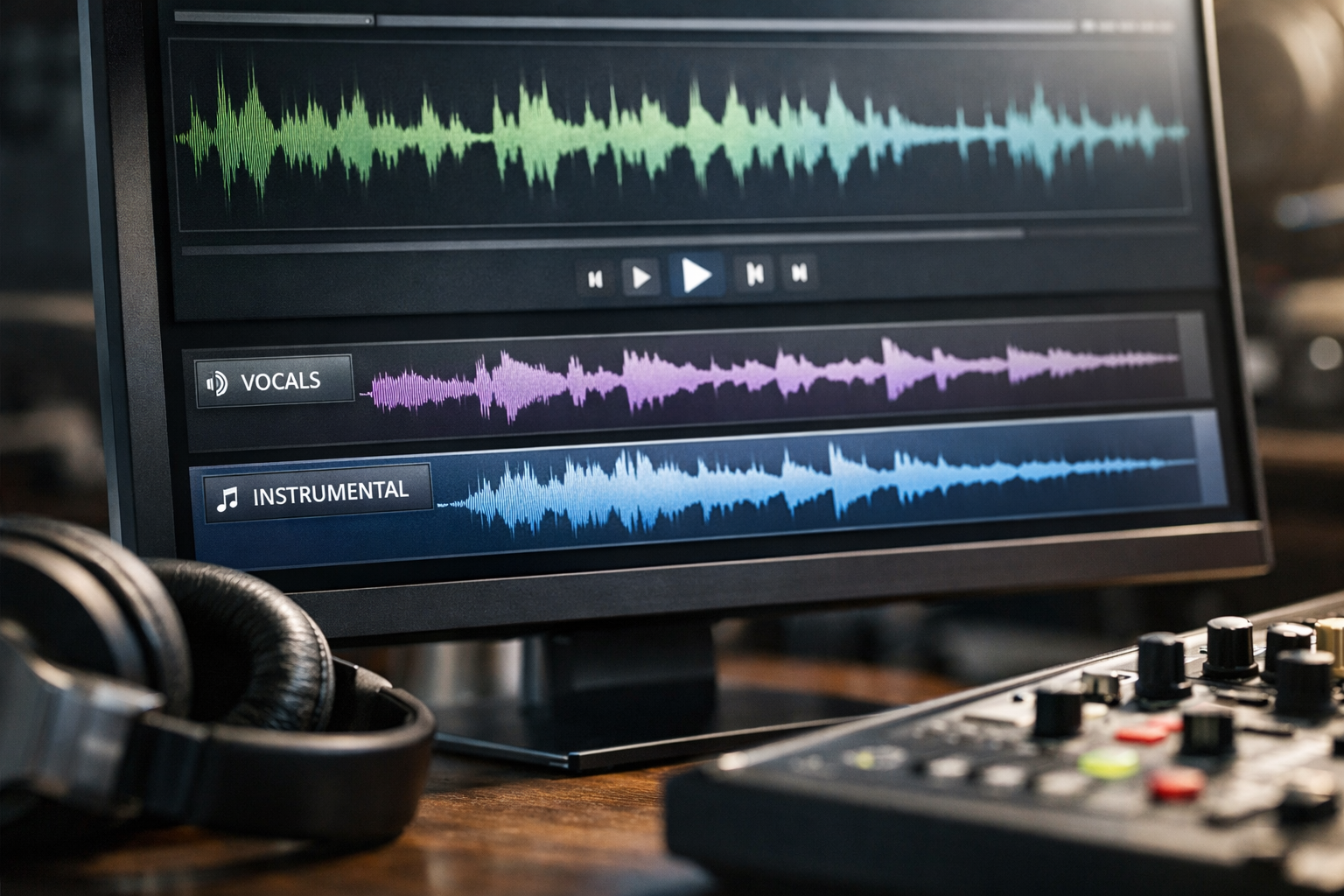
If you want to remove vocals from song files for karaoke, remix ideas, or music practice, AI-powered separation can be a practical starting point. Instead of manually trying to cancel a centered vocal with EQ tricks, a dedicated vocal remover separates the voice from the instrumental using audio analysis.
LALAL.AI is designed for this kind of workflow and offers tools for splitting vocals, instrumentals, and other stems. This guide explains how to use it, what results to expect, and how to get cleaner tracks from your source audio.
AI separation results vary by track. A clean, well-mastered recording may separate more effectively than a heavily compressed file, a live recording, or a dense mix with layered vocals and effects.
Official website · Latest pricing & offers
What it means to remove vocals from a song
To remove vocals from song recordings means creating an instrumental-focused version by separating the singer’s voice from the rest of the mix. The result is often useful for singing along, building a remix, or practicing an instrument without the original lead vocal.
Vocals vs. instrumental tracks
A vocal is the sung or spoken voice in a recording. An instrumental is the music without the main vocal performance, such as drums, bass, guitars, keyboards, and orchestral elements.
An acapella is the opposite of an instrumental: it is a vocal-focused output with most or all music removed. A stem is a separate audio component from a song, such as vocals, drums, bass, guitar, synth, or backing vocals.
When you remove vocals from song material, you are usually looking for the instrumental output. If you need the singer’s isolated voice for a mashup or edit, you would instead use the vocal or acapella output.
What AI separation actually does
An AI vocal remover analyzes patterns in the audio mix and attempts to identify which sounds belong to the voice and which belong to instruments. It then creates separate outputs rather than simply lowering the center channel, as older vocal-cancellation methods often did.
This matters because vocals are not always perfectly centered. Reverb, harmonies, doubled vocals, crowd noise, and overlapping instruments can make separation more difficult. An instrumental isolator can still be very useful, but it cannot guarantee a studio-perfect result from every recording.
Best use cases: karaoke, practice, remixing, content creation
The most common reason to remove vocals from song files is to make karaoke tracks. You can sing over the instrumental while following lyrics separately, or use the track for a small event, rehearsal, or casual performance.
Musicians can also create practice tracks by isolating the backing music. Producers and creators may use separated vocals or instrumentals as starting points for remix concepts, arrangement study, or private editing work, provided they have the appropriate rights to use the audio.
Why use LALAL.AI for vocal removal
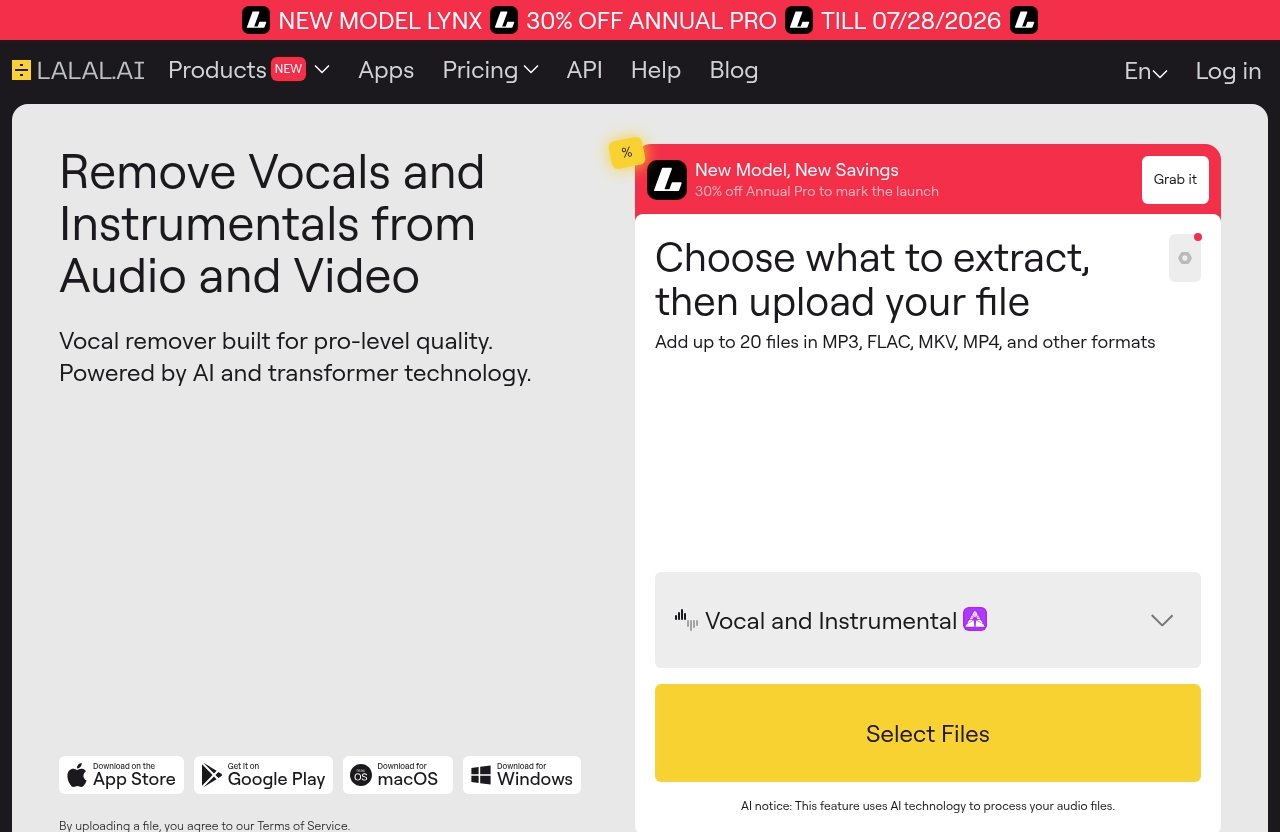
LALAL.AI is more than a basic tool to remove vocals online. Its official product lineup includes a Vocal Remover, Stem Splitter, Voice Cleaner, Lead/Back Splitter, Voice Changer, Voice Cloner, and Echo & Reverb Remover.
That broader toolkit is useful when a simple vocal-and-instrumental split is only the first step in your audio workflow.
Fast processing
The practical advantage of an online workflow is that you can upload a track, process it, review the separated outputs, and decide whether the result works for your purpose. You do not need to learn a full digital audio workstation before testing an idea.
Processing time can vary with the file and its complexity, so it is best to treat it as a convenient workflow rather than rely on a specific turnaround promise.
High-quality stem separation
LALAL.AI’s Stem Splitter is positioned to extract vocals, instrumental, drums, bass, guitar, synth, and string and wind instruments. This can be helpful when you need more control than a standard vocal remover provides.
For example, a guitarist practicing a part may want to reduce or isolate other elements, while a remixer may want an acapella extractor output plus a separate instrumental reference. The quality of every separation still depends on the original mix.
Works with songs, audio clips, and video files
According to its official product description, the LALAL.AI Vocal Remover can remove vocals and instrumentals from music tracks, audio clips, and video files. That flexibility is useful if the material you want to process is not already a standalone audio file.
It also makes the workflow more approachable for creators who start with a video clip and need to separate the sound before editing.
Useful for casual and pro workflows
Beginners can use LALAL.AI to remove vocals from song files without building a complex studio setup. The company also offers desktop apps for Windows, macOS, and Linux, plus iOS and Android apps.
For more advanced workflows, LALAL.AI provides a VST Plugin that runs locally inside a DAW and an API for developers. That range makes the platform relevant whether you are making one karaoke track or working with audio more regularly.
How to remove vocals from a song with LALAL.AI: step-by-step
The basic process is simple: choose the Vocal Remover, upload your source, let the AI create separated outputs, then download the version you need. Before starting, make sure you have permission to use the track in the way you intend.
Step 1: Open the Vocal Remover tool
Go to the official LALAL.AI tool and select the Vocal Remover. This is the appropriate starting point when your primary goal is to remove vocals from song audio and keep the music.
If you later need individual instruments rather than only vocals and instrumental, consider whether the Stem Splitter better fits the project.
Step 2: Upload your file
Upload the song, audio clip, or video file you want to process. Start with the best copy you have available rather than a version that has already been repeatedly converted, compressed, or captured through speakers.
A clean source gives the AI more usable information. It does not make difficult mixes perfect, but it can improve the odds of a more usable instrumental result.
Step 3: Let the AI process the track
After upload, allow the AI vocal remover to analyze the audio. The system separates vocal content from instrumental content based on the patterns it detects in the mix.
Avoid making assumptions before listening. A track with a solo lead vocal may behave differently from a track filled with harmonies, vocal chops, heavy reverb, or instruments that occupy a similar frequency range.
Step 4: Preview the separated outputs
Listen closely to both outputs before downloading. Check the instrumental during verses, choruses, and quieter sections, since leftover vocal fragments may be more obvious when fewer instruments are playing.
Also listen to the isolated vocal output if you plan to use it. Hearing both sides helps you understand whether a sound is being treated as voice, instrument, or a mixture of both.
Step 5: Download the instrumental or vocal stem
Download the instrumental if your aim is karaoke, rehearsal, or a backing-track idea. Download the vocal output if you need an acapella-style reference for an edit or remix concept.
For a simple first attempt, you can review LALAL.AI through this official tool link and compare the workflow with what your project actually needs. This article is intended to help you decide whether it is the right tool before choosing a plan.
How to get the cleanest instrumental result
The best way to remove vocals from song files more cleanly is to begin with a strong source and realistic expectations. AI separation is influenced by the production choices in the original recording, not just the tool you select.
Start with the highest-quality source file
Use the cleanest original file you legally have access to. Avoid recordings made from phone speakers, social-media clips that have been recompressed, or files with obvious distortion.
A fuller source can make it easier to distinguish vocals from instruments. If your result contains artifacts, try another copy of the same track before assuming the separation tool is the only issue.
Choose the right file type and mix version
Different releases of the same song can produce different results. A studio version may separate differently from a live recording, radio edit, remaster, demo, or version with added crowd noise.
If you can access a clean official mix, begin there. For practice purposes, an alternate mix can sometimes be more useful than trying to force a difficult live performance into a clean instrumental.
Avoid heavily compressed audio when possible
Lossy compression and repeated file conversions can blur high-frequency detail, create distortion, and make vocal boundaries less distinct. That can affect any attempt to remove vocals online.
You do not need to become an audio engineer to improve your odds. Simply choose a source that sounds clear before processing and avoid re-recorded or heavily altered copies when possible.
Test a few songs before committing
Try a few representative tracks first: one sparse song, one dense modern production, and one track with backing harmonies. This gives you a realistic picture of how the output fits your specific use case.
For karaoke tracks, decide whether minor artifacts would matter in a room with people singing. For a polished commercial production, the standard is much higher, and you should assess every output critically.
Official website · Latest pricing & offers
Pricing and plan considerations before you start
Pricing should be part of the decision, especially if you expect to process several tracks or need more than basic vocal separation. The official pricing excerpt available for this guide does not show plan names, prices, or included limits, so it would not be responsible to quote figures here.
When free tools may be enough
A free option may be enough if you only need to experiment with one personal practice track or determine whether AI separation can help your project. The key question is not only cost but whether the resulting instrumental is usable for your intended setting.
If you need a clean result for an event, frequent practice, or ongoing content work, evaluate the output quality before depending on any tool.
When a paid plan makes sense
A paid option can make sense when you expect to remove vocals from song files regularly, want to use additional audio tools, or need a workflow that suits more frequent projects. LALAL.AI’s broader toolset may be relevant if you also need stem separation, voice cleanup, or lead and backing vocal separation.
Do not choose based solely on a headline claim. Check the current official pricing page for up-to-date plans, usage details, and any applicable conditions before purchasing.
How to choose based on volume and quality needs
Consider three practical factors: how many files you expect to process, whether you need only instrumentals or multiple stems, and how sensitive your project is to artifacts. A casual karaoke night has different requirements from a detailed remix session.
It is also worth considering where you work. LALAL.AI offers desktop, mobile, VST Plugin, and API options, so the most appropriate route may depend on whether you prefer a browser, app, DAW, or developer workflow.
Karaoke, remix, and practice-track workflows
A good separation result becomes more useful when you have a clear next step. Here are three straightforward ways to remove vocals from song recordings and use the output responsibly.
Make karaoke versions for events or singing practice
For karaoke, download the instrumental output and pair it with a lyric sheet or lyric display. Listen through the full track before your event so you know whether any residual vocals are noticeable.
Minor vocal traces may be less distracting when a person is actively singing over the track. Still, test the volume and playback system in advance, particularly if you are using speakers in a larger room.
Create backing tracks for remix ideas
For a remix concept, start by separating the vocal and instrumental. Use the vocal output as a creative reference, then build your own drums, harmony, or arrangement around it in your music software.
Remember that separated audio can contain traces of other elements. Treat it as source material to evaluate and refine, not as a guaranteed replacement for original multitrack stems.
Build practice stems for musicians and vocalists
Instrumental tracks are helpful for vocal practice because they leave space for you to sing the lead part yourself. Musicians can also use the Stem Splitter to explore individual parts such as drums, bass, guitar, synth, or string and wind instruments.
This is especially useful for learning song structure. You can focus on entrances, chord changes, rhythm patterns, and harmonies without trying to mentally filter every element in the full mix.
LALAL.AI features that matter for vocal removal
The standard LALAL.AI vocal remover workflow is enough for many users. However, the surrounding tools can support more specific cleanup, learning, and production tasks.
Vocal Remover
The Vocal Remover is the direct choice when you want vocals and instrumentals separated from a music track, audio clip, or video. Use it for a simple instrumental or acapella-focused result.
It is the most relevant feature for karaoke and basic singing practice. Always preview the output, because song complexity affects the final separation.
Stem Splitter
The Stem Splitter goes beyond a vocal-and-instrumental split by extracting vocals, instrumental, drums, bass, guitar, synth, and string and wind instruments. It can be more useful when you want to study, rearrange, or reduce a particular part.
For example, a band member may want to hear the bass more clearly, while a producer may want to inspect an instrument group before creating an original arrangement.
Voice Cleaner
Voice Cleaner is designed to remove background music, vocal plosives, microphone rumble, and other unwanted noises. It is not the main tool to remove vocals from song recordings, but it can be helpful after separation when you are working with a voice-focused output.
Use it as part of a broader cleanup workflow rather than expecting it to solve every artifact introduced by a difficult source mix.
Lead/Back Splitter
Lead/Back Splitter is intended to separate lead and backing vocal content. This can be valuable when a chorus has harmonies that you want to examine separately from the main vocal line.
For singers, it can make harmony study more practical. For creators, it offers an additional way to explore the arrangement of a vocal production.
Common issues and how to troubleshoot them
No remove vocals from song AI tool can perfectly separate every source. The most useful troubleshooting approach is to identify the type of issue, then test a more suitable source or workflow.
Vocal artifacts or leftover vocals
You may hear faint words, reverb tails, breaths, or harmony fragments in the instrumental. This is more common in dense mixes, vocal-heavy choruses, and recordings where voice effects blend into the music.
Try a cleaner source file or an alternate mix if one is available. For karaoke, listen at the real playback volume before deciding whether the traces are significant enough to matter.
Instrument bleed in the instrumental
An isolated vocal may include pieces of instruments, while an instrumental may lose small details that overlap with vocal frequencies. This is a natural limitation of separating sounds that were originally mixed together.
If you need a highly polished final production, consider the separated output a starting point. You may need further editing in a DAW, or you may need access to officially provided stems when available.
File upload or processing issues
If a file does not upload or process as expected, first confirm that it opens normally on your device and is not incomplete or corrupted. Then try a fresh export or another source copy.
Because official messaging confirms use with music tracks, audio clips, and video files but does not provide file-format details in the available product facts, avoid assuming every file type or export variation will behave identically.
When to try a different source file
Try another source when the recording is distorted, captured from speakers, heavily compressed, unusually quiet, or filled with crowd noise. A studio version is often a more sensible first test than a live recording.
This simple change can be more effective than repeatedly processing the same weak input. Better input does not eliminate all artifacts, but it gives the AI a clearer signal to analyze.
Is LALAL.AI worth it for removing vocals from songs?
LALAL.AI is worth considering if you want a straightforward way to make instrumentals, explore stems, or prepare a personal practice track. Its main strength is the combination of vocal separation with related tools for stems and voice-focused cleanup.
Its limitation is shared by AI audio separation generally: results depend on the source audio and the complexity of the production. It is most useful when you evaluate the output honestly rather than expect every track to become a flawless multitrack session.
Best for beginners and creators
Beginners who want to remove vocals from song files without learning advanced audio software will appreciate the direct workflow. Creators who need to test a karaoke, remix, or learning idea can start with the Vocal Remover and expand to other tools only if needed.
The availability of desktop and mobile apps also gives users flexibility in how they access the service.
Best for quick turnaround
This is a sensible option when you want to upload a source, review the split, and move on with your project without manually using complex processing methods. It is particularly practical for one-off ideas and early-stage creative experiments.
For more involved production work, the VST Plugin and API show that the LALAL.AI ecosystem can also fit into broader workflows. Whether that matters depends on how you create and edit audio.
Best for karaoke and practice tracks
Karaoke singers, vocal students, and instrumentalists are among the strongest fits. They often need a usable backing track rather than absolute technical perfection, and separated outputs can make practice more engaging.
If that matches your goal, you can check the official LALAL.AI tool and current pricing information before deciding which option fits your needs.
Official website · Latest pricing & offers
FAQ
How do I remove vocals from a song with LALAL.AI?
Open the Vocal Remover tool, upload your music track, audio clip, or video file, and let the AI separate the vocals from the instrumental. Preview the outputs, then download the instrumental for karaoke or practice, or the vocal output for an acapella-style use.
Can I use LALAL.AI to make karaoke tracks?
Yes. You can use the instrumental output to create karaoke tracks or personal singing-practice backing tracks. Listen to the complete result first, since some tracks may retain small vocal traces depending on the original mix.
Does LALAL.AI work on audio and video files?
Yes. Official LALAL.AI product messaging states that its Vocal Remover can separate vocals and instrumentals from music tracks, audio clips, and video files.
Is the vocal removal process instant?
Processing is designed to be convenient, but the exact time can depend on the file size and audio complexity. Upload the file, allow the separation to finish, and review the outputs before downloading.
What if the instrumental still has some leftover vocals?
Start by trying a cleaner source file, ideally a clear studio version rather than a heavily compressed or live recording. You can also test a different mix version where available and decide whether the remaining artifacts are acceptable for your karaoke, practice, or creative use.
Final take: the easiest way to remove vocals from a song
LALAL.AI offers a beginner-friendly path to remove vocals from song recordings for karaoke, remix concepts, and practice tracks. Upload a clean source, use the Vocal Remover, preview both outputs, and download the instrumental or vocal stem that fits your project.
Quick recap
The best results begin with the best available source file. Use the standard Vocal Remover for a vocal-and-instrumental split, consider the Stem Splitter for deeper instrument separation, and remember that dense mixes can leave audible artifacts.
Who should try LALAL.AI first
Try LALAL.AI first if you want a practical AI vocal remover without a complicated setup, especially for personal karaoke tracks, vocal rehearsal, instrument practice, or early remix ideas. Check the official tool and current pricing details before choosing a plan, then test it with a representative track to see how it works for your audio.
Related Reading
References
- LALAL.AI: AI Vocal Remover & Instrumental Isolator
- Pricing | LALAL.AI
- Vocal Remover and Isolation [AI]
- Online AI Vocal Remover – Remove Vocals from Song