Podsqueeze Review 2026: Best AI Podcast Tool
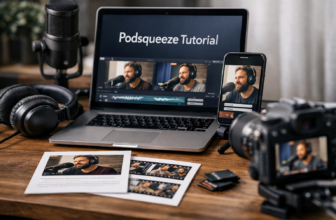
If you publish podcasts regularly, this podsqueeze review will help you decide whether Podsqueeze is a smart buy or just another AI tool you can skip. I reviewed the official Podsqueeze product and pricing pages, then compared its positioning against the broader AI podcast tool market to understand where it fits best.
Affiliate disclosure: This article contains an affiliate link. If you buy through our link, TopTrustReview may earn a commission at no extra cost to you. That does not change the pricing or our editorial opinion.
Official website · Latest pricing & offers
Podsqueeze at a Glance: What It Is and Who It’s For
Quick verdict for this Podsqueeze review
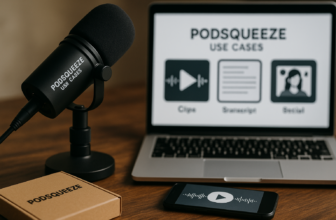
Podsqueeze is an AI podcast repurposing tool built to turn audio or video episodes into transcripts, show notes, short clips, newsletters, blog posts, social posts, subtitles, and improved audio. Instead of using separate tools for transcription, clipping, copywriting, and podcast pages, Podsqueeze puts many of those workflows in one place.
The short version of this podsqueeze review is simple: Podsqueeze is most useful if you publish consistently and want to get more content from every episode. It is less compelling if you only need an occasional transcript and do not care about clips, newsletters, show notes, or podcast marketing assets.
Officially, Podsqueeze says it is used by 70,000 content creators and podcast professionals, including media groups, agencies, and podcasters. That does not automatically make it right for everyone, but it does show the product is positioned for serious podcast workflows rather than one-off hobby use only.
Best for solo podcasters vs agencies
For solo podcasters, Podsqueeze can reduce the time spent turning an episode into promotional content. A creator can upload an episode, generate a transcript, create show notes, pull short clips, and build social posts without starting from a blank page.
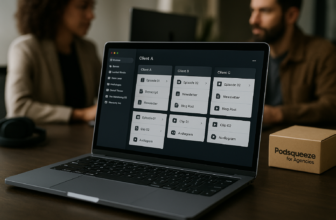
For podcast managers and agencies, the value is different. The ability to create podcast folders, share content pages, tune the AI voice for each show, and manage outputs across different clients can make the platform more operationally useful. Agencies also tend to benefit more from higher clip and minute limits because they are usually repurposing multiple episodes every month.
Media teams and studios may find Podsqueeze useful when they need repeatable workflows for multiple shows. The Enterprise option adds custom minutes, custom clips, priority support, feature requests, team onboarding, and training, which makes more sense for larger operations than for a single creator.
What problems it solves
The biggest problem Podsqueeze solves is post-production content bottleneck. Many podcasters can record good episodes, but they struggle to consistently publish transcripts, show notes, clips, newsletters, and social posts afterward.
Podsqueeze also helps with content consistency. Its official feature set includes personalized results and the ability to tune the AI voice for each show, which matters when you do not want every episode summary or blog post to sound generic.
In practical terms, this podsqueeze review sees Podsqueeze as a workflow tool, not just a podcast transcription tool. Its main appeal is the combination of transcript, repurposing, clip creation, audio enhancement, and podcast website features in one platform.
How Podsqueeze Works
Upload and generate workflow
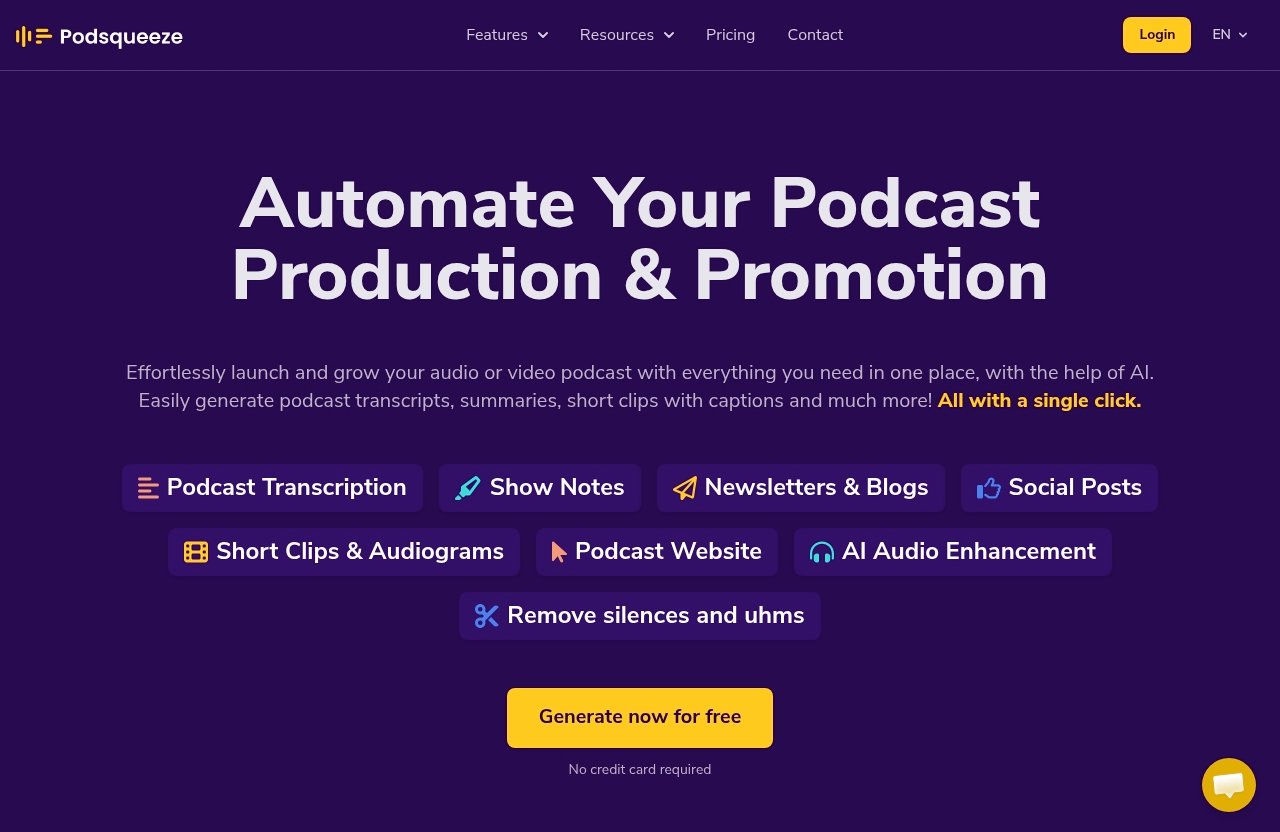
Podsqueeze is designed around a simple upload-and-generate workflow. You bring in an audio or video podcast episode, and the platform can create multiple content assets from that source.
Based on the official homepage, Podsqueeze supports full podcast episode transcripts and YouTube video transcripts. It can also generate SRT files for subtitles, which is helpful if you are publishing video clips or full episodes to platforms where captions improve accessibility and engagement.
The homepage highlights “Try Free” and “No credit card required,” which lowers the barrier to testing the workflow. For a commercial investigation like this podsqueeze review, that matters because you can evaluate whether the outputs match your style before committing to a paid plan.
Transcript, show notes, and social outputs
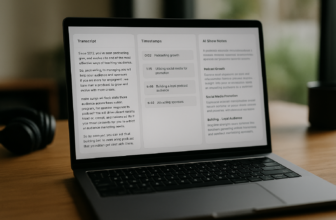
Once an episode is processed, Podsqueeze can generate show notes, summaries, bullet points, timestamps, and mentions. It can also create blog posts, newsletters, social media posts, and bite-sized insights for sharing.
This is where Podsqueeze becomes more than a basic AI podcast tool. Instead of only giving you a transcript, it helps convert the episode into content you can publish across your website, email list, and social channels.
The official product facts also mention “summaries in your own voice,” which is important. AI-generated show notes are only useful if they are close enough to your brand tone that you can edit quickly rather than rewrite completely.
Clip creation and enhancement workflow
Podsqueeze includes a podcast clips maker workflow for turning sections of an episode into short-form content. You can choose a chapter and export it as a clip or audiogram for TikTok, Instagram, and YouTube Shorts.
The platform includes a text-based editor, and its AI can shorten chapters to under 60 seconds. That is useful if your podcast contains longer conversations and you want to extract short highlights without manually scrubbing through the entire episode.
Podsqueeze also includes audio enhancement. According to the official homepage, it can remove ums, remove silences, and improve sound quality with one click. In real podcast workflows, that can be a meaningful time saver, especially for creators who do not want to do detailed audio cleanup manually.
Key Features I Looked At
Transcripts and SRT subtitles
Transcription is the foundation of most podcast repurposing workflows. Podsqueeze can generate full podcast episode transcripts and YouTube video transcripts, which means it can support both audio-first and video-first creators.
It also provides SRT files for subtitles. That is especially useful for creators publishing clips on TikTok, Instagram, and YouTube Shorts, where captions are often expected by viewers who watch without sound.
One thing I would be careful about in this podsqueeze review: the verified product facts for this article do not specify speaker labeling. If speaker identification is essential to your workflow, especially for interview-heavy shows, you should test that directly before buying.
Show notes with timestamps and mentions
Podsqueeze can generate show notes with summaries, timestamps, bullet points, and mentions. For many podcasters, this is one of the most valuable Podsqueeze features because show notes are repetitive but important.
Good show notes help listeners scan an episode before committing to it. They also make it easier to create episode pages, newsletters, and social captions because the main ideas are already organized.
The official testimonial from Justin Jackson says Podsqueeze generated the most useful outputs for show notes, timestamps, titles, mentions, sample blog posts, and key quotes. I treat testimonials as supporting context rather than proof, but it does align with the product’s core positioning.
Blog posts, newsletters, and social posts
Podsqueeze can generate actionable blog posts about podcast episodes and ready-to-send newsletters with main takeaways. It can also create short posts and bite-sized insights for social sharing.
This matters because podcast growth is rarely limited to the audio file itself. A strong episode can become a blog article, email newsletter, LinkedIn post, X post, quote image, and several short clips.
In this podsqueeze review, I see the blog and newsletter features as especially helpful for creators who already have an audience but struggle to keep up with written promotion. You should still edit the final copy, but starting with a structured draft is much faster than starting from scratch.
Short clips, audiograms, and one-click shorts
Short-form video is one of the biggest reasons podcasters look for a podcast repurposing tool. Podsqueeze lets users choose a chapter and export it as a clip or audiogram for TikTok, Instagram, and YouTube Shorts.
The text-based editor is a practical benefit because editing from text can be faster than editing from a traditional timeline. The AI can also shorten chapters to under 60 seconds, which fits the way many creators package highlights for social platforms.
The pricing plans include specific clip or audiogram limits, so this feature is not unlimited. If clips are your main use case, you should choose a plan based on your expected monthly output rather than only looking at podcast minutes.
Podcast website and landing pages
Podsqueeze can help users build a professional podcast hub with embedded audio players, auto-generated episode pages, and show notes. The official homepage describes the podcast website feature as SEO-optimized and no-code.
This is valuable for podcasters who do not want to maintain a separate website workflow. If each new episode can automatically become a useful page with show notes and an embedded player, that reduces publishing friction.
The Starter plan includes a podcast website, while the Pro and Agency Lite plans list podcast landing pages. If having a polished home for episodes matters to you, this feature adds more value than a transcription-only product would.
Audio enhancement and filler-word removal
Podsqueeze includes one-click audio enhancement that can remove ums, remove silences, and improve sound quality. For creators without a dedicated editor, this is a helpful addition.
It is important not to overstate this feature. The official facts say it improves sound quality and removes filler words and silences, but they do not claim it replaces a professional human audio engineer in every situation.
For this podsqueeze review, I would frame audio enhancement as a productivity feature. It can help clean up common issues, but critical productions may still want a dedicated editing or mastering process.
Podsqueeze Pricing 2026: Plans, Limits, and Best Value
Starter plan
Podsqueeze pricing starts with the Starter plan at $8.99 per month. It includes 120 minutes of podcast time per month, minutes rollover, 8 video clips or audiograms, quote images, file upload up to 4Gb, unlimited uploads, unlimited YouTube conversions, a podcast website, audio enhancement, podcast audio editor, chat with transcript, personalized results, and saved video templates.
For solo creators publishing a few episodes per month, Starter is the most accessible plan. It gives you the core repurposing workflow without jumping into a higher monthly subscription.
The main limitation is volume. If you publish long episodes weekly or want many short clips, 120 minutes and 8 clips may feel tight.
Pro plan
The Pro plan costs $49 per month. It includes 320 minutes per month, minutes rollover, 20 video clips or audiograms, quote images, file upload up to 10Gb, unlimited uploads, unlimited YouTube conversions, podcast landing pages, audio enhancement, podcast audio editor, chat with transcript, personalized results, and saved video templates.
For serious podcasters, the Pro plan is likely the best balance of limits and price. You get more monthly minutes, more clips, and a higher file upload limit than Starter.
In this podsqueeze review, Pro looks like the most practical plan for creators who publish consistently and want to repurpose every episode across multiple channels.
Agency Lite plan
Agency Lite costs $89 per month. It includes 600 minutes per month, minutes rollover, 40 video clips or audiograms, quote images, file upload up to 10Gb, unlimited uploads, unlimited YouTube conversions, podcast landing pages, audio enhancement, podcast audio editor, chat with transcript, personalized results, and saved video templates.
This plan is aimed at users managing more volume. Podcast managers, small agencies, studios, and content teams may find Agency Lite more realistic than Pro if they work with multiple shows.
The higher clip limit is especially relevant for agencies. If you are creating several social assets per episode, clip limits can become more important than transcript minutes.
Enterprise custom plan
The Enterprise plan uses custom pricing. It includes everything in Pro plus custom minutes, custom clips, priority support, feature requests, and team onboarding and training.
The official pricing page instructs users interested in Enterprise to reach out to team@podsqueeze.com or book a demo. That makes sense for media companies, studios, and agencies that need a tailored setup.
Enterprise is probably overkill for most solo podcasters. It is better suited to organizations where onboarding, support, and custom limits matter as much as the software features.
Monthly vs annual billing
The official pricing page says annual billing is 30% off, but it does not provide annual prices in the verified facts available for this article. For that reason, I will not invent annual totals.
Here is a simple comparison of the monthly plans:
| Plan | Monthly price | Monthly minutes | Clips/audiograms | File upload limit | Best for |
|---|---|---|---|---|---|
| Starter | $8.99/mo | 120 mins | 8 | Up to 4Gb | New or solo podcasters |
| Pro | $49/mo | 320 mins | 20 | Up to 10Gb | Consistent creators and small teams |
| Agency Lite | $89/mo | 600 mins | 40 | Up to 10Gb | Agencies, managers, studios |
| Enterprise | Custom | Custom | Custom | Not specified in verified facts | Larger teams needing support and custom limits |
From a value standpoint, Starter is attractive for testing and light publishing. Pro is the stronger middle option for regular podcasters, while Agency Lite makes sense when client work or multiple shows increase your monthly volume.
Official website · Latest pricing & offers
Pros and Cons of Podsqueeze
What Podsqueeze does well
The biggest strength of Podsqueeze is that it combines several podcast marketing tasks in one place. Transcripts, show notes, blogs, newsletters, social posts, clips, audiograms, audio enhancement, and podcast pages are all part of the product story.
That makes it more useful than a single-purpose podcast transcription tool for creators who care about distribution. If your goal is to make each episode travel farther, Podsqueeze gives you more reusable outputs from the same source file.
Another advantage is the plan structure. Even the Starter plan includes minutes rollover, unlimited uploads, unlimited YouTube conversions, audio enhancement, a podcast audio editor, chat with transcript, personalized results, and saved video templates.
Where it may fall short
The main tradeoff is that Podsqueeze may be more tool than some users need. If you only want a basic transcript once in a while, the broader repurposing suite may not justify even a low monthly subscription.
Plan limits are another factor. Minutes and clip/audiogram limits matter, especially for long-form shows or agencies producing content for multiple clients.
This podsqueeze review also found that some workflow-specific questions should be tested before purchase. For example, if you need a very particular editing process, advanced collaboration setup, or verified speaker labeling, you should validate those details inside the product rather than assuming they are included.
Things to consider before buying
Before buying, estimate how many minutes you publish each month. A weekly 60-minute show creates a very different requirement than a biweekly 25-minute show.
Next, estimate how many clips you want per episode. A creator who only needs one audiogram per episode may be fine on Starter, while an agency producing multiple vertical clips per client will likely need Agency Lite or Enterprise.
Finally, consider how much you will actually use the written outputs. Podsqueeze is most valuable when you use the transcript, show notes, social posts, newsletters, blogs, and clips together.
Podsqueeze vs Other Podcast AI Tools
How it compares on value
When looking at Podsqueeze alternatives, it is useful to think in categories rather than direct feature-by-feature claims. Some tools focus mainly on transcription, some focus on clips, and others focus on audio cleanup.
Podsqueeze positions itself as an all-in-one AI podcast tool for launching and growing audio or video podcasts. That means its value is strongest when you use multiple output types, not just one.
If you only need transcription, a transcription-first tool may be enough. But if your workflow includes show notes, social content, short clips, newsletters, blog posts, and audio enhancement, Podsqueeze becomes more competitive because those features are connected.
Where it seems stronger than generic transcription tools
Generic transcription tools usually solve one problem: turning audio into text. Podsqueeze goes further by using the episode to create marketing and publishing assets.
That difference is important for podcasters because a transcript is rarely the final output. Most creators still need summaries, timestamps, captions, quote images, newsletters, social posts, and clips.
In that context, this podsqueeze review sees Podsqueeze as stronger for repurposing than for transcription alone. Its advantage is the full content workflow around the podcast episode.
Why content repurposing matters
Podcasting is time-intensive. Planning, recording, editing, publishing, and promotion all take effort, and many shows fail to grow because promotion is inconsistent.
A podcast repurposing tool helps you extract more value from each episode. One conversation can become a searchable episode page, a newsletter, a blog post, several social posts, subtitles, and short-form clips.
That does not mean AI should replace human judgment. The best workflow is usually AI-assisted: let Podsqueeze create the first draft, then refine the outputs so they match your voice and audience.
Who Should Buy Podsqueeze in 2026
Solo podcasters
Solo podcasters should consider Podsqueeze if they publish consistently and want help with post-episode promotion. Starter is the easiest entry point if your monthly minutes and clip needs are modest.
Pro is better if you publish longer episodes or want more short clips. It gives you 320 monthly minutes and 20 clips or audiograms, which fits a more active solo creator.
For this audience, the main value is time saved. Instead of manually creating show notes, newsletters, captions, and social posts, you can work from AI-generated drafts.
Podcast managers and agencies
Podcast managers and agencies are among the best-fit users for Podsqueeze. They often manage multiple shows, different client voices, and repeated content deliverables.
Agency Lite is the most obvious plan for this group because it includes 600 minutes and 40 clips or audiograms per month. The ability to create podcast folders, share content pages, tune the AI voice for each show, and plan episodes with the podcast topics finder also fits agency workflows.
For a podcast manager, Podsqueeze can become a standardized production assistant. It helps turn each episode into a repeatable package of assets without building everything manually.
Media companies and studios
Media companies and studios should look at Agency Lite or Enterprise, depending on volume and support needs. Enterprise adds custom minutes, custom clips, priority support, feature requests, team onboarding, and training.
That kind of support is more relevant when podcast production is part of a larger content operation. If several stakeholders are involved, onboarding and training can matter as much as raw feature access.
Podsqueeze is not positioned only for hobbyists. The official site specifically lists creators, podcast managers, producers, studios, agencies, and media companies as suitable use cases.
Who should skip it
You may want to skip Podsqueeze if you only need a basic transcript and do not plan to repurpose your episodes. In that case, the broader Podsqueeze features may be unnecessary.
It may also be overkill if you publish rarely and do not need clips, newsletters, social posts, or podcast pages. A creator who records one short episode every few months may not get enough value from a recurring subscription.
Finally, skip or test carefully if your workflow depends on a specific unsupported detail. As noted earlier in this podsqueeze review, do not assume unverified features such as speaker labeling or specialized integrations unless you confirm them directly.
My Final Verdict on Podsqueeze
Bottom line
Podsqueeze is a strong AI podcast tool for creators and teams that want to turn episodes into multiple publishable assets. It is not just a transcript generator; it is closer to a full podcast repurposing platform.
The best part is the range of outputs: transcripts, SRT subtitles, show notes, timestamps, mentions, blogs, newsletters, social posts, short clips, audiograms, audio enhancement, and podcast pages. That combination makes the platform especially practical for podcasters who want to grow beyond the audio feed.
The main caution is fit. This podsqueeze review does not recommend buying it just because it has many features; buy it if you will actually use those features every month.
Best use case
The best use case is a podcaster, podcast manager, or agency publishing episodes regularly and repurposing each one across several channels. If you want every episode to become a transcript, show notes page, newsletter, blog post, social content, and short clips, Podsqueeze is well aligned with that workflow.
Starter is a sensible entry point for light use. Pro is the best fit for serious solo creators and small teams. Agency Lite or Enterprise makes more sense for multi-show operations.
If you are comparing Podsqueeze alternatives, focus less on which tool has one isolated feature and more on your full publishing workflow. Podsqueeze is most attractive when it replaces several small manual steps.
Recommendation
My recommendation is to try Podsqueeze if your podcast workflow currently feels too slow after recording. The homepage says you can “Try Free” with “No credit card required,” which makes it easier to test the output quality before choosing a paid plan.
If you want to evaluate it for your own show, you can visit Podsqueeze through our affiliate link here: try Podsqueeze free. Use one real episode as your test and check the transcript, show notes, clips, newsletter, and social posts before deciding.
Overall, this podsqueeze review finds Podsqueeze worth considering for the right buyer: creators and teams that publish consistently, care about content repurposing, and want a practical AI assistant for podcast growth.
Official website · Latest pricing & offers
FAQ
Is Podsqueeze worth it for podcasters in 2026?
Yes, Podsqueeze can be worth it if you want an all-in-one tool for transcripts, show notes, clips, newsletters, social posts, podcast pages, and audio enhancement. Its value depends on how often you publish and how much you repurpose each episode.
If you only need occasional transcription, it may be more than you need. But for consistent podcasters, the time savings can make it a practical investment.
Does Podsqueeze have a free trial or free plan?
The official Podsqueeze homepage says “Try Free” and “No credit card required.” I would recommend using that option to test your own episode before paying.
The verified facts for this podsqueeze review do not include specific free-plan limits, so you should check the current Podsqueeze website for the latest details.
What does Podsqueeze do?
Podsqueeze helps users launch and grow audio or video podcasts with AI. It can generate transcripts, YouTube video transcripts, SRT subtitle files, show notes, summaries, timestamps, mentions, blog posts, newsletters, social posts, short clips, audiograms, podcast websites, and AI audio enhancement.
It can also remove ums and silences, improve sound quality, and help turn longer chapters into short clips under 60 seconds.
How much does Podsqueeze cost?
Podsqueeze pricing starts at $8.99 per month for Starter, which includes 120 monthly minutes and 8 clips or audiograms. Pro costs $49 per month with 320 minutes and 20 clips or audiograms.
Agency Lite costs $89 per month with 600 minutes and 40 clips or audiograms. Enterprise uses custom pricing, and the official pricing page says annual billing is 30% off.
Is Podsqueeze good for agencies?
Yes, Podsqueeze can be a good fit for agencies because it supports higher-volume podcast repurposing workflows. Agency Lite includes more monthly minutes and more clips or audiograms than the lower plans.
The product also supports use cases for podcast managers, producers, studios, agencies, and media companies. Enterprise adds custom minutes, custom clips, priority support, feature requests, team onboarding, and training for larger teams.
Related Reading
References
- Podsqueeze
- Podsqueeze Pricing
- Podsqueeze Reviews (2026) – Product Hunt
- Podsqueeze Reviews in 2026 – SourceForge